AirPods Buying Guide: Which of the 4 Models Should You Buy?
Some of the links in this post are affiliate links, which means I may earn a small commission if you choose to make a purchase at no extra cost to you. As an Amazon Associate, I earn from qualifying purchases. Read my full Ethics & Affiliate Relationship Disclaimer.
Apple’s current AirPods lineup is actually pretty easy to narrow down once you stop looking at the names and start looking at how you plan to use them. Right now, there are four main options, and the good news is that all of them sound great out of the box. The real differences come down to fit, noise cancellation, fitness features, durability, battery life, and the charging case. If you are trying to avoid overspending or avoid buying the wrong model for your lifestyle, this is where the decision gets clear.
Table of Contents
Apple's Current AirPods Lineup & Pricing
Apple’s current earbuds lineup gives you four primary choices from about $130 to $250:
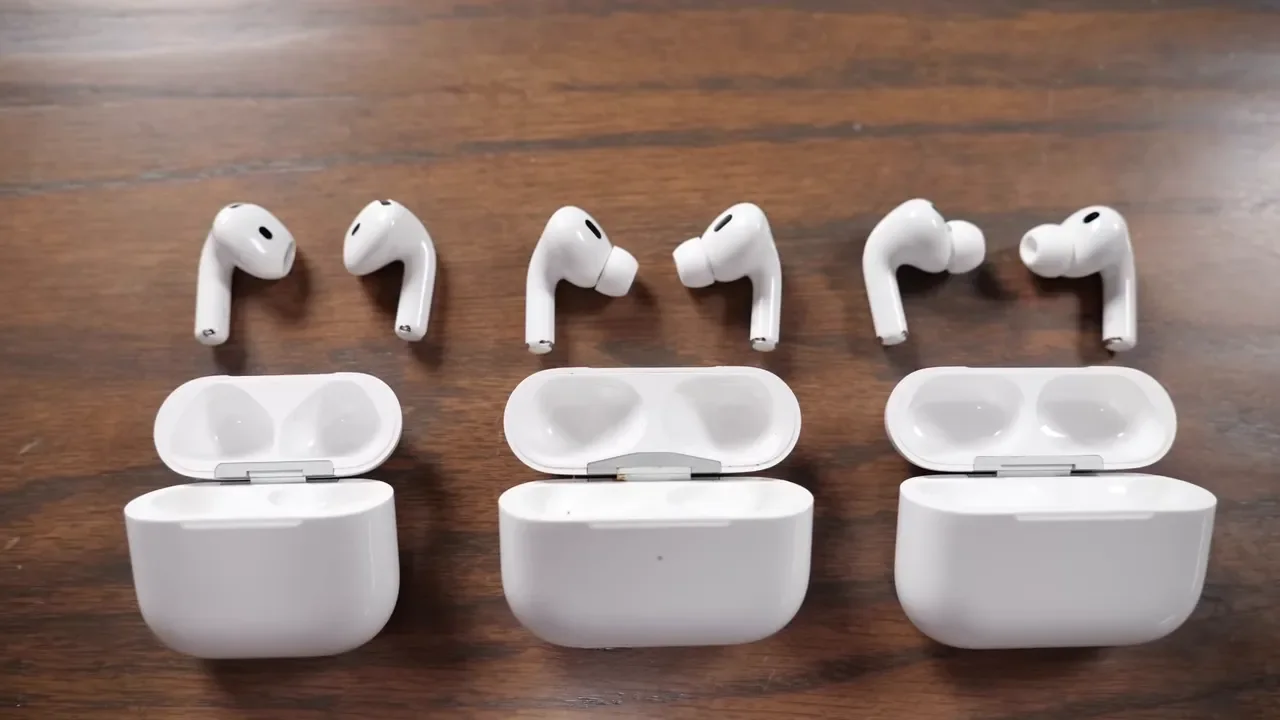
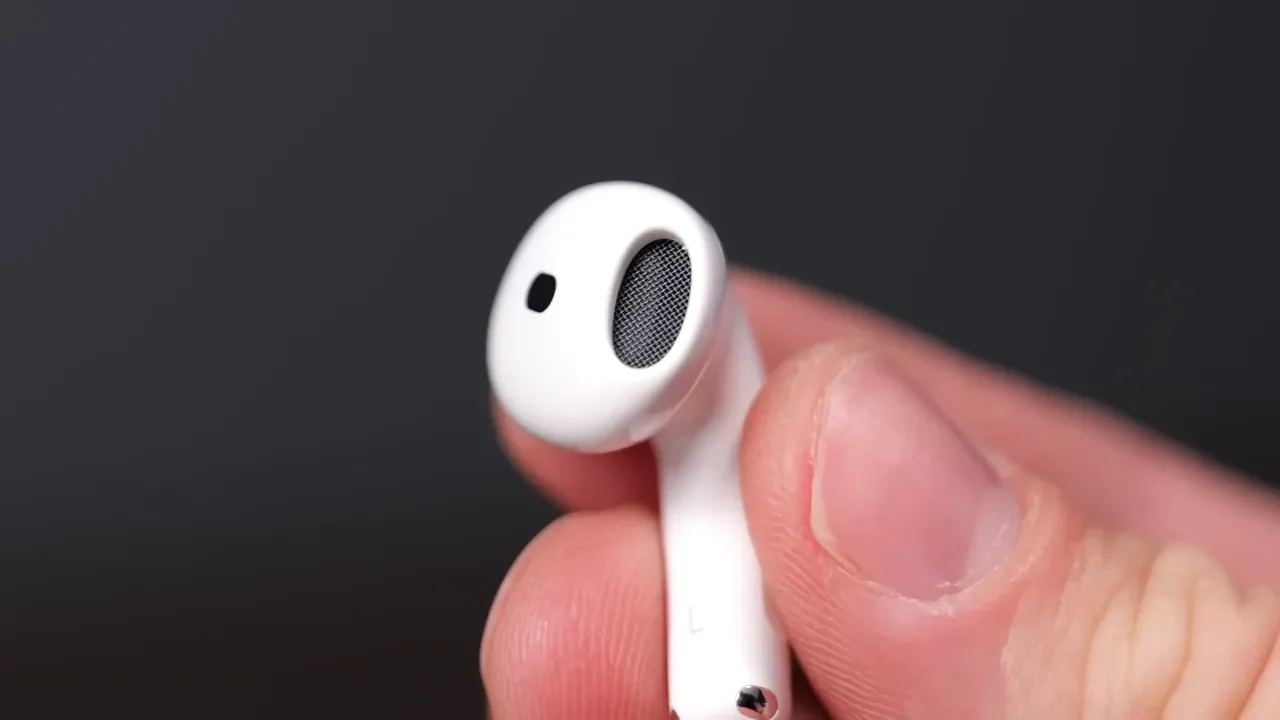
At a high level, the lineup splits into two categories. The AirPods 4 models use an open-fit design with no silicone ear tips. The Pro models use an in-ear sealed design for better passive isolation and stronger noise cancellation. If all you care about is getting the AirPods experience with easy pairing and solid sound, any of these can do that. The better question is what tradeoffs matter most to you.
H2 Chip Features: Spatial Audio & Adaptive EQ
One of the nice things about this lineup is that Apple built all four of these around the H2 chip. That means you are not forced into the most expensive model just to get the core smart features.
Across the lineup, you are getting features like:
Personalized Spatial Audio
Adaptive EQ
Live translation support
That matters because it keeps the baseline experience strong. Even the cheaper models still give you excellent sound quality, so the buying decision is less about whether one sounds good and more about which design and feature set fits your daily use.
Active Noise Cancellation (ANC) Comparison
Noise cancellation is one of the biggest dividing lines in this lineup. The standard AirPods 4 do not include ANC. The AirPods 4 With ANC do. Then both Pro models also offer active noise cancellation, but they perform better because they combine microphones with an in-ear seal.
That seal makes a big difference. With the Pro 2 and Pro 3, the ear tips physically block more external sound before the electronics even start working. That gives the ANC system a much better foundation. So if your priority is silencing travel noise, lawn equipment, or just a generally loud environment, the Pro models are the stronger options. The AirPods 4 With ANC are useful and impressive for an open-fit earbud, but they are not on the same level as the Pro 2 or Pro 3.
Ear Tip Design: Pro 3 Foam Vs. Pro 2 Silicone
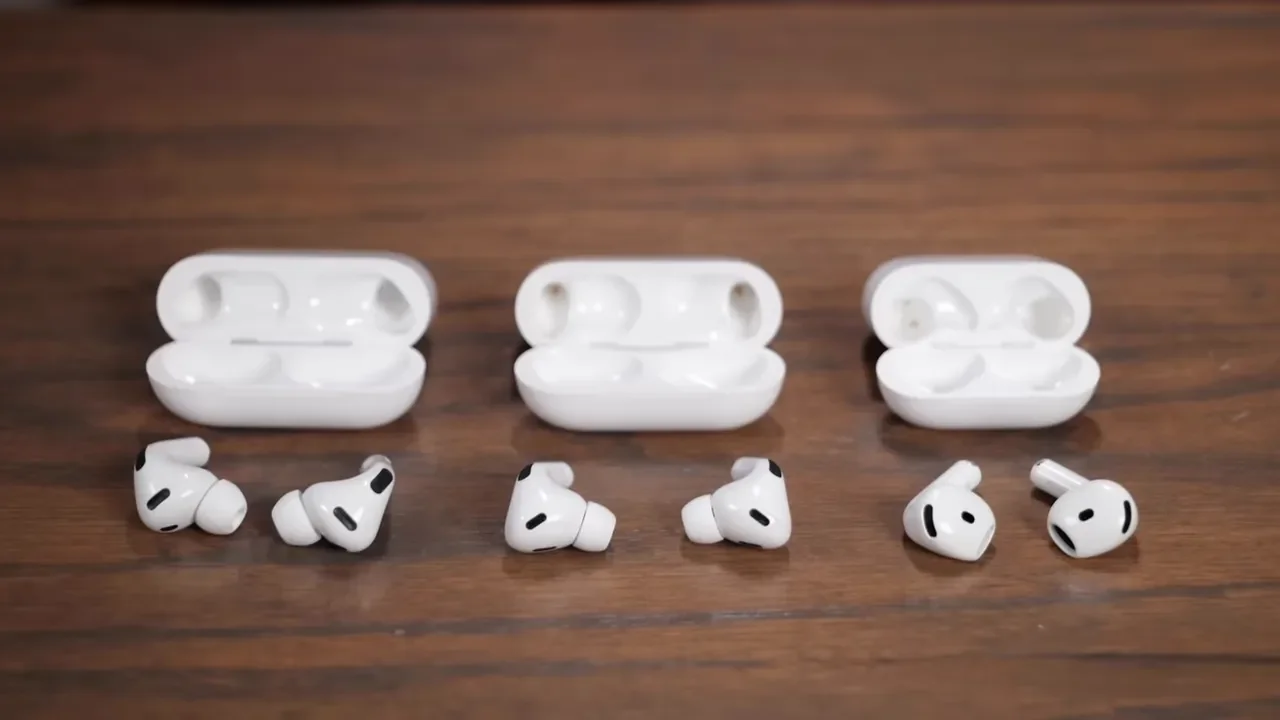
The Pro 2 and Pro 3 both use the classic in-ear design, but they are not exactly the same. The AirPods Pro 2 use silicone tips to create a snug acoustic seal. That already gives them great bass and better isolation than the open-fit models. The AirPods Pro 3 go a step further with foam-infused silicone tips, which create an even tighter seal.
That tighter seal helps in two ways:
Better bass response
Better overall noise isolation
The Pro 2 still sound excellent and still have strong bass, so this is not a knock against them. It is just one of the places where the Pro 3 pull ahead.
Open-Fit ANC On AirPods 4 Explained
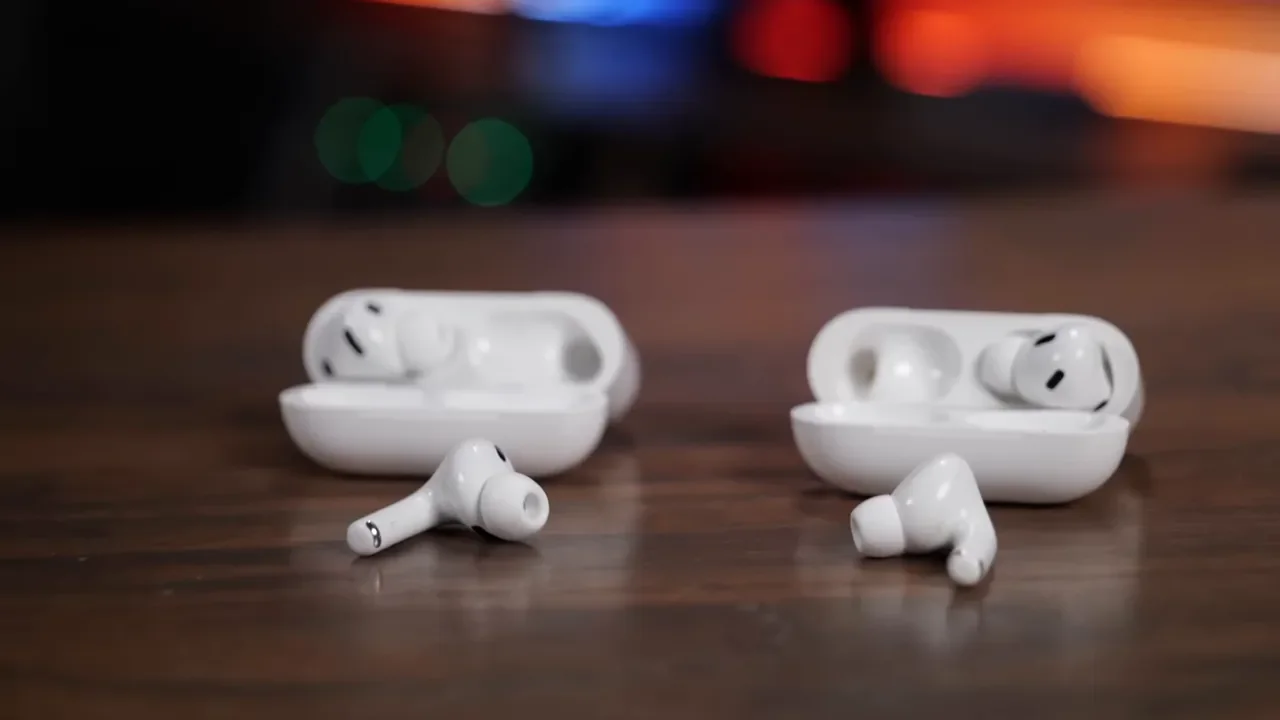
The AirPods 4 With ANC are one of the more interesting products here because they offer active noise cancellation without using silicone tips. That means you keep the open-fit feel. For a lot of people, that is a huge deal. Some just do not like the plugged-up in-ear feeling that comes with Pro models, no matter how good the sound or ANC is. So what do you get with the AirPods 4 With ANC? You get a more comfortable, casual fit with some real noise reduction, but not the same level of isolation as the Pro models. That is the tradeoff. If you want something for everyday use, commuting, or casual listening without sealing off your ears, this model lands in a very smart middle ground. If you want maximum quiet, go Pro.
Fitness, Durability, & Battery Life
Once you move past sound and ANC, the Pro 3 start separating themselves with fitness and endurance features.
For workouts and active use, a few things matter fast:
How well they stay in place
How much sweat and water they can handle
How long they last on a single charge
The Pro 3 lead the pack here. They are the most fitness-focused option in the lineup and the one that makes the strongest case if your earbuds are doing double duty for both music and health tracking.
Pro 3 Exclusive: In-Ear Heart Rate Sensor
The headline feature that sets the AirPods Pro 3 apart is the new in-ear heart rate sensor. This lets the earbuds track heart rate directly in compatible fitness apps without needing to wear an Apple Watch. That is a legitimately useful upgrade for runners, gym users, cyclists, or anyone who wants workout metrics with less gear. And this feature is exclusive to the Pro 3. If heart rate tracking matters to you, the decision is basically made.
IP Rating & Continuous Playback Comparison
Durability is another area where the Pro 3 come out on top. They carry an IP57 rating, which gives them stronger dust protection and sustained water resistance than the rest of the lineup. That makes them the best fit for harder workouts and rougher conditions. The AirPods Pro 2 and both AirPods 4 models sit at IP54 or IPX4 levels, which is enough for sweat resistance and normal active use, but not full submersion.
Battery life also favors the Pro 3. They offer up to 8 hours of continuous playback with ANC enabled. The Pro 2 and AirPods 4 models land more in the 4 to 6 hour range with ANC on, depending on the model and use case. If long listening sessions matter, or you just hate reaching for the case too often, that extra runtime is a real upgrade.
Charging Case Upgrades: USB-C, Wireless & Find My
The charging cases are not all the same, and this is one of those details that can quietly make a difference over time. The good news is that the lineup has moved to USB-C. The newer Pro 2 version now includes USB-C instead of Lightning, and all of these current models recharge over USB-C.
From there, the differences are:
AirPods Pro 3, AirPods Pro 2, and AirPods 4 With ANC support wireless charging
Those same three models also include a built-in speaker in the case for Find My
AirPods 4 do not include wireless charging or the case speaker for Find My tracking
The Pro 2, Pro 3, and AirPods 4 With ANC can also charge on MagSafe and an Apple Watch charger
That means the basic AirPods 4 are simpler and cheaper, but the case is definitely more stripped down.
Pro 3 Case: U2 Chip For Precision Finding
The AirPods Pro 3 case adds one more useful upgrade with the U2 chip for enhanced Precision Finding. Instead of just triggering a sound and hoping you hear it, your phone can guide you directly to the case. If you misplace earbuds a lot, that is one of those features that sounds minor until the first time it saves you ten minutes of digging through couch cushions, backpacks, or a car. If you want an extra layer of tracking for everyday gear, pairing your setup with AirTags is also a smart move.
Recommendation: Who Should Buy The AirPods Pro 3?
Buy the AirPods Pro 3 if you want the best overall AirPods experience and you know you will actually use the upgrades.
This is the best choice for:
Frequent travelers
Athletes who want in-ear heart rate tracking
Anyone who wants the strongest ANC
People who care about better durability and battery life
In louder real-world situations, the Pro 3 pull ahead. They do a better job blocking sounds like a mower or weed eater than the Pro 2, which tells you a lot about how much that improved seal and ANC system help. If your budget allows it and you want the best model in the lineup, this is the one.
Recommendation: Who Should Buy The AirPods Pro 2?
The AirPods Pro 2 are the value play. If you can find them around the $170 mark, they make a ton of sense. You still get great sound quality, strong active noise cancellation, silicone tips for a better seal, wireless charging, and a very complete AirPods feature set.
What you give up versus the Pro 3 is:
No in-ear heart rate sensor
Shorter battery life
Lower water and dust resistance
A slightly less secure fit, at least for my ears
Even with that, the Pro 2 still stay in better than the AirPods 4 models because of the silicone tip design. If you want the strongest deal in the current lineup, this is the model I would point to first.
Recommendation: Who Should Buy The AirPods 4 With ANC?
The AirPods 4 With ANC are for the person who wants comfort first but still wants more than the basic model offers.
These make sense if:
You do not like silicone ear tips
You do not want the plugged-in feel of in-ear earbuds
You still want some active noise cancellation
You want the nicer charging case with wireless charging
This is the middle-ground pick. You are getting the open fit comfort of regular AirPods with a more premium feature set and better versatility. For a lot of people, this ends up being the sweet spot.
Recommendation: Who Should Buy The Basic AirPods 4?
The basic AirPods 4 are the simple choice.
They are for someone who wants:
The standard AirPods feel
Easy wireless pairing across Apple devices
Good sound quality
No silicone tips
The lowest price in the lineup
What you are not paying for is noise cancellation, wireless charging on the case, or the extra case tracking features. If you genuinely do not care about ANC and just want the everyday AirPods experience, these still get the job done. If you prefer a wired option for certain setups, Apple’s USB-C EarPods are also worth a look.
Additional Resources
If you want more Apple gear ideas beyond earbuds, check out my desk setup and my full gear list.
The short version is this:
Buy AirPods Pro 3 for the best ANC, best fitness features, best durability, and best battery life.
Buy AirPods Pro 2 if you want the best bargain.
Buy AirPods 4 With ANC if open-fit comfort matters more than maximum isolation.
Buy AirPods 4 if you want the cheapest way into the AirPods ecosystem and do not care about ANC.