Anker Prime 220W Power Bank Review: Small Size, Big Power
Some of the links in this post are affiliate links, which means I may earn a small commission if you choose to make a purchase at no extra cost to you. As an Amazon Associate, I earn from qualifying purchases. Read my full Ethics & Affiliate Relationship Disclaimer.
Intro: Anker 220W Power Bank
The Anker Prime 220W power bank is built for people who need more than an emergency phone top-up. It can handle a phone, iPad, MacBook, and even demanding camera gear, while staying in a form factor that is much more practical than Anker’s larger 300W model. After using it for several months, the big takeaway is simple: this is serious portable power without the usual oversized brick in your bag. You still get the high output, smart display, Bluetooth app controls, and pogo charging ecosystem, just in a package that is easier to carry day to day. Anker sent this unit out for review, but it had no input on these thoughts.
Size and Weight
The best thing about the 220W model is its size. It is roughly the size of an energy drink can, which is genuinely impressive considering the power packed inside. It is not featherweight at a little over 1.1 pounds, but it is far more manageable than carrying a massive battery brick. It slips into smaller tech pouches and backpack pockets much more easily, making it a strong option for travel, mobile work, and production days. If you need pro-level power for a computer but do not want to feel like you are carrying a gym weight, this form factor is a huge win.
Capacity and Real-World Battery Life
The Anker Prime 220W has a 20,100mAh capacity and stays below the TSA 100Wh battery limit, so it is approved for air travel. That makes it a genuinely useful travel battery, not just something that stays on a desk.
In real-world use, this capacity works out to roughly:
Three to four full charges for an iPhone 17 Pro
About one full MacBook Air charge with some capacity left over
About 50% to 60% extra battery for a MacBook Pro, depending on whether it is the 14-inch or 16-inch model
More than one charge for an iPad Air
For a long work session away from an outlet, that is plenty of power to keep the essentials alive. The 220W output also makes this more useful than a typical laptop power bank for larger camera accessories. I have used it with high-draw video lights and sliders that need both sustained output and meaningful battery capacity.
Ports Overview
The top of the power bank has two USB-C ports and one USB-A port. Both USB-C ports support input and output, so either one can recharge the battery itself or power another device. The 220W model can accept up to 100W of input, which makes refilling it much faster than lower-powered power banks.

The USB-A port is the one part of the design I find a little disappointing. On a premium, high-output battery like this, I would much rather see three USB-C ports. Most current phones, tablets, computers, cameras, and accessories have moved to USB-C, so that third USB-C connection would be more useful for this kind of power bank.
How Power Gets Distributed
The important detail is that 220W is the combined maximum output, not 220W from every port at the same time. Each USB-C port can deliver up to 140W on its own. But as soon as you use both USB-C ports or add a device to USB-A, the available 220W is shared across all connected devices. That is still a lot of power, but it matters if you are planning to run multiple high-demand devices at once. For example, it can easily power a MacBook alongside an iPad, phone, camera accessory, or another USB-C device. But if the goal is to give two MacBook Pros a full 140W each at the same time, the 300W model is the better fit.
Pogo Charging Base
One of my favorite features is the pogo connector on the bottom. It works with Anker’s Prime charging base, allowing the battery to magnetically dock for charging. It is a genuinely convenient drop-and-go setup when the power bank normally lives on a desk or charging station. The charging base can provide up to 100W to the 220W power bank. The larger 300W power bank can receive up to 150W through the base.
The base also has USB-C and USB-A ports on its side. Keep in mind that its 150W total available power is divided between the docked power bank and any devices plugged directly into the base. It is a nice ecosystem accessory, but it is definitely more of a luxury than a necessity. If the convenience sounds worthwhile, the Anker Prime charging base is available separately. Pairing the power bank with a capable wall adapter also matters, and this is the wall charger I use with it.
Bluetooth App and Charging Modes
The Bluetooth connection adds more practical value than I expected. Through the app, you can check battery health, see live power going in and out, adjust display settings, and change how the power bank allocates its output.
There are three charging modes:
Dynamic Allocation: Intelligently distributes available power between connected ports.
Power Saving: Charges devices more slowly while using less energy and producing less heat.
Custom Mode: Lets you set power limits for individual ports.
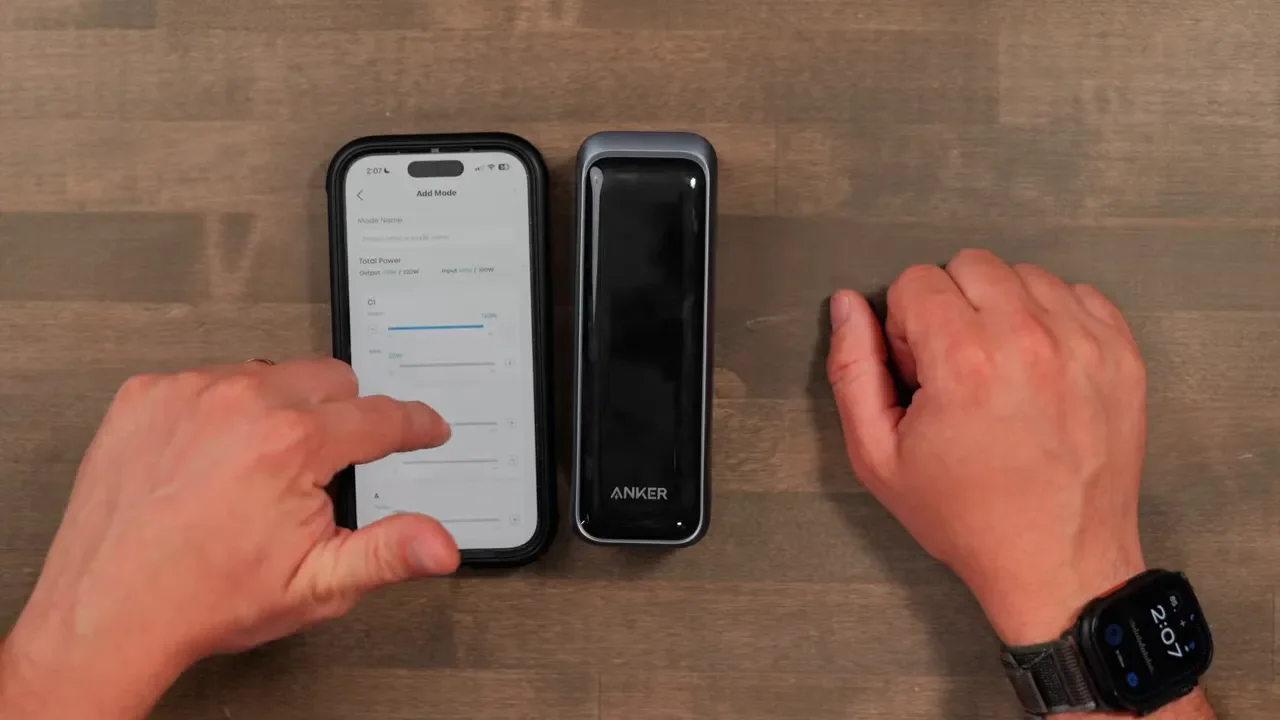
Custom mode is especially useful when you know exactly what you are powering. You could give C1 the full 140W, limit C2 to 43W, and reserve the remaining power for USB-A. You can also save multiple profiles for different device setups. That level of control is great for anyone running a laptop and camera accessories together, where one device needs priority and another just needs a slower top-up.
Live Power Display Demo
The display on the front of the Anker Prime 220W is one of the reasons this feels like a premium power bank. Instead of guessing whether something is charging correctly, you can see the output going to each port. In one setup, a MacBook Air connected to C1 was pulling 46W while a 13-inch iPad Air on C2 was receiving 11W. The display also showed that USB-A was unused.
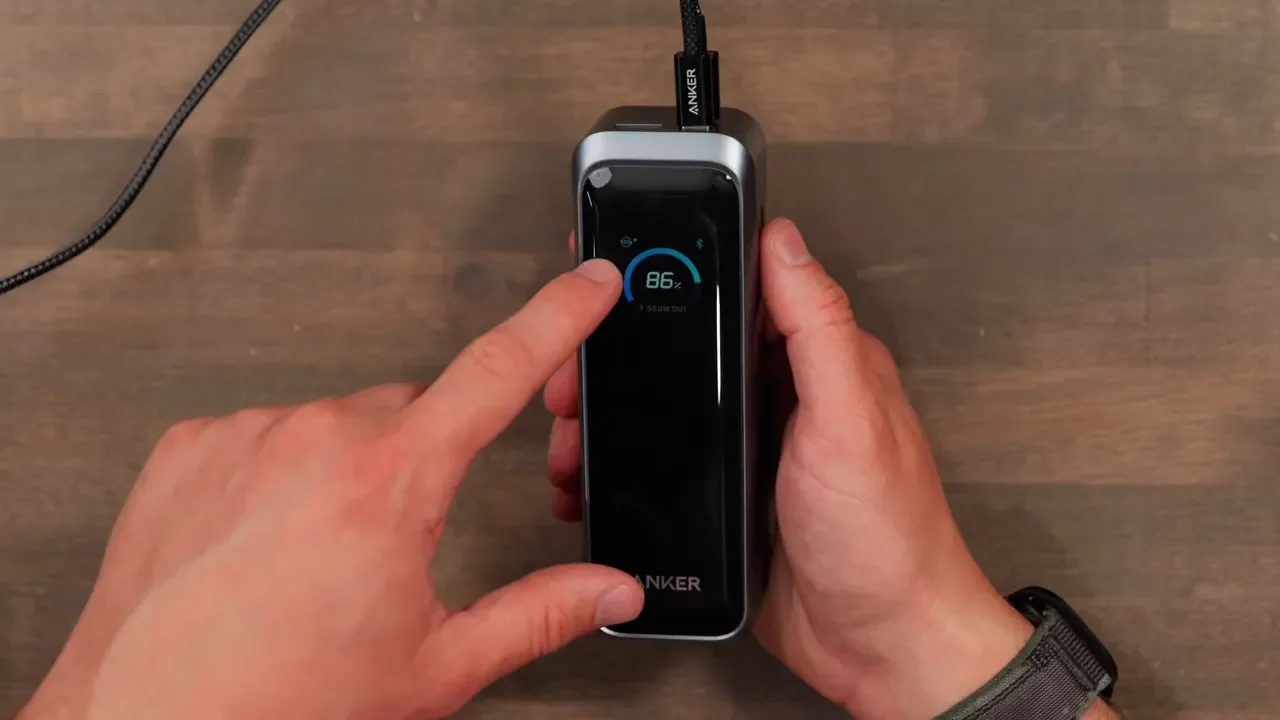
Pressing the side button cycles through useful information including remaining capacity, total current power, and the active charging mode. It is a small feature, but it makes troubleshooting cables, chargers, and device behavior much easier when you are on the go.
Price and Value
The Anker Prime 220W typically sells for around $180, which is about $50 less than the 300W model. That is not cheap for a power bank, and it should not be treated like a casual backup battery for charging a phone once in a while. The charging base costs extra, though it can occasionally be found in a bundle that adds roughly $50 to $60. The base is excellent for easy docking, but the power bank itself is the important purchase. For current availability and pricing, check the Anker Prime 220W power bank. It does go on sale at times, and the value becomes much easier to justify when the price drops.
Who This Is Actually For
This makes the most sense for someone who is frequently away from outlets and needs to power more than a phone. It is a great fit for:
Frequent travelers who need a TSA-compliant high-capacity battery
Remote workers using a MacBook Air, iPad, or MacBook Pro away from a wall outlet
Creators running camera gear, video lights, sliders, and other high-draw accessories
Power users who want up to 140W from a single USB-C port
Anyone who values the app controls, live display, and compact size
If all you need is occasional phone charging, $180 is a lot to spend. There are much cheaper power banks that will do that job perfectly well. But if you carry laptops and production gear regularly, the compact shape, 100W input charging, 140W single-port output, and smart monitoring make this much more than a basic backup battery. For more of the gear I use day to day, including my desk setup, take a look at the linked recommendations.
220W vs 300W: Which to Buy
The 220W model is the better choice if you care most about portability. It delivers substantial capacity and output while taking up less room in a bag, and it still includes all of Anker’s smart features. The 300W version makes more sense if you need maximum performance. It has a 26,000mAh capacity compared with roughly 20,000mAh here, and its 300W total output can supply 140W to both USB-C ports at the same time.
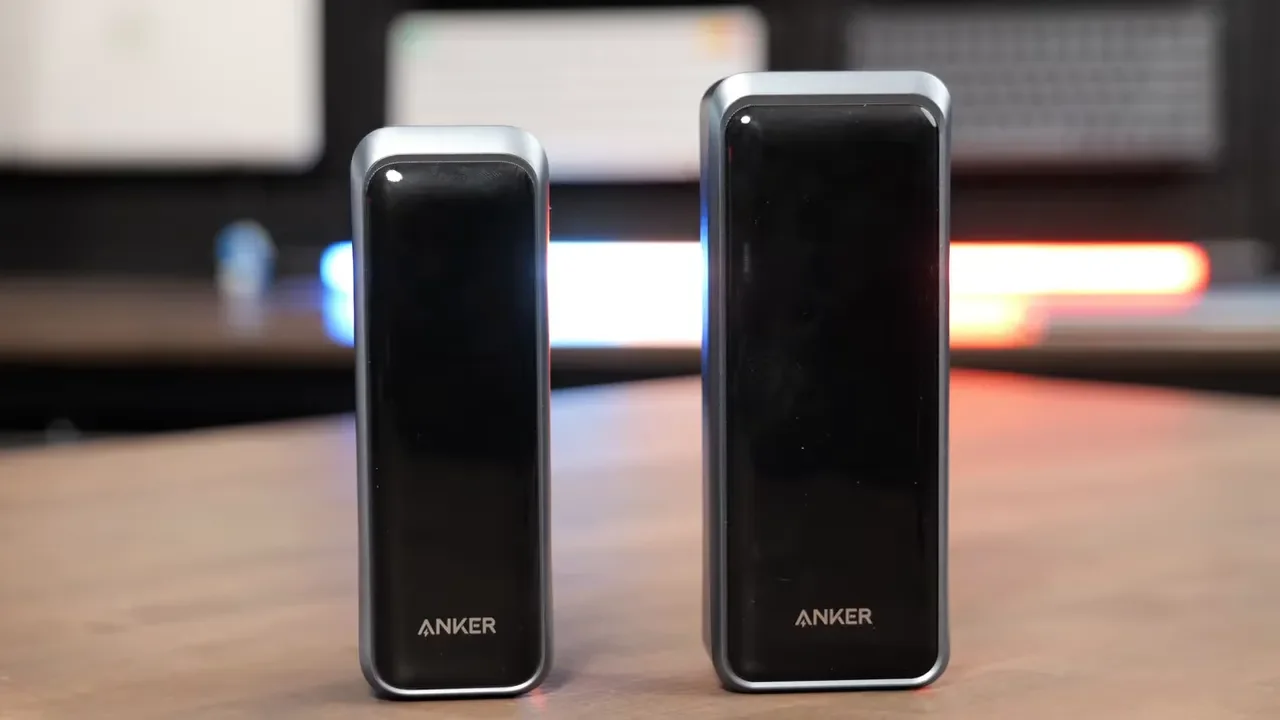
That matters if you want to keep two MacBook Pros running simultaneously, need the highest possible combined output, or want faster charging through the larger model’s charging options. The larger 300W unit is only a little wider and taller, so the decision is not completely obvious. If the price difference is only around $50, the extra capacity and output can be compelling. If compact carry is the priority, though, the 220W is the smarter everyday choice. You can compare it directly with the Anker Prime 300W power bank before deciding.
Final Verdict
The Anker Prime 220W power bank cuts down on bulk without cutting corners on the technology. It offers fast 100W input charging, excellent output capability, a useful live display, Bluetooth app controls, and compatibility with Anker’s pogo charging base. The USB-A port feels dated, and the combined 220W output means you need to understand how power is shared when several devices are connected. But those are manageable compromises for a power bank this capable and this compact.
If you need serious portable power for a laptop, iPad, phone, or video gear, this is one of the most practical options in Anker’s lineup. It has enough capacity to matter, enough output to handle demanding equipment, and a size that makes it realistic to carry every day. For a broader list of the tools and equipment I recommend, visit my full gear recommendations.