BenQ ScreenBar Halo 2 Review: The Monitor Light That Fixed My Desk
Some of the links in this post are affiliate links, which means I may earn a small commission if you choose to make a purchase at no extra cost to you. As an Amazon Associate, I earn from qualifying purchases. Read my full Ethics & Affiliate Relationship Disclaimer.
If you spend a lot of time at a desk, lighting matters more than most people realize. A comfortable setup is not just about the chair, keyboard, and mouse. It is also about how your screen sits in the room, how much contrast there is around it, and whether your workspace feels balanced or harsh on your eyes.
That is where a monitor light bar can make a real difference. The BenQ ScreenBar Halo 2 is designed to sit on top of your monitor and light your desk without bouncing glare back onto the display. After using it for about a month, I came away impressed by how much it changed the feel of my setup.
Table of Contents
Why A Monitor Light Can Improve A Desk Setup
A bright display in a dark room can feel fatiguing pretty quickly. Even if the screen itself is not overly bright, the contrast between the display and everything around it can make your desk feel dim and uncomfortable.
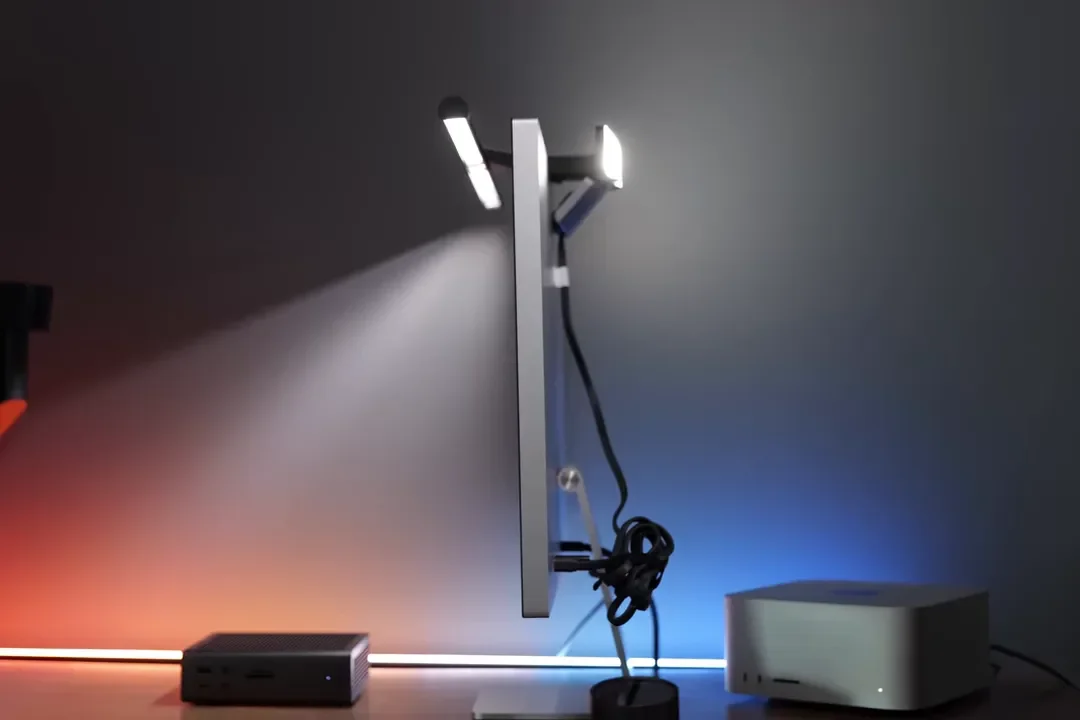
The ScreenBar Halo 2 tackles that by adding light in two places:
Front lighting for the desk surface and keyboard area
Rear lighting to create a halo effect behind the monitor
That combination helps reduce the harsh difference between your screen and the surrounding room. It also doubles as a practical task light, so your workspace becomes easier to see without introducing ugly reflections or awkward shadows. The key idea here is not flooding your desk with brightness. It is creating better balance.
What Makes The ScreenBar Halo 2 Different
The big feature is BenQ's asymmetric light design. Instead of aiming light straight down in a way that would reflect off the screen, the beam is shaped to illuminate the desk while keeping the monitor clear of glare. That sounds like a small detail, but it is really the whole point. A regular lamp can brighten the area, sure, but it can also introduce hotspots, reflections, and weird shadow angles. The ScreenBar Halo 2 is built specifically to avoid those problems.
The rear halo light is also a nice touch. It adds ambient light behind the monitor, which helps the display feel less isolated in a darker room. The effect is subtle, but it makes the whole setup feel more comfortable and a lot more polished.
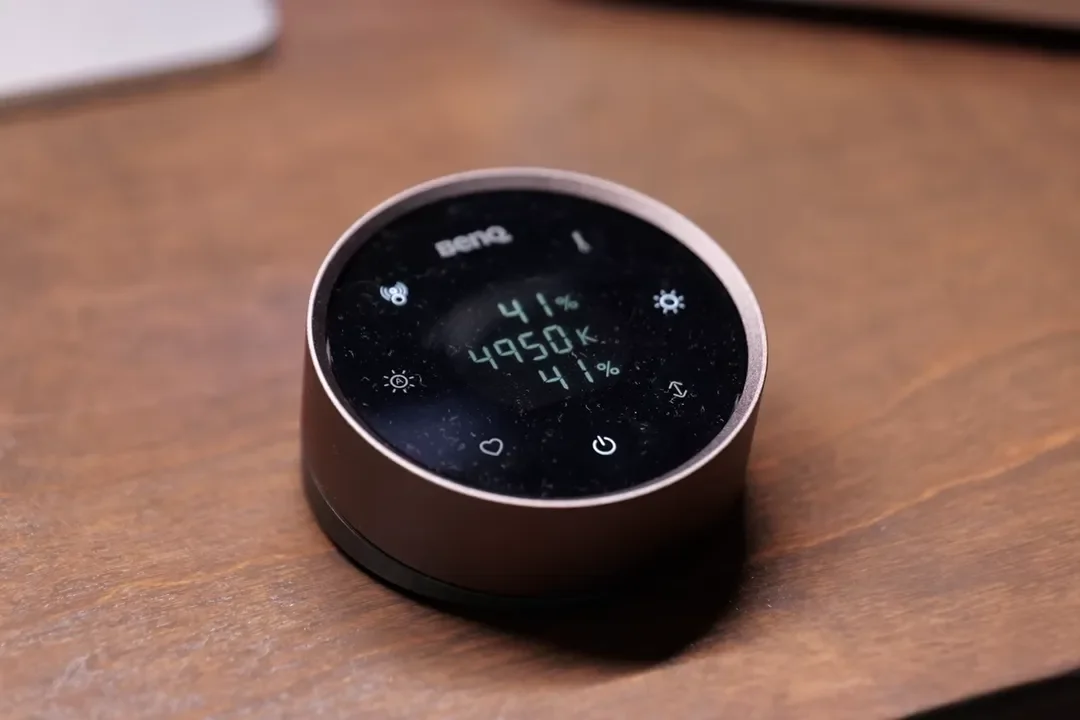
The Wireless Controller Is Genuinely Useful
BenQ includes a wireless controller, and this is one of the better parts of the package. It gives you easy access to brightness, color temperature, auto mode, favorite presets, and front or rear light selection without having to reach up to the monitor. You can adjust color temperature anywhere from 2700K to 6500K, so there is a pretty wide range depending on whether you want a warmer or cooler look.
There is also an auto mode that sets the light to 4000K and automatically adjusts brightness based on the current room lighting. I ended up liking this mode quite a bit because it responds well if the lighting in the room changes. If I am using brighter lights in the office, it compensates. If the room is dimmer, it scales back accordingly. That makes it easy to keep the setup comfortable without constantly fiddling with settings.
My Preferred Settings
What surprised me most at first was that I immediately wanted to crank the brightness all the way up. Very quickly, I realized that is not what this light is for. Even at very low brightness, it still improves contrast around the monitor. In my setup, I ended up preferring roughly 30 percent brightness and a 5000K color temperature. That matched the room lighting well, including some natural light from the window. The controller also lets you save a favorite setting. Hold the heart button for a few seconds, wait for the light to confirm the save, and then you can jump back and forth between your preset and auto mode.
Front Light, Back Light, Or Both?
You can control the front light and back light separately, or run both at the same time. Personally, I like using both. That gives the best overall balance for my desk and monitor. That said, not everyone will want the rear halo effect. If all you care about is desk illumination, you may end up sticking with the front light only. There is one small limitation with the controller. If you want different brightness levels for the front and rear lights, you need to select one, adjust it, switch to the other, adjust that, and then go back to the combined mode if you want both active. It works, but it is not the most elegant way to handle independent brightness control.
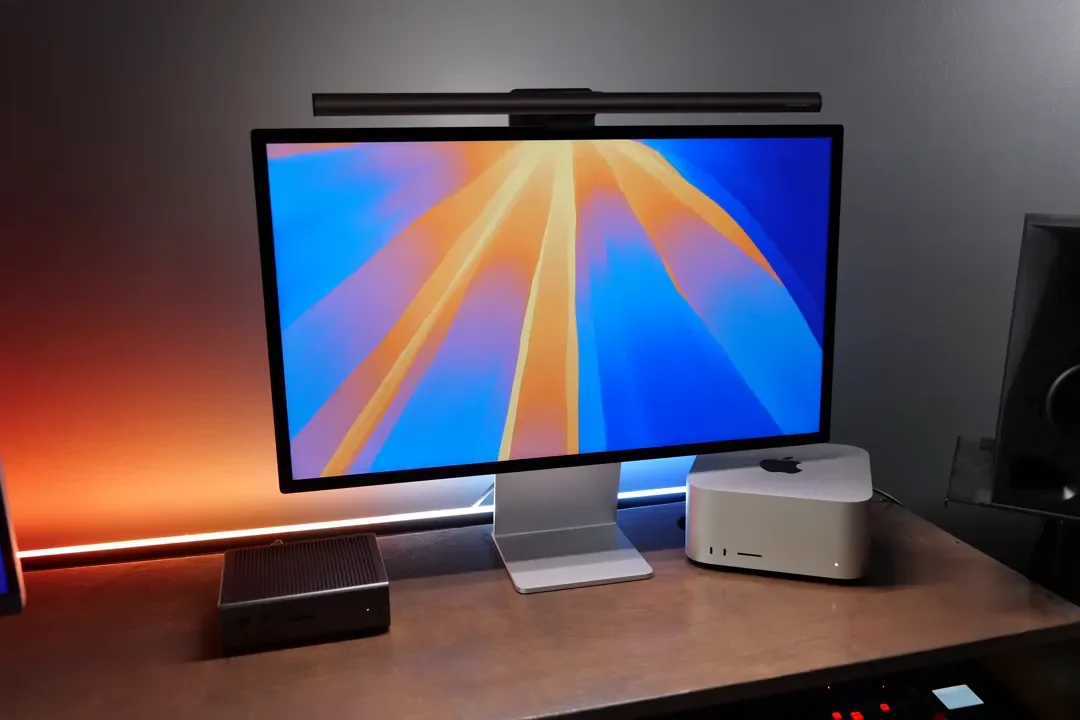
Setup, Compatibility, And Webcam Clearance
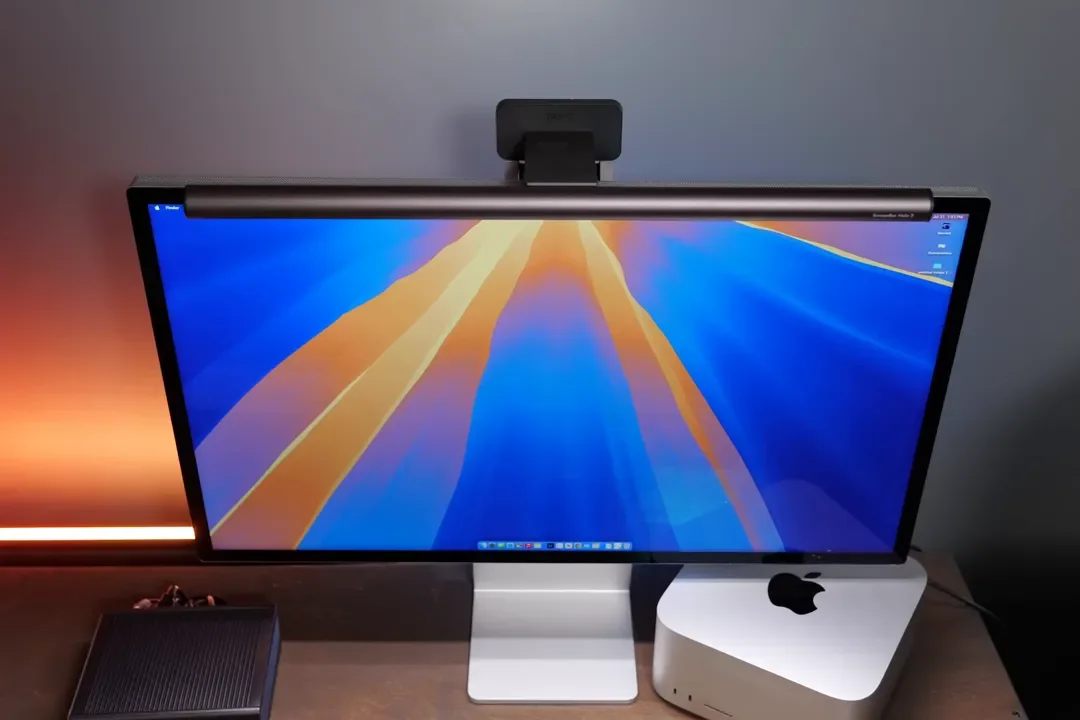
The ScreenBar Halo 2 is made to work with both flat and curved monitors. The clamp is adjustable, so it is easy to fit to different displays. One of the things I appreciated is that it stayed out of the way of the built in webcam on the Apple Studio Display. That is something I was a little concerned about going in, but in practice it was not an issue for me.
There is also an adapter if you want to place your own webcam on top of the light bar. That is a thoughtful addition for anyone using an external camera for calls or content creation. The only real physical drawback is pretty obvious. You are adding an object to the top of your monitor. If you want a completely bare and minimal display, that may bother you at first. For me, it became normal very quickly, and the comfort improvement was worth it.
Power And Charging
The light uses USB C power and has a built in cable that is about 59 inches long. In my case, I powered it directly from the Apple Studio Display, which made cable management simple because I could plug it right into the back of the monitor. BenQ also includes a small USB C power adapter in the box. The front and rear light together draw up to 10.5 watts, and BenQ recommends a power source that can provide at least 15 watts. I had no issues running it from the monitor. The wireless controller has its own built in battery and charges over USB C as well, which keeps things simple.
The Motion Sensor Is A Nice Quality Of Life Feature
The Halo 2 also includes a motion sensor on the front. This is one of those features that sounds minor until you live with it. If you step away from your desk, the light does not need to stay on. Then when you come back, it can automatically turn on as you approach. It is a small convenience, but it makes the setup feel smarter and a little more effortless. If that is not your thing, you can disable the automatic behavior.
How It Actually Improved My Workspace
The biggest benefit for me was simple. My desk always felt darker than I wanted, especially the area directly in front of the monitor. Even with the Studio Display at around 50 to 60 percent brightness, the display felt too intense compared to the surrounding space. That imbalance made the setup feel more fatiguing than it should have.
After adding the ScreenBar Halo 2, the space felt much better balanced. I got more brightness and more contrast in the workspace without glare on the display and without odd shadows across the desk. I also had some initial hesitation about the light angle, but it is easy to adjust by rotating the bar forward or backward. Once dialed in, the LEDs were not distracting to me at all.
Is The BenQ ScreenBar Halo 2 Worth $180?
The price is $180, which definitely puts this in premium territory. This is not the kind of desk accessory you buy on impulse just because it looks cool. But if you work long hours at a desk and your space feels too dark around the monitor, I do think it is worth a serious look. The value here is not flashy. It is about comfort, usability, and making your environment easier on your eyes over time. For me, it solved a real problem in a way that felt cleaner and more intentional than using a standard desk lamp.
Who I Think It Is For
I think the ScreenBar Halo 2 makes the most sense for people who:
Spend long stretches working at a monitor
Notice eye strain from a bright screen in a darker room
Want better desk visibility without glare
Care about a clean, integrated workspace setup
Would benefit from adjustable front and rear lighting
If your desk already has excellent ambient lighting and you never feel discomfort around your monitor, this may be more of a luxury than a necessity. But if your setup feels a little harsh or dim in the wrong places, this can make a bigger difference than you might expect.
Final Thoughts
Overall, I really like the BenQ ScreenBar Halo 2. It is one of those upgrades that does not scream for attention, but once it is in place, you do not really want to go back. The glare free front light works well, the rear halo adds useful contrast, the controller is easy to use, and the motion sensor is a genuinely nice addition. The few downsides are minor, mainly the premium price and the fact that it occupies the top of your monitor. For my setup, it has earned a permanent place.
Additional Resources
If you want to explore the rest of the gear used around this desk setup, here are the exact resources and recommendations:
