The Best External SSDs for Mac in 2026: Why I Only Recommend These Two Drives
Some of the links in this post are affiliate links, which means I may earn a small commission if you choose to make a purchase at no extra cost to you. As an Amazon Associate, I earn from qualifying purchases. Read my full Ethics & Affiliate Relationship Disclaimer.
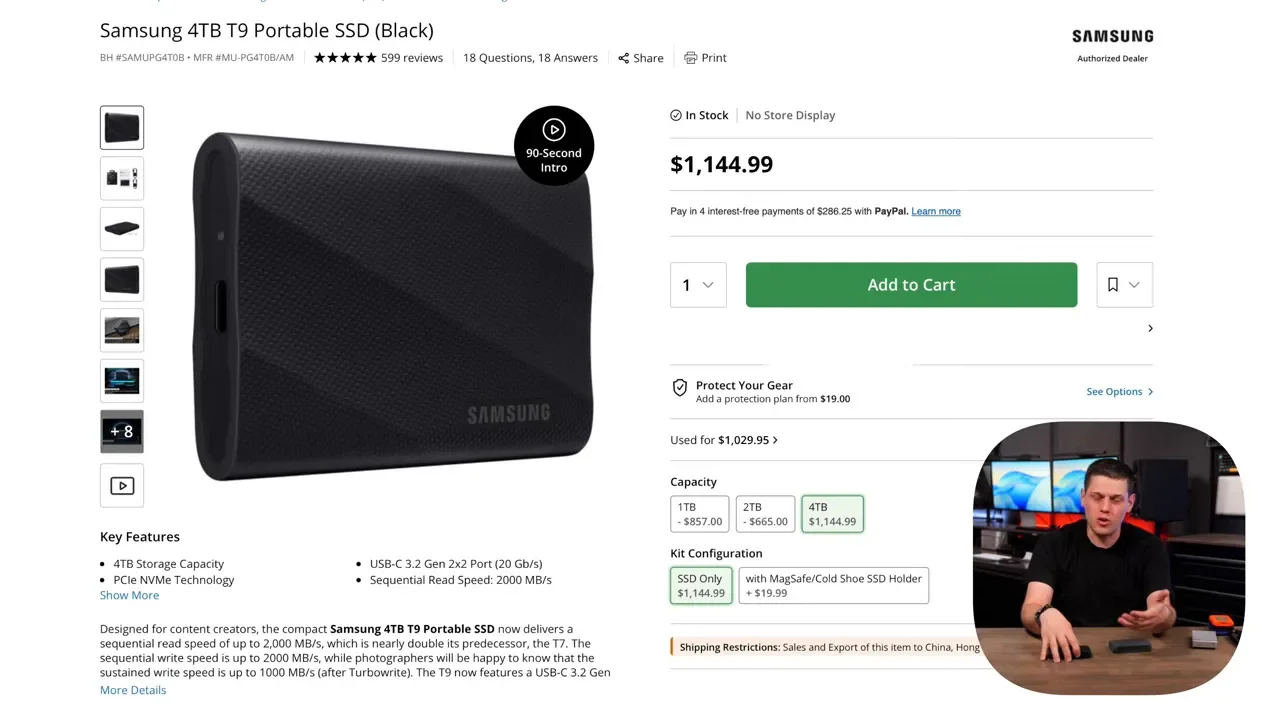
External SSD pricing in 2026 has gotten ridiculous. When a Samsung T9 can cost over $1,100 and still not be anywhere close to the fastest option, it’s worth being a lot more selective about what you buy.
After testing a huge range of external SSDs with Mac computers, there are really only two drives I’d personally spend money on right now: the Oyen U34 Bolt and the Oyen U35 Bolt Plus.
These are the drives that stand out not just because of peak benchmark numbers, but because they stay fast during real work. If you’re transferring 100GB to 500GB at a time, editing video all day, or even running macOS and apps from an external drive, that sustained performance matters a lot more than a flashy spec sheet.
Table of Contents
Why Most Expensive External SSDs Still Miss The Mark
A lot of drives look great until you actually push them. You’ll often see impressive read and write numbers in short burst tests, but once the drive’s fast cache fills up, speeds can crater. That is exactly where many premium SSDs start to fall apart. The big reason these two Oyen drives stand out is their larger fast SLC cache. In practical terms, that means they can hold top speeds much longer before slowing down to the lower speeds of the main NAND storage.
That matters if your workflow includes any of the following:
Moving large photo or video libraries
Backing up project files in big chunks
Editing directly from an external SSD
Running macOS from an external drive
Keeping apps and active media assets on portable storage
There’s another thing I care about just as much: reliability. These Oyen drives don’t randomly disconnect. I’ve left them plugged in for days at a time, including over a weekend, and they stayed mounted to the Mac. That might sound basic, but if you’ve used enough external SSDs, you know not every drive gets that right. If you want the full spreadsheet-style performance data across different Mac SSDs, the most useful place to compare them is my Mac SSD speed test guide.
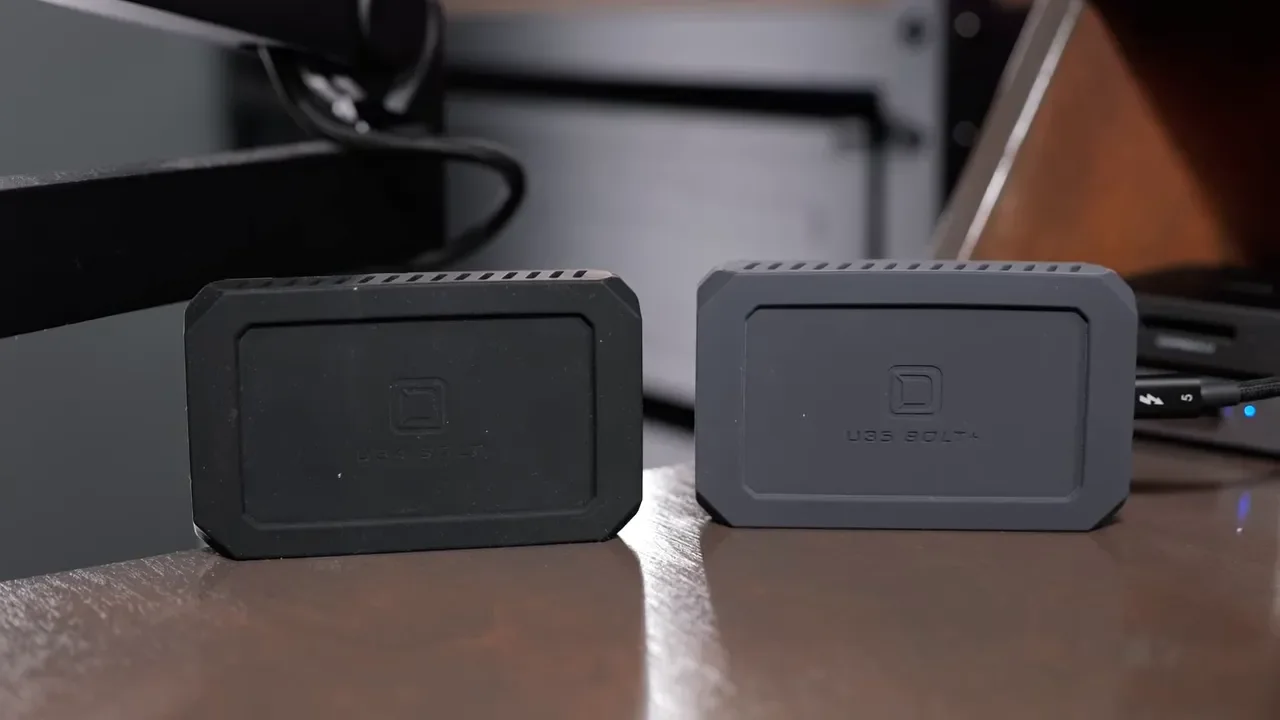
The Two Best Picks And Who They’re For
Oyen U34 Bolt
The U34 Bolt is the pick for most Mac users who want top-tier performance without needing Thunderbolt 5. It’s a 40Gbps drive, and it works with Macs that have Thunderbolt 3, Thunderbolt 4, or Thunderbolt 5. That makes it the easy recommendation if you want a premium external SSD today and don’t want to worry about next-gen interface requirements.
Oyen U35 Bolt Plus
The U35 Bolt Plus is the faster sibling. It’s an 80Gbps drive, which means you need a Mac with Thunderbolt 5 to unlock its full performance. At the time of testing, that means Macs built around these chips:
M4 Pro
M4 Max
M5 Pro
M5 Max
If you have one of those systems and regularly move massive files, this is one of the rare drives that actually justifies a premium price.
Real-World Speed Results That Actually Matter
Peak benchmark numbers are nice, but large file transfers tell the real story. Here’s how these drives performed in practical testing.
Oyen U34 Bolt Performance
On the U34 Bolt, I was seeing roughly 2700 to 2900 MB/s on both reads and writes. More importantly, the transfer times were excellent:
100GB transfer: 33 seconds
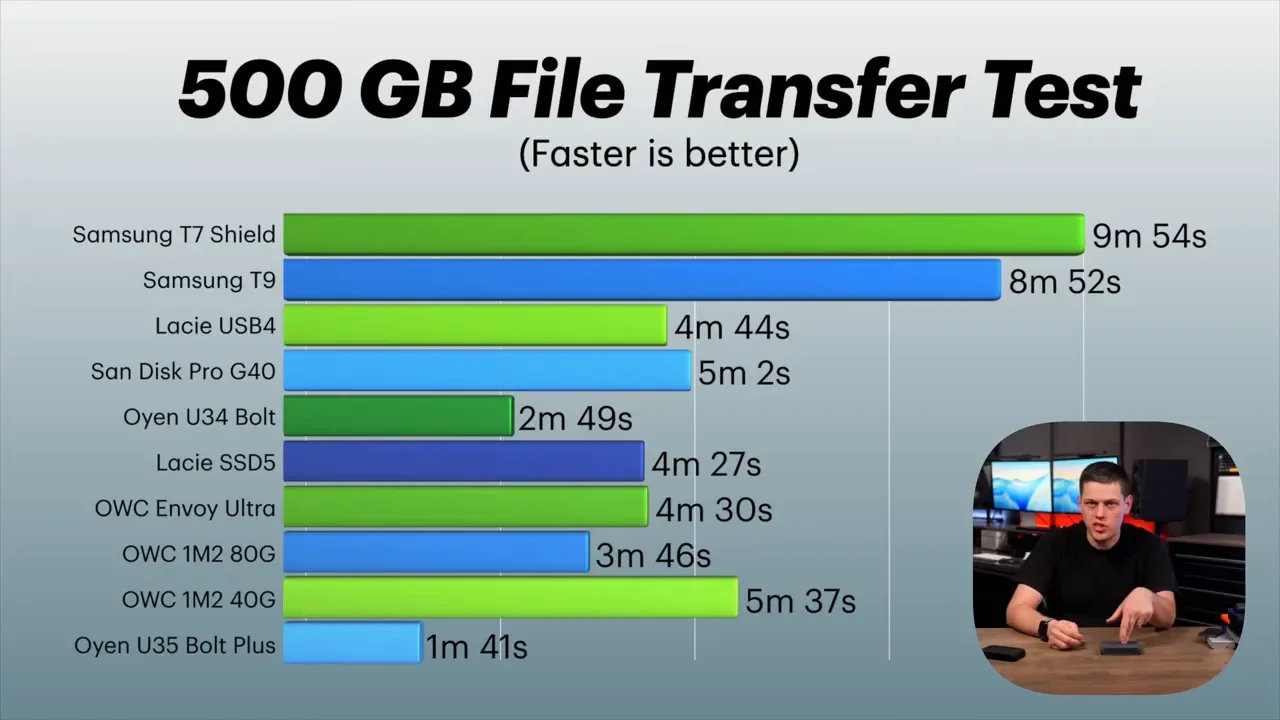
500GB transfer: 2 minutes 49 seconds
That’s what makes this drive so compelling. It’s not just fast in a quick benchmark burst. It stays fast long enough to handle serious workloads.
Oyen U35 Bolt Plus Performance
The U35 Bolt Plus takes things to another level. In Blackmagic Disk Speed Test, it hit about 6200 to 6300 MB/s for both reads and writes. In actual file transfer testing:
100GB transfer: 16.5 seconds
500GB transfer: 1 minute 41 seconds
I also tested it with the AJA System Test over a longer 500GB workload. Write speeds eventually dropped to around 3500 MB/s, but that is still better sustained performance than any other external SSD I’ve tested in this class. That last part is critical. A lot of drives can look competitive in short tests, then fall to around 1000 MB/s once they’ve been pushed for a while. The U35 Bolt Plus simply doesn’t fall apart the same way.
How These Compare To Other Popular SSDs
This is where the value of these Oyen drives becomes obvious.
Versus LaCie USB4
The closest USB4 competitor to the U34 Bolt was LaCie’s USB4 external SSD. Even though the LaCie was technically a bit faster in some short read and write tests, it couldn’t sustain that performance as long.
For a 500GB transfer:
Oyen U34 Bolt: 2 minutes 49 seconds
LaCie USB4: 4 minutes 44 seconds
That’s a huge gap, especially considering the LaCie was around $1,300 at the time, while the U34 Bolt was about $834for 4TB.
Versus OWC Envoy Ultra
The OWC Envoy Ultra is one of the better-known premium SSDs for Mac, but the U35 Bolt Plus was still in a different league. With the Envoy Ultra, I was seeing around 5000 MB/s on reads and writes. That sounds strong, but the real transfer results told a different story:
OWC Envoy Ultra 100GB: 35 seconds
OWC Envoy Ultra 500GB: 4 minutes 30 seconds
Oyen U35 Bolt Plus 100GB: 16.5 seconds
Oyen U35 Bolt Plus 500GB: 1 minute 41 seconds
That makes the U35 Bolt Plus roughly twice as fast in these transfer-heavy scenarios.
Versus Samsung T9, Sandisk, And Other Consumer Favorites
If you’re spending premium money on a Samsung T7 Shield, T9, Sandisk, or Crucial drive in 2026, you need to be realistic about what you’re getting. These are not bad drives for casual use, but at current pricing they are hard to justify when compared with what Oyen is offering. The Samsung T9 in particular stands out for the wrong reasons here. It’s way slower, yet priced at over $1,100. That is exactly the kind of purchase that looks safe on paper but doesn’t make much sense once you compare sustained performance and value.
What About Building Your Own SSD With An NVMe Enclosure?
There is one other route worth considering in theory: buying an NVMe SSD and pairing it with a high-speed enclosure. For example, you could use an enclosure like the OWC 1M2 40G or the 80G model, then drop in a top-end NVMe drive such as:
Samsung 9100 Pro
WD Black SN850X
That sounds like it should be the best possible setup. But in testing, even those combinations ended up slower on large file transfers than the Oyen drives. Using the 80G enclosure, a 500GB transfer took about 3 minutes 46 seconds. That is still nowhere near the U35 Bolt Plus. So while DIY enclosures can be appealing, especially for tinkerers, they didn’t win on large sustained transfers here.
Durability, Cooling, And Day-To-Day Design
Both the U34 Bolt and U35 Bolt Plus are rated to the MIL-STD-810F standard. That spec is said to cover around 26 drops, although I’m not a huge fan of how vague this standard can be. It doesn’t tell you everything you might want to know, and it’s not as clear or helpful as a full ingress protection rating.
Even so, the physical design is solid. Both drives have:
A rubber coating on the outside
A rubber protective jacket
An internal aluminum cooling core
That thermal design helps these drives dissipate heat and maintain stable performance during longer transfers. That’s a major reason they don’t fall off a cliff when you really start hammering them.
Compatibility Notes Before You Buy
There is one real downside with these drives, and it has to do with power and compatibility. They do not work directly with an iPhone. They also only work directly with the iPad Pro, because it has a Thunderbolt port. Other iPads can’t provide enough power on their own. If you want to use one of these drives with an iPhone or a non-Pro iPad, you’ll need a powered hub or docking stationin between.
If that’s part of your workflow, it’s worth pairing your storage setup with the right accessories. For high-bandwidth desk setups, my Thunderbolt 5 dock comparison is a good place to start, and for connectivity reliability I also keep a list of my favorite Thunderbolt 5 cables.
Warranty And Long-Term Confidence
Oyen includes a three-year warranty with both the U34 Bolt and the U35 Bolt Plus, and that warranty also includes data recovery. That’s actually a pretty generous package. In general, when a company offers more than a two-year warranty on a storage product, it usually means they have some confidence in what they’re shipping. For portable storage that may end up holding important projects, that extra support matters.
Pricing And Which Drive Makes The Most Sense
At the time of testing, pricing looked roughly like this:
Oyen U35 Bolt Plus 4TB: about $900
Oyen U34 Bolt 4TB: about $830
Samsung T9: over $1,100
That makes the buying decision surprisingly straightforward.
Buy The U34 Bolt If:
You have a Thunderbolt 3 or Thunderbolt 4 Mac
You want excellent sustained speed
You care about reliability and long transfers more than peak marketing numbers
You want the better value play
Buy The U35 Bolt Plus If:
You have a Thunderbolt 5 Mac
You regularly move 100GB to 500GB files
Your workflow is professional and time matters
You want the fastest external SSD performance I’d currently recommend
If you’re a casual user, overspending on a slower premium SSD just because it’s from a familiar brand is a mistake. If you’re a pro, the U35 Bolt Plus is one of the few drives that actually earns its higher price because it keeps delivering under sustained loads.
The Bottom Line
If I were buying an external SSD for a Mac in 2026, these are the only two drives I’d seriously consider. The Oyen U34 Bolt is the best all-around recommendation for most Mac users. It’s fast, consistent, compatible with a wide range of Thunderbolt Macs, and much better priced than several slower alternatives.
The Oyen U35 Bolt Plus is the premium pick for Thunderbolt 5 systems. It’s not just fast on paper. It crushes big transfers, sustains high speeds far longer than competing drives, and avoids the slowdowns that make many flagship SSDs frustrating in real use. That combination of speed, stability, and pricing is why these two drives stand above everything else I’ve tested.
