iPadOS 26 Makes the iPad A16 Finally Feel Like a Real Laptop Alternative
Some of the links in this post are affiliate links, which means I may earn a small commission if you choose to make a purchase at no extra cost to you. As an Amazon Associate, I earn from qualifying purchases. Read my full Ethics & Affiliate Relationship Disclaimer.
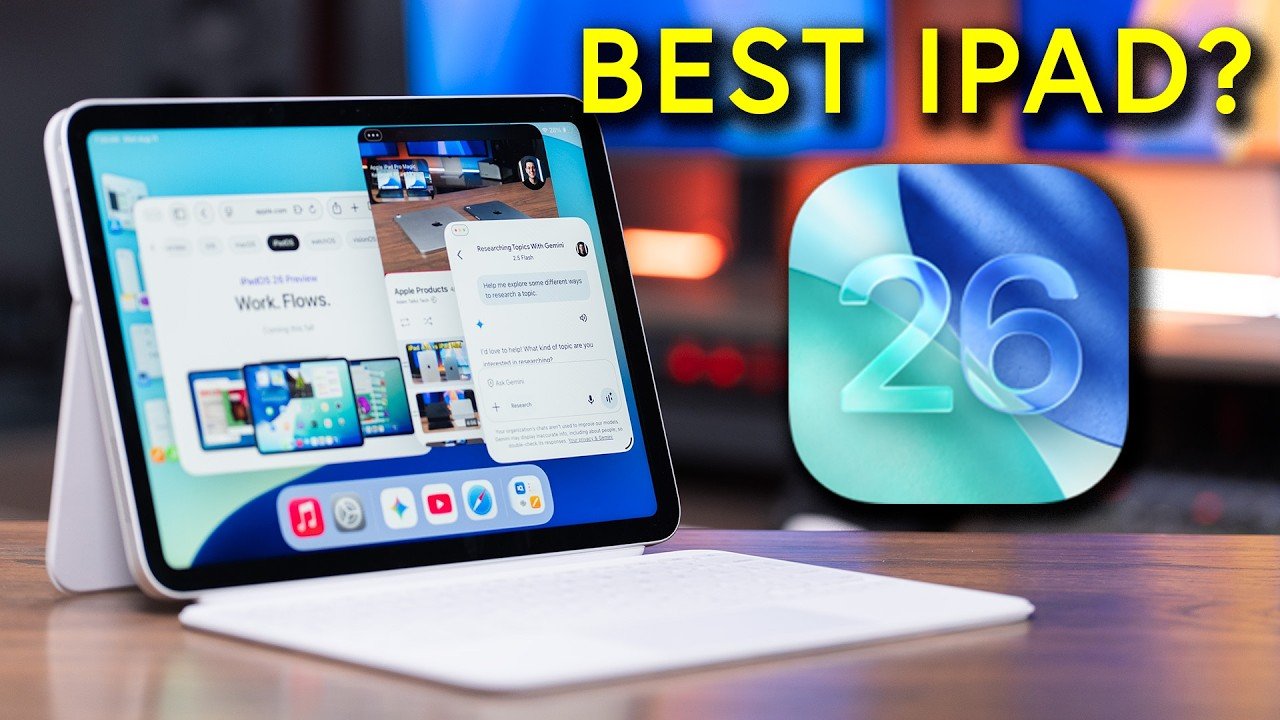
iPadOS 26 genuinely changes the conversation around the base iPad. This is not one of those minor annual updates where a few things get shuffled around and you move on. On the iPad A16, it feels much more like a rethinking of how the iPad works day to day. The big reason is simple: multitasking is finally much more flexible, much more desktop-like, and much more useful than the old split view approach ever was.
If you have been wondering whether the entry-level iPad is finally good enough to be your everyday tablet, school device, casual productivity machine, and media companion, the answer is yes for a lot more people than before.
Table of Contents
Why iPadOS 26 Is Such a Big Deal on the iPad A16
The biggest upgrade here is the new windowing experience. You can now resize apps freely, which immediately makes the iPad feel more versatile. Instead of being locked into rigid layouts, you can shape your workspace around what you are actually trying to do. That means you can have one window open for video, another for research notes, another for Safari, and another for email, then resize them to match your workflow. It is a much better fit for real multitasking.
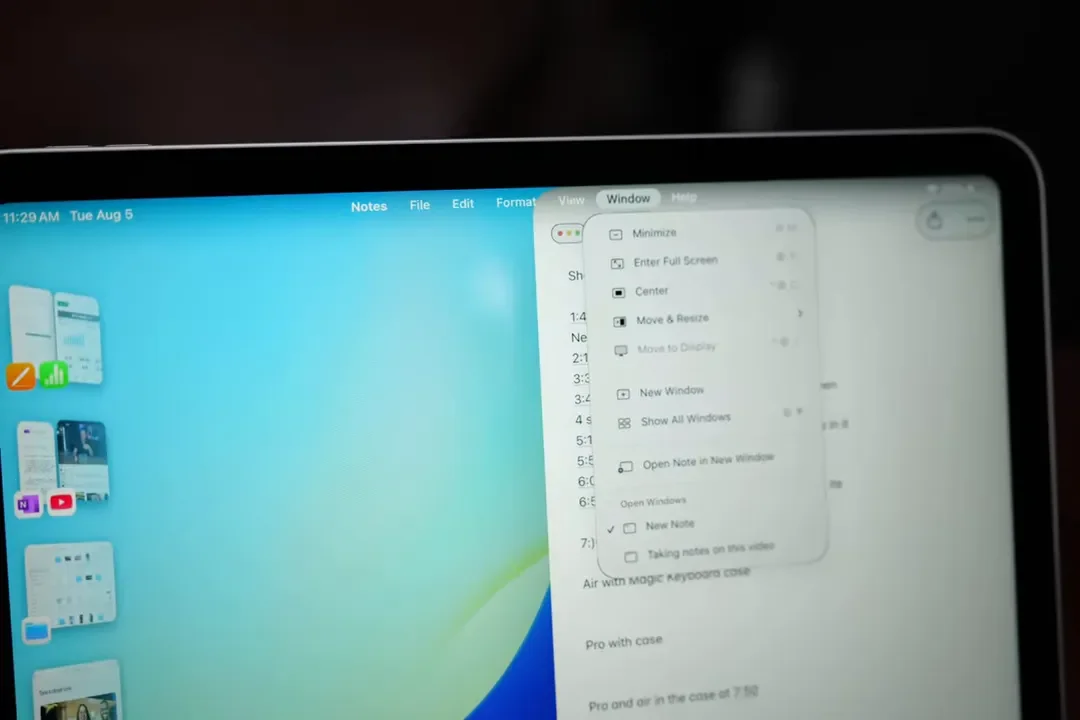
Apple also added Mac-like window controls in the top left of apps for closing, minimizing, and maximizing. There is even a menu bar at the top, which helps the whole experience feel more like a traditional computer without losing what makes the iPad appealing.
Stage Manager is here too, and on this iPad it is a really welcome addition. It lets you quickly pull in more apps, organize open windows, and jump back and forth between active app groups using the sidebar. On a practical level, it makes multitasking less clunky and more natural. That combination of resizable apps, window controls, menu bar support, and Stage Manager is what really blurs the line between iPad and laptop. For a base-model iPad, that is a big jump.
Preview Finally Makes the iPad Better for Documents
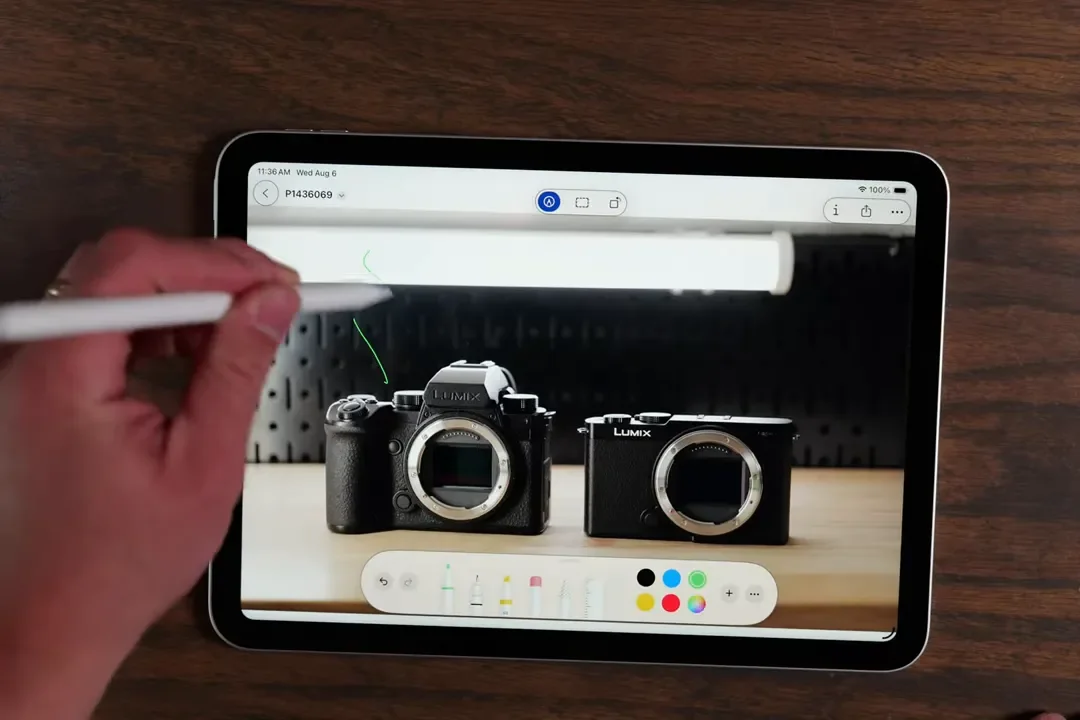
Another addition that matters more than it might sound at first is the Preview app. Having Preview on the iPad makes it much easier to open, edit, and mark up PDFs or images, especially if you like working with Apple Pencil. For students, professionals, or anyone dealing with forms, annotations, or visual documents, this is one of those quality-of-life upgrades that quietly makes the iPad more useful every single day.
The Important Limitations You Need to Know
As much as iPadOS 26 improves the iPad A16, there are still some clear boundaries. The most important one is Apple Intelligence. The A16 chip does not support the full set of advanced Apple Intelligence features. Those require M-series chips, like the ones in the iPad Air and iPad Pro.
So if your buying decision depends heavily on Apple’s current or future AI features, that is a real reason to look at the Air or Pro instead. External display support is also still limited on the A16. It can use the new windowing system, but when connected to an external monitor it mostly mirrors what is on the iPad’s screen. The exception is full-screen video, which can expand to fill the external display.
That means this is not the right choice if you want a true multi-monitor desktop setup. If your goal is to replace a laptop with a full desktop-style environment, the Air and Pro make more sense.
Choose the iPad A16 if you want great everyday performance and better multitasking at a lower price.
Choose the iPad Air or Pro if you need Apple Intelligence support, more power, or better external display features.
Hardware Design: Familiar, Lightweight, And Comfortable
Physically, the iPad A16 looks a lot like the iPad Air. It has the modern buttonless front design and overall feels very similar in the hand. One hardware feature I really like is the landscape-oriented front camera with Center Stage. If you prop the iPad up like a laptop, the camera is exactly where it should be. Video calls feel more natural because you are looking near the center top of the screen instead of awkwardly off to the side.
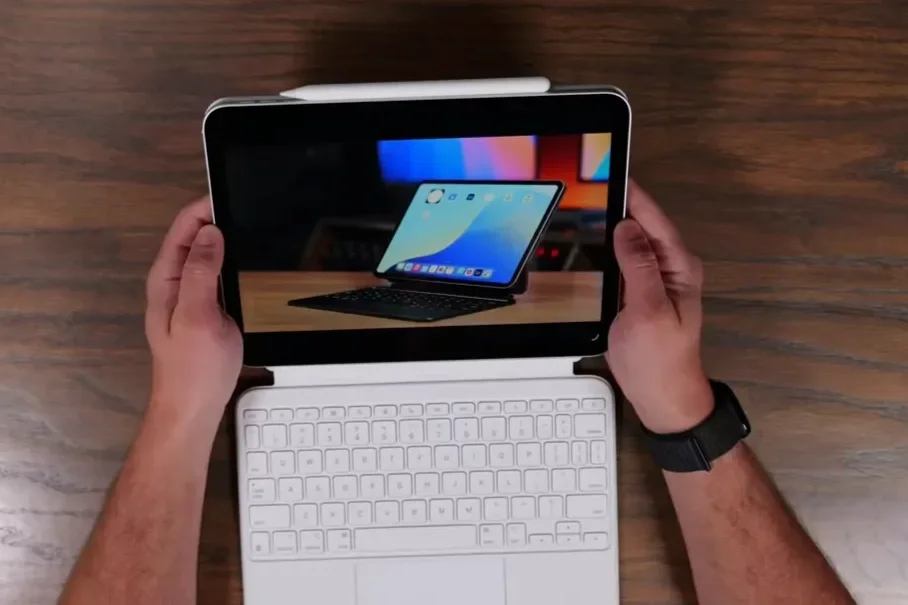
The 11-inch size is also excellent. It is portable, easy to hold, and still large enough to feel productive. For a general-purpose iPad, I think this is the sweet spot.
Display Quality: Good, But Not Premium
The screen is a Liquid Retina display with 500 nits of brightness. Indoors, that is perfectly fine. For typical browsing, note-taking, reading, streaming, and app use, it looks good. Where you start to notice the limitations is outdoors or when comparing it side by side with nicer iPads.
Here is what the iPad A16 display is missing compared to higher-end models:
No brighter panel like the iPad Pro
No anti-reflective coating like the Air and Pro
No P3 wide color gamut, only sRGB
No fully laminated display
No ProMotion 120Hz refresh rate
Most people are not going to care about all of that in isolation. But if you put this next to an iPad Air or iPad Pro, the differences are easier to spot. The higher-end models look richer, brighter, and smoother. Still, for the price, the display here is absolutely solid.
Touch ID, USB-C, And Speakers
You get Touch ID in the side button, which works well even if Face ID would be nicer. There is a USB-C port, but it is limited to slower speeds than the Air and Pro. This is fine for basic file transfers with an SSD or flash drive, but it is not ideal for heavier workflows.
The speakers are good, but they are not in the same league as a MacBook Air, iPad Air, or iPad Pro. If audio quality matters to you, pairing this iPad with AirPods is a very good move.
Everyday Use: Where the iPad A16 Really Shines
For everyday tasks, this iPad does a great job. It works well for:
Taking notes
Browsing the web
Streaming YouTube and TV
Listening to music
Reading recipes in the kitchen
Word processing and general productivity
Light gaming
Staying connected with friends and family
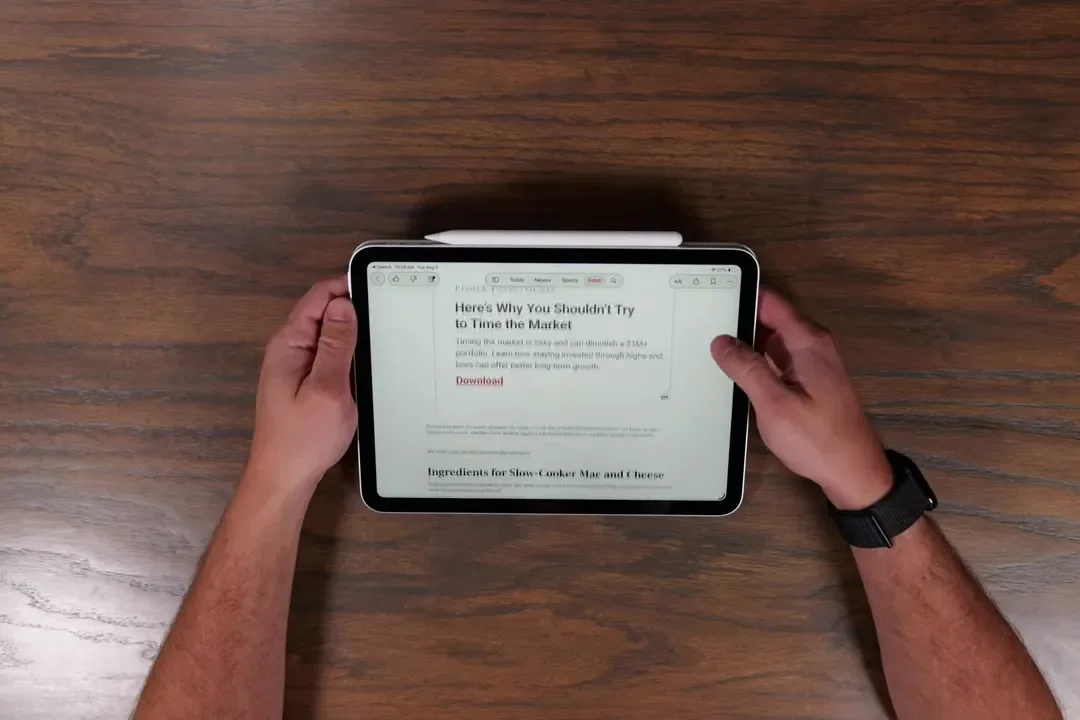
Because it is lightweight and comfortable in both portrait and landscape orientation, it makes a really good all-around tablet. As a media consumption device especially, it is easy to recommend. The screen is good, the battery life is built for all-day use, and the size makes it easy to carry around without feeling cramped. If your needs are mostly normal iPad tasks with some multitasking mixed in, the A16 handles that really well.
The Biggest Gripes: Accessories And Trade-Offs
Most of my complaints with this iPad come down to what it does not share with the higher-end models. The display is one of those things. I do miss the brighter screen on the Pro. I also miss ProMotion. Once you get used to 120Hz scrolling, dropping back down is noticeable.
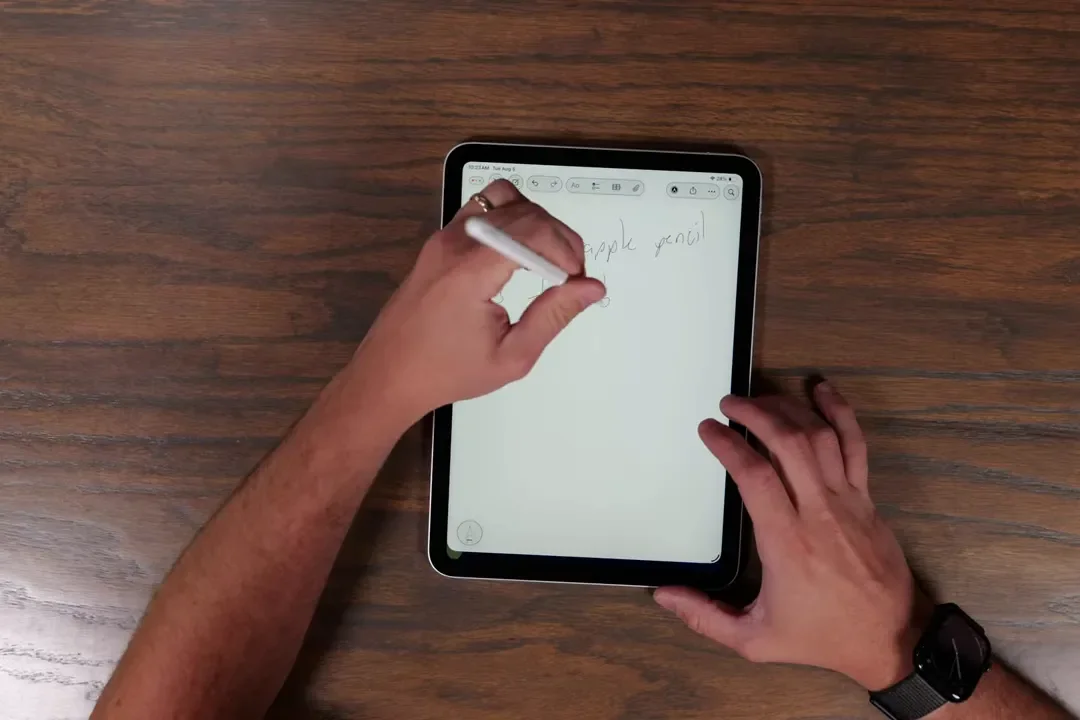
The accessory situation is another weak spot. The iPad A16 supports the original Apple Pencil, which requires an adapter to connect, or the Apple Pencil USB-C, which magnetically attaches to the side but does not magnetically charge. You have to pair and charge it with a USB-C cable, which is less elegant than the experience on the Air and Pro.
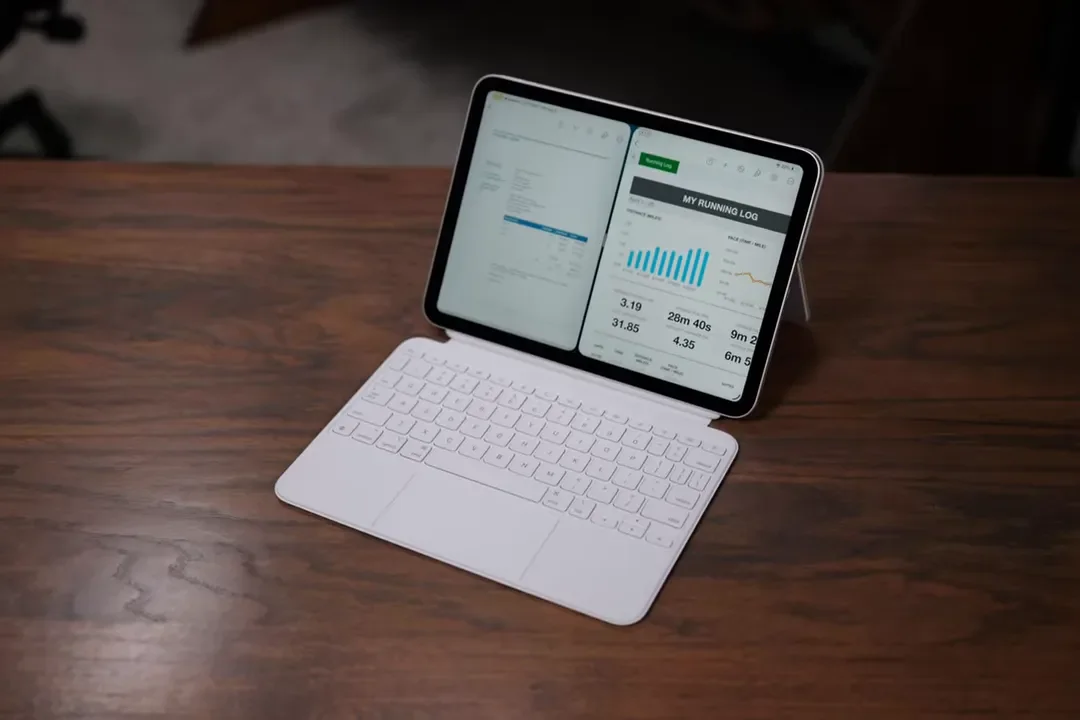
For keyboard support, the main first-party option is the Magic Keyboard Folio. It is a nice accessory with a trackpad and good typing performance, and it definitely makes the iPad feel more laptop-like. But accessories like that can raise the total cost of the setup pretty quickly. You can also go with a Bluetooth keyboard and mouse if you want to save some money or already have those on hand.
Performance: Good for Most People, Not Built for Heavy Creative Work
The A16 chip is really the heart of what this iPad is and is not. This is not an M3 or M4 iPad. It has 6GB of RAM and uses a processor that feels more like an iPhone chip in an iPad body than a computer-grade processor in a tablet. That sounds harsher than it is, because for a lot of people the A16 is still plenty fast.
It is well suited for:
General app use
School work
Notes and documents
Web apps
Streaming and entertainment
Light multitasking
Where it falls behind is in more demanding creative work. The iPad Air’s M3 chip includes a media engine, which makes a difference for tasks like video exporting and rendering. Those are the kinds of workloads that justify moving up the lineup. Storage options are straightforward: 128GB, 256GB, or 512GB. For most people, 128GB is enough, especially if photos and documents are largely stored in the cloud.
Price And Value: This Is Where the iPad A16 Gets Really Compelling
The iPad A16 starts at $350 for the 128GB model, and adding cellular costs about $150 more. It has also been available on sale for as low as $300, which is honestly excellent value. At that price, you are getting a modern design, a good display, strong everyday performance, much improved multitasking with iPadOS 26, and a tablet that feels far more capable than a typical base model device. If you are shopping right now, the iPad A16 is one of the strongest value picks in Apple’s tablet lineup.
Who Should Buy the iPad A16?
This is the best base-model iPad Apple has made so far, especially with iPadOS 26. I think it is a great fit for:
Students taking notes and reading textbooks
People who want an everyday family iPad
Anyone focused on browsing, streaming, and communication
Users doing light productivity in Pages or Google Docs
People who want a lower-cost entry into the iPad ecosystem
The new multitasking tools make it more useful for productivity than older base iPads, and that really changes its value proposition. If your typical day involves email, web research, note-taking, documents, video streaming, and casual app use, this iPad is more than enough.
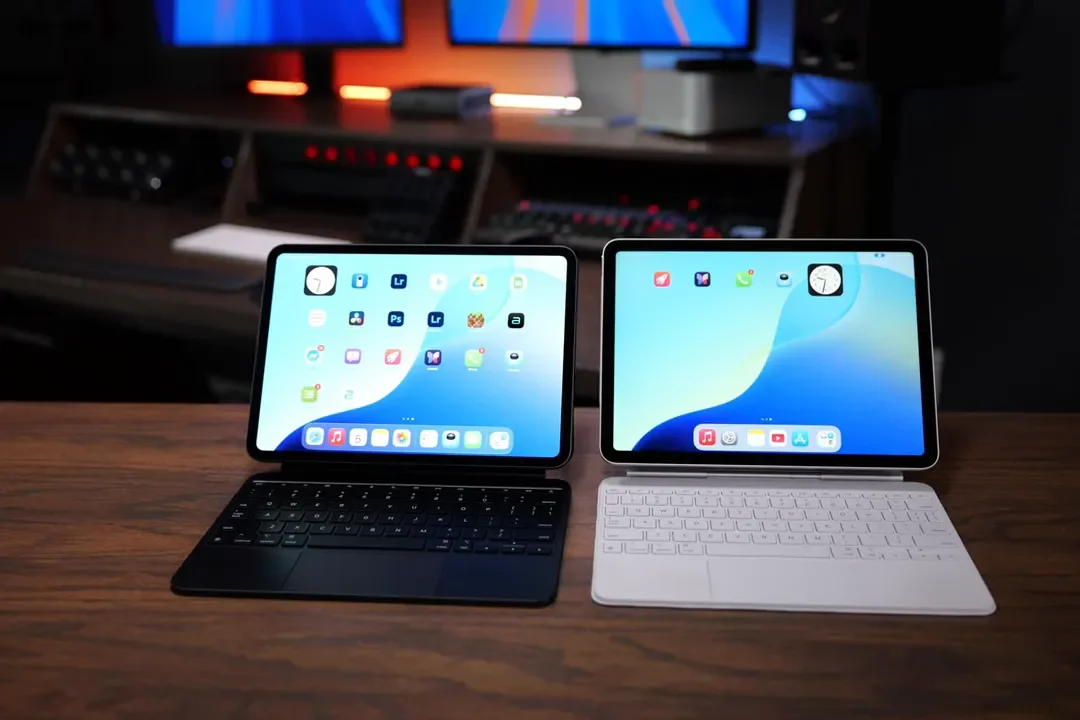
When You Should Step Up to the iPad Air M3 Or iPad Pro M4
The iPad A16 is easy to recommend, but it is not the right pick for everyone.
Get the iPad Air M3 If You Want More Headroom
The iPad Air M3 is the better choice if you want:
More performance for demanding productivity
Better support for creative hobbies like photo editing
Improved speakers
A slightly better display
A more future-proof device
Support for Apple Intelligence
A better laptop-replacement experience
The Air also has a fully laminated display and P3 wide color support, which improves both the visual experience and Apple Pencil feel.
Get the iPad Pro M4 If You Need the Best of Everything
The iPad Pro M4 is really for professional and intensive use. It makes sense if you need:
Top-tier video editing performance
3D rendering power
Music production capabilities
The best display technology Apple offers
ProMotion 120Hz
Better color accuracy
A true premium iPad experience
The Pro gives you the tandem OLED display and the highest-end screen in the lineup, so if display quality is a priority, that is where the money goes.
The Apple Intelligence Question
One thing that may matter more over time is Apple Intelligence support. The iPad A16 does not support it, and that is definitely disappointing on paper. Right now, though, it is not something I think most people need to lose sleep over. Apple Intelligence still feels early and somewhat half-baked.
The real concern is long-term. Future software features may lean more heavily on those AI capabilities, and that could make the Air M3 feel like the smarter long-term buy for some people. But if your priority is value right now and your needs are more grounded in everyday use than future AI workflows, the A16 still makes a lot of sense.
Final Verdict: The Best Entry Point Into the iPad Ecosystem
With iPadOS 26, the iPad A16 punches way above its weight. It delivers a far more sophisticated multitasking experience than base iPads used to offer. It is comfortable to use, great for media, good for school and light productivity, and reasonably priced. That combination makes it incredibly easy to recommend.
If you need serious creative performance, advanced external display support, or Apple Intelligence, move up to the Air or Pro. But for most people, the iPad A16 is the right iPad. It is the best entry point into Apple’s tablet lineup, and for everyday use it does an exceptional job at an excellent price.
