LG UltraFine 6K Review: Sharp and Capable, But Hard to Fully Recommend
Some of the links in this post are affiliate links, which means I may earn a small commission if you choose to make a purchase at no extra cost to you. As an Amazon Associate, I earn from qualifying purchases. Read my full Ethics & Affiliate Relationship Disclaimer.
The 32-inch 6K monitor category is finally getting interesting, and the LG UltraFine 6K sits right in the middle of that fight. On paper, it sounds like exactly what a lot of Mac users have been asking for: a sharp 6144 by 3456 panel, Thunderbolt 5, lots of ports, daisy chaining, and a clean design that looks a lot nicer than some of the more industrial alternatives.
But after spending real time with it, this is not one of those products that is an easy automatic recommendation. There is a lot to like here. The sharpness is excellent. The size is fantastic for productivity. The port selection is genuinely useful. At the same time, there are a few choices LG made that make this feel less premium than the price suggests.
Table of Contents
What The LG UltraFine 6K Gets Right Immediately
The headline feature is simple: this thing is incredibly sharp. At 32 inches with a 6K resolution, the pixel density is high enough that text looks crisp, UI elements look clean, and video footage looks beautifully detailed. This is the kind of display where you can sit close and still feel like everything has that refined, high-end look you want from a premium desktop setup. The refresh rate is 60Hz, which some people are going to complain about, but for a display like this I do not think that is a major problem. In this category, sharpness, clarity, and workspace matter more than chasing higher refresh rates.
That is especially true if your main use cases are things like:
Video editing
Photo work
Writing and research
General Mac productivity
Multitasking with lots of windows open
The 32-Inch Size Makes A Real Difference
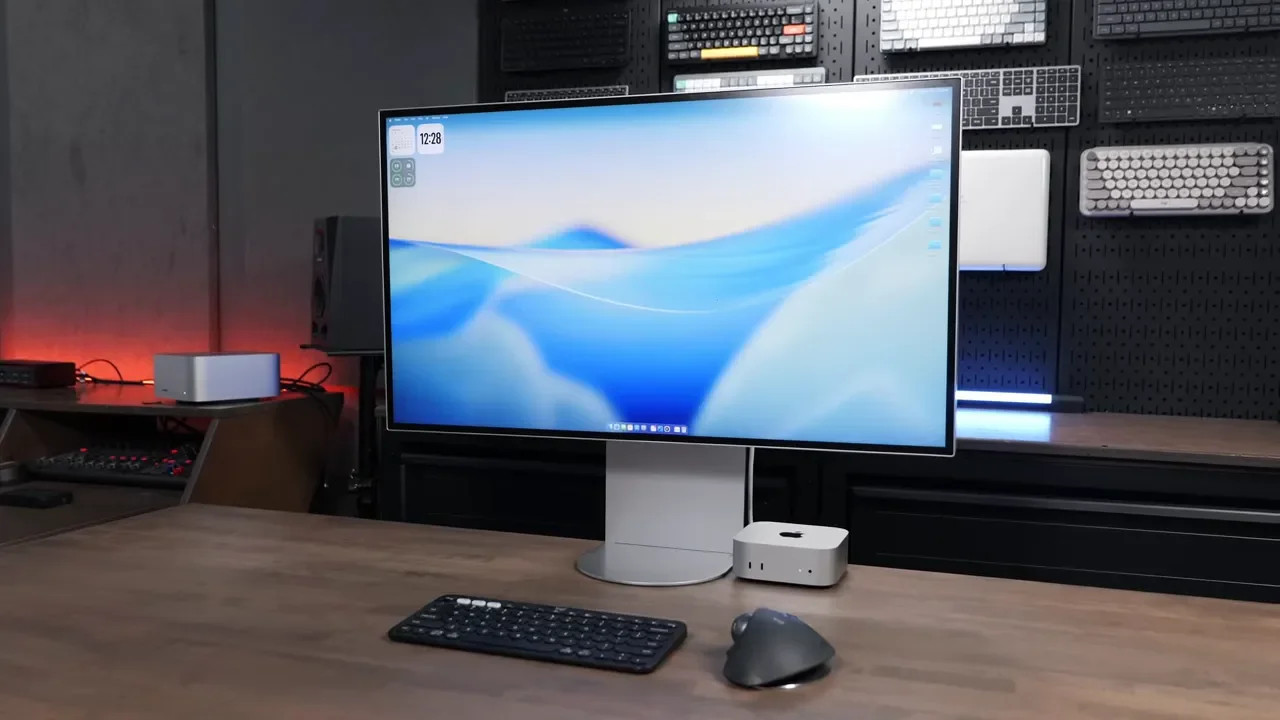
If you have been trying to make a 27-inch display work for serious productivity, the jump to 32 inches is noticeable. This is one of the biggest reasons the LG UltraFine 6K is appealing. A single 32-inch display can actually feel like enough. You can spread out editing timelines, keep multiple app windows visible, and work without feeling boxed in all the time.
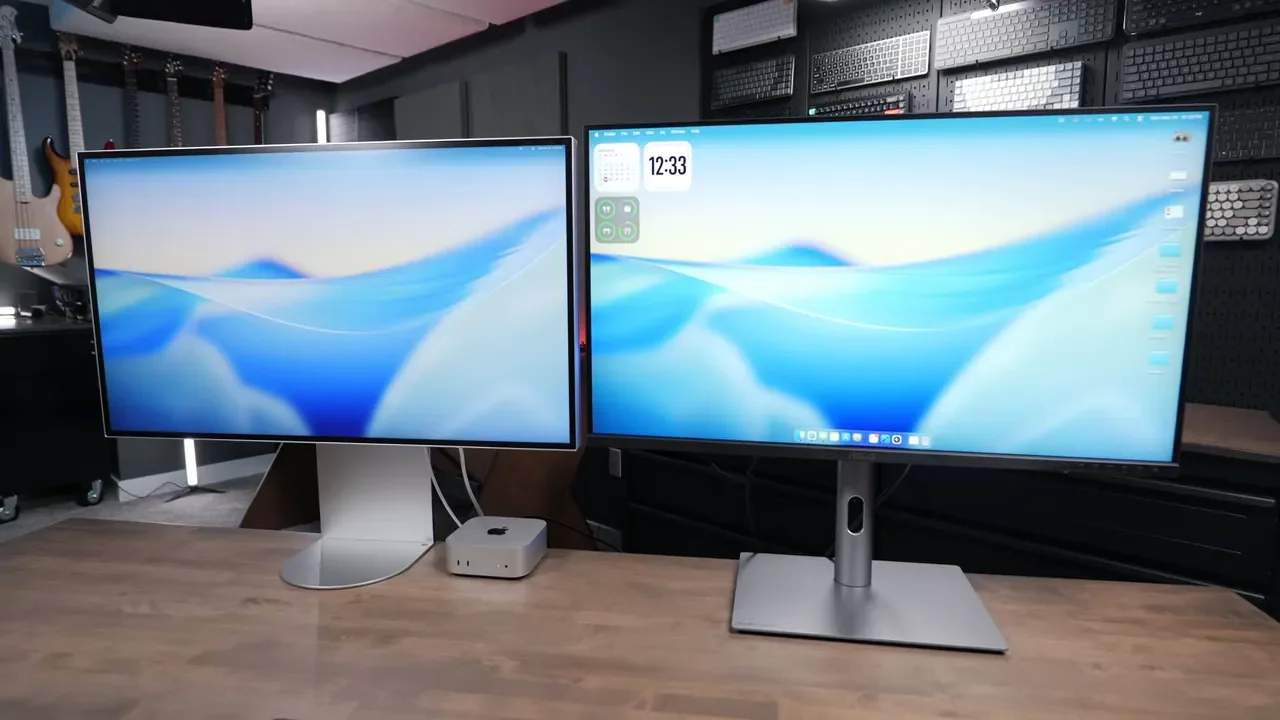
For me, that is one of the strongest arguments in favor of this monitor over something like the 27-inch Apple Studio Display at the Studio Display. The Apple option has some advantages, but screen real estate is not one of them. With the LG, I felt like I could comfortably use one display and stay productive. With a 27-inch panel, I usually end up wanting a second screen.
Design, Stand, And Day-To-Day Ergonomics
Visually, LG did a nice job here. The monitor looks clean from the front, and there is no big chin sticking out underneath the panel. The joystick control is tucked away on the back, which helps keep the front looking minimal. There is still a black bezel around the display, but it is not something that bothered me much in daily use.
The included stand has a wide, flat look that fits the overall design pretty well. It also gives you a decent amount of adjustment:
Tilt adjustment
Height adjustment
Rotation
Portrait orientation support
That said, I do have a few complaints. The stand is harder to press down than it should be, so if you are adjusting height, you need a solid grip on the display. I also wish it could go a bit lower, especially for desks that already sit fairly high. The tilt range could be a little better too. Portrait mode technically works, but it barely clears, so you need to be careful when rotating it. If the included stand is not your thing, there is a 100 by 100 VESA mount on the back, which is good news if you want to put it on an arm.
The Port Selection Is One Of The Best Reasons To Buy It
This is one area where LG really did a good job. The UltraFine 6K is technically a Thunderbolt 5 display, but more importantly, it is flexible. You are not locked into a single type of setup.
On the back and bottom, you get:
Thunderbolt connectivity with up to 97W of power delivery
Support for older Thunderbolt 4 and Thunderbolt 3 Macs
DisplayPort
HDMI
Two Thunderbolt ports for daisy chaining
Three additional USB-C ports
That makes this display a lot more versatile than something built only around the Apple ecosystem. You can plug in a Mac, a gaming PC, a console, or pretty much any other device you want to use with it. It also works nicely as a KVM-style hub, which is genuinely useful if you switch between machines. Daisy chaining also worked well in testing. If you want to run another 6K display beside it, that is absolutely on the table.
Build Quality Is Where This Monitor Starts To Feel Wrong
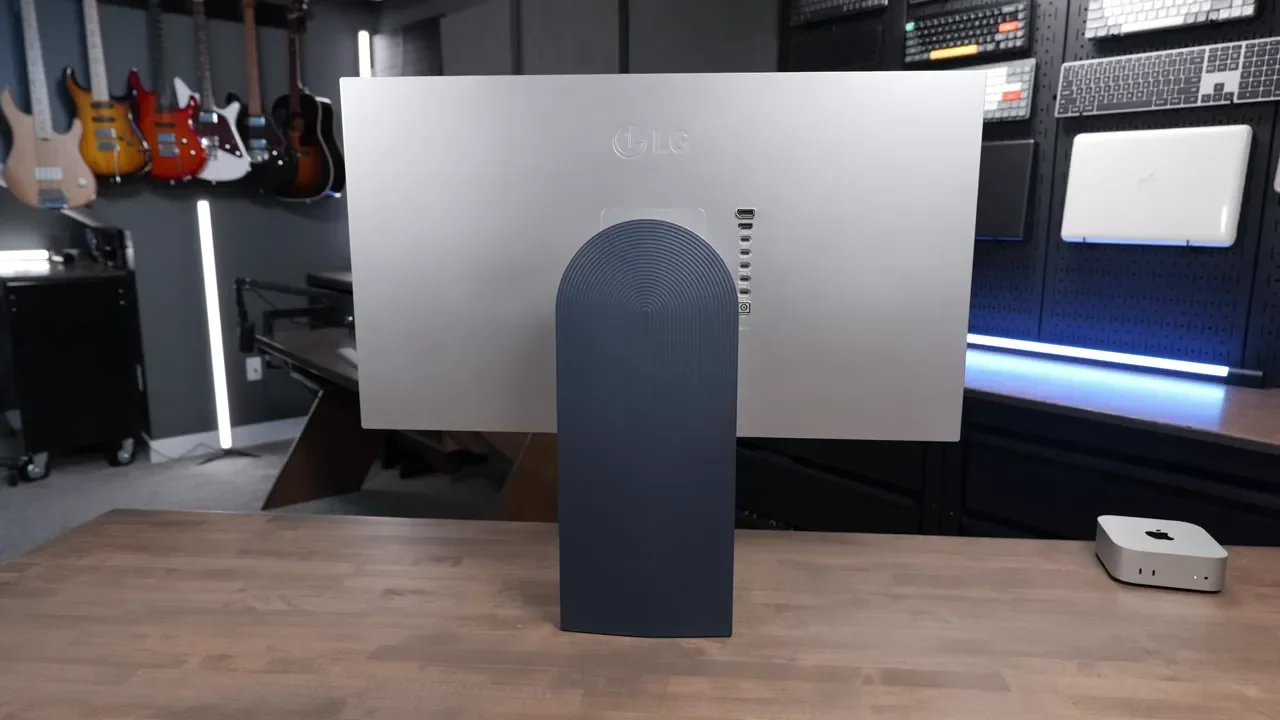
This is one of the first things that really bothered me. The entire body of the monitor is plastic. That alone would not necessarily be a dealbreaker, but at $2000, I expected something that felt more substantial. LG uses the UltraFine branding here, and that name carries some expectations. I was hoping for something closer to the feel of the older 27-inch LG UltraFine displays, which felt a little more solid and heavy-duty. Instead, this one feels flimsier than I wanted. The stand and chassis do not feel particularly premium, and the overall construction is shakier than it should be at this price.
That would be easier to forgive if this were aggressively priced. It is not.
Color Quality Is Good, But It Takes Work
The panel is supposed to be color accurate, and once it is dialed in, I was happy with it. But that is the key phrase: once it is dialed in. Out of the box, I did not love the image. It took a fair amount of testing with different profiles and settings before I got it where I wanted it. LG includes several profile options, including a few studio-style modes that aim for a look similar to Apple displays. You can tweak settings directly on the monitor or use LG Switch software for extra control. That flexibility is nice, but it also means this is not a plug-it-in-and-forget-it experience. Compared to Apple displays, that difference is obvious. With Apple, the default tuning usually looks right immediately. Here, I had to spend time experimenting.
What Helped The Most
The most important setup step was matching the display profile on the monitor with the profile in macOS. I ended up preferring the P3 color gamut, but if you change the monitor to P3 and leave macOS on its default setting, the image does not look correct. You need to update the Mac display profile too.
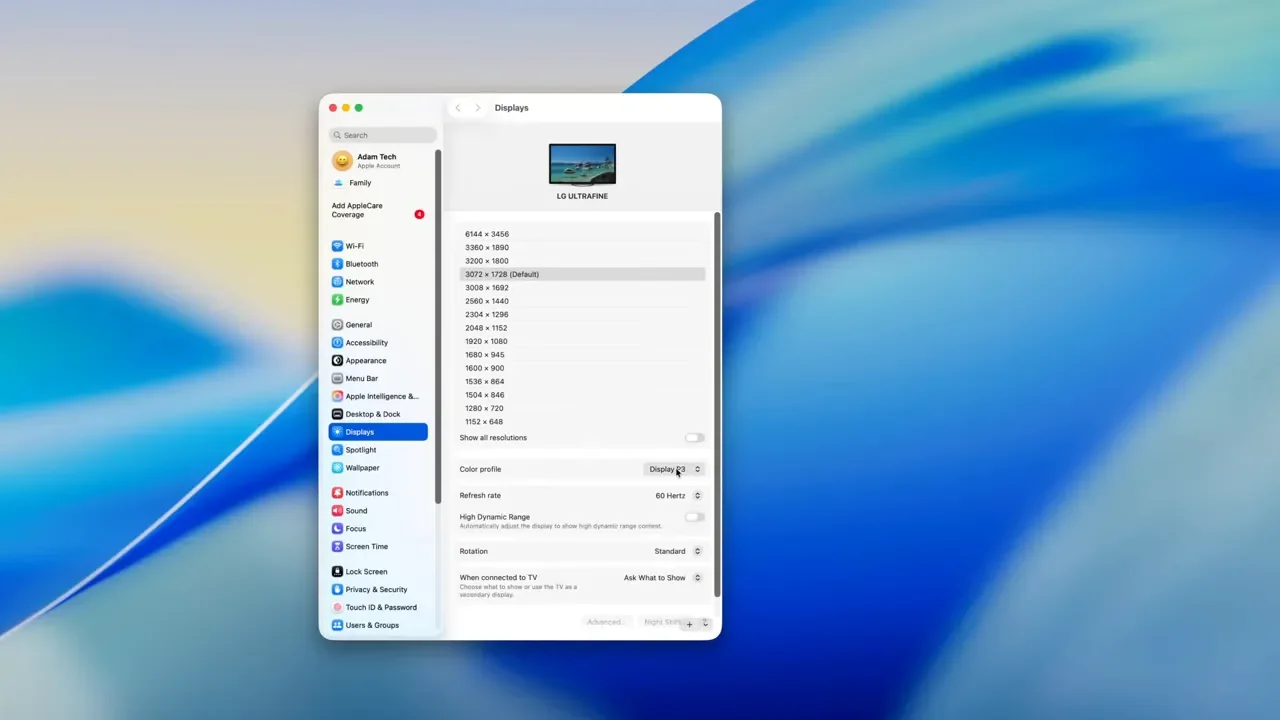
Brightness also needed adjustment. The default brightness was too low for my taste, landing around a level that felt dim right out of the box. Even after making those changes, I still noticed a slight green tint and had to pull the greens back a bit. That is why I would describe this panel as capable, not effortless. I got to a place where I liked it, but it took about a week of living with it and tweaking settings before I felt fully settled.
The Matte Finish Will Be A Love-It-Or-Hate-It Thing
This display uses a matte finish, and whether that is a positive or a negative is going to depend entirely on what you value more. If you hate reflections, matte is helpful. If you care a lot about that rich, punchy, glassier look that some premium displays have, this panel may feel a little muted at first.
I noticed moments where the image looked a bit washed out and low in contrast, especially before I had everything tuned the way I wanted it. I also felt like the matte coating on the ASUS alternative was a little less obvious. Again, this got better after adjusting settings, but it is still part of the personality of the display.
Missing Features Matter More Than You Might Expect
There are a few omissions here that are not dealbreakers by themselves, but when you add them all together, they start to sting.
The LG UltraFine 6K does not include:
A built-in webcam
A built-in microphone
True Tone-style ambient color adjustment
Now, to be fair, built-in webcams and microphones are not always amazing anyway. Even Apple's built-in options are not perfect. But for a monitor at this price, they still add convenience. And True Tone is one of those Apple features that you do not think about much until you no longer have it. Having the display adapt to the room's lighting is genuinely nice, especially in spaces where the ambient light changes throughout the day. This LG monitor does not offer that kind of automatic refinement.
Speakers Are Fine, But Only Fine
The built-in speakers are usable. That is about the best thing I can say. They are not terrible, but they are not particularly impressive either. In fact, I would rather use the speakers in a MacBook Air than rely on these full time. If you are pairing this display with a laptop, one smart move is to keep the MacBook on a stand nearby so you can still use its speakers and webcam when needed.
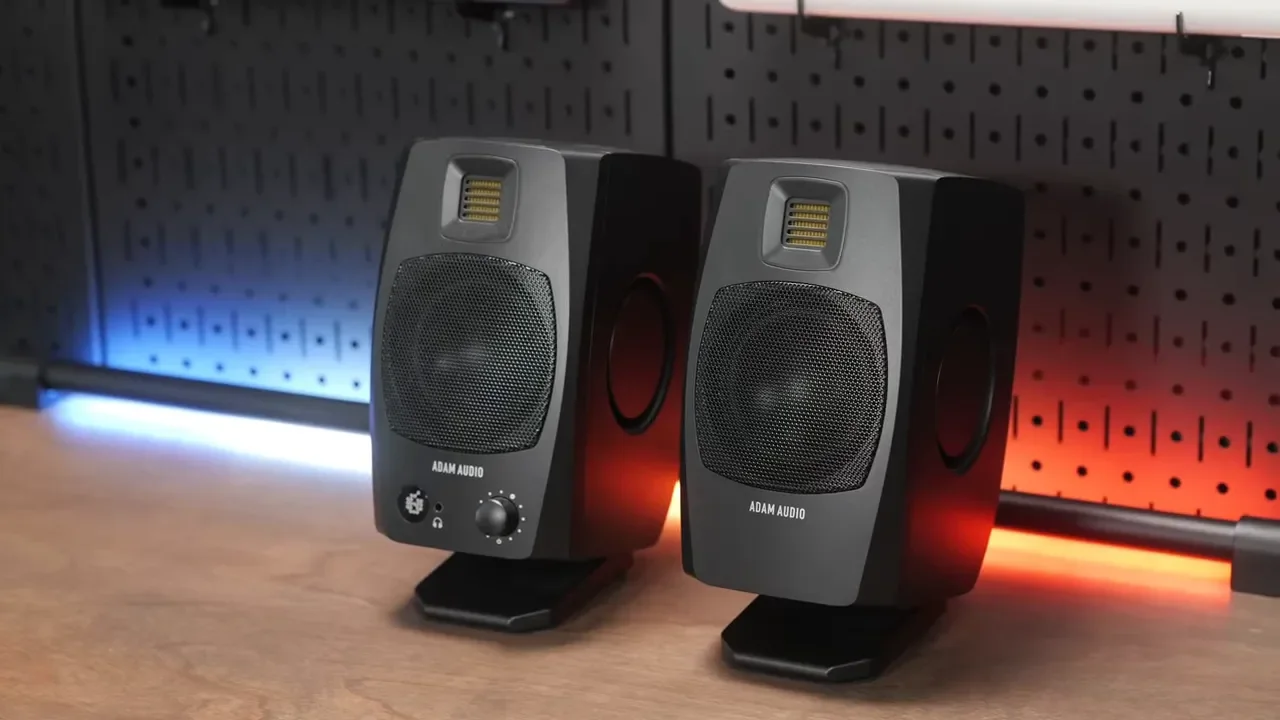
If you want desktop speakers, I would strongly consider external ones. The full gear list includes some of the equipment I regularly use, and I have also talked specifically about the desk setup and speakers here. For simple USB speakers, I still like the Adam Audio D3V setup shown in the desk build. That kind of addition makes a lot more sense than depending on the monitor's speakers alone.
LG Switch Software Is Actually Pretty Handy
One thing LG deserves credit for is the software side. With LG Switch software, I was able to control monitor brightness and speaker volume directly from the Mac keyboard. That is genuinely convenient, and it is something I could not get working properly on the competing ASUS display. So while the joystick on the back works for deeper settings, everyday adjustments are easier once the software is installed.
The External Power Brick Is Annoying
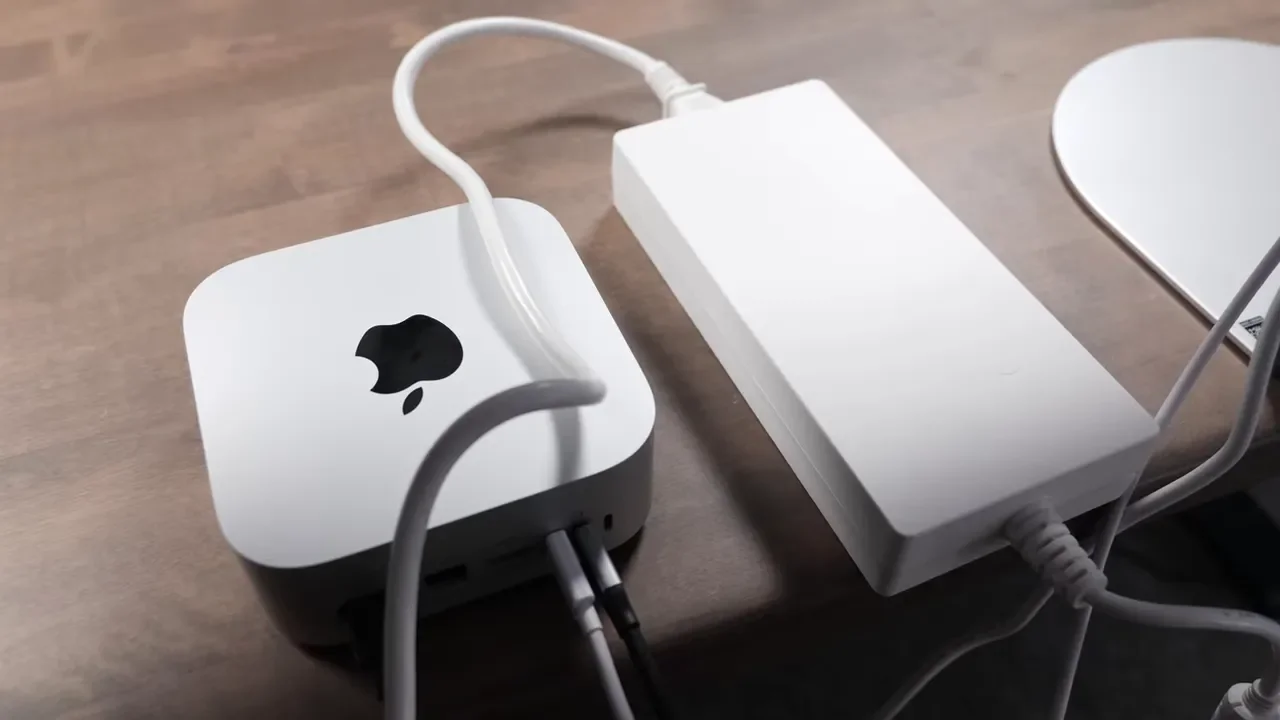
This is a smaller complaint, but it still matters for desk setups. The power supply is not built into the monitor. Instead, you get a separate power adapter brick that you need to hide under the desk or behind the setup somewhere. It takes up more space than I would like, and at this price I would have loved to see LG integrate that into the display itself.
Price Comparison: LG Vs ASUS Vs Apple
This is where the LG UltraFine 6K becomes a much harder sell. The LG comes in at about $2000. That puts it in a strange middle zone.
Here is the rough competitive picture:
LG UltraFine 6K at around $2000
ASUS ProArt 6K at around $1300
Apple Studio Display as a smaller 27-inch 5K option
Apple Pro Display XDR at a much more premium price point
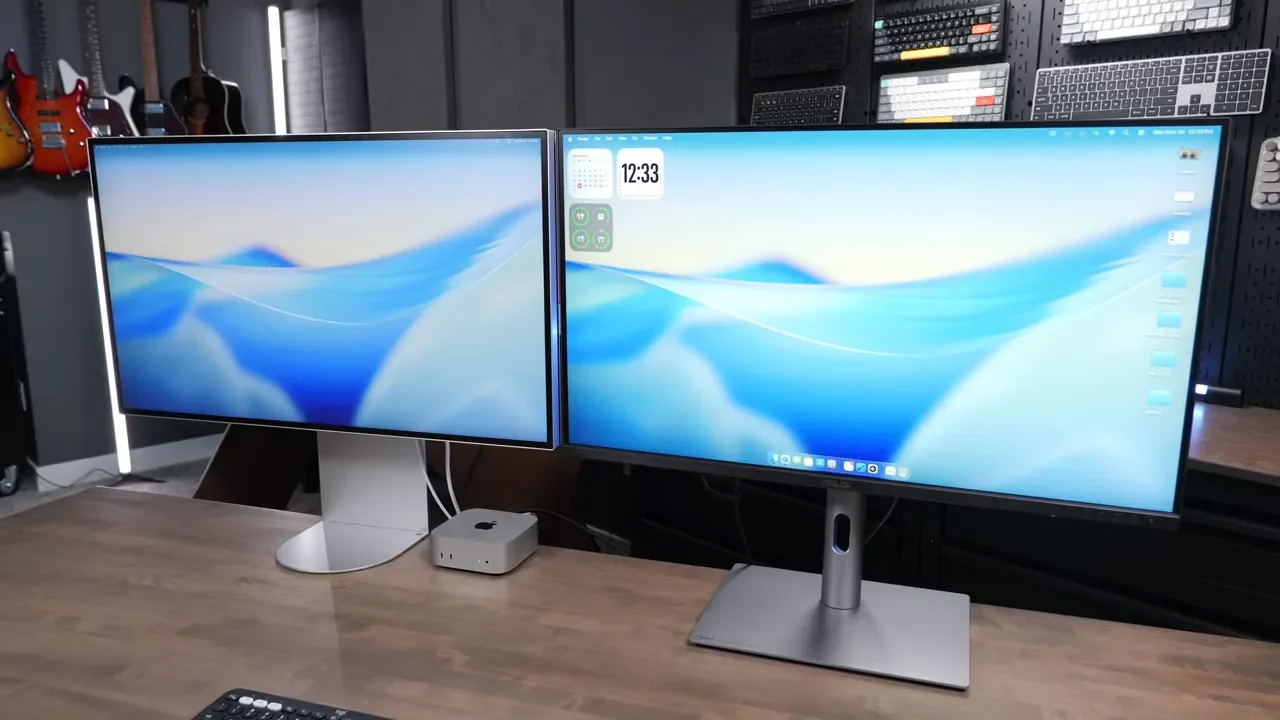
The ASUS undercuts the LG by a lot. And that creates the real problem. The LG looks sleeker. It has a cleaner front design. It avoids the ugly buttons and brushed metal chin that make the ASUS look less refined on a desk. But in actual performance, they are much closer than the price gap suggests. Both can handle 6K. Both can be daisy chained. Both cover similar core use cases. And if anything, the ASUS felt a little easier to like right away because the color looked better out of the box.
That makes the LG premium hard to justify.
Where The Apple Studio Display Still Has An Edge
Even though it is smaller and lower resolution than this 32-inch 6K panel, the Apple Studio Display still has a few advantages that matter.
Better out-of-the-box color tuning
Built-in webcam
Built-in microphone
Better built-in speakers
True Tone support
A more seamless plug-and-play feel
The LG wins on size and flexibility. Apple wins on polish and simplicity. So the decision really comes down to what annoys you more:
Not having enough screen space
Needing to tweak settings and add accessories
Who This Monitor Actually Makes Sense For
I think this monitor makes the most sense for someone who wants a large, very sharp 32-inch 6K display for Mac productivity and is willing to spend some time tuning it. If that is you, there is a lot to like here.
You get:
Excellent sharpness
A very useful 32-inch canvas
Strong connectivity
Support for multiple types of devices
A cleaner-looking design than some rivals
But you also need to be okay with:
Plastic build quality
Average speakers
No webcam or microphone
An external power brick
Some time spent dialing in color and brightness
A price that feels high compared to the ASUS alternative
The Real Verdict
The LG UltraFine 6K is a good monitor. It might even be a great monitor for the right person. But it is also absolutely a product built around compromises. If you want the nicest-looking 32-inch 6K option and you value the clean front design, the hidden controls, and the generous port selection, this monitor has a lot going for it. If you are shopping logically and trying to get the best value, the ASUS is hard to ignore. It gives you a very similar experience for a lot less money, and that price difference is big enough to change the conversation completely. Honestly, that is what keeps me from fully endorsing the LG without hesitation. I do recommend it, but with an asterisk.
It is the kind of display that feels one generation away from being truly excellent. A better webcam, stronger speakers, a more premium chassis, and integrated power would have made this a much more convincing step up from the competition. Right now, it is sharp, capable, and attractive, but not quite differentiated enough to justify its premium on looks alone.
