11-inch vs 13-inch M4 iPad Air: Which One You Should Actually Buy
Some of the links in this post are affiliate links, which means I may earn a small commission if you choose to make a purchase at no extra cost to you. As an Amazon Associate, I earn from qualifying purchases. Read my full Ethics & Affiliate Relationship Disclaimer.
Choosing between the 11-inch and 13-inch M4 iPad Air sounds easy at first. Spend more, get a bigger display, move on. But after living with both, I can tell you that is not what this decision feels like in real life.
These two iPads do not just differ in size. They feel like different kinds of devices. One feels like a true tablet. The other feels much closer to a desk-first productivity machine. If you pick based only on the spec sheet, it is very easy to end up with the wrong one. This is the choice that matters most: do you want an iPad that feels light, casual, and easy to hold, or do you want one that gives you maximum workspace for multitasking, drawing, and keyboard use?
The 11-Inch Feels Like A Real Tablet
The 11-inch model nails the core iPad experience. It is light enough to pick up without thinking about it, easy to pass around, and comfortable for the kinds of things people naturally do on a tablet like reading, browsing, messaging, and just relaxing on the couch. That matters more than it sounds. A little over a pound is still enough weight to notice, but the 11-inch keeps that weight in a form factor that feels balanced. It is the version that makes you want to grab it with one hand and use it anywhere.
Portrait mode is where this really stands out. If you like reading articles, scrolling social apps, or holding your iPad like a large digital notebook, the 11-inch is simply easier to live with. It also works better with the on-screen keyboard in portrait. Your thumbs can actually reach what they need to reach. Even in landscape, the on-screen keyboard is still manageable. It is a wider stretch, sure, but it stays usable in a way that feels natural enough for quick replies and casual typing.
The 13-Inch Gives Up Handheld Comfort Fast
The 13-inch iPad Air looks great on a table, but the moment you start treating it like a handheld tablet, the tradeoff becomes obvious. In portrait mode, it is tall enough that it starts fighting you. It does not feel as balanced, it is less comfortable to read on for long stretches, and the top-heavy feel becomes noticeable pretty quickly. Holding it with two hands is doable, but not relaxing. Holding it with one hand is the kind of thing that makes your wrist complain in a hurry.
Landscape helps a little, but it still is not what I would call effortless. If you are trying to type while handholding it, you end up shifting your grip constantly. That is why I think the 13-inch only makes full sense if you plan to use it with a keyboard, a stand, or on a desk most of the time. If the whole appeal of an iPad to you is that grab-and-go tablet feel, the bigger model starts losing points immediately.
Both Displays Are Good, But Neither Is Pro-Level
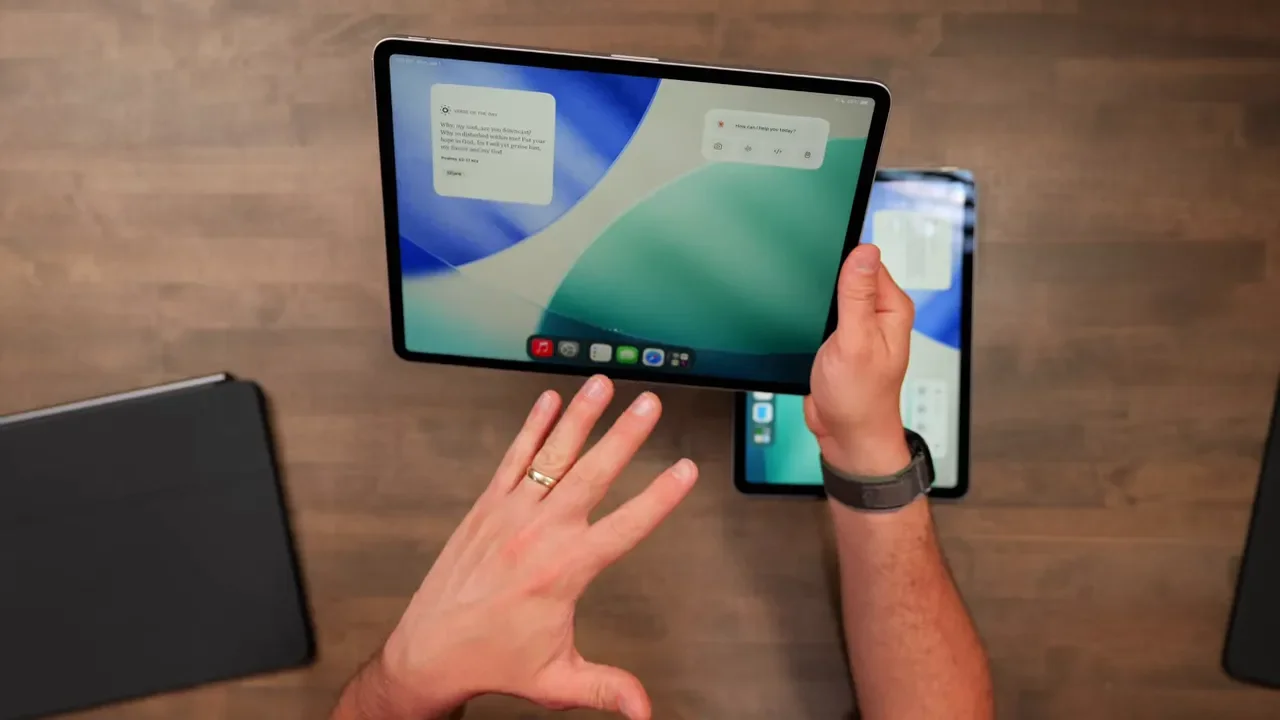
Both iPad Air models use a Liquid Retina LCD. The panels are sharp, bright enough for most indoor use, and generally very nice. But this is not the OLED display from the iPad Pro, and you do not get ProMotion either. That means both are limited to a 60Hz refresh rate. If you are used to a Pro iPhone, iPad Pro, or MacBook Pro, you will notice that motion is not as smooth. Scrolling and animations have a little more stutter to them. It is not terrible, but it is there. So if your expectation is premium Apple display technology across the board, the iPad Air is good, not cutting edge.
The Real Screen Difference Is Aspect Ratio
This is the part most people miss.
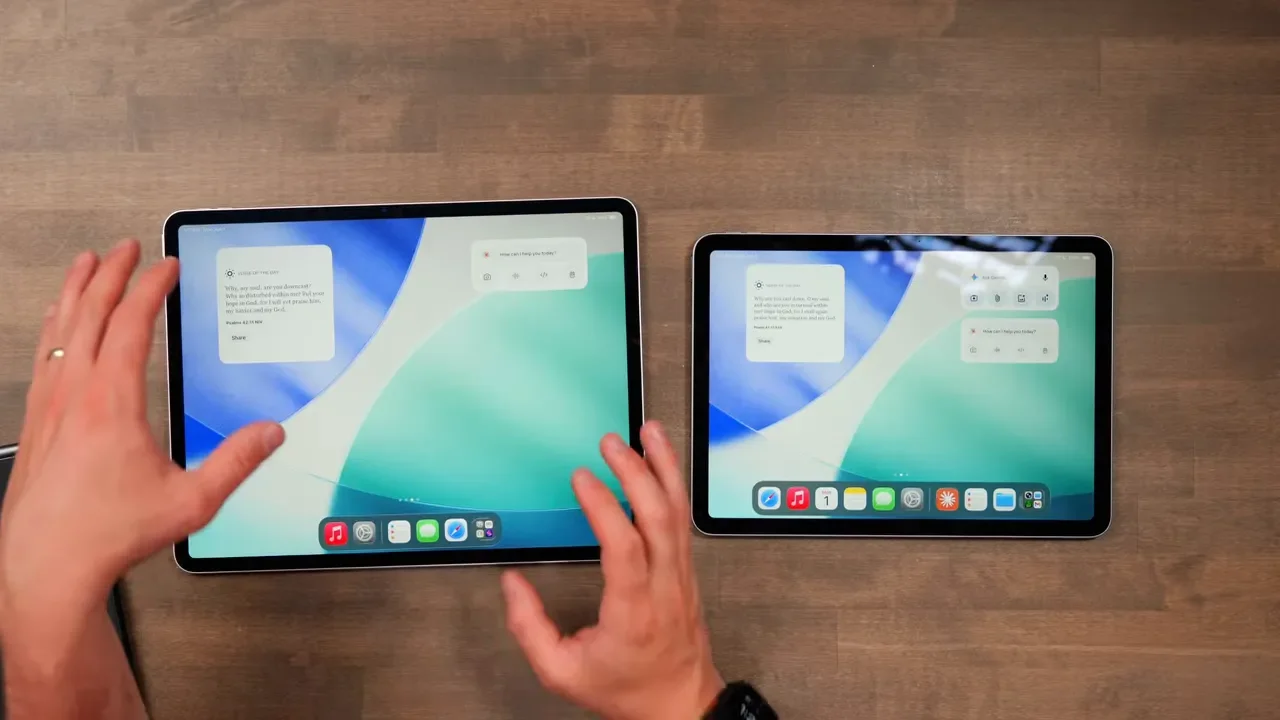
The 11-inch is not just a smaller 13-inch, and the 13-inch is not just a stretched 11-inch. They are shaped differently.
11-inch: more rectangular at 16:11
13-inch: boxier at 4:3
That changes how apps, content, and even the whole device feel. The 13-inch gets more vertical space, which makes it feel more spacious for productivity tasks. The 11-inch feels a little more naturally suited to media and general tablet use.
Why The 13-Inch Is Not Automatically Better For Movies
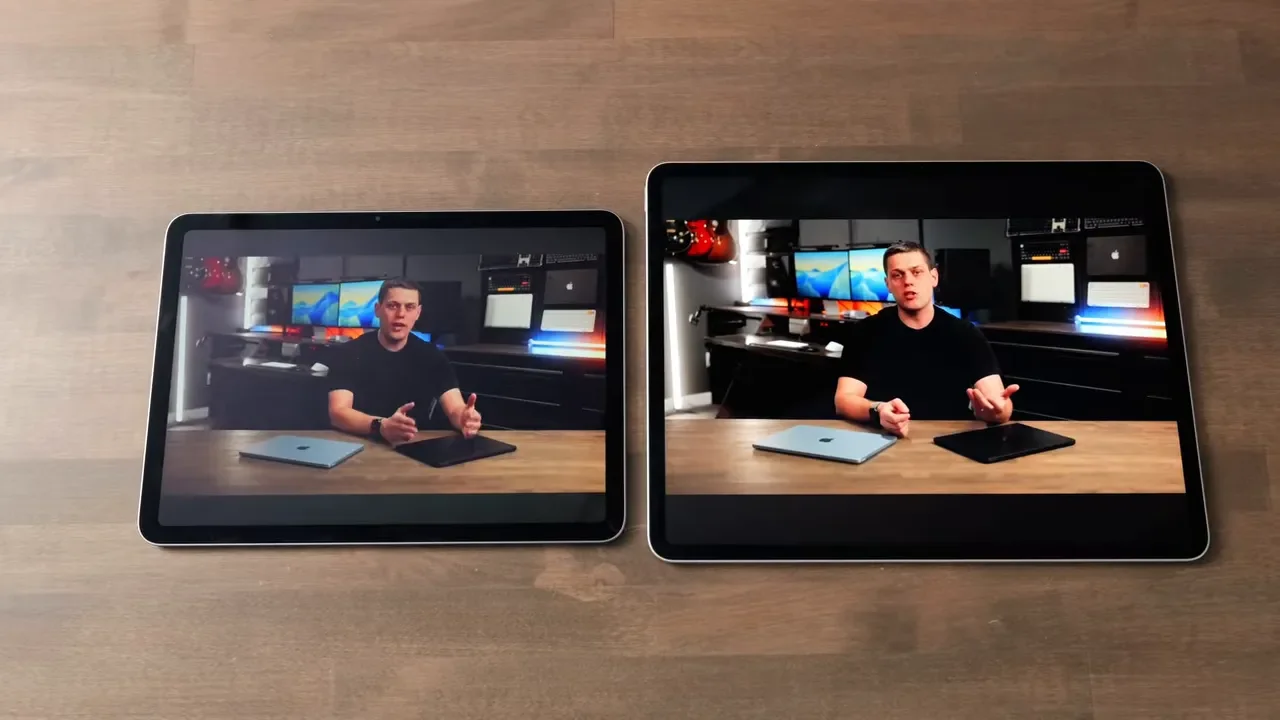
A lot of people assume the larger display means a much better movie experience. Not always. Because the 13-inch uses a squarer 4:3 shape, widescreen video ends up with bigger black bars above and below the image. So yes, the screen itself is larger, but the actual movie area does not grow nearly as much as you might expect. If your main use case is Netflix, YouTube, or other widescreen content, the 13-inch does not deliver a huge jump over the 11-inch. You get a bigger device, but not an equally bigger cinematic image.
Where The 13-Inch Really Starts To Shine
The 13-inch earns its keep in creative apps. If you use tools like Lightroom, DaVinci Resolve, or LumaFusion, the extra room matters immediately. Panels, sliders, timelines, and file browsers fill up an 11-inch fast. On the 13-inch, those same interfaces finally have breathing room. You are not just getting a larger canvas. You are getting a layout that feels less cramped and more workable for serious editing.
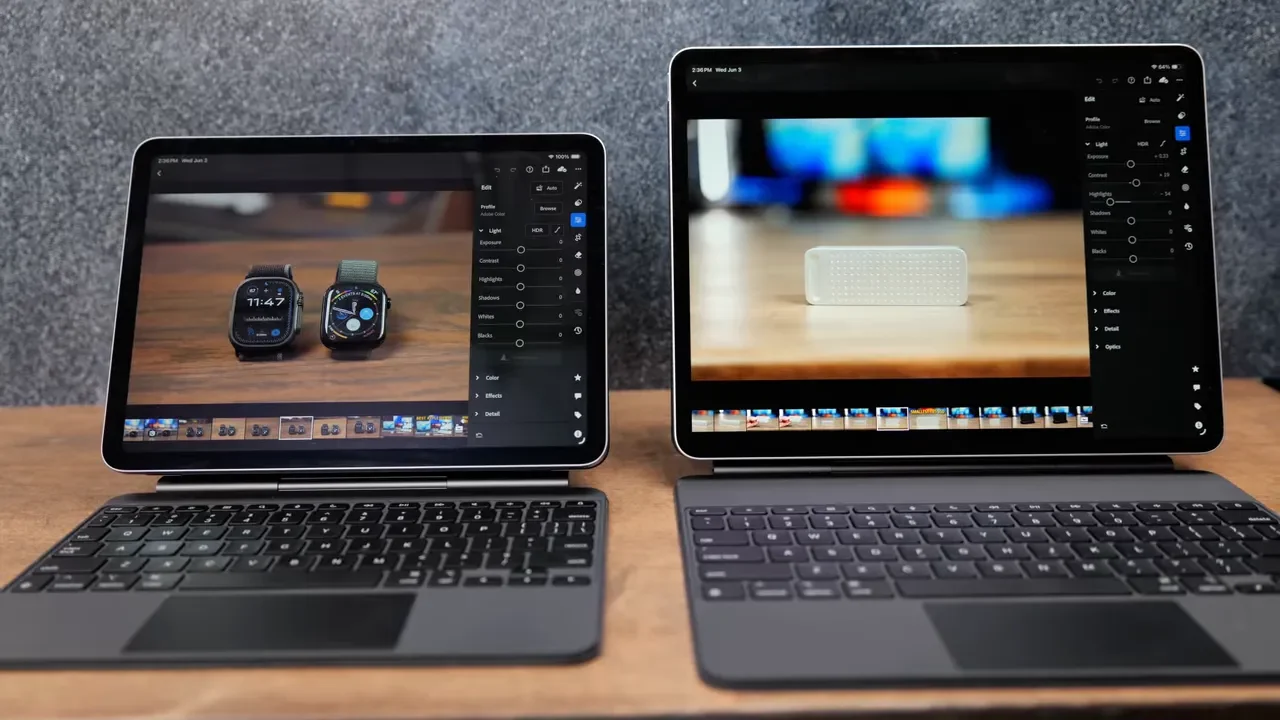
That same idea carries over to photography and design work too. If your workflow depends on keeping tools visible while still having room for the thing you are creating, the bigger display is absolutely the better fit.
Gaming Is More Immersive On The 13-Inch, But Less Comfortable By Hand
The 13-inch feels more immersive for gaming. It almost starts to feel like a portable display rather than a typical tablet. If you are playing something visually rich, that larger panel really helps.
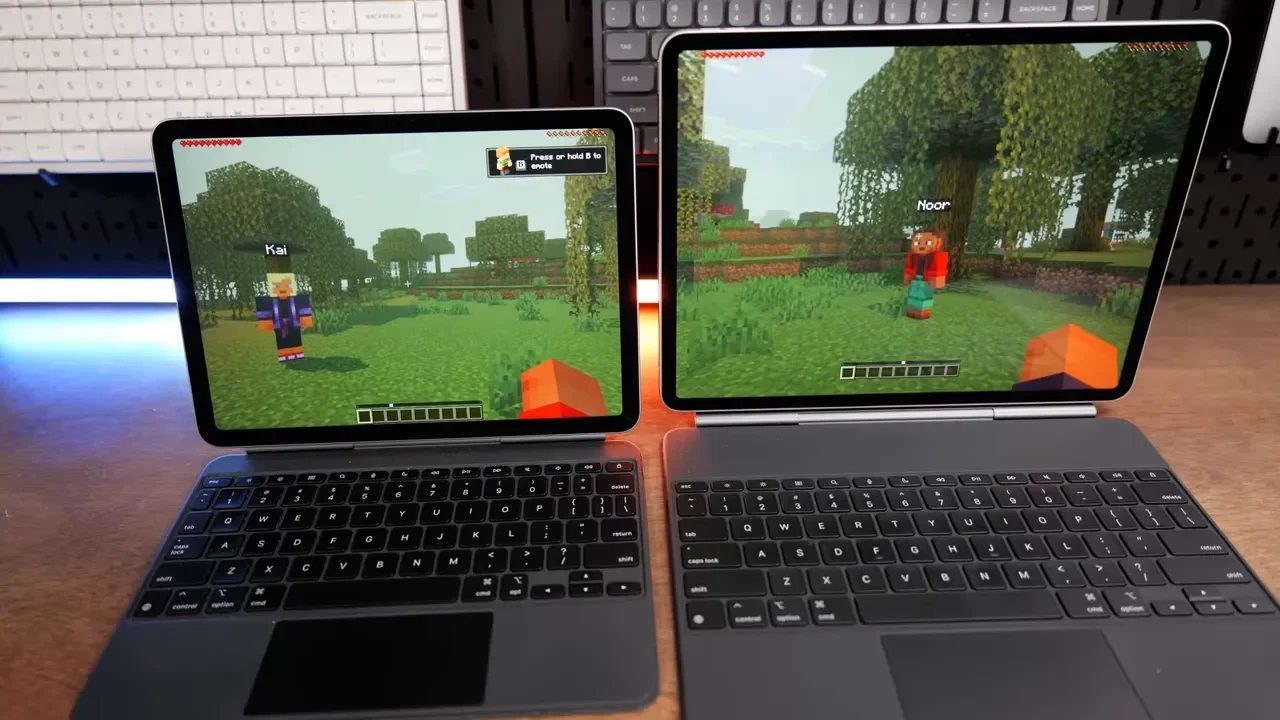
But there is a catch. Touch controls become more fatiguing because your hands have to cover more screen area. Reaching across that larger display over and over is not especially comfortable. For gaming on the 13-inch, I would strongly pair it with a controller and ideally a stand. The bigger iPad works best when it is propped up and you are not trying to support the weight and control the game at the same time.
For Note-Taking, The 13-Inch Feels More Like Paper
If you take handwritten notes or draw with Apple Pencil, the 13-inch has a real advantage. Its 4:3 aspect ratio is closer to the shape of a sheet of paper, which makes it feel more natural for note-taking and sketching. With an iPad buying guide and deal roundup handy, it is easier to compare the right accessories too, especially if you are deciding between a pencil-first setup or a keyboard-first one.
That said, the comfort issue does not go away. For long sessions with Apple Pencil Pro, the 13-inch really wants to live on a desk. It is excellent when laid flat or mounted at an angle. It is not the kind of thing I would want to hold up for a long writing session. The 11-inch still works well with Apple Pencil. You just spend more time moving around the canvas because there is less room on screen.
Multitasking Is Where The 13-Inch Pulls Away
If multitasking matters a lot to you, this is where the 13-inch starts making a much stronger case. Split View on the 11-inch is usable, but cramped. Many apps fall back to their tighter mobile layouts, and everything feels a bit squeezed. It works for quick reference, but it is not especially roomy.
On the 13-inch, multitasking feels far more practical. Two apps side by side have enough room to breathe, and you can much more comfortably do things like:
Read while taking notes
Research in one app and write in another
Keep a video window open in the corner while working
Compare documents or webpages side by side
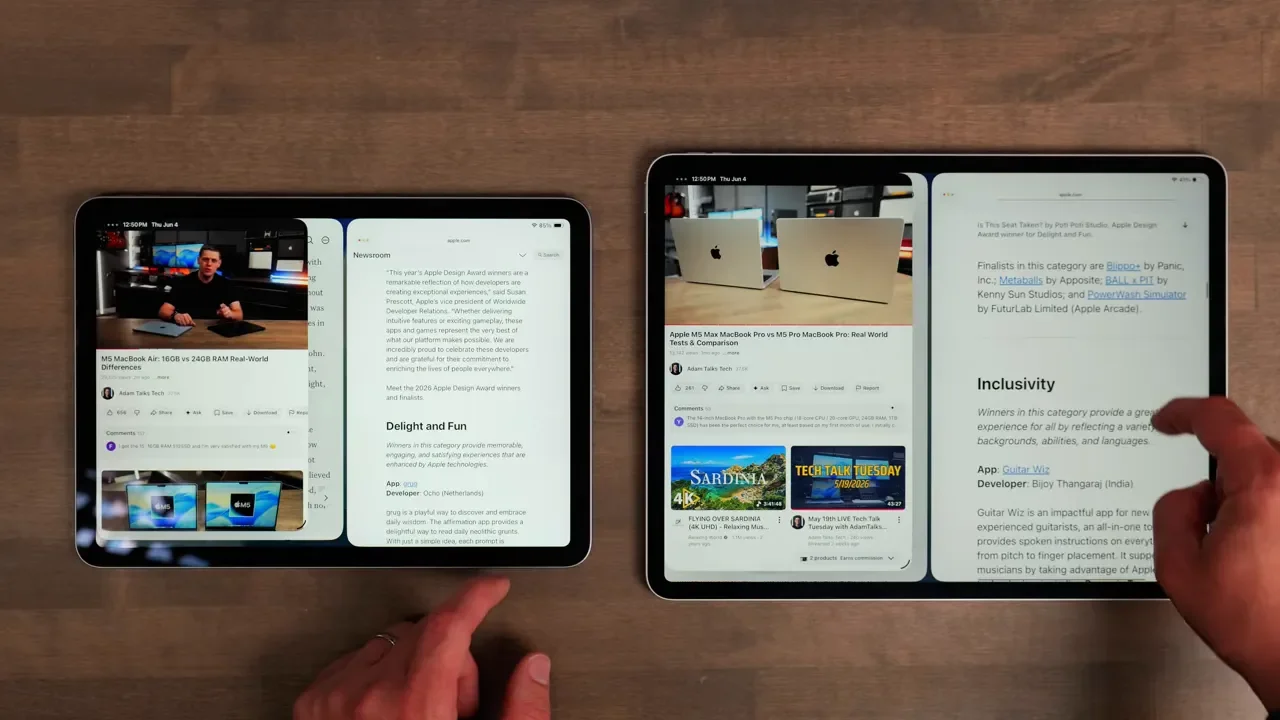
The easiest way to describe it is this: the 13-inch starts feeling like a real workspace, while the 11-inch still feels like a mobile device.
Brightness And Display Feel
There are also a couple of smaller display differences worth knowing about. The 11-inch tops out at 500 nits of brightness, while the 13-inch goes to 600 nits. That is not a night-and-day gap, but in brighter environments the larger model does hold up a little better. I also noticed the 13-inch display seemed a little more vivid and had a bit more depth to it. On paper they are very similar, but side by side the larger panel looked a touch richer to my eyes.
Accessories Matter More Than You Might Think
Both sizes work with either the USB-C Apple Pencil or Apple Pencil Pro, but I would go with the Apple Pencil Pro if you can. Magnetic charging and magnetic pairing make the whole experience much cleaner and more convenient.
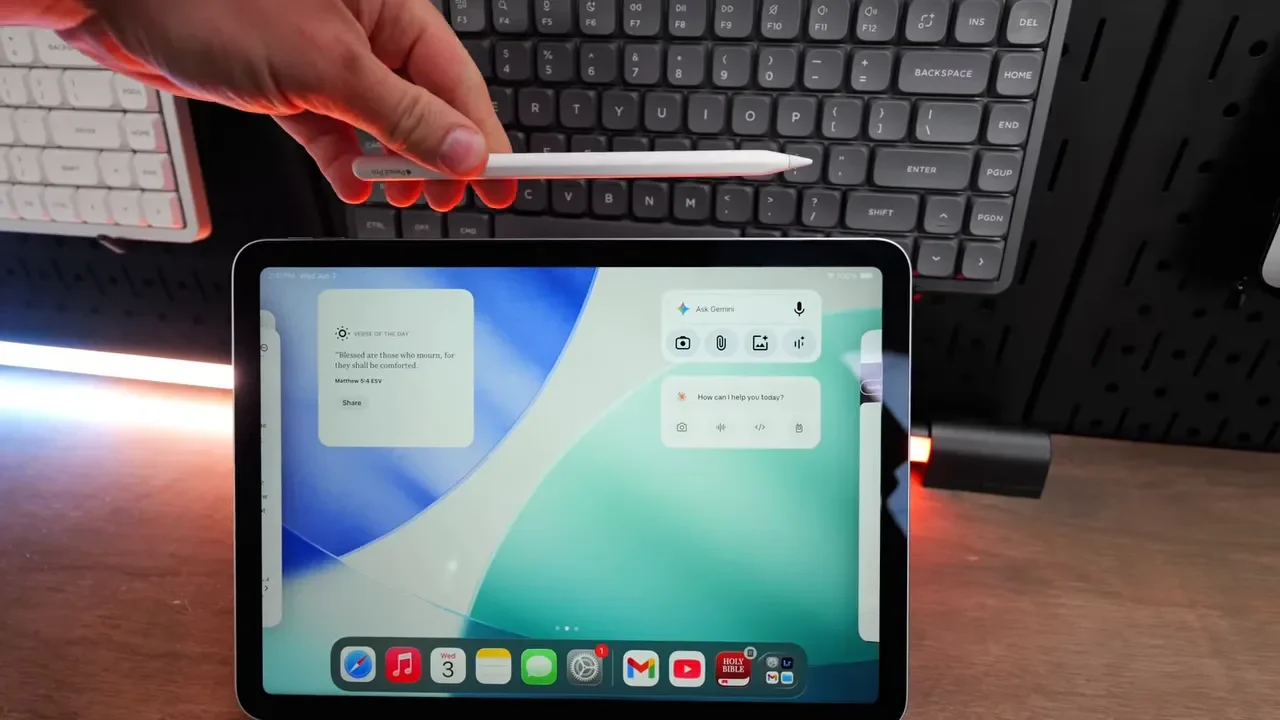
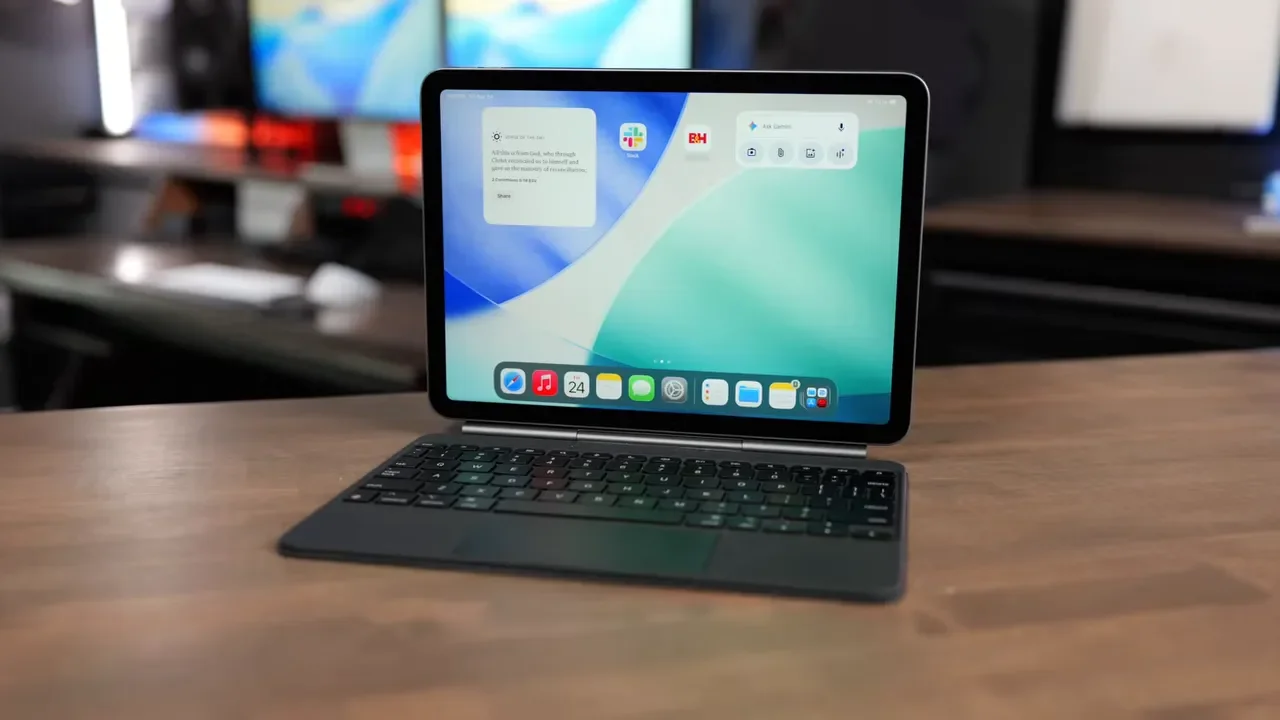
Both sizes also have their own Magic Keyboard (11 inch / 13 inch). These are excellent accessories because they connect through the Smart Connector instead of Bluetooth, so you just snap the iPad on and everything works.
You get:
A full keyboard
A trackpad with cursor support
A function row
A typing feel that is surprisingly close to a MacBook
The Magic Keyboard Feels Better On The 13-Inch
The 11-inch Magic Keyboard is good, but it is undeniably tighter. The keys are smaller, the layout is more compressed, and keys like Shift and Caps Lock do not have as much length as they do on the larger version. The 13-inch Magic Keyboard is different. Its key sizing is much closer to a MacBook Air or MacBook Pro, which makes it feel more like a true laptop replacement setup.
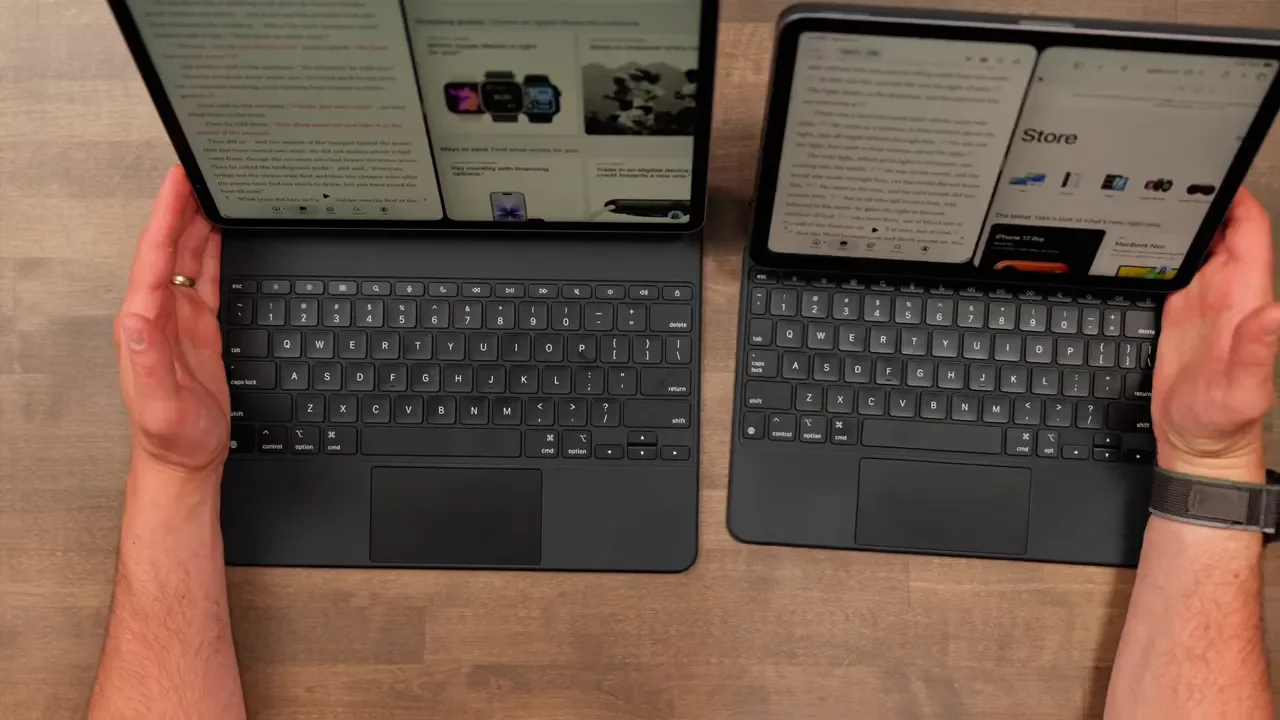
Even so, I still really like the 11-inch for writing, email, and messages. Once you adjust to the tighter layout, it becomes a very enjoyable little typing machine.
The Price Problem: iPad Air Plus Keyboard Starts Chasing The MacBook Air
This is where things get complicated fast. The 11-inch iPad Air starts at $600. The 13-inch starts at $800. Then if you add a Magic Keyboard, you are looking at roughly another $270 to $300 depending on the model. Once you stack that together, you are getting dangerously close to MacBook Air pricing.
And that matters, because a MacBook Air is still better in some very practical ways. It is more stable on a couch, the keyboard is even better, and macOS remains a more capable desktop operating system for many people. If you are shopping deals, the 11-inch iPad Air listing is worth checking before paying full Apple pricing.
128GB Is Not Enough For Most People
Both models start at 128GB, and honestly, that feels too small now. Once you install apps, sync iCloud Photos, keep Messages on device, and use the normal Apple ecosystem features most people rely on, that storage fills faster than it should.
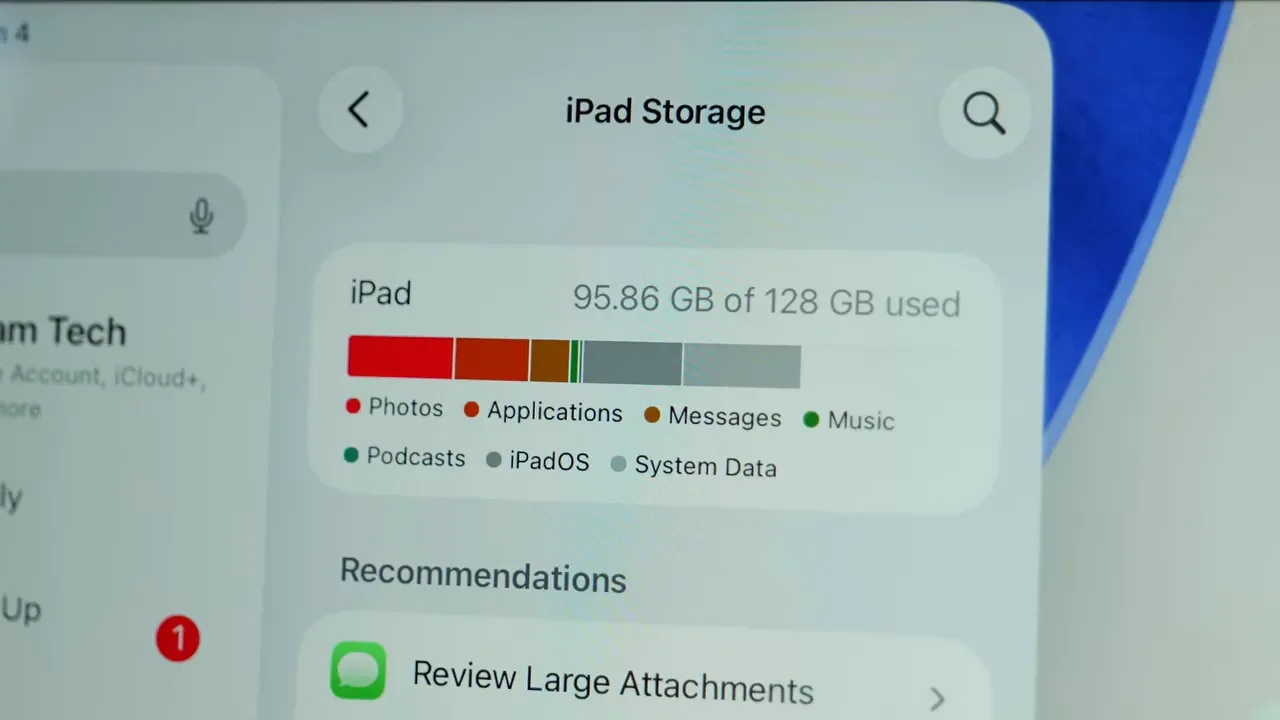
I really wish Apple had moved the base capacity higher. If you plan to keep the device for a while, especially for creative work, it is something to think hard about before buying.
A Quick Note On Protection And Carrying It Around
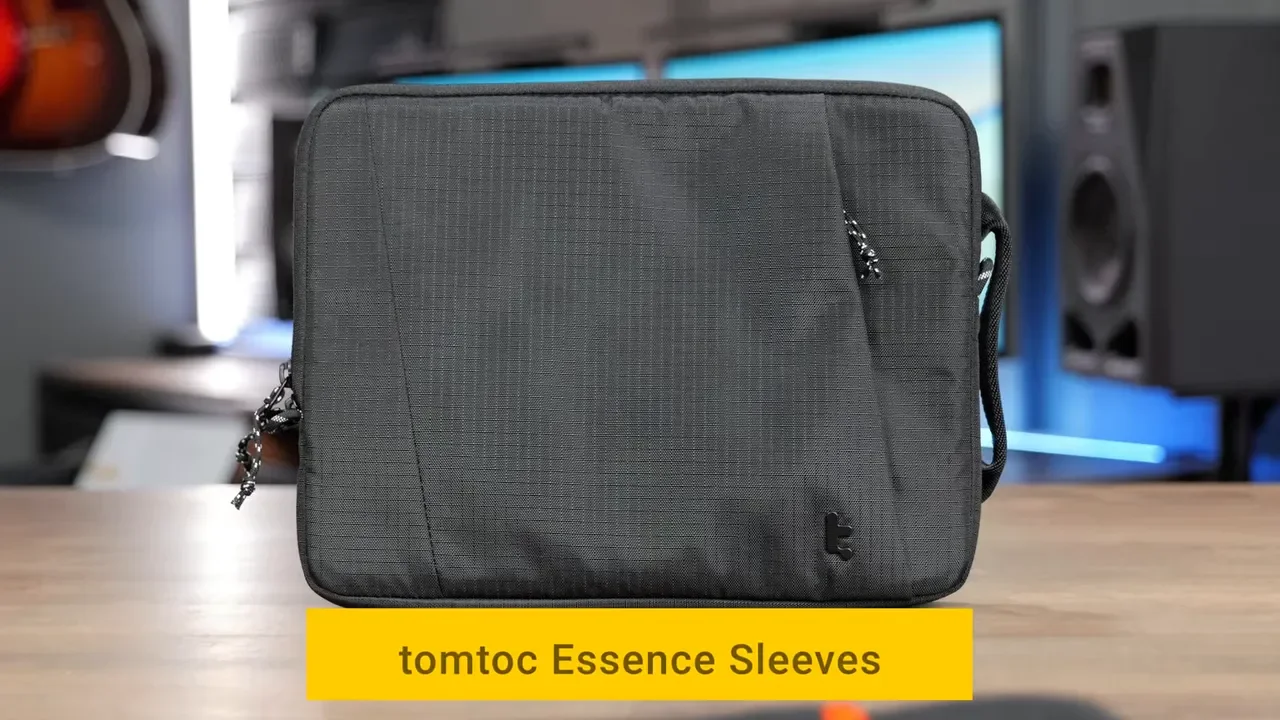
If you are carrying either iPad around daily, a good sleeve is a smart move. The tomtoc options shown here stood out because they offer full coverage, quality zippers, a front accessory pocket, and reinforced corner protection.
If you want those exact sleeves, here are the two options:
Who Should Buy The 11-Inch?
For most people, this is the better choice. The 11-inch is the one to get if you want:
A real tablet feel
Something easy to hold in one hand
A device for reading, browsing, and casual use
A companion to an existing laptop
Better portability for commuting or coffee shop use
The best balance of price and comfort
It keeps the magic of what makes an iPad special in the first place. It feels flexible, lightweight, and personal.
Who Should Buy The 13-Inch?
The 13-inch makes the most sense if the iPad is going to be your primary machine or close to it. It is the better fit if you are:
A digital artist who wants every bit of drawing space possible
A student doing long note-taking and side-by-side lecture work
Someone who multitasks heavily
Editing photos or video on the iPad regularly
Mostly using the iPad on a desk, stand, or keyboard
What you gain is workspace. What you lose is that lightweight handheld feel that makes the smaller iPad so easy to love.
Final Verdict
If you want the best pure iPad experience, get the 11-inch. If you want the biggest workspace and you are okay with a device that increasingly behaves like a desk-first computer, get the 13-inch. That is really the heart of this decision. The 11-inch is a tablet first. The 13-inch is a workspace first. And if you buy the wrong one, you will feel it every single day.
