15-inch MacBook Air M5 Review: The MacBook Sweet Spot
Some of the links in this post are affiliate links, which means I may earn a small commission if you choose to make a purchase at no extra cost to you. As an Amazon Associate, I earn from qualifying purchases. Read my full Ethics & Affiliate Relationship Disclaimer.
For a long time, if you wanted a big-screen Mac laptop, you basically had to jump all the way up to a much more expensive MacBook Pro. That is exactly why the 15-inch MacBook Air is such a compelling machine.
It gives you that larger display a lot of people want, but it keeps the thin, light, quiet personality that makes the MacBook Air lineup so appealing in the first place. At 3.3 pounds, it still feels surprisingly portable, and now with the M5 version, Apple finally fixed one of the biggest annoyances by making the base model start with 16GB of RAM and 512GB of storage. For a lot of people, this is the MacBook sweet spot.
Table of Contents
The Big Value Proposition of the 15-Inch MacBook Air
The reason this laptop stands out is simple. It gives you more room to work without forcing you into Pro pricing. If you like the MacBook Air because it is slim, silent, and easy to carry, but the 13-inch model feels a little cramped, the 15-inch version solves that problem. You get more screen real estate, more palm rest space, and a little more breathing room overall, while still keeping the same general lightweight design. The price difference is also pretty reasonable. The 15-inch model costs only about $200 more than the 13-inch MacBook Air, and that extra cost is not just paying for a bigger screen.
You also get:
A larger display for multitasking
Two extra speakers
A 10-core GPU configuration
Slightly better thermal behavior thanks to the larger chassis
That combination makes the jump from 13 inches to 15 inches feel easier to justify than it used to.
Base Specs Finally Make Sense
One of the best changes in this generation is the baseline configuration. Apple now starts this machine at 16GB of unified memory and a 512GB SSD. That matters a lot. A base 256GB laptop in 2026 feels too limiting for a machine this capable. If you are using creative apps, storing photo libraries, keeping local files, or just wanting your computer to age well, 512GB is a much healthier starting point. If you want to check current pricing, the 15-inch MacBook Air M5 is worth a look, and if maximum portability is still the priority, here is the 13-inch M5 MacBook Air as well.
M5 Performance: More Than Enough for Most People
The MacBook Air continues to punch above its weight class, and the M5 chip only pushes that further. This machine is not limited to light office work. It can comfortably handle:
Web browsing and multitasking
Documents and spreadsheets
Xcode development
Video editing
3D rendering
Local AI tasks that benefit from Apple silicon acceleration
That is what makes this laptop so interesting. It looks like a basic thin-and-light, but in real use it has enough performance for a huge range of work. Compared with the base 13-inch model, the 15-inch version consistently has an advantage because of that upgraded GPU configuration, and the larger body also helps it spread heat a bit better during sustained use.
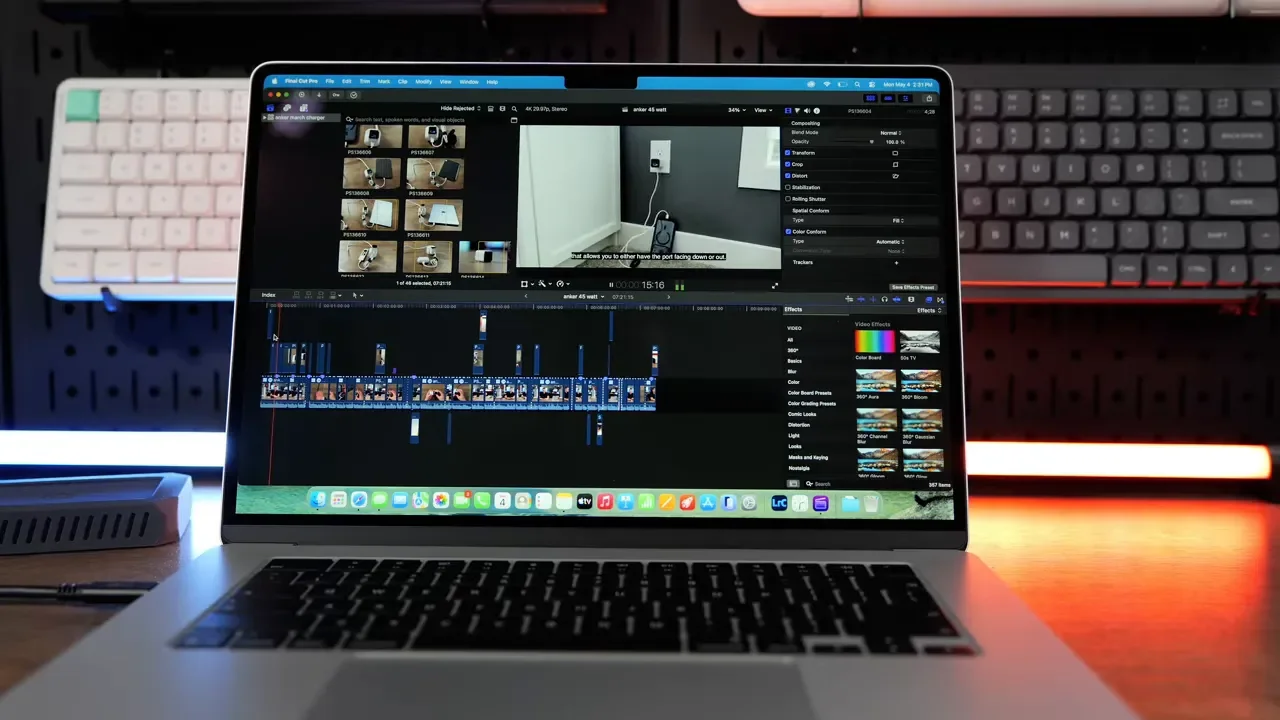
For people doing mostly browser-based work with occasional creative tasks, this really starts to feel like a MacBook Pro Lite.
The Fanless Trade-Off You Need To Understand
The MacBook Air is still fanless, and that is both one of its best features and one of its biggest limitations. On the plus side, it is completely silent. No fan noise, no ramping up, no background hum. That is wonderful for day-to-day work. On the downside, if you push it hard for a long time, it will slow down. During sustained heavy workloads, performance can drop by roughly 15 to 20 percent. That is the trade-off for having no active cooling. So the question is not whether the MacBook Air is fast enough. It is. The question is how long you need it to stay fast under constant pressure.
If your workload looks like this, you are probably fine:
Office work
Web apps
Research and writing
Light to moderate editing
Burst workloads that come and go
If your workload looks more like this, you may want a Pro instead:
All-day heavy video exports
Long 3D rendering sessions
Extended gaming
Consistently intensive compute tasks
That is not a flaw so much as the reality of the product category. The Air is built for quiet efficiency, not maximum sustained output.
Keyboard, Trackpad, And Everyday Comfort
One of the underrated advantages of the 15-inch MacBook Air is comfort. The keyboard layout stays the same as the 13-inch model, which is good because Apple’s current keyboard is solid. It is smooth, comfortable, and has enough travel to feel satisfying without being mushy. You also get keyboard backlighting and a Touch ID button, which is still one of the most convenient parts of using a Mac. Unlocking the machine and filling passwords with your finger just feels effortless.
Where the 15-inch model improves the experience is around the keyboard. You get more palm rest area and a slightly larger trackpad. On the 13-inch model, some people feel like their hands are hanging off the edges a little more than they would like. The 15-inch gives your hands more room to sit naturally.
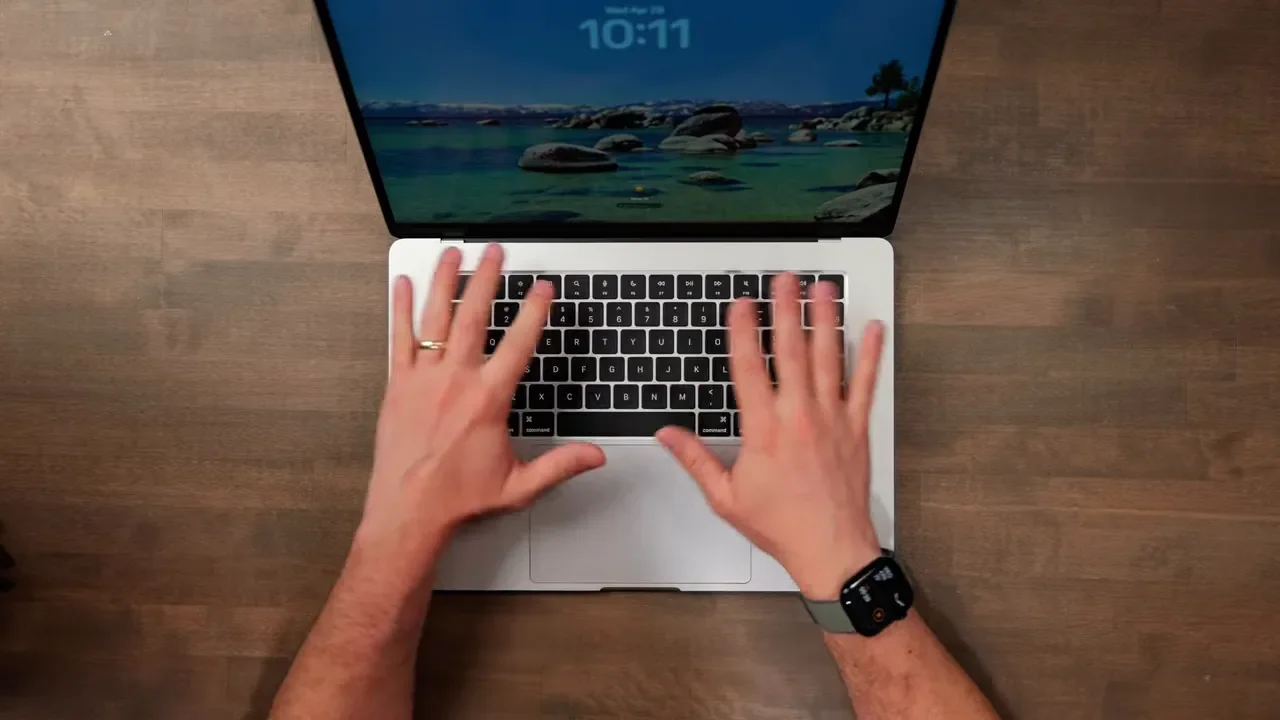
It is a subtle difference, but over a long workday it absolutely matters.
The Display Debate: Good Looking, But Still 60Hz
This is probably the most debated part of the MacBook Air right now. The display is still sharp and attractive. It is a Liquid Retina panel with a 15.3-inch size, 2880 by 1864 resolution, wide color, and True Tone support. Text looks crisp, photos look great, and for general use it still feels premium.
But Apple has not moved it forward in the ways some people keep hoping for. It still does not get as bright as the MacBook Pro display, and it still runs at 60Hz instead of 120Hz ProMotion. Whether that matters depends entirely on you. For everyday tasks, I do not think the 60Hz panel is a serious issue. For browsing, writing, office work, messaging, and general productivity, it is still a very nice screen. But if you are especially sensitive to refresh rate, or you are already used to ProMotion on higher-end Apple devices, you will notice the difference. It is not a bad display. It just does not feel cutting-edge anymore.
Why The Larger Display Is So Useful
The best reason to buy the 15-inch model is not specs on a chart. It is the simple fact that extra screen space makes real work easier. If you split your screen between a browser and a notes app, or a document and a reference page, the 15.3-inch size feels much more relaxed than the 13-inch model. Text can be larger without feeling cramped, and side-by-side workflows make more sense.
That extra room is also useful in creative apps. In software like Final Cut Pro or Logic, the bigger display gives you:
More timeline visibility
More room for sidebars and inspector panels
A larger clip browser
A less cramped workspace overall
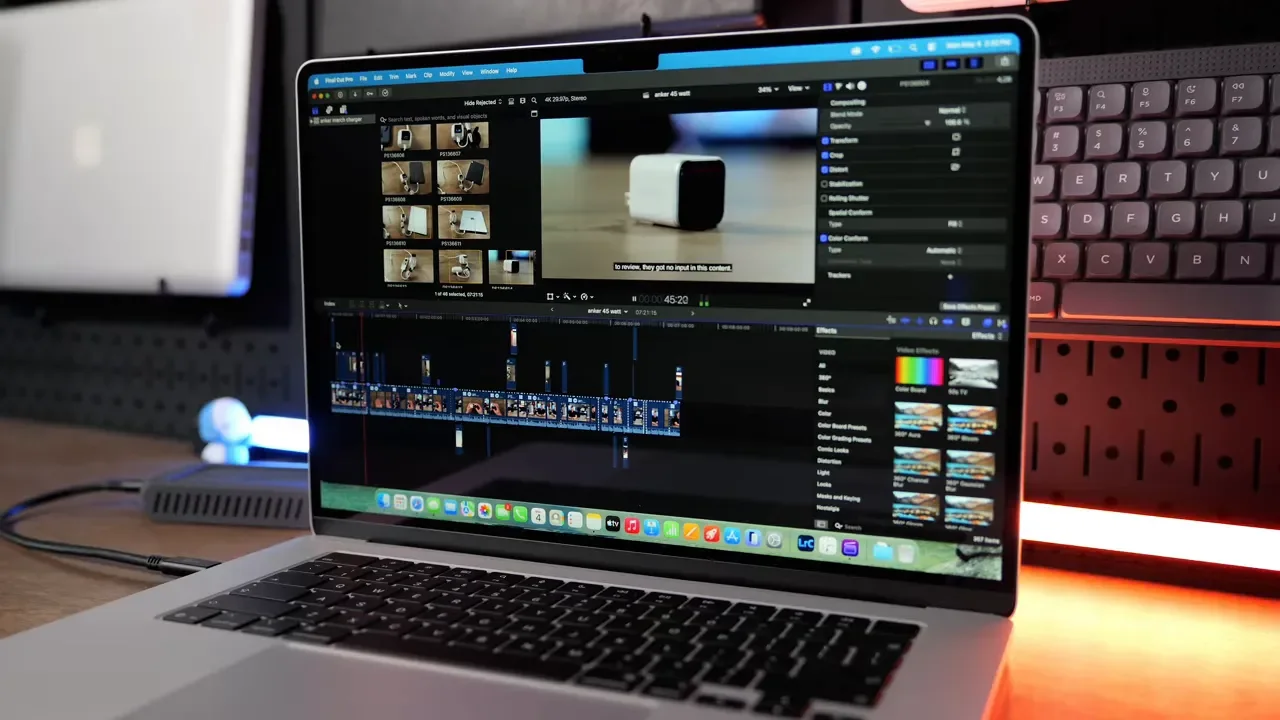
You can absolutely do creative work on the 13-inch, but the 15-inch just feels better while doing it.
External Displays And Connectivity Upgrades
Another nice improvement is display support. The M5 MacBook Air can keep two external displays connected even while the laptop lid stays open. That makes the machine much more flexible. You can enjoy the larger built-in display on its own, or turn it into part of a more serious desk setup with multiple monitors.
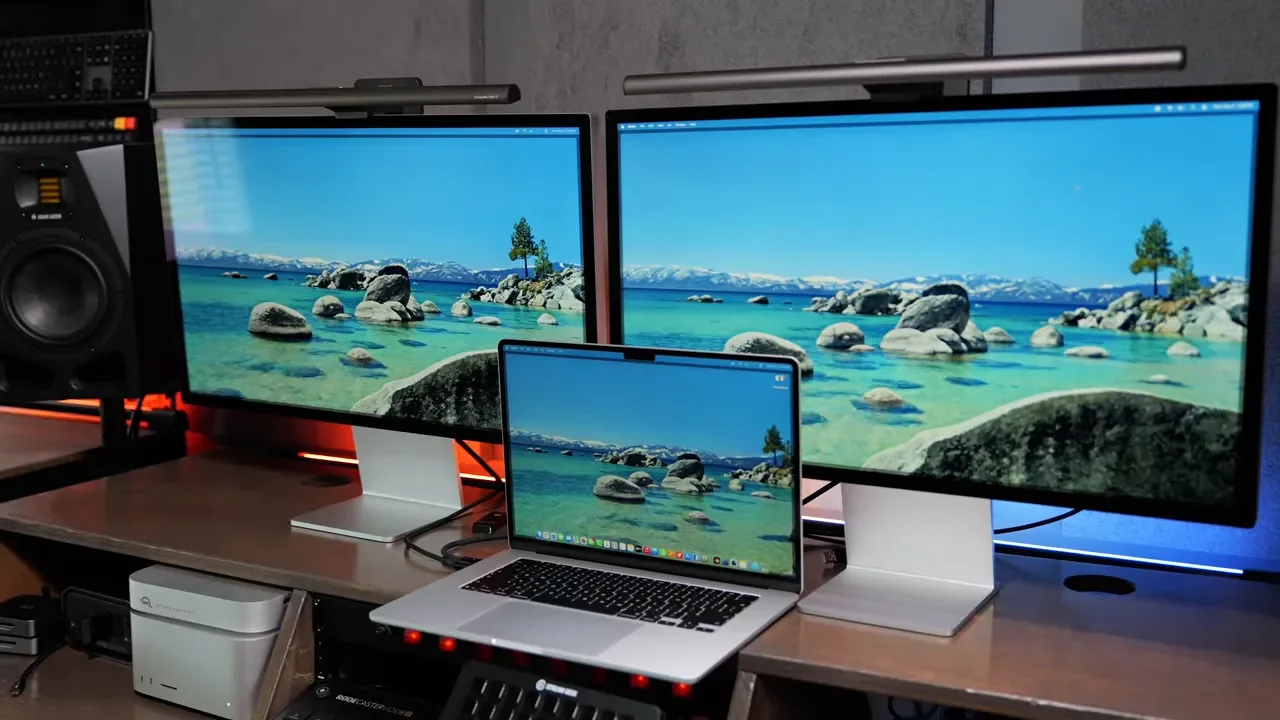
Apple also added newer wireless hardware with support for Wi-Fi 7 and Bluetooth 6. These are not flashy upgrades you will feel every second, but they help future-proof the machine and bring it in line with current standards. One thing that still would have been fantastic on a machine like this is built-in cellular. A big, portable laptop that is always connected anywhere would be incredibly useful, especially for people who work on the go. That feature is still missing.
Portability Is Great, But It Is Not The Same As The 13-Inch
This is where the buying decision gets more personal. At 3.3 pounds, the 15-inch MacBook Air is still absolutely portable. It is thin, light, and easy to carry around. In fact, it weighs about the same as the 14-inch MacBook Pro, which is impressive given the screen size. But weight is only one part of portability. The other part is physical footprint.
If you work mostly at desks, in offices, or at home, the larger body is usually no problem at all. In those situations, the extra display area is a huge advantage. If you are constantly working in tighter spaces, though, the 15-inch can become less convenient. Airplane tray tables are the obvious example. Coffee shop tables can also feel tight. On trains or other compact workspaces, the larger chassis may feel like too much. That is the real question to ask yourself: Do I have enough room to actually use a 15-inch laptop comfortably when I am away from my desk?
Battery Life Reality Check
The 15-inch model does have a larger battery than the 13-inch version, but it also has a larger screen to power. In practice, that means battery life ends up being roughly similar rather than dramatically better. So do not choose the 15-inch because you expect a major endurance win. Choose it because you want the extra space.
15-Inch Vs 13-Inch: Which One Should You Actually Buy?
Here is the simplest way I would break it down.
Buy The 15-Inch MacBook Air If:
You want more screen space for multitasking
You work in creative apps occasionally and want a more comfortable layout
You prefer larger text and a less cramped workspace
You mainly use your laptop at a desk or in roomier environments
You want the best balance of price, performance, and screen size
Buy The 13-Inch MacBook Air If:
You travel constantly
You often work on airplanes, trains, or tiny tables
You care more about compactness than workspace
You want the most portable Mac laptop possible
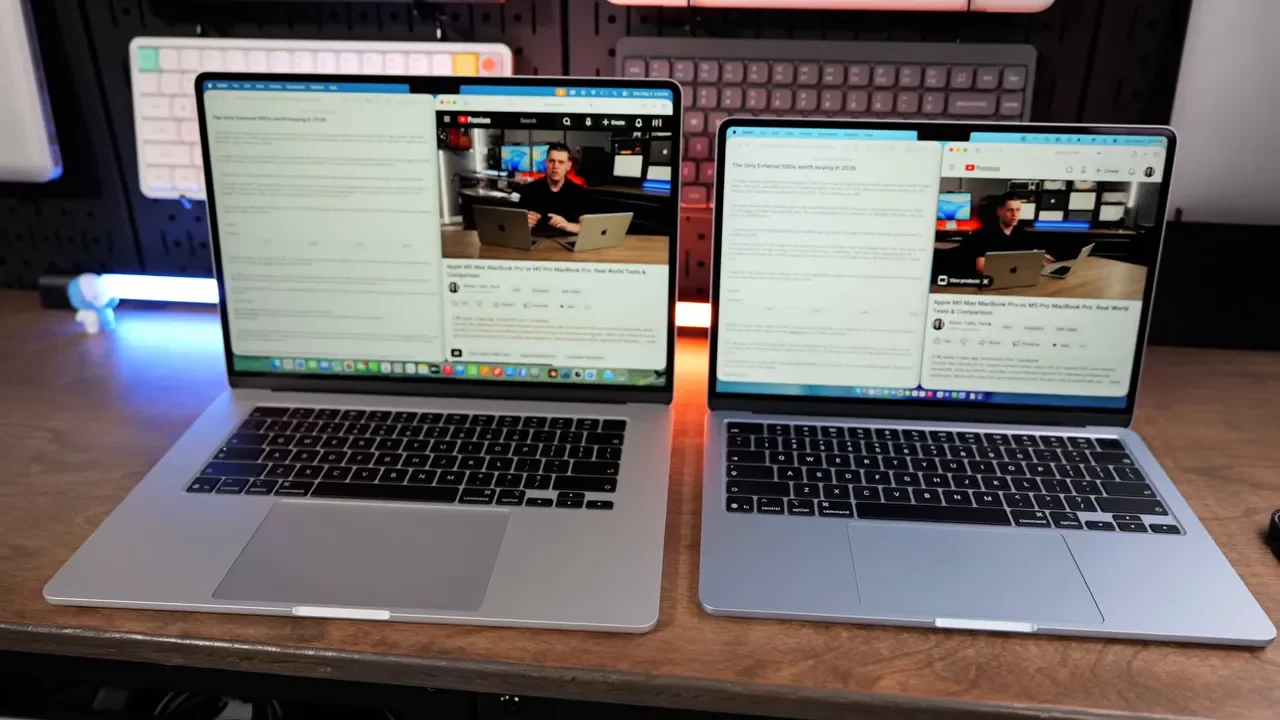
The 13-inch is still the portability king. But for a lot of people, the 15-inch is the better daily computer.
Why It Starts To Look Like A Better Deal Than A MacBook Pro
This is where the 15-inch Air gets really interesting. If you were considering a larger MacBook Pro mainly because you wanted a bigger built-in screen, the 15-inch Air deserves a hard look. It gives you that roomy display experience for far less money. Compared with a 16-inch MacBook Pro, you are looking at a gap of roughly $1,200. That is massive.
So if this is going to be your only computer and you do not want to rely on an external monitor, spending the extra $200 over the 13-inch Air is very easy to justify. For many people, it is the no-brainer upgrade in the lineup. If you want a hand sorting through the current Mac lineup, the Mac buying help guide is a useful place to start.
Final Verdict
The 15-inch MacBook Air M5 is one of the easiest laptops to recommend right now because it gets so many of the basics right.
You get:
Excellent everyday performance
A better base configuration with 16GB RAM and 512GB SSD
A large, sharp display
A comfortable keyboard and roomy trackpad area
Silent fanless operation
Strong value compared with larger MacBook Pro models
The downsides are real, but they are pretty clear and easy to understand:
The display is still 60Hz
It can throttle under sustained heavy workloads
The bigger body is less convenient in tight spaces
There is still no cellular option
For people who spend about 90 percent of their time in a browser and the other 10 percent in creative apps, this machine makes a ton of sense. It is basically a lighter, cheaper, more approachable version of the Pro idea. And for most users, that is exactly the right laptop.
Additional Resources
If you also need a way to carry a larger laptop and the rest of your gear, check out the tomtoc UrbanEX-T77 backpack. It is designed to handle a 15-inch MacBook and a broader tech setup without becoming bulky.
