13-Inch Vs 15-Inch M5 MacBook Air: Which One Should You Actually Buy?
Some of the links in this post are affiliate links, which means I may earn a small commission if you choose to make a purchase at no extra cost to you. As an Amazon Associate, I earn from qualifying purchases. Read my full Ethics & Affiliate Relationship Disclaimer.
For a long time, the MacBook Air felt like the lesser MacBook. Not bad, just the one you bought when you wanted to save money or prioritize portability over everything else. That really is not the story anymore.
With the M5 chip, 16GB of RAM, and a 512GB SSD starting configuration, the MacBook Air has grown into the Mac for most people. The real question is no longer whether the Air is good enough. It is which size makes more sense for the way you actually work. If you are choosing between the 13-inch M5 MacBook Air and the 15-inch M5 MacBook Air, the decision comes down to a few practical things: portability, screen space, comfort, performance under load, and whether this is your only computer.
The Big Shift: The MacBook Air Is No Longer The Budget Pick
The most important starting point is this: the MacBook Air is not just the cheaper MacBook anymore. It has become the default recommendation for a huge number of people.
You are getting modern Apple silicon performance, plenty of memory for everyday use and a lot of creative work, and enough storage to avoid feeling cramped on day one. That changes the buying conversation. Instead of asking, “Can I get by with the Air?” the better question is, “Which Air fits my life better?”
Portability: The 13-Inch Still Wins On Pure Convenience
If portability is your top priority, the 13-inch MacBook Air still has a very real advantage.
13-inch MacBook Air: 2.7 pounds
15-inch MacBook Air: 3.3 pounds
That difference does not sound massive on paper, and honestly, the 15-inch is still impressively light for its size. But in day-to-day use, the 13-inch is the one that feels easier to live with. It is slimmer in footprint, more comfortable to carry around one-handed, and small enough to almost disappear inside a backpack. If you commute a lot, work from coffee shops, move between meetings, or just hate carrying bulky gear, the 13-inch feels wonderfully easy.
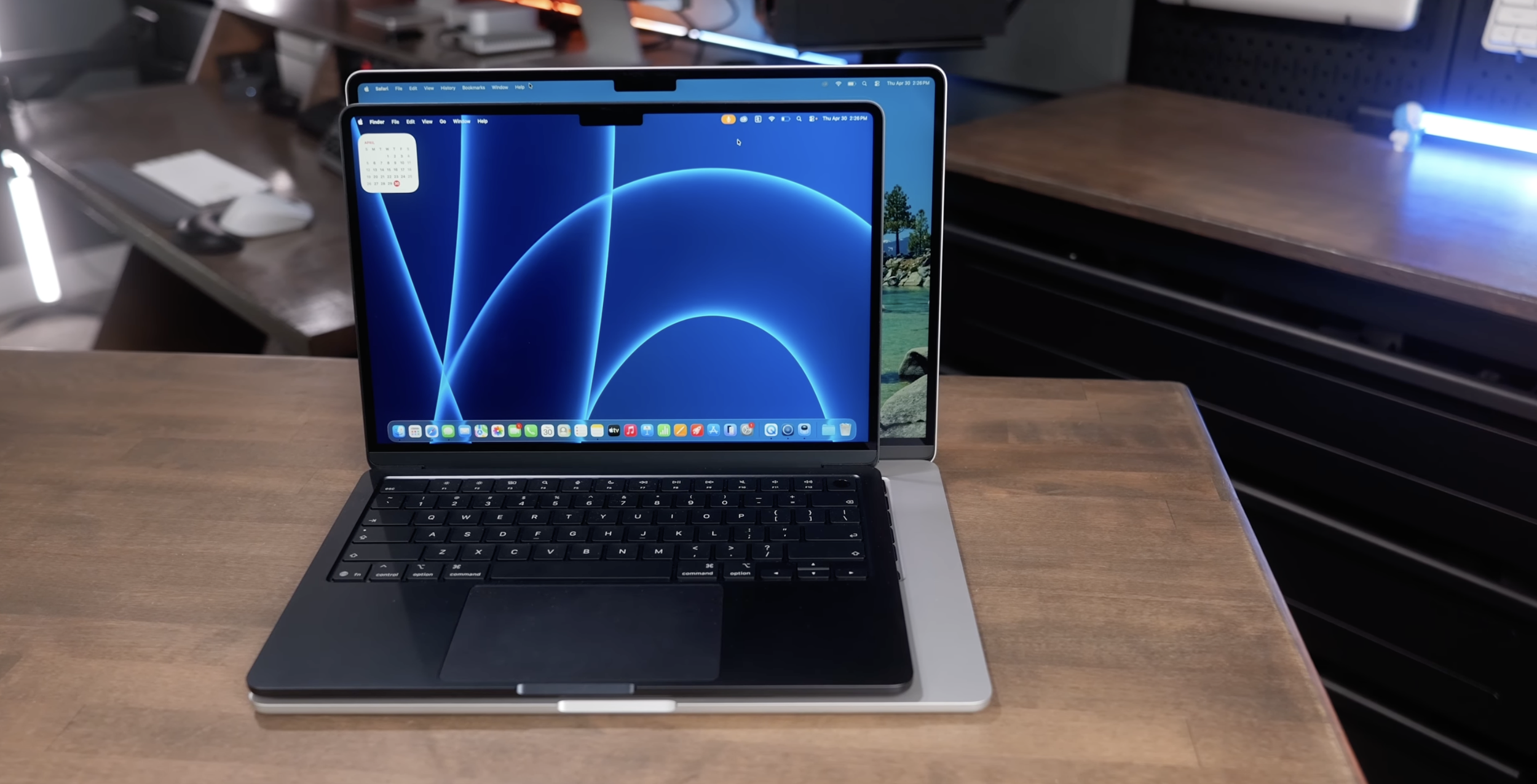
The 15-inch is not huge, though. Stack the two on top of each other and the size difference looks smaller than you might expect. You are still getting that classic MacBook Air thin-and-light design, just stretched into a larger format. So this is not a case of “small and portable” versus “big and heavy.” It is really ultra-portable versus still portable, but less effortless.
Why The 15-Inch Is More Than Just A Bigger Screen
The 15-inch MacBook Air costs $200 more, but there is an important detail here that makes that price difference easier to justify. The 13-inch starts with an 8-core GPU. The 15-inch comes with a 10-core GPU as standard.
That matters because if you configured the 13-inch to match that GPU setup, you would already be spending extra. In other words, part of the 15-inch price increase is effectively paying for a hardware upgrade you might have wanted anyway. If you do any work involving exports, rendering, or more graphically intensive tasks, that extra GPU performance helps. It is not just about benchmark numbers. It can shave time off real creative workflows.
The Larger Body Also Helps With Sustained Performance
Both models are fanless, which is great if you care about silence. No fan noise, no whirring under load, no distracting thermal ramp-up. But fanless also means both machines will throttle when pushed hard enough.
Here is where the 15-inch has another advantage: its larger metal chassis acts as a bigger heat sink. That helps it hold peak performance longer than the 13-inch before thermal limits start to pull things back. So if your workload includes longer exports, bigger projects, or heavier creative applications, the 15-inch is not just nicer to look at. It is functionally better suited to sustained work.
Screen Size: This Is Really Where The Decision Gets Made
For a lot of people, the right choice comes down to one thing: how much screen space you actually need.
Creative Work Feels Better On The 15-Inch
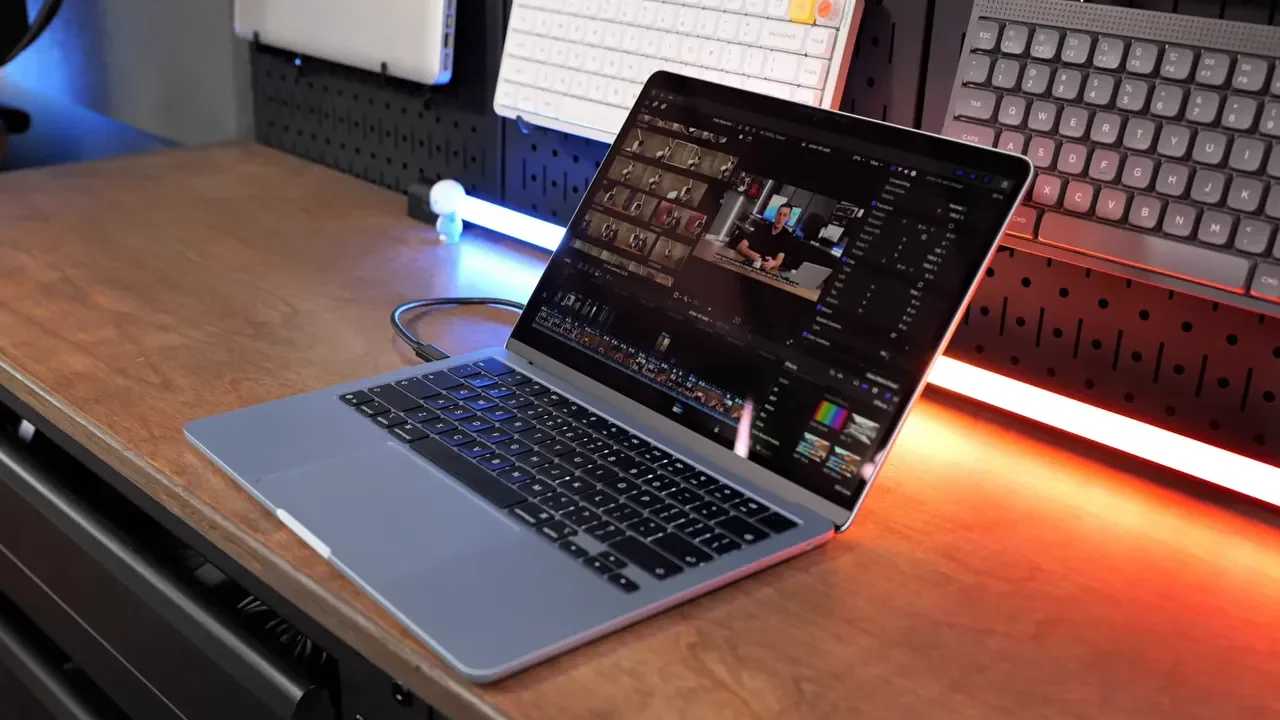
If you spend time in apps like Final Cut Pro, Logic, or other creative tools, the 13-inch can start to feel cramped fast. Open the inspector, the effects browser, the timeline, your media, and then the actual content you are trying to edit or grade can end up squeezed into a surprisingly small area. The machine still has the power to run the software, but the experience is less comfortable.
The 15-inch feels much closer to a desktop setup in that kind of work. You simply have more room to see what you are doing. That extra space helps when you are editing footage, adjusting color, organizing clips, or working with lots of panels open at once.
For Basic Apps, The 13-Inch Is Usually Plenty
If your day mostly happens inside Chrome, Notion, Slack, email, and documents, the 13-inch often feels completely fine. In fact, if you mainly live in a browser or a single app at a time, the 15-inch can occasionally feel like it is giving you more blank space than real productivity gains. Bigger is not automatically better if your workflow does not need it.
That said, if you regularly keep multiple windows side by side, the 15-inch becomes much more appealing. Split-screen work is simply more comfortable there.
Ergonomics: Comfort Matters More Than Specs
Specs are easy to compare. Ergonomics are what determine whether you still like using the laptop after a few months.
The 15-Inch Is More Comfortable For Long Sessions
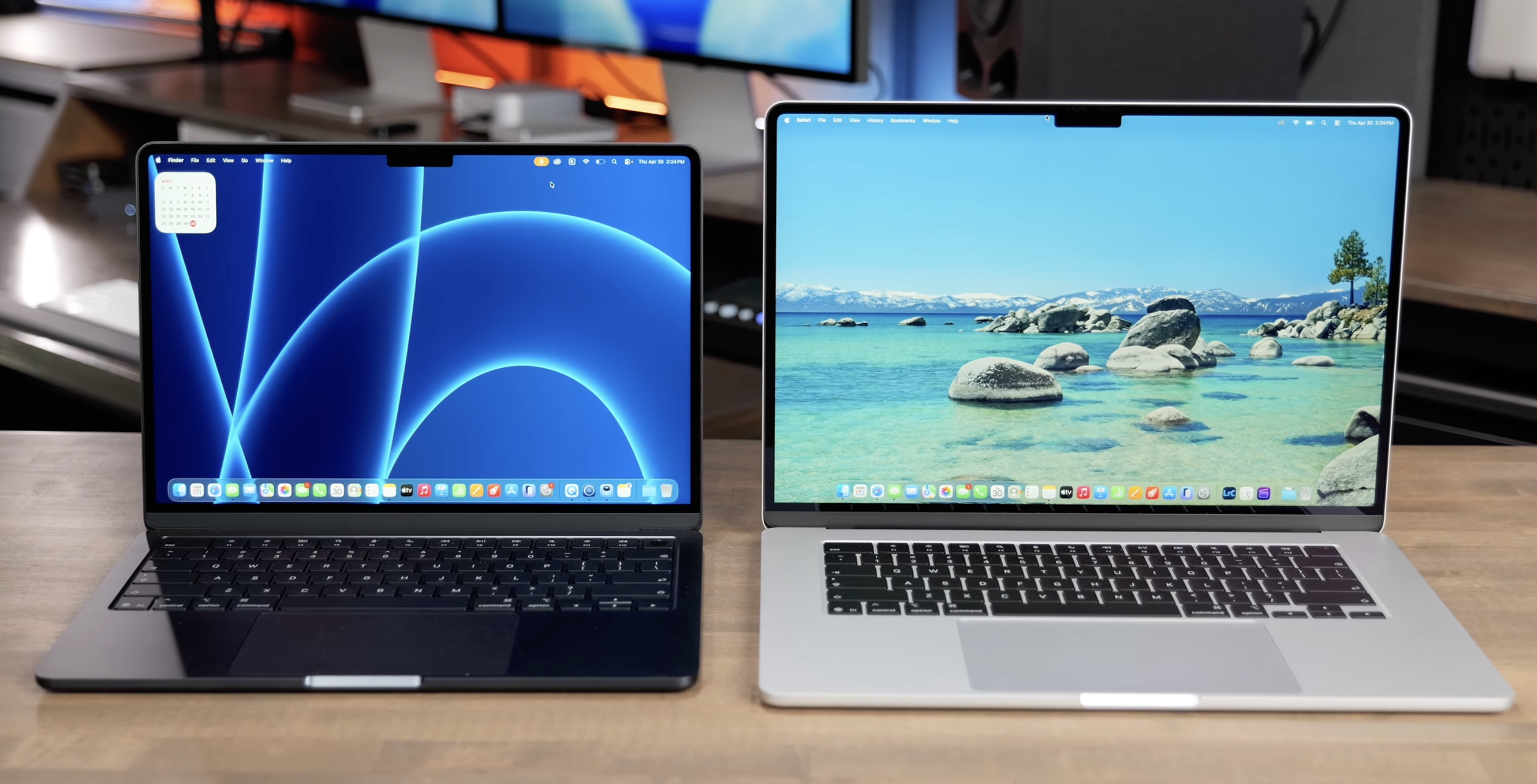
One of the underrated benefits of the 15-inch model is the larger palm rest area. On the 13-inch, things can feel a little tighter, and your wrists may rub against the edge more often because there is less surface area to rest on.
The 15-inch gives your hands more room, which makes it more comfortable for longer typing sessions. If you spend hours writing, answering email, or doing office work directly on the laptop, that added space can make a noticeable difference.

The 15-Inch Also Feels More Stable On A Couch
If you work from the couch or use your laptop casually around the house, the 15-inch has another small but meaningful advantage. Its wider base makes it feel more planted. The 13-inch, by comparison, can feel a little tippy if it is not placed carefully. That does not make it bad. It just means the smaller chassis is a bit less forgiving in less-than-ideal working positions.
Travel Matters: Airplane Tray Tables Favor The 13-Inch
This is one of those real-world details that does not show up on spec sheets but absolutely affects the buying decision. If you work regularly on an airplane tray table, the 13-inch MacBook Air is the safer choice. The 15-inch can feel tight on a tray table because of both its larger body and taller screen. If the person in front of you reclines, things get awkward fast. You may have to tilt the screen to a strange angle just to keep it from getting pushed into.
So if you fly all the time, the 13-inch is the easy recommendation. If you only fly a couple of times a year, though, I would not let a few uncomfortable hours on a plane outweigh the benefits of the larger screen the rest of the time. That is a tradeoff worth thinking about honestly.
If This Is Your Only Computer, The 15-Inch Makes A Stronger Case
One of the best ways to choose between these two sizes is to ask a simple question: Is this going to be your only device?
If the answer is yes, the 15-inch becomes a much stronger recommendation. When your laptop is your only computer and you use it all day, every day, the 15-inch gives you a better all-around experience thanks to:
More screen space for multitasking
Better speakers
Extra GPU cores
Improved comfort for longer work sessions
Better sustained performance because of the larger chassis
That combination makes it feel a lot like a MacBook Pro Lite. You still get the thin, silent, fanless MacBook Air experience, but with enough added usability that it starts to blur the line for a lot of people.
When The 13-Inch Is Still The Better Buy
The 13-inch is still incredibly easy to recommend in the right situation. If you already have another main machine, such as an iMac at home or a Studio Display at work, the smaller Air makes a lot of sense. In that setup, the laptop does not need to be your everything machine. It just needs to be the most portable and convenient version of your workflow.
The 13-inch is also the better choice if you are constantly in motion and need something that takes up as little space as possible in a bag, on a desk, in a car, or on a plane. That is really its superpower. It is sleek, compact, and incredibly easy to bring anywhere.
A Simple Way To Choose Between The 13-Inch And 15-Inch M5 MacBook Air
If you want the short version, here it is.
Buy The 13-Inch MacBook Air If You Want:
The lightest, easiest-to-carry option
A laptop that disappears into a backpack
Something that works better on planes and small tray tables
A secondary machine to complement a desktop setup
A compact laptop for mostly browser-based or lighter productivity work
Buy The 15-Inch MacBook Air If You Want:
More screen space for multitasking
A better experience in Final Cut Pro, Logic, and other creative apps
Extra GPU cores included by default
Better sustained performance under heavier workloads
More comfortable typing and wrist support
A laptop that can realistically be your only computer
My Take
The 13-inch M5 MacBook Air is still the portability king. If small size is the whole point, it absolutely delivers. But the 15-inch is the one that makes the strongest argument as an everyday machine for most people. The larger display, the included GPU upgrade, the better ergonomics, and the improved thermal headroom all add up to something more capable than “just a bigger Air.” It feels like the sweet spot for anyone who wants one laptop that can do almost everything without stepping up to a MacBook Pro.
Final Thoughts
The nice thing about this comparison is that there really is not a bad choice. The 13-inch and 15-inch M5 MacBook Air are both excellent. They just solve slightly different problems.
If you care most about mobility, go 13-inch. If you care most about usability, comfort, and getting the closest thing to a Pro experience without buying a Pro, go 15-inch. For most people buying one MacBook to do everything, the 15-inch is probably the better fit. For people who want the cleanest, most portable package possible, the 13-inch is still hard to beat.
