Adam Audio A4V Review: A 4-Inch Monitor That Punches Way Above Its Size
Some of the links in this post are affiliate links, which means I may earn a small commission if you choose to make a purchase at no extra cost to you. As an Amazon Associate, I earn from qualifying purchases. Read my full Ethics & Affiliate Relationship Disclaimer.
Table of Contents
Introduction To ADAM Audio A4V Monitors
If you do any kind of creative work with sound, good reference monitors are not optional. They are one of the biggest factors in whether your mixes, edits, and recordings actually translate well. The ADAM Audio A4V monitors are clearly built for that kind of work. These are compact 4 inch desktop studio monitors, but they are not basic entry level speakers. They bring serious DSP control, built in tuning options, network control through A Control software, and even Sonarworks integration for room correction.
What makes them interesting is the balance they try to strike. They are small enough to make sense on a desk or in a tighter studio setup, but they are aiming for a level of clarity and adjustability that feels much closer to a more serious monitoring system. If you want to check current pricing on the ADAM Audio A4V, that is the model in focus here.
Initial Impressions And Sound Clarity
The first thing that stood out with the A4Vs was clarity. Right away, they sound clean, open, and very precise. That is not unusual for ADAM Audio, but what surprised me was how much punch they manage to pull out of a 4 inch monitor. I have used larger 8 inch monitors before, and I have spent time with 5 inch models too, so I am used to hearing a little more weight in the low end. Even with that context, the A4Vs impressed me because they do not come across as weak or thin. They sound crisp and true to life, whether the source is music, spoken word, or general editing work.
They do lean brighter and clearer than what some ears may be used to, especially if you are coming from larger or warmer sounding monitors. In my space, I ended up backing the highs down a bit to better match my preferences. That was not a flaw so much as a reminder that these are honest, revealing speakers. And that honesty is exactly why they work. They are not trying to flatter bad audio. They are trying to tell you what is really there.
Physical Features And Controls
For a compact monitor, the A4V feels substantial. It is dense, solid, and heavier than you might expect from something this size.
On the front, you get:
A single 4 inch woofer
ADAM Audio's X-ART tweeter
Dual front ports at the bottom
The front port design is especially useful for desktop placement, where rear ported speakers can sometimes be a little more finicky near walls. Another nice touch is the rotatable tweeter. If you want to position these horizontally instead of vertically, you can remove the screws and rotate the tweeter to keep the orientation correct.
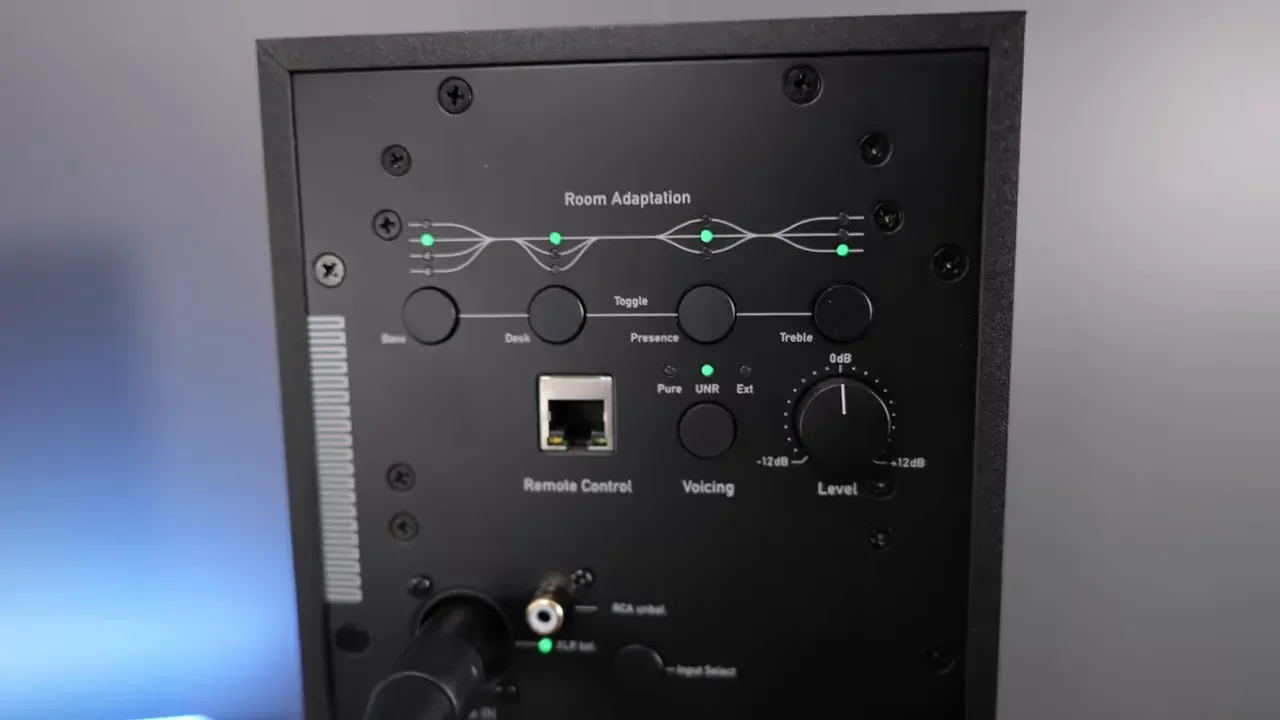
The rear panel is one of the better implementations I have seen on a studio monitor in this size range. Instead of tiny physical dip switches, you get push buttons with illuminated indicators. That makes it much easier to see what is active and quickly adjust settings without guessing.
On the back, you will find:
Low, mid, and high frequency tuning controls
Voicing options
Input selection controls
Ethernet port for network control
XLR and RCA inputs
Standard IEC power connection
It is a practical, thoughtful layout that makes setup and tweaking feel a lot less annoying than it usually does.
Sound Customization Options
This is one of the strongest reasons to consider the A4V. You are not stuck with a fixed sound signature. Using the rear controls alone, you can adjust low, mid, and high frequencies to better fit your room and your preferences. That matters more than people sometimes realize. A monitor can be technically excellent and still sound off in your space if the room is pushing certain frequencies around.
Beyond that, the A4V gives you three main voicing approaches:
Pure, for a flatter, more straightforward response
UNR, which has a more exciting presentation and more low end energy
EXT, which enables external tuning data such as Sonarworks correction
Personally, I liked the UNR voicing because it is fun and engaging, but for more neutral work I preferred staying closer to the more natural presentation. I also experimented with boosting bass just to see what these could do, and they can definitely deliver more punch than you would expect. What they do not become is a subwoofer. You get tight, punchy bass, not deep room shaking rumble.
If you connect the monitors to your network, you can control them through ADAM Audio's A Control software and access a graphic EQ for deeper tuning. That opens up a lot more precision than the onboard controls alone. One minor disappointment is that control requires a wired network connection. It would have been nice to see some kind of wireless control option, but the upside is reliability. Once plugged into a switch, the connection was recognized right away without any drama.
Technical Specifications And Performance
On paper, the A4V is no slouch. The rated frequency response runs from 53 Hz up to 42 kHz, which is impressive for a compact desktop monitor. Another important detail is separate amplification for the low and high frequency drivers. That contributes to the cleaner, more controlled sound, especially when you start pushing volume. In practical use, these have plenty of power. At around 86 dB, they sounded very clean and very crisp. Even up into the 90 dB range, they held together really well. Once I got closer to 100 dB, I started noticing that the sound was not quite as pure anymore.
The sweet spot, at least in my experience, was around 86 to 90 dB. In that range, the A4Vs sound open, detailed, and extremely usable across different genres and tasks. They also sound surprisingly good at lower listening volumes, which is a bigger advantage than it may seem. Not every setup allows for loud monitoring all the time, and speakers that still sound balanced and engaging at lower levels are much easier to live with day to day.
Overall Sound Quality And Use Cases
The A4Vs handled just about everything I threw at them. Recorded music, guitar practice, piano, mixing, and video editing all translated well through these speakers.
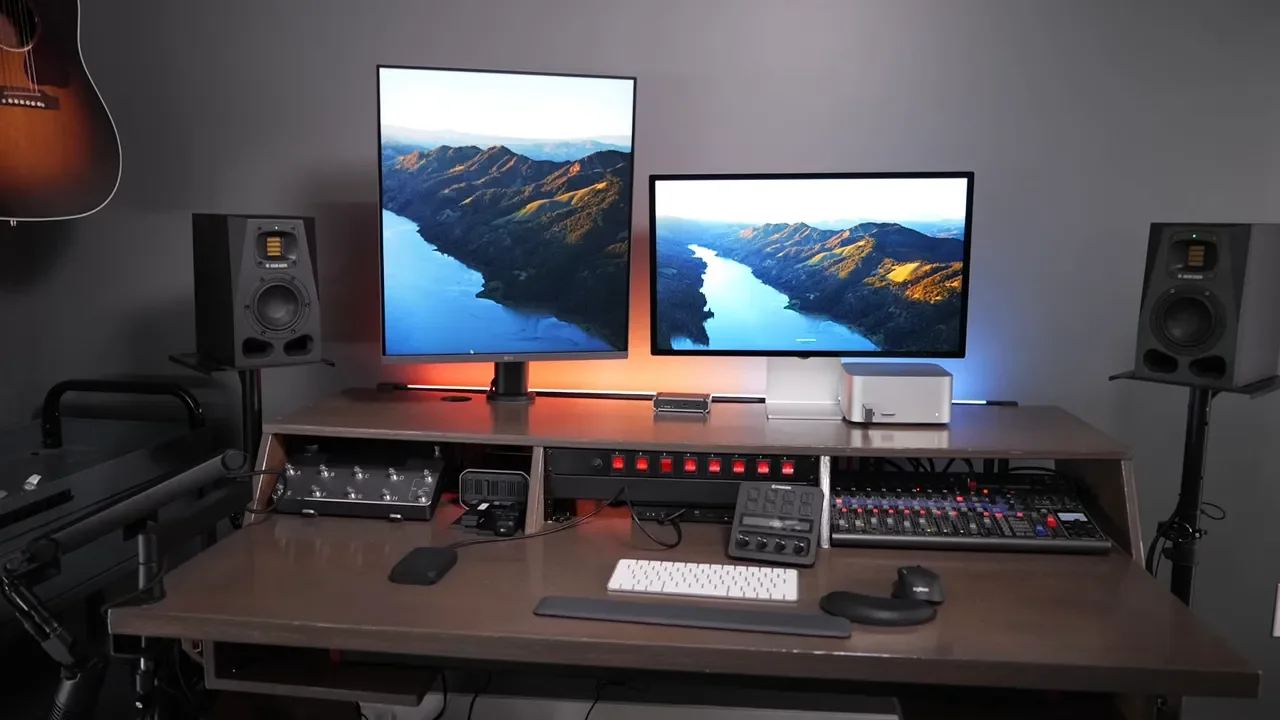
What keeps standing out is the combination of clarity and versatility. Some monitors are great for mixing but not especially enjoyable for general listening. Others are fun to listen to but not revealing enough for critical work. The A4V lands in a nice middle ground where it still feels accurate, but it does not come across as sterile. That makes them especially attractive for people who want one compact speaker system to do multiple jobs well. If you are building around a more serious desktop setup, it also makes sense to think about the rest of the chain. A good mixer or interface setup can help you get the most out of monitors like these, and if you want to see a broader desk and gear context, this computer gear setup is a helpful reference point.
Comparison To Other Monitors (Pros & Cons)
The A4V makes the most sense when you compare it against both smaller desktop speakers and larger studio monitors. Against something like the ADAM Audio D3V speakers, the A4V is a clear step up in sound quality. The D3Vs still sound good, and I still think they are a solid option for a very compact setup, but the A4V adds noticeably more clarity and depth. It also avoids one of my bigger complaints with the D3V, which is being tied to a short cable between the left and right speakers. With the A4V, you can place each speaker where you want using your own cabling. Against larger monitors such as the ADAM Audio A7V or typical 7 inch and 8 inch monitors, the tradeoff is predictable. You lose some of that deeper, fuller low end. You are not going to get the same low bass extension from a compact 4 inch monitor.
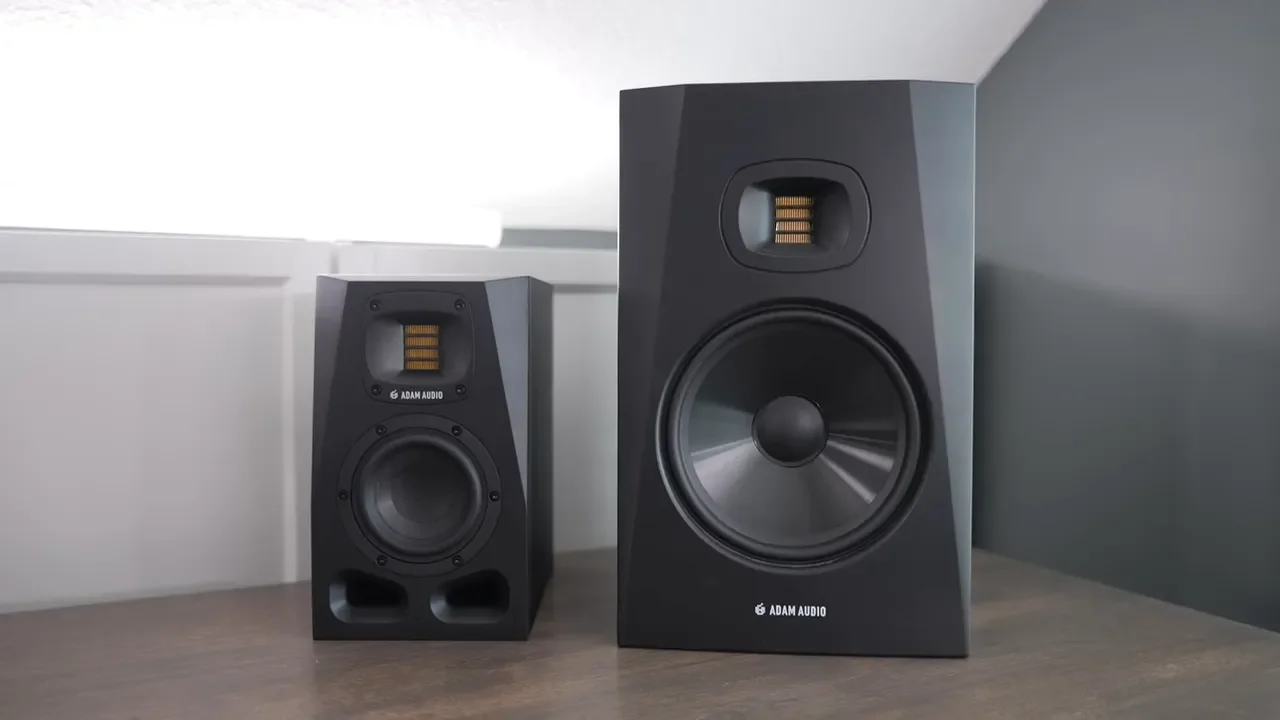
What you get instead is a smaller footprint, easier placement, and a bass character that is more punchy than rumbling. For a lot of mixing work, that is actually a plus.
So the pros look like this:
Excellent clarity for a 4 inch monitor
Strong punch in the low end for the size
Very flexible tuning and voicing options
Network control and software EQ support
Compact form factor that still feels serious
And the tradeoffs are just as clear:
Less deep bass than larger 7 inch or 8 inch monitors
Higher price than many small monitor options
Best results may require more supporting gear
If deep low end is a major priority, adding one of the ADAM Audio subwoofers could make a lot of sense.
SonarWorks Integration
One of the cooler features here is Sonarworks support. When you buy the A4V, you get a 60 day license, which lets you measure your room and apply correction to help compensate for the space. The measurement process involves taking multiple readings around the listening position with a measurement mic. It is not difficult, but it does take some time, and it helps to have a solid audio interface as part of the setup.
Interestingly, after testing it, I still preferred the out of the box sound of the A4Vs in my own setup. That could come down to room specifics, mic quality, or simple preference. The important point is not that Sonarworks is bad. It is that the A4V already sounds very good before you start layering correction on top. And even if you do not love the full automatic correction result, the system still gives you a lot of control. You can fine tune individual EQ bands and shape things more manually if needed.
Minor Cons Of The A4V Monitors
There are only a few real complaints, but they are worth talking about. First, these are DSP based monitors. If you are specifically chasing a pure analog signal path, that is not what these are. Your audio is going through digital conversion inside the speaker. Second, these really deserve a good source. You will want a solid audio interface feeding them, and that adds to the overall cost. Third, price. At about $500 per speaker, these are not cheap. By the time you add stands, cables, an interface, and possibly a measurement mic, the total investment climbs pretty quickly.
Fourth, the software side is useful, but it is not the most casual experience. If you want to fully use the network control and room tuning features, you may need extra hardware and a little patience. I would have liked to see an easier wireless or mobile app approach, though the wired network method is probably more dependable. None of these are deal breakers, but they do shape who these make sense for. These are not really plug and forget desktop speakers in the simplest sense. They are compact professional monitors that reward a more intentional setup.
Who Are The A4V Monitors For?
The A4V is for the person who wants genuinely high quality sound in a relatively compact package. If you need a speaker that fits on a desk, works well in a smaller room, and still delivers clear, accurate, punchy monitoring for music production, mixing, instruments, and editing, these make a lot of sense.
They are especially strong for anyone who values:
Compact size without settling for entry level sound
Detailed and true to life audio
Onboard tuning and software based customization
Flexible placement and professional connectivity
They are probably less ideal if your main goal is maximum low end, the lowest possible price, or the simplest no extra gear setup. For me, the biggest takeaway is simple. I did not expect a 4 inch speaker to sound this good. The A4V delivers a level of clarity and control that makes it easy to recommend for serious desktop audio work.
Additional Resources
If you want to explore the rest of the gear mentioned around this setup, here are the other resources worth checking out: