Apple USB-C EarPods Review: $19 Well Spent (With One Catch)
Some of the links in this post are affiliate links, which means I may earn a small commission if you choose to make a purchase at no extra cost to you. As an Amazon Associate, I earn from qualifying purchases. Read my full Ethics & Affiliate Relationship Disclaimer.
Table of Contents
The $19 USB-C EarPods
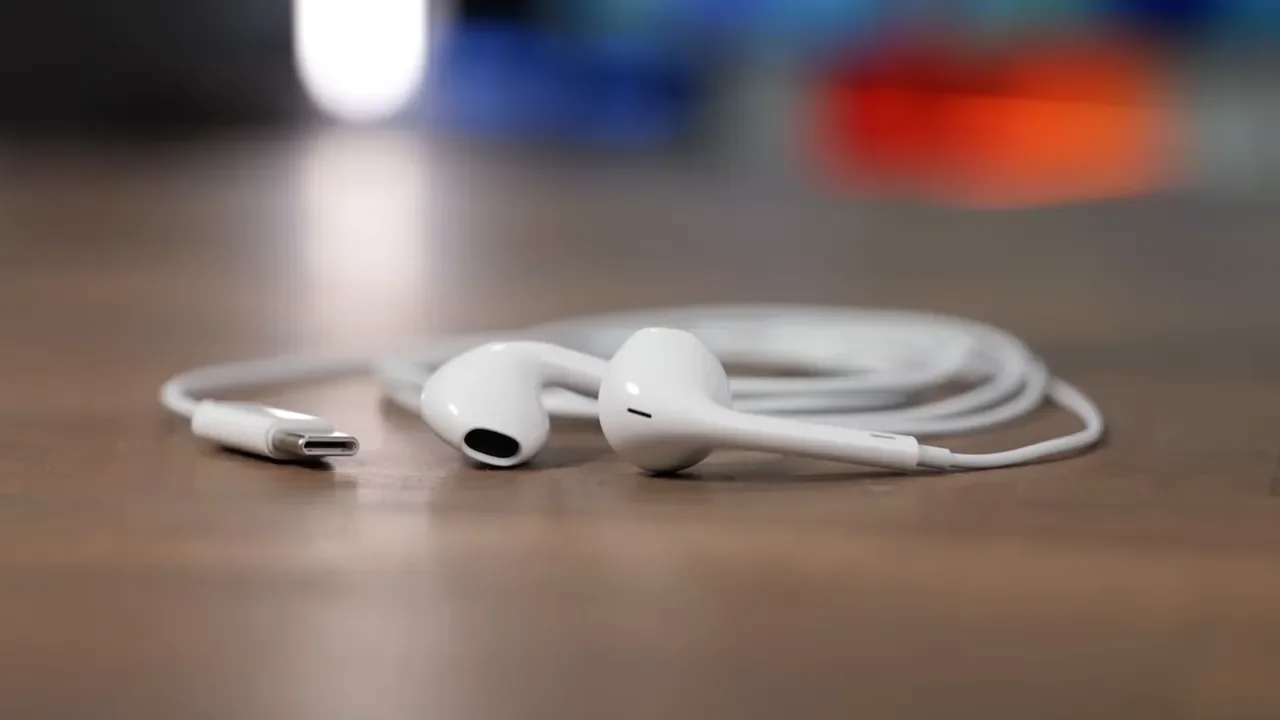
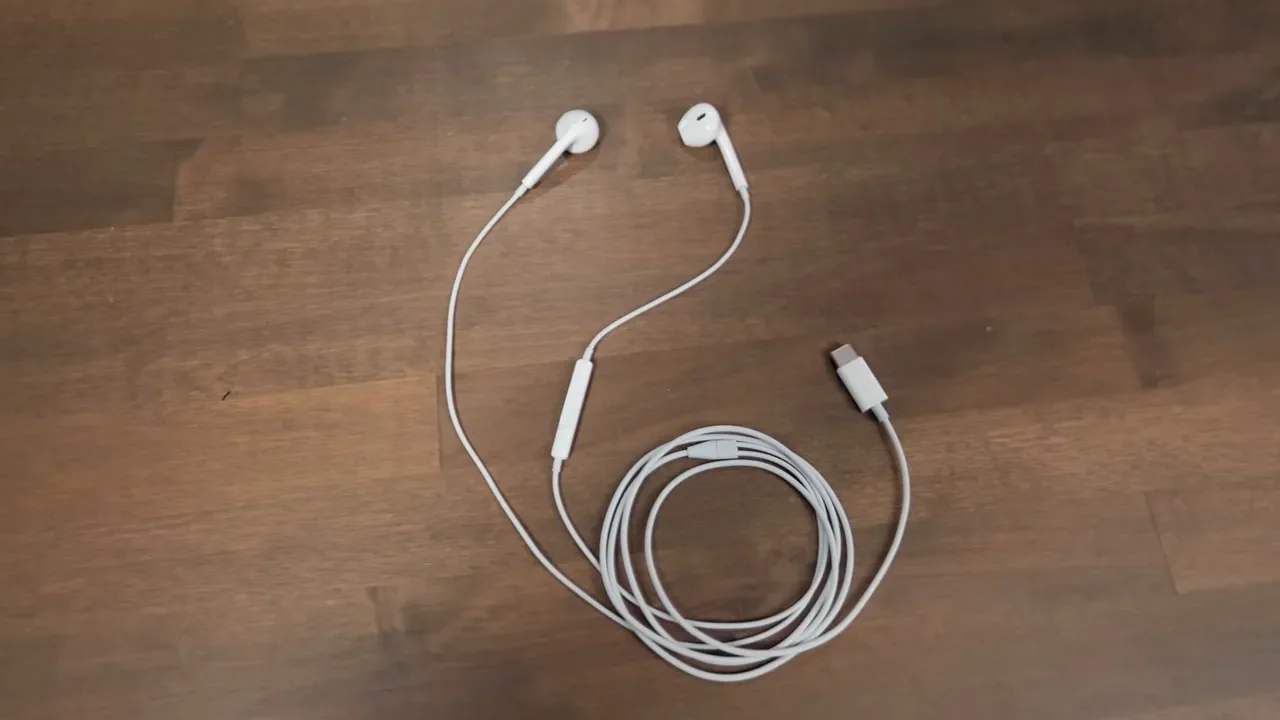
The USB-C EarPods are about as simple as headphones get. They plug straight into any modern USB-C device and just work. No charging. No pairing. No software drama. No hunting through Bluetooth menus. That simplicity is a huge part of the appeal. If you need audio right now, these deliver it immediately. For a desk, backpack, car, or junk drawer pair of headphones, that matters more than people give it credit for.
What’s Missing (No Wireless, No ANC)
Before getting too excited, it helps to be clear about what these are not.
No wireless connectivity
No active noise cancellation
No spatial audio
No smart Apple ecosystem tricks
These are wired earbuds with a USB-C connector. That’s the product. If that sounds almost too basic in 2026, that is also exactly why they are useful. They work with iPhone, iPad, Mac, Android phones, Windows PCs, and basically anything modern that has a USB-C audio-capable port.
Design And In-Line Remote
Apple stuck with the classic EarPods shell design that has been around since 2012. If you have ever used EarPods before, this will all feel very familiar. Same hard plastic shell, same shape, same straightforward white aesthetic. You also get Apple’s in-line remote with a built-in microphone. That means physical volume controls, a play and pause button, and call control without needing to touch your device.
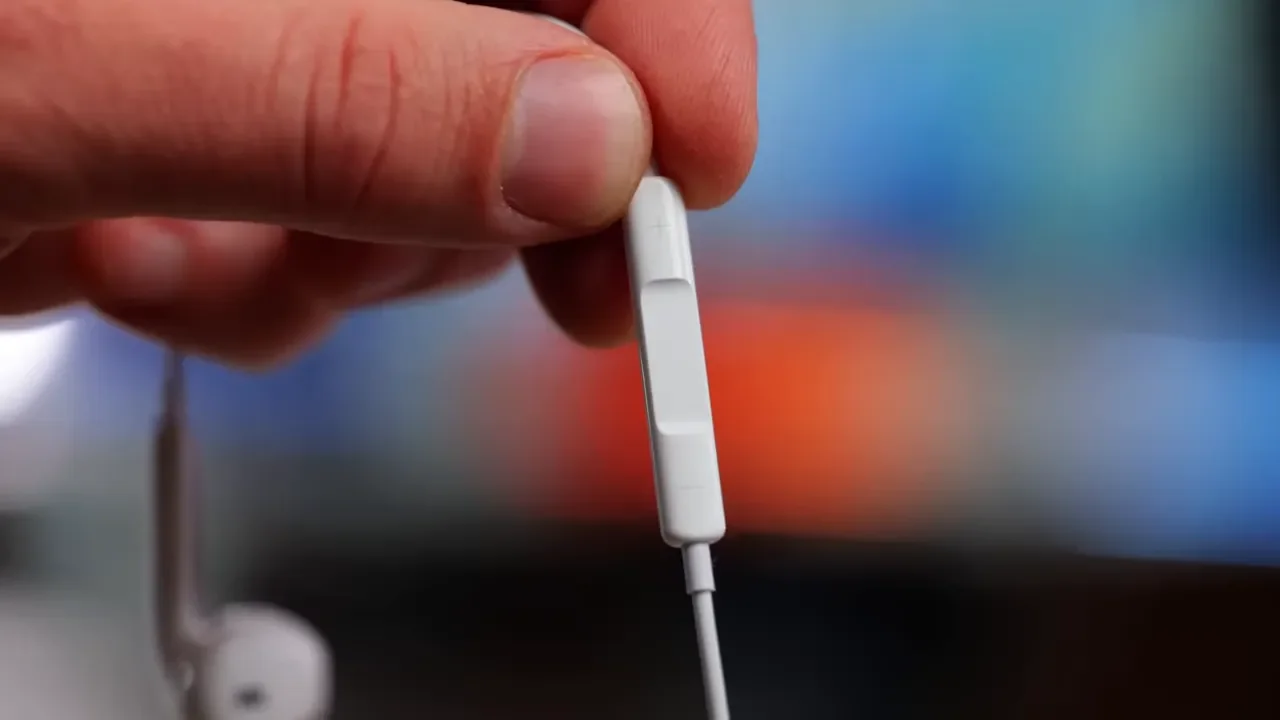
That physical remote is still one of those simple features that ends up being genuinely nice to have. It is reliable, instant, and doesn’t require any gestures or touch surfaces.
Sound Quality And Bass
For $19, the sound quality is better than it has any right to be. There is a surprisingly decent amount of bass here, especially for an earbud this affordable. That said, the open-ear design puts a ceiling on how much low end you can really get. Because these do not seal in your ear canal, bass response is naturally more limited than something like the AirPods Pro line.
At moderate listening levels, they sound good. At higher volumes, the treble can get a little sharp. That is one area where the AirPods Pro come across smoother and more refined. Still, for casual listening, podcasts, calls, and everyday use, the sound is more than respectable.
No Noise Isolation
There is no noise isolation here at all. You are going to hear the world around you. That can absolutely be a downside if you want immersion. But it can also be a strength. For commuting, walking, or working at a desk where you still need situational awareness, this design makes a lot of sense. If you want to hear traffic, coworkers, announcements, or just what is going on around you, the EarPods are actually better suited for that than sealed earbuds with heavy noise cancellation.
The Cord
Yes, there is a cord. And yes, it is Apple’s older glossy style cable. It does seem like the kind of cable that wants to tangle. The good news is that it is flexible enough that it is usually pretty easy to untangle when it does. This is one of those tradeoffs that comes with wired earbuds. You gain instant connection, no charging, and zero latency. You also get a cable hanging off your ears.

Mic Quality And Lossless Audio
The microphone quality is one of the biggest reasons these are so easy to recommend. Because they are wired over USB-C, they support lossless audio playback and can pass much more data than Bluetooth earbuds typically do. In practical terms, that means the microphone avoids a lot of that slightly compressed, tinny, digital character that can happen with wireless earbuds.
My opinion after listening to them is pretty simple: the mic on the USB-C EarPods sounds better than the mic on AirPods Pro 3. Voice comes through clearer and fuller, which makes these a genuinely strong option for calls and meetings. If your main concern is how you sound during video calls, these punch way above their price.
Mic Sound Tests Vs AirPods 4 And Pro 3
Side by side, the EarPods microphone holds up incredibly well. Against the AirPods 4 and AirPods Pro 3, the wired EarPods sound cleaner and more natural to my ears. Bluetooth mics often introduce that processed edge that makes voices feel thinner. The EarPods avoid a lot of that. For anyone taking calls on a Mac, iPad, or iPhone all day, that makes these one of the best value upgrades you can buy.
Zero Latency For Video Calls
The wired connection solves another problem that wireless earbuds never completely escape: latency.
With the EarPods, there is no delay. Audio is immediate. That is a big deal for:
Video calls
Video playback
Gaming
Video editing where lip sync matters
Even with improved wireless chips in newer AirPods, lip sync issues can still pop up from time to time. Wired headphones simply do not have that problem.
Fit
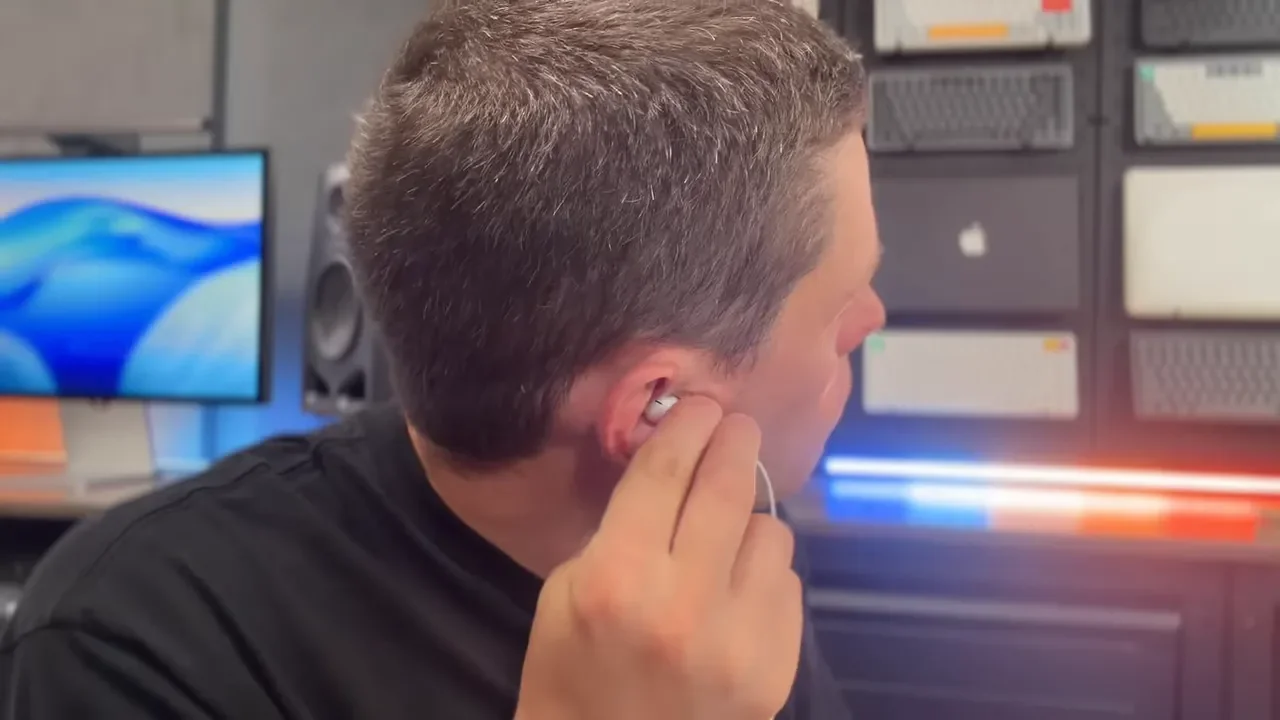
Fit is where this product gets very personal very quickly. The shell is hard plastic and there is no customization at all. No silicone tips, no foam tips, no sizing options. If the classic EarPods shape has never fit your ears well, these are not going to magically change your mind.
In my case, the biggest issue was angle. I wanted to rotate them slightly so they pointed a little more directly into the ear canal, but they did not naturally want to sit that way. If I pushed them in farther, I could get a little more bass, but they would not stay there consistently. Some people also have problems with EarPods falling out. Other people run and work out in them with no issue at all. It really comes down to your ear shape.
USB-C Port Pros And Cons
The move to USB-C is one of the biggest reasons these matter now. Older Lightning EarPods were mostly locked to Apple devices. USB-C changes that. Now they work with pretty much any modern device, which massively expands their usefulness.
There are some clear advantages here:
Plug and play setup
No pairing process
No Bluetooth issues
No battery to charge
Zero latency
Broad device compatibility
You can also control volume either with the in-line remote or directly through your phone, tablet, or computer. They show up in your sound settings immediately and work without any fuss.
The Port Problem
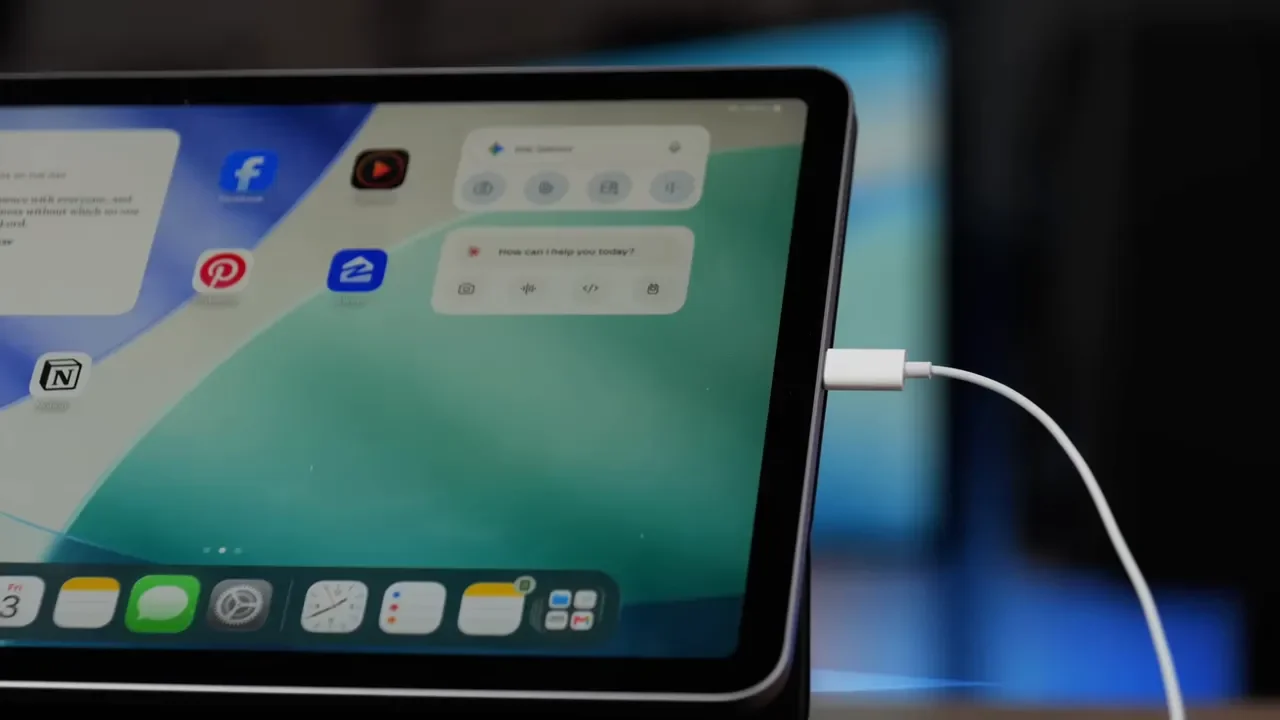
The downside of USB-C is obvious once you actually start using these. They take up a USB-C port. On some devices, that is no big deal. On others, it is a real annoyance. If you are using these with an iPhone or iPad, you cannot charge through the same port at the same time unless you use MagSafe on the iPhone or add a USB-C hub or splitter. If you plan to listen for long stretches while also powering the device, that matters. On a computer, you are giving up one of your USB-C ports unless you choose to use a headphone jack that is already built in. So yes, USB-C is both one of the biggest strengths of the EarPods and one of their biggest compromises.
Sound Vs Old Wired AirPods
Compared with the older 3.5mm wired EarPods, the USB-C version sounds a little better. That is the upside of going digital through USB-C. You get improved audio quality, but the tradeoff is that you occupy a USB-C port instead of a headphone jack. Whether that is worth it depends entirely on what device you are plugging into.
What You Can’t Do With These
The feature list is short, and that means there are several things you simply cannot do with the EarPods.
You cannot use them with Apple Watch because that requires Bluetooth headphones
You cannot use them with Apple TV because that also relies on Bluetooth audio
There is no active noise cancellation
There is no spatial audio
There is no Find My support
There is no auto pause
There are no smart wireless features at all
What you do get is straightforward wired audio, a physical button, and lossless support. If that is what you need, none of the missing stuff matters very much.
Comparing The Full AirPods Lineup
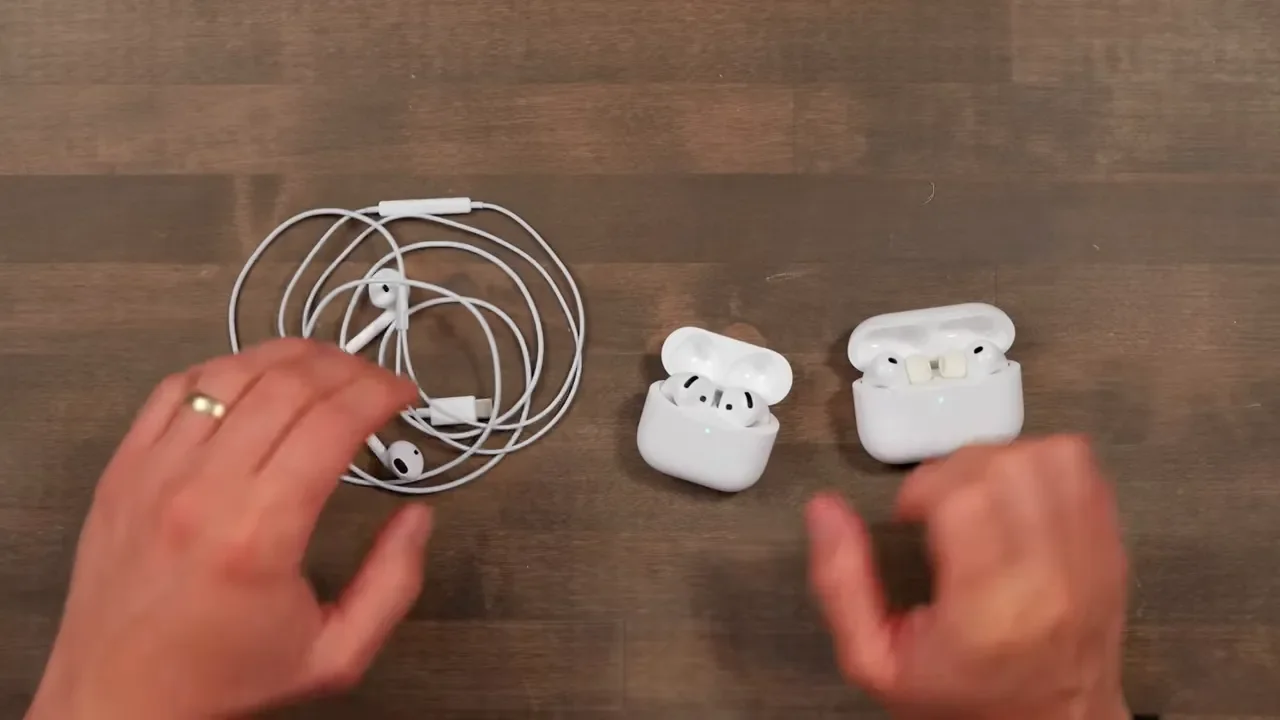
This is where a lot of people get tripped up. EarPods are not a cheaper version of AirPods. They sit in a completely different lane. EarPods are the simple, always-ready option. AirPods 4 and AirPods Pro 3 are convenience-first wireless products with smarter features and much higher prices.
AirPods 4: $130 / $180
The AirPods 4 come in two versions. The standard model is $130, and the version with active noise cancellation is $180. If you want to check them out, here are the links for the AirPods 4 and the AirPods 4 With ANC. They keep a broadly similar open-style fit to EarPods, but of course they are fully wireless. That gets you the features people expect from modern Apple earbuds, including charging case convenience and more Apple ecosystem integration.
On the pricier model, you also get extra case features like the Find My speaker. But make no mistake, you are paying six to nine times the price of EarPods mainly for the wireless experience and the extra smart features.
AirPods Pro 3: $250
The AirPods Pro 3 are in a different class entirely at $250. They offer dramatically better active noise cancellation, up to eight hours of battery life with ANC on, heart rate monitoring for workouts, foam-infused tips, and an IP57 rating that makes them more workout-friendly.
If you need to shut out the outside world on a plane, in a noisy office, or at the gym, the Pro 3 are worth every penny. They are for people who want the best wireless experience and the most complete feature set. EarPods are not even trying to compete there.
My Recommendation
My recommendation is pretty straightforward: buy EarPods as supplemental headphones.
Do not think of these as your one premium audio purchase. Think of them as the backup pair that is always there when you need it.
Leave one at your desk
Keep one in your backpack
Throw one in the car
Keep one in a drawer for emergencies
That is the whole value proposition. For the price of one fancy cable, you can scatter multiple pairs of EarPods around your life and never have to think about whether your headphones are charged or where you left them.
They are especially great for:
Phone and video calls
Desk use
MacBook audio with perfect lip sync
Casual listening on iPhone or iPad
A simple gift for someone who does not care about wireless earbuds
Who Should Skip These
You should skip the USB-C EarPods if any of these apply to you:
The classic EarPods shape has never fit your ears well
You want stronger bass
You need sound isolation
You want premium features like ANC, spatial audio, or Find My
You need headphones for serious workouts and want a more secure fit
You need to charge and listen through USB-C at the same time without extra accessories
If workout performance is a priority, the AirPods Pro 3 are the safer call. If fit has always been a problem with EarPods, this version is not going to fix that.
Final Thoughts
The USB-C EarPods are missing a lot of the features that define the modern AirPods experience. But that does not make them outdated. It makes them focused. For $19, you get surprisingly good sound, an excellent microphone, lossless support, instant connectivity, and zero latency. That combination makes these one of the best values in Apple’s entire headphone lineup.
If you want the smartest, most feature-packed earbuds, buy AirPods. If you want the simplest pair of headphones that just works every single time, the EarPods still make a ton of sense. And honestly, they are good enough that keeping a few pairs around is not a bad move at all.
Additional Resources
If you want to see more of the setup these headphones fit into, check out my desk setup. For the rest of the tools I use, here’s my full gear list.