Adam Audio D3V Review: These Tiny Speakers Should Not Sound This Good
Some of the links in this post are affiliate links, which means I may earn a small commission if you choose to make a purchase at no extra cost to you. As an Amazon Associate, I earn from qualifying purchases. Read my full Ethics & Affiliate Relationship Disclaimer.
Good desktop speakers are weirdly hard to find. A lot of small speakers are convenient, but they sound thin, harsh, or just plain boring. On the other side, proper studio monitors can sound amazing, but they eat up desk space fast. That is exactly why the Adam Audio D3V grabbed my attention. If a company known for making excellent monitors is willing to build something this small, it better have a good reason to exist.
I have had these on my desk for a few months now, across a lot of editing, music listening, and day to day use. The short version: I was impressed at launch, and after a firmware update that fixed the two things holding them back, I am even more positive on them now. These are compact desktop speakers with a surprisingly mature sound, and they fit a setup where larger monitors simply do not make sense.
Table of Contents
Why The D3Vs Are So Interesting
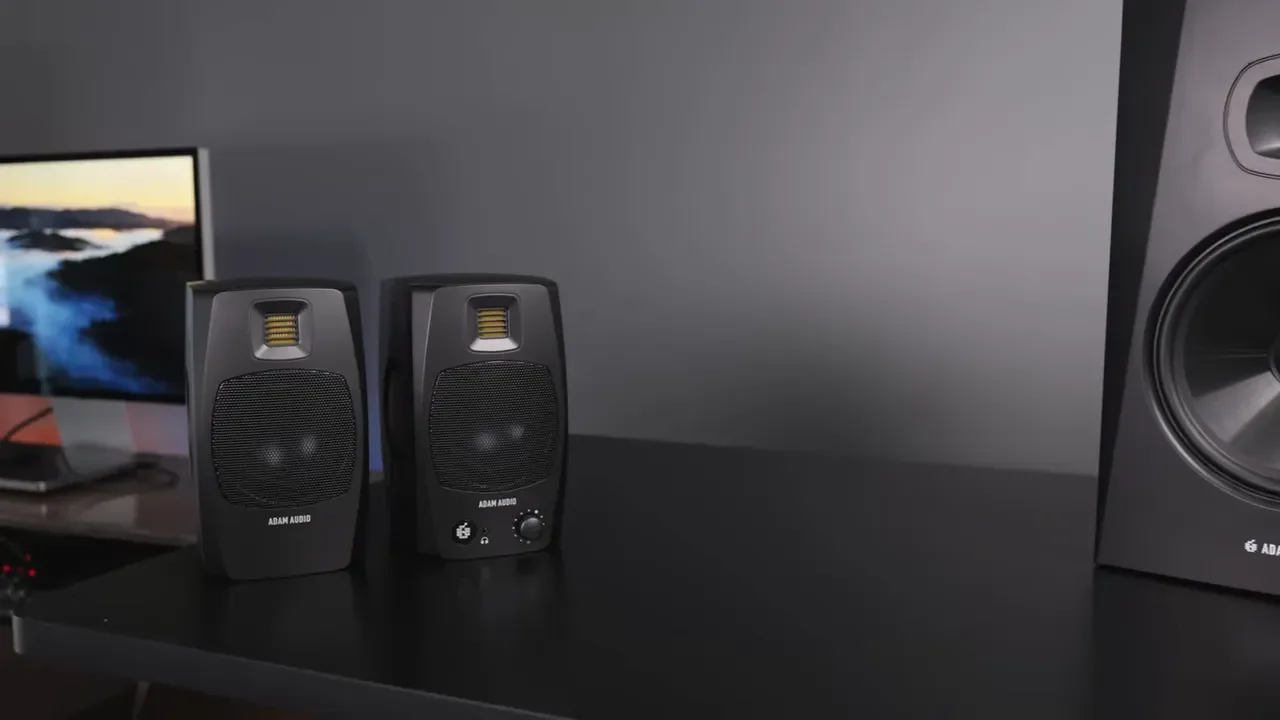
I care a lot about audio. That includes music, dialogue, editing, mixing, guitar tones, and even everyday computer use. So when I saw the D3Vs, my first thought was simple: there is no way something this small should be able to compete with real monitors. But Adam Audio has a strong reputation, and the D3Vs carries some of that same design philosophy into a much smaller package. These use a 3-inch woofer and a ribbon tweeter, and the whole point is obvious right away. You get a speaker that takes up far less desk space without giving up the clean, detailed sound you would expect from a serious audio brand.
Sound Quality That Feels Bigger Than The Speaker
If the sound is not good, none of the rest matters. Thankfully, this is where the D3V really wins. The first thing that stood out to me was how full they sound for the size. These are not pretending to be giant monitors, but they absolutely sound bigger than they look. The low end has real punch, the midrange is clear and easy to follow, and the top end stays crisp without turning sharp or fatiguing. That last part matters. A lot of smaller speakers can fake detail by boosting the highs until everything feels edgy. The D3V does not do that. The ribbon tweeter gives it that smooth, open top end Adam Audio is known for.
Highs, mids, and lows:
Highs: Bright and detailed, but still smooth.
Mids: Well defined, especially for vocals, dialogue, guitar, and keys.
Lows: Clean and surprisingly punchy for a 3-inch woofer.
I tried them with a bunch of different material, including music across genres, spoken voice, electric guitar through a Quad Cortex, and a Nord keyboard. They handled all of it much better than I expected from speakers this small. One example that worked especially well was music with dense arrangements, where you have horns, bass, drums, and guitar all competing for attention. The D3V did a nice job giving each part its own place instead of smearing everything together. For video editing, I was also impressed. I know the sound of my own voice across different monitoring setups, and the D3V gave me a clean, useful reference point. That matters if you spend a lot of time balancing dialogue, music, and overall tone. These are not just fun speakers. They are genuinely useful speakers.
The Firmware Update Fixed The Two Biggest Annoyances
When these first launched, there were two things holding them back. Adam Audio has since pushed a firmware update that addresses both, and it changes how the speakers feel to use every day.
Low volume sound is much better now. One of the original quirks was that the D3Vs seemed to come alive most around 80 to 85 decibels. At that point the sound was full and engaging. At lower levels it did not feel quite as articulate, and the top end especially seemed too restrained, almost like the tweeters were not contributing enough when listening quietly. Adam Audio adjusted the tweeter level in firmware, and the result is a more even presentation when the volume is down. The speakers now feel balanced at normal desktop listening levels, which is a big deal if you work for long stretches and do not want to crank everything up just to get clarity.
Auto standby can now be disabled. The other early frustration was the automatic standby behavior over USB. If your computer was on but not sending audio for a while, the speakers could put themselves to sleep, which meant missing system sounds and notifications or needing to wake the speakers back up manually by pressing the button. That gets old fast on a desktop setup. Now you can turn auto standby off, which is exactly what I wanted. There is one small catch: if manual standby is enabled and your computer goes to sleep, some setups can produce a popping sound through the speakers. It is not a deal breaker, but depending on your computer and power behavior, you may want to get in the habit of putting the speakers into standby yourself before the machine sleeps.
If you own a pair already, it is worth installing the D3V firmware update. This is one of those rare cases where the update actually improves how the speakers feel to use every single day.
How They Compare To Larger Monitors
I went back and forth between the D3Vs and my larger Adam Audio monitors, including the T8V and the A4V. The bigger monitors definitely sound fuller. That is not surprising. They have bigger cabinets, bigger woofers, and they move more air. Mine are also on isolated speaker stands, which helps remove extra desk resonance from the equation. With XLR cables and proper stands, larger monitors also give you more room to dial in placement exactly where you want it.
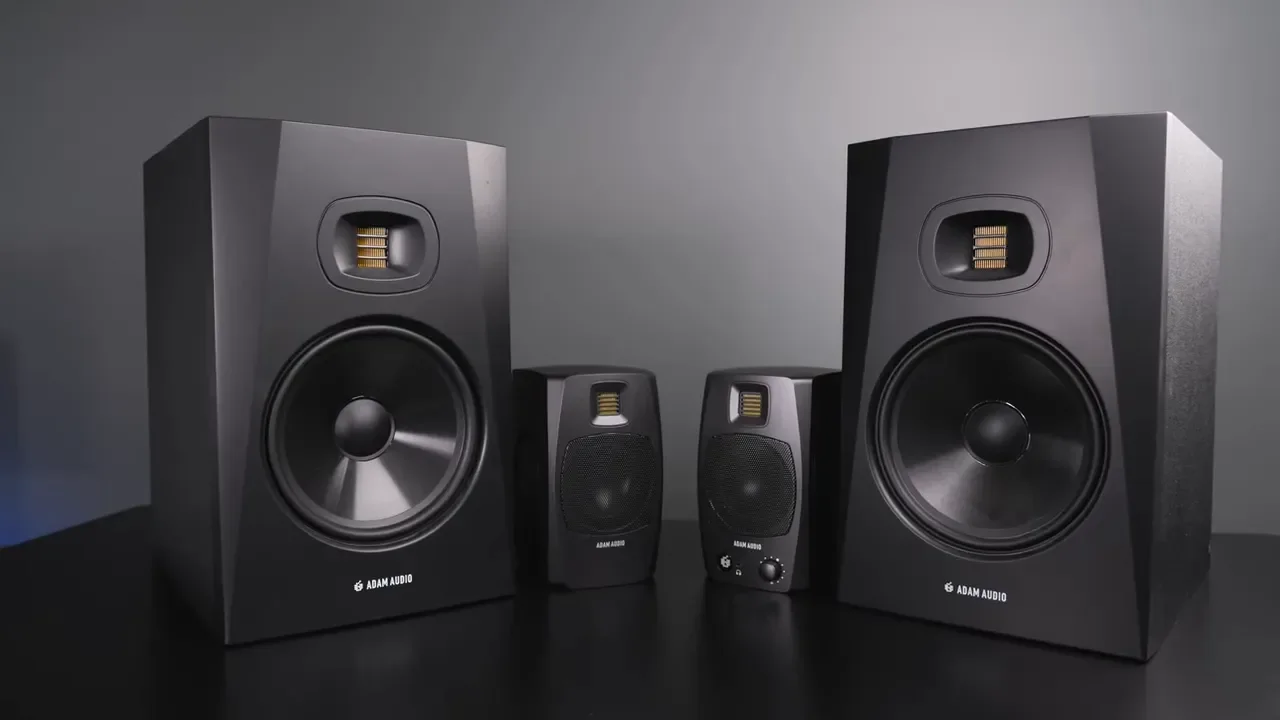
So yes, the larger monitors are more powerful and more complete. But that does not make the D3V disappointing. Even compared against the A4V, the D3V punches above its size. The clarity, low end, and overall energy coming out of these little speakers is kind of wild. You just need to judge it for what it is, and for what it is, it performs way above its size.
Front Panel Features
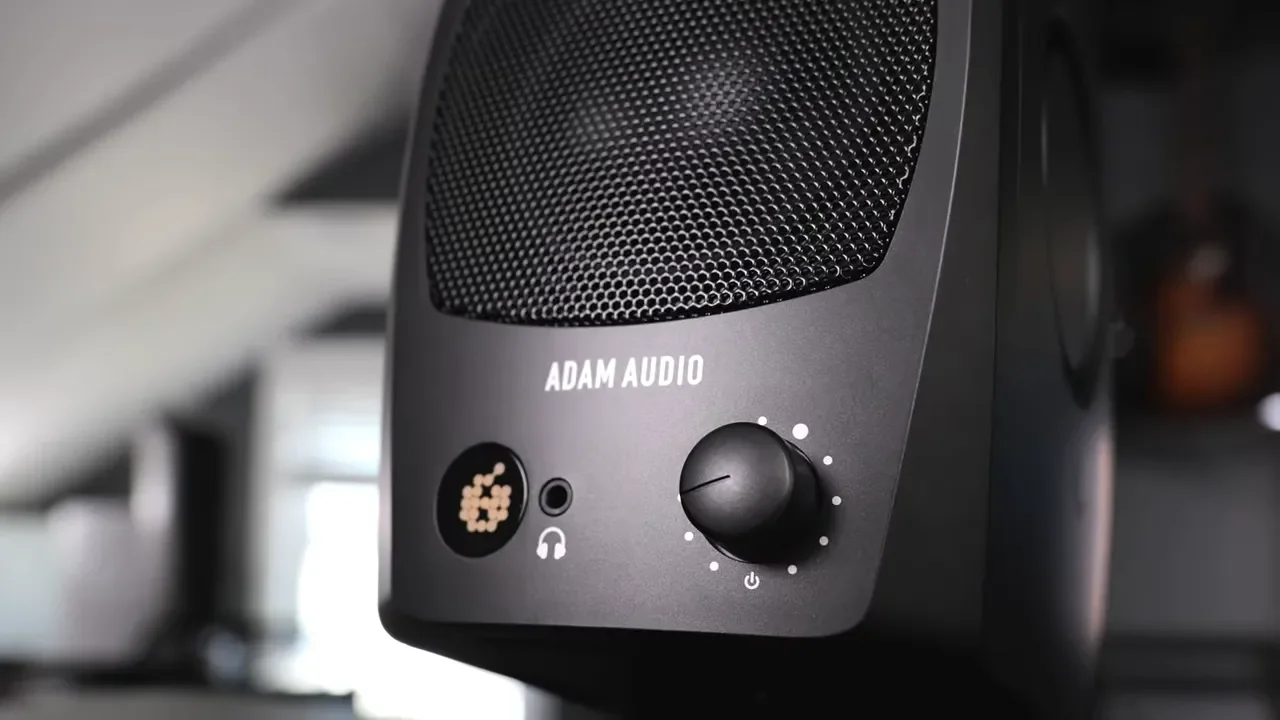
The front of the D3V keeps things simple and useful.
Ribbon tweeter at the top
3-inch woofer behind the grille
Volume knob
Push-button function built into the knob
Headphone jack
Status indicator light
The volume knob also handles standby and input switching, which keeps the desktop experience pretty clean.
Passive Radiators And Cabinet Design
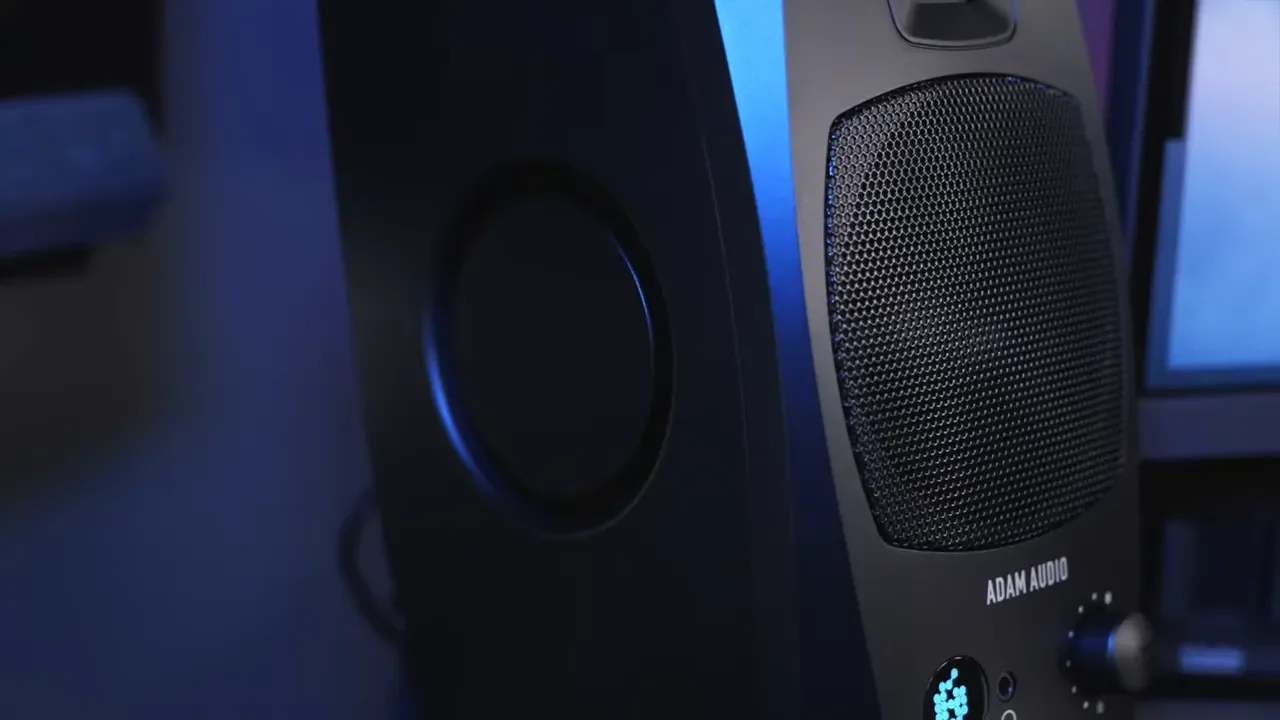
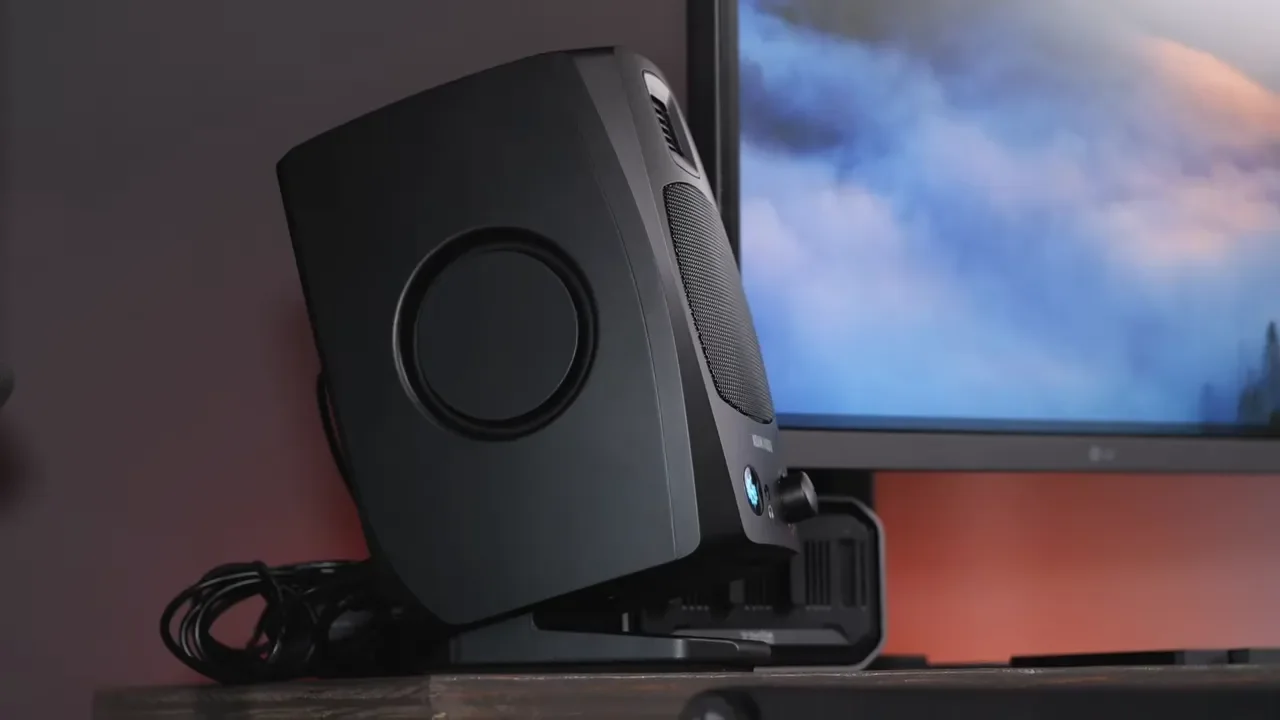
One of the coolest parts of the design is on the sides. The D3V uses passive radiators, and they are not just there for looks. As bass plays, you can actually see them moving. More importantly, they help the speaker avoid that cheap cabinet sound some compact speakers have when pushed hard. With lower-end enclosures, you sometimes hear the box itself complaining before you hear good bass. Here, I mostly heard the speaker doing its job rather than the cabinet adding ugliness. That was a pleasant surprise, especially once I turned them up.
Desktop Placement And Mounting Options
Adam Audio clearly thought about how these would actually be used on a desk. On the bottom, there is a threaded mounting point so you can attach the speaker to a stand or tripod. You also get angled feet that lift the speaker off the surface and tilt it into a better listening position. That little bit of separation helps with usability and setup flexibility. There are also additional rubber feet included if you want a simpler placement option, though those do not create as much separation from the desk. This is one of those details that sounds minor until you actually put speakers on a desk and realize angle and spacing matter a lot.
The Included Stands Do Not Isolate Enough
The included desktop stands are a good idea. They are compact, look nice, give the speakers a clean angle, and have a bit of foam built in. But here is the problem. They do not isolate the speakers enough. I could still feel plenty of vibration transferring into the desk, and there were times when it felt like the desk itself was becoming part of the sound. That is never ideal. If you want the best performance out of these, you will probably want additional isolation foam or compact speaker stands. This does not ruin the experience, but it does limit how refined the setup can feel straight out of the box.
The Jumper Cable Is Too Short
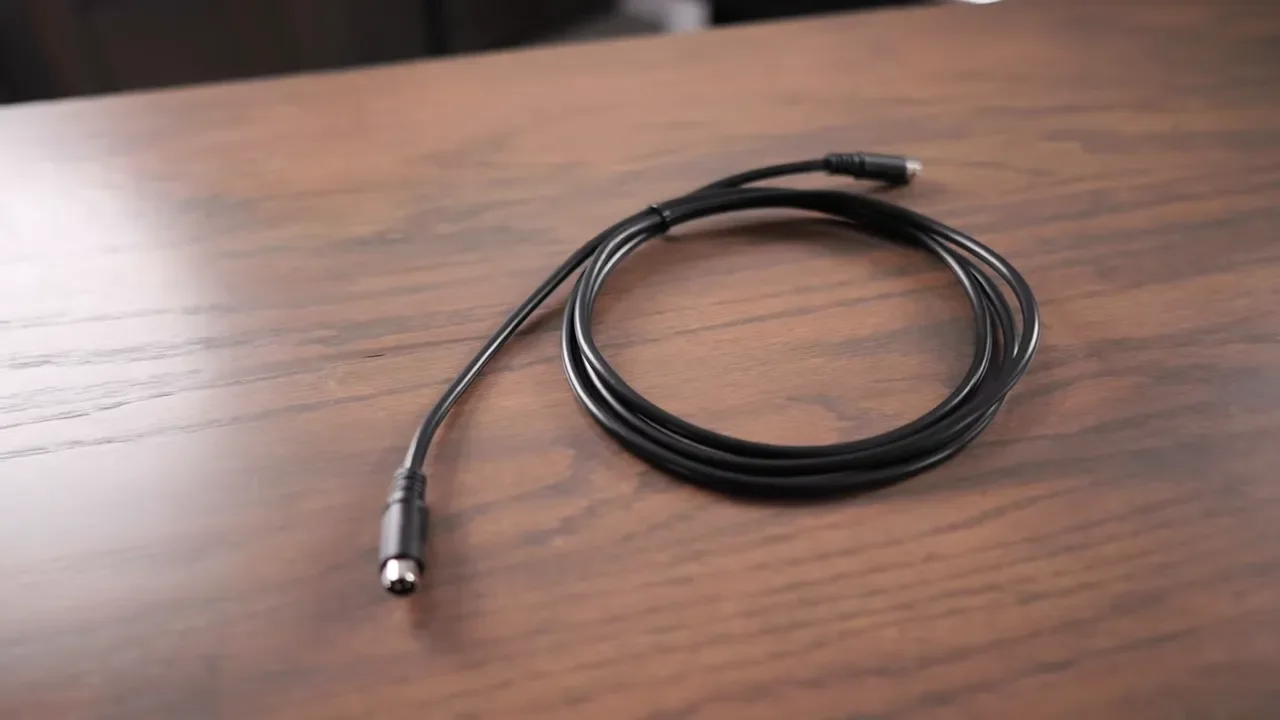
The second physical issue is the included jumper cable between the speakers. It just is not long enough. On a five foot desk, a six foot cable makes placement more restrictive than it should be. You can get the speakers working, but it becomes harder to spread them into the ideal listening position, especially if you want to move them farther apart or use separate stands for better isolation.
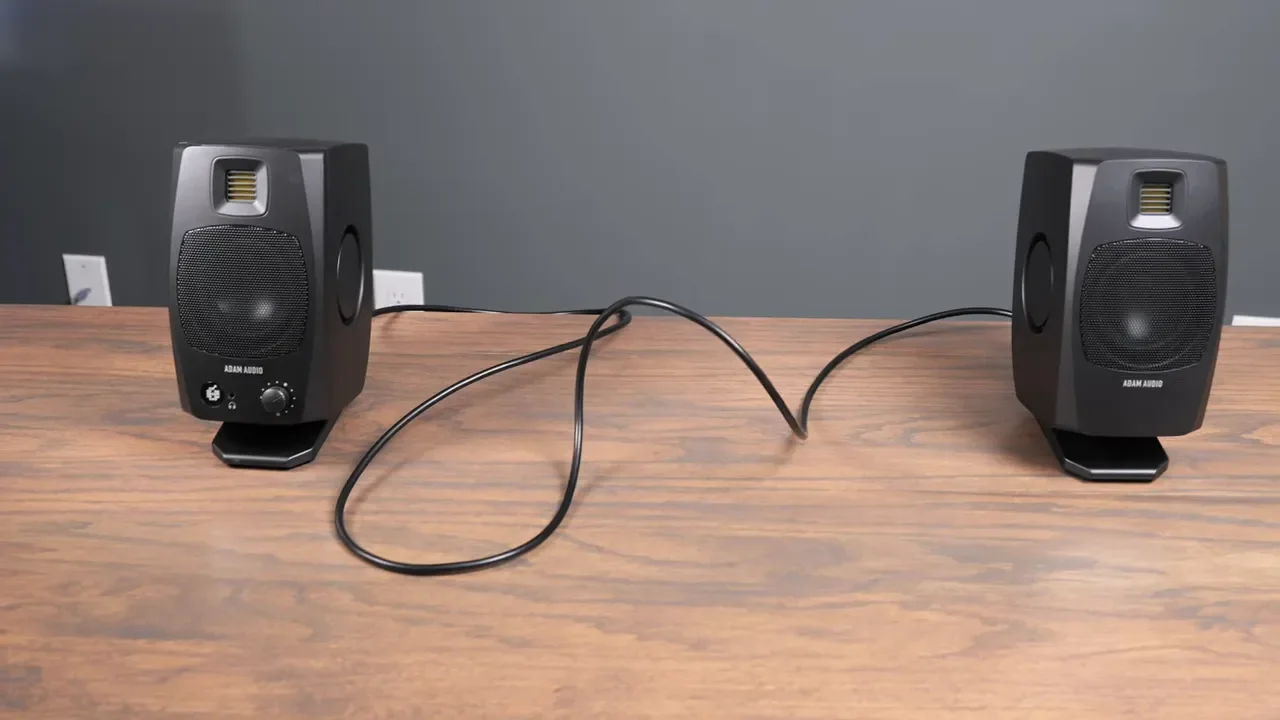
I would really like to see an official longer cable option. A ten foot version would make these dramatically easier to position properly. With a longer cable, you could use better stands, isolate the speakers more effectively, and place them where they actually sound best instead of where the included cable forces them to go.
Connectivity Is Better Than You Might Expect
The back of the D3V is where things get more flexible. You get:
USB-C audio input
Stereo TRS inputs
Balanced or unbalanced compatibility
Speaker link connection
24V power input
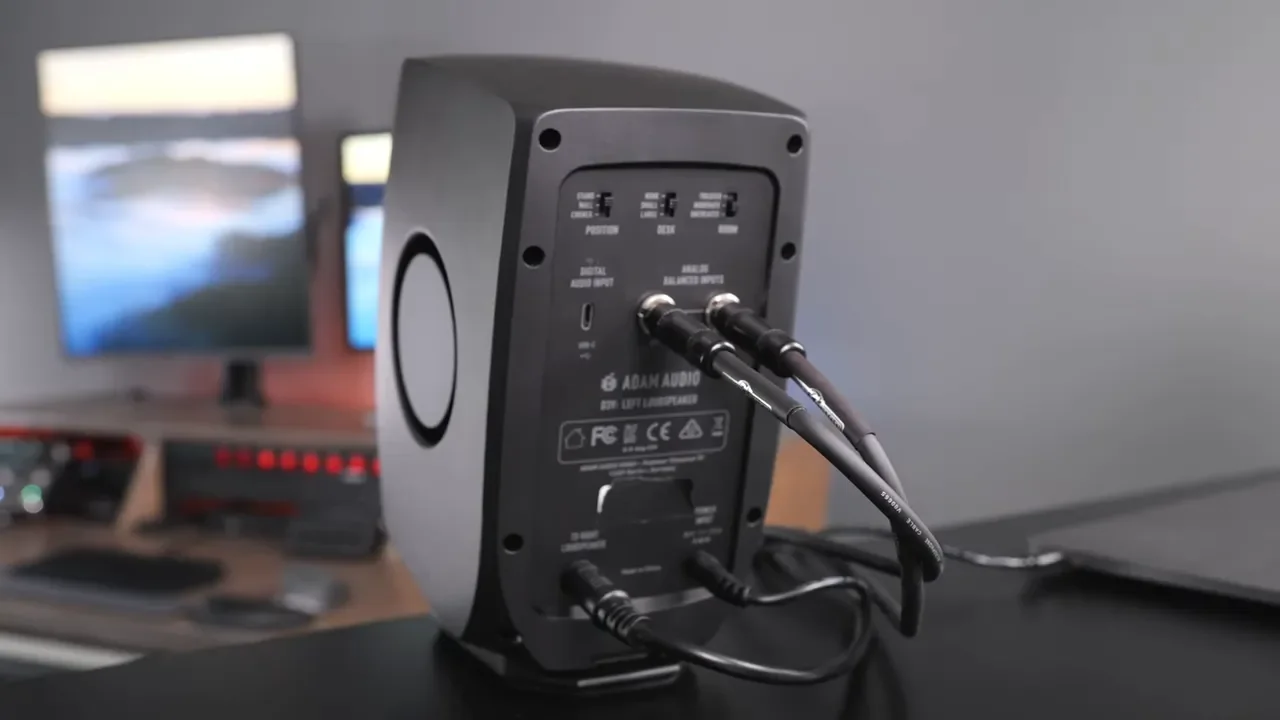
That means you can adapt these to all kinds of gear. XLR to TRS is no problem. RCA to TRS is also possible depending on what you are connecting. If you already have audio equipment, there is a good chance you can make these fit into your setup. The whole system weighs around 7 pounds, so if you need to move it around or travel with it, it is not a giant burden.
The Position And Room Switches Are Helpful, But A Bit Vague
Adam Audio includes a set of dip switches on the back to help tune the speakers for your setup. You can adjust for:
Placement on stands, near a wall, or in a corner
Large desk, small desk, or no desk
Treated, moderately treated, or untreated rooms
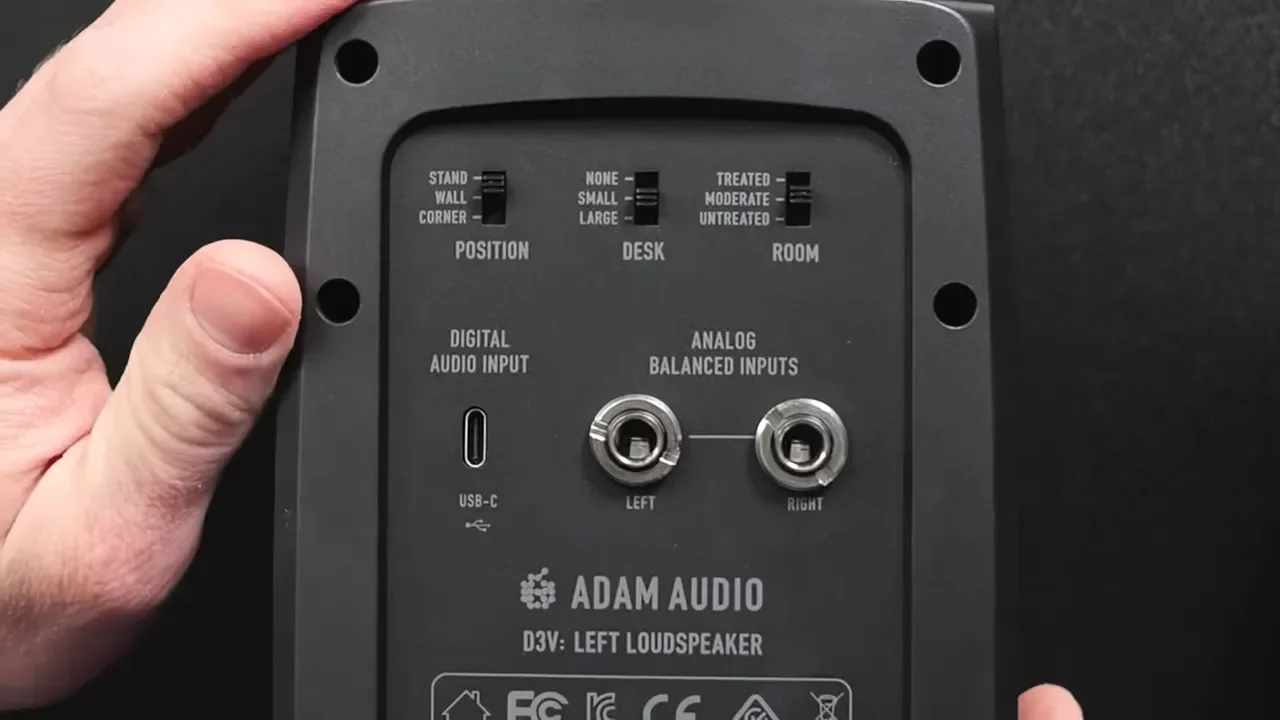
I like that these options are there, because placement absolutely changes how speakers behave, and the switches make quick adjustments simple. But I do wish they were more explicit about what they are actually changing. It would be nice to know the frequency ranges or resonance adjustments behind each setting instead of relying mostly on general labels and the manual.
Using The D3Vs Without An Audio Interface
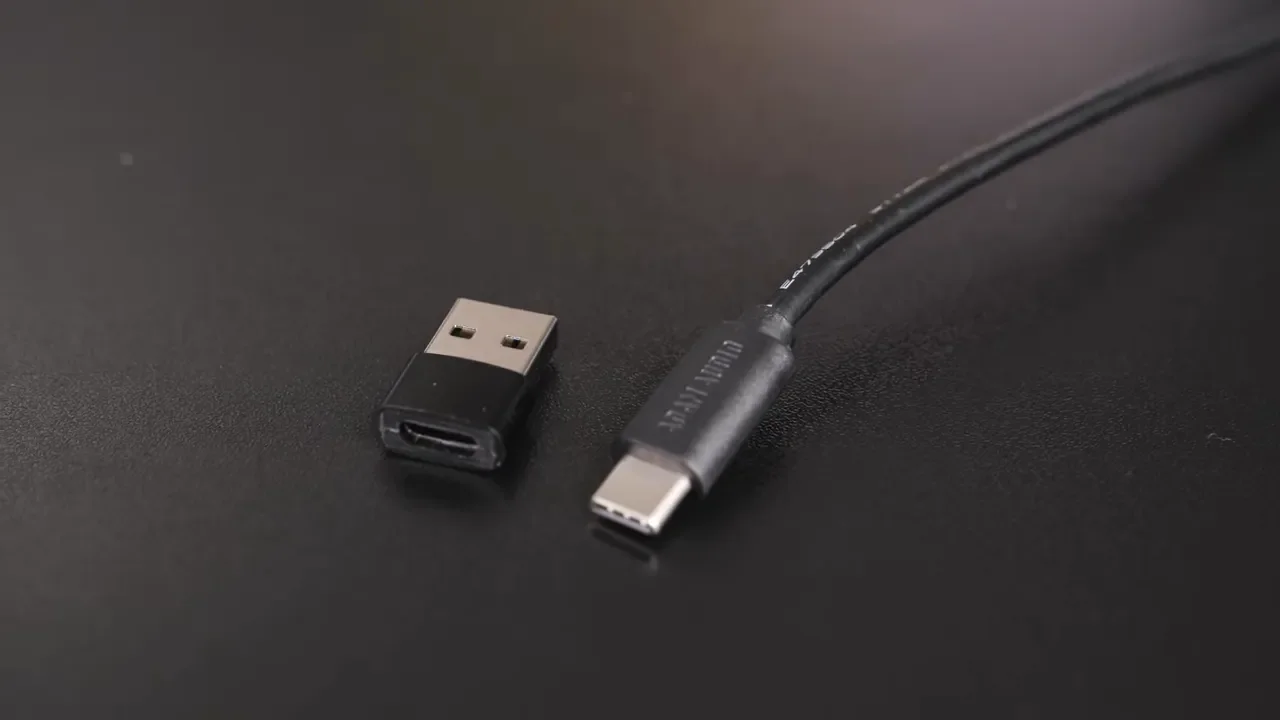
This is a big selling point. In the box, you get the USB-C cable, a USB-A adapter, the cable that links the two speakers, and the power supply. That makes it easy to connect the D3V directly to a computer without needing extra hardware. On macOS, they show up as a normal speaker output. I also used them with a phone and an iPad over USB, and that worked well too. This is a huge part of the appeal. You can get clean, high-quality desktop audio without carrying around an interface, mixer, or extra conversion box. If you do want more audio gear in the chain, that is easy enough. I use my mixer in my setup, and if you are curious about the rest of the desk layout, this is the computer gear setup I use.
USB Audio Versus TRS Inputs
I tested the D3V both over USB and through the TRS inputs. There was some criticism around the built-in USB audio being limited to 16-bit, 48 kHz. In practical use, I do not think that is going to matter for most people looking at these. Using USB is simple, clean, and convenient, and it still sounds really good. That built-in USB interface is part of what makes the D3V appealing. You do not need to add a separate interface just to get started. You can plug them in and get quality sound right away. If you want to integrate them into a different setup later, the TRS connections are there. For a more traditional audio chain, I have also used them with my mixer, and that flexibility is one of the reasons these are easy to recommend.
What About Adding A Subwoofer?
You can add a sub, but it is not as simple as plugging one straight into the speakers and calling it a day. If you want to pair the D3V with a subwoofer, you will need one with line outputs, such as the Adam Audio subwoofers mentioned alongside this setup. From there, you can feed the D3V through the TRS inputs, but you will also need an interface or another source device to route everything properly.
At that point, the setup starts getting more complicated, and that raises an important question: if you are adding extra hardware and chasing bigger low end, should you just move up to larger monitors instead? That is where speakers like the Adam Audio T8V 8-inch speakers come into the conversation. If your priority is big, loud, room-filling bass, larger monitors may simply make more sense. For me, the D3V makes the most sense when the goal is compact size first, great sound second, and minimal clutter third. A subwoofer can work, but it starts to chip away at the simplicity that makes these speakers appealing.
Price And Value
The D3V comes in black or white and sells for about $300 a pair. That is not cheap by casual desktop speaker standards. If someone is used to built-in laptop speakers or bargain computer speakers, this will feel expensive. But after longer use, the value makes more sense when you consider what you are getting:
A built-in USB audio interface
TRS input support
Power supply and required accessories
Very impressive sound in a compact footprint
Placement tuning options
Good build quality and thoughtful accessories
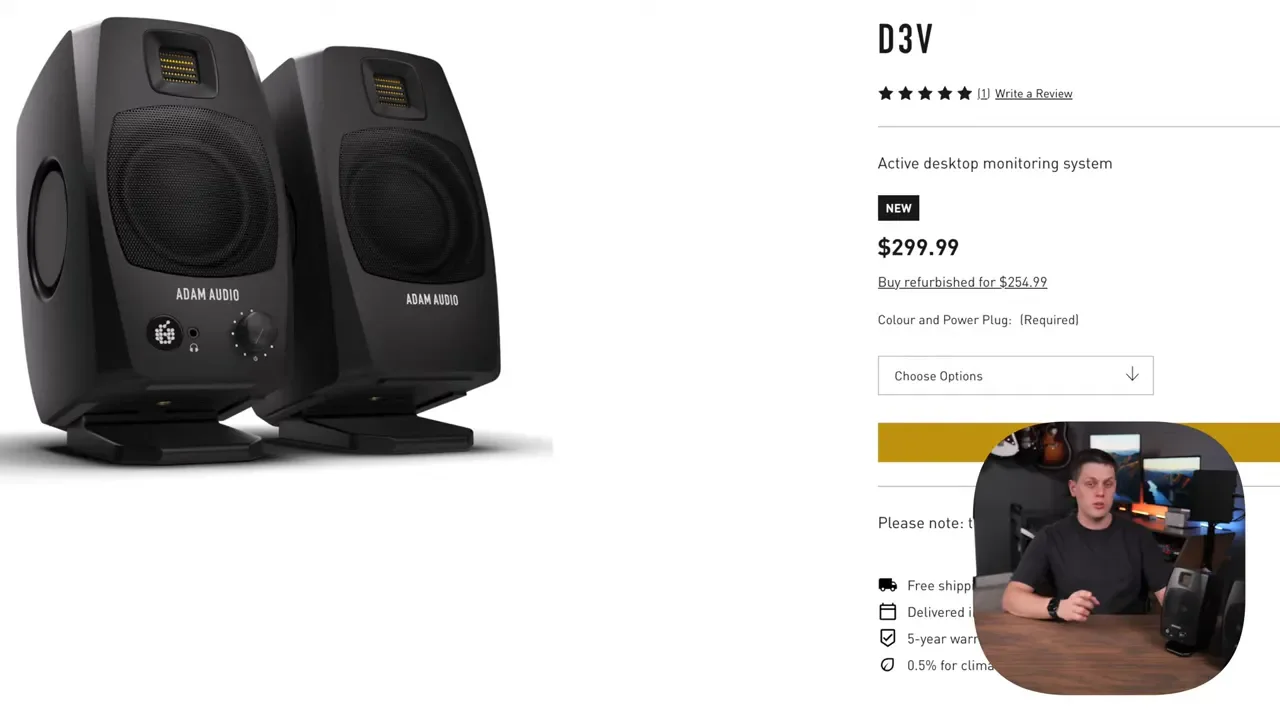
That combination keeps the setup simple while still giving you real flexibility. If you want to check pricing or current availability, here is the link for the Adam Audio D3V speakers.
Who These Speakers Are For
The D3V makes the most sense for a specific type of person.
These are a great fit if:
You want excellent sound in a very small footprint
You edit videos or audio and need a clean desktop reference
You are a musician who wants compact monitors for practice or production
You care about dialogue clarity, musical detail, and overall tonal balance
You do not want a bunch of extra cables and hardware on your desk
They are probably not the best fit if:
You want maximum low-end impact without adding a sub
You already have room for full-size studio monitors
Final Verdict
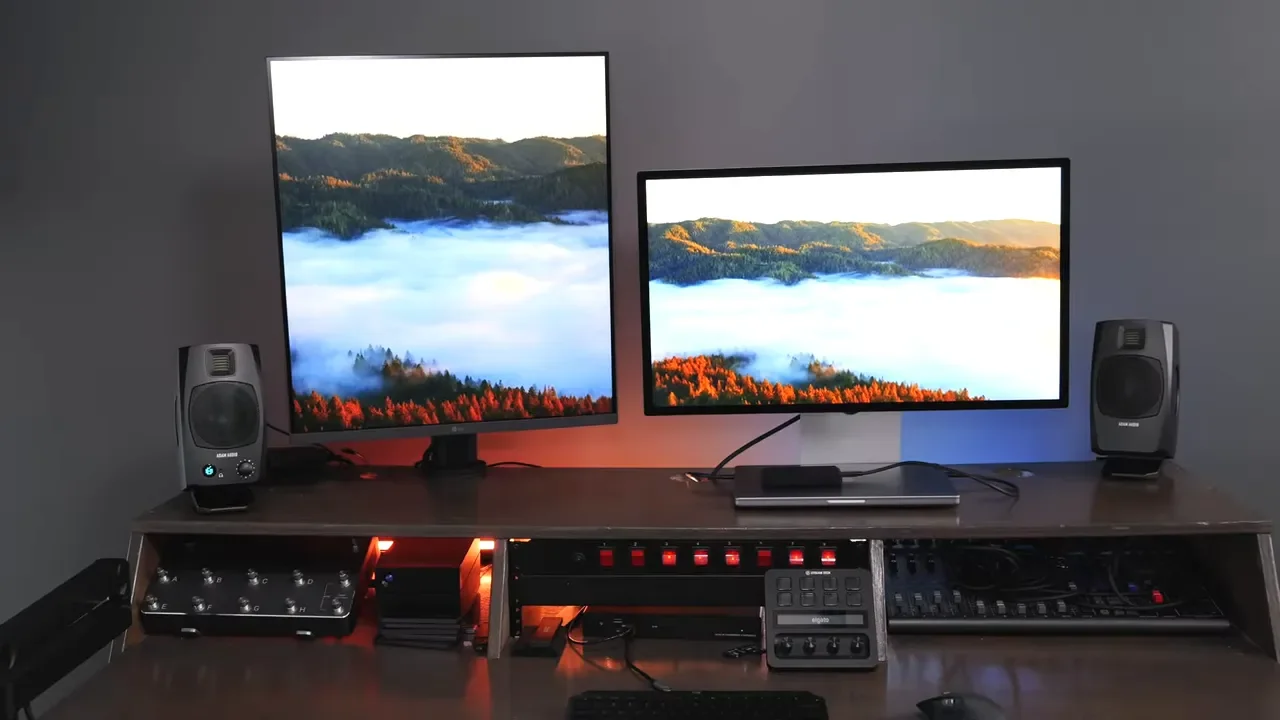
The Adam Audio D3V solves a real problem. Sometimes you want great sound, but you do not want giant speaker cabinets, isolation stands, a separate interface, and a desk that suddenly feels like a control room. The D3V gives you a much cleaner path to serious desktop audio. After the firmware update, it is much closer to the finished product I wanted it to be from the start. The low volume tuning is better, the standby behavior is more practical, and the sound is still excellent.
The remaining complaints are real, but they are minor. The included stands do not isolate enough, and the jumper cable limits placement more than it should. Neither one changes the fact that these speakers sound fantastic for the size. They are not magic. They will not replace larger monitors if you need the biggest low end and the fullest sound possible. But for their size, they are shockingly capable. If you want compact desktop monitors with strong punch, clarity, and a straightforward setup, the D3V is an easy recommendation.
