Anker 165W 25K Power Bank Review: Built-In Cables Make It a Winner
Some of the links in this post are affiliate links, which means I may earn a small commission if you choose to make a purchase at no extra cost to you. As an Amazon Associate, I earn from qualifying purchases. Read my full Ethics & Affiliate Relationship Disclaimer.
If you carry a laptop, tablet, phone, and maybe a few other gadgets every day, this is the kind of power bank that makes a lot of sense. The Anker 165W 25K power bank is built for people who are constantly on the move and do not want to keep digging through a bag for cables every time something needs charging. What makes this one stand out is not just the raw power. It is the combination of high output, fast recharging, a retractable USB-C cable, and a built-in lanyard cable that doubles as a handle. It feels like Anker took a big laptop-friendly battery and made it far more practical to use in the real world.
Table of Contents
Why This Power Bank Stands Out
At a glance, this power bank already feels a little different from the usual brick-shaped battery pack. The design is clean and minimal, and the large front display gives it a much more polished look than most portable chargers in this category.
It also has two built-in USB-C connections:
A short braided lanyard cable on the side
A retractable USB-C cable on the top that extends to about 2.5 feet
That setup is the real hook here. Instead of carrying extra cables everywhere, you already have two of them attached and ready to go.
Design And Build Quality
The first thing that jumps out is how sleek this thing looks. It has a very modern, almost desktop-accessory kind of vibe rather than looking like a generic battery brick. The braided side cable feels sturdy and well-made, and because it loops around the side, it also works as a carrying strap. That sounds small, but it actually makes the power bank easier to grab out of a backpack or carry from spot to spot.
The retractable cable is even more useful than I expected. You can pull it out to different lengths, and it locks into place instead of constantly trying to snap back in. There is also a magnetic tuck-away design on top, so when you are done, it stays neat. That makes this power bank especially convenient with a phone, tablet, or laptop when you are working away from your desk.
Ports And Charging Options
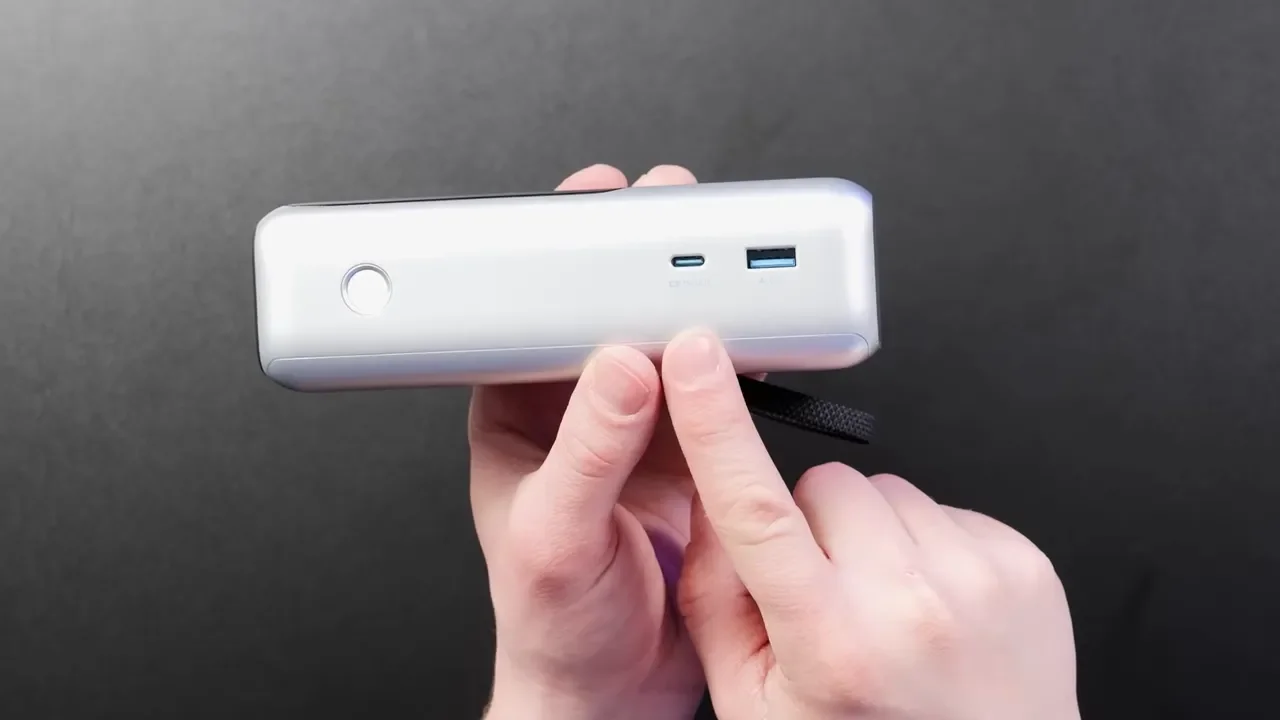
You are getting a very flexible port layout here. In total, the power bank gives you:
Two built-in USB-C cables
One extra USB-C port on the side
One USB-A port
That means you can charge a mix of newer USB-C devices and older USB-A gear without needing adapters.
For output, the total available power is up to 165 watts, but that number is shared across the connected devices. This part matters.
Here is the practical breakdown:
Either built-in USB-C cable can deliver up to 100W
If you are using two USB-C outputs, you can access the full 165W total
If you connect three or four devices, the total output drops to 130W shared across those ports
So yes, this can absolutely handle laptops, tablets, phones, and accessories. Just remember that adding more devices means each one may get less power.
Recharging The Power Bank
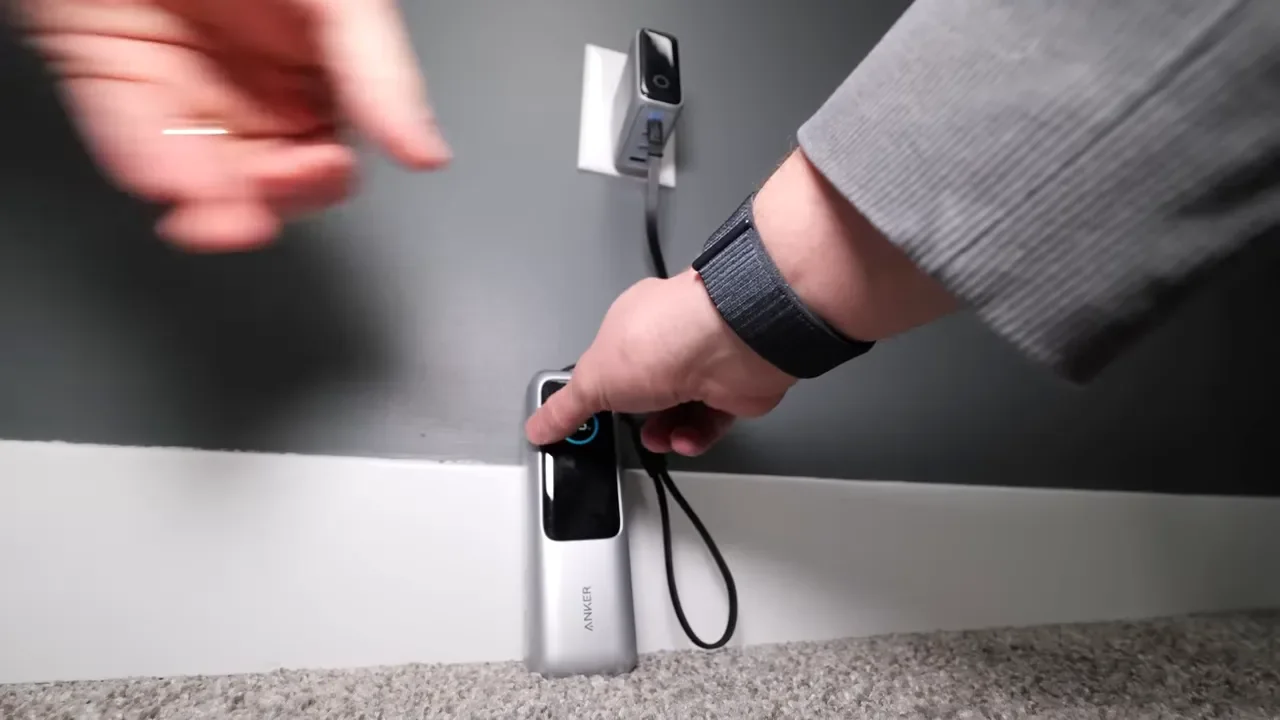
The recharge speed is one of the best parts of this unit. It supports up to 100W input, which is fast enough to refill it in roughly an hour and a half under ideal conditions. You can recharge it through either of the built-in USB-C cables or through the side USB-C port, which gives you a lot of flexibility depending on your setup.
If you want to get the most out of it, pair it with a stronger wall charger. A 140W laptop charger is a really nice match. Smaller adapters will work too, but if you plug this into something like a 30W charger, the refill time will be much longer. If you want a desktop charging setup instead, both this 200W desktop charger and this 250W desktop charger make a lot of sense for a multi-device workspace.
Size, Weight, And Portability
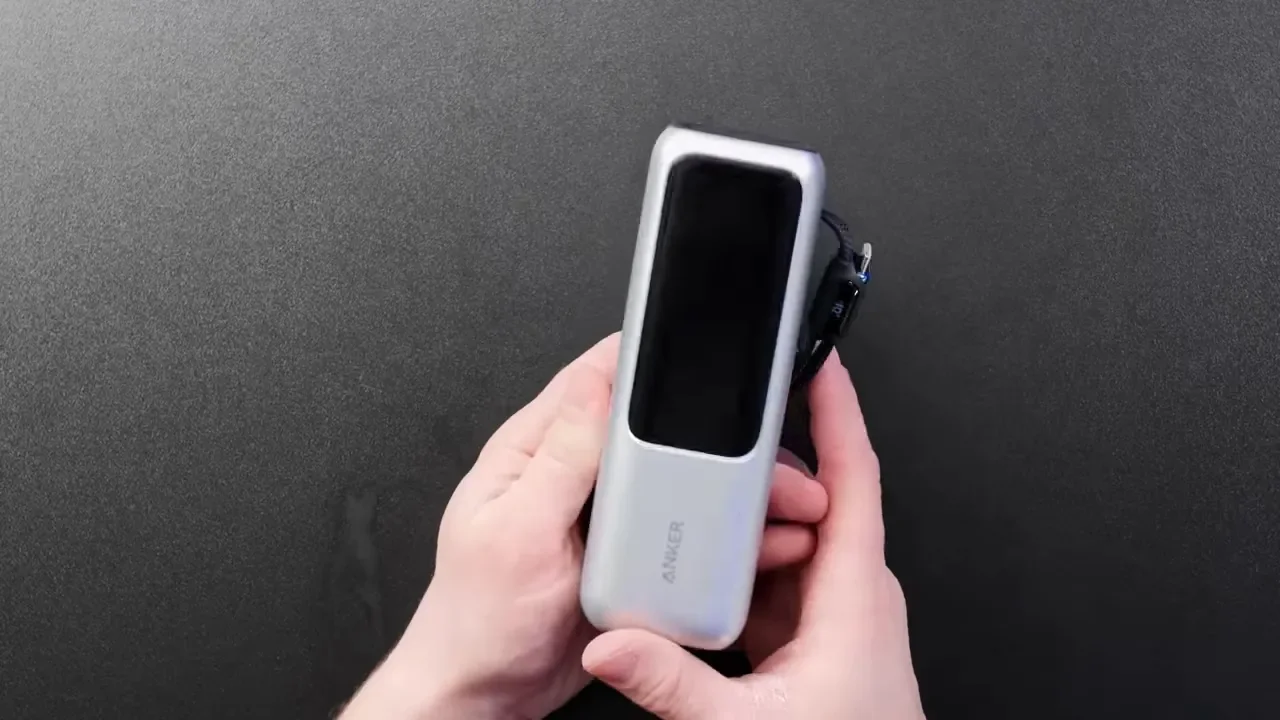
This is not a tiny pocket battery. It is closer to the size of an energy drink can and weighs a little over a pound. So no, this is probably not the power bank you casually slip into jeans and forget about. This is much more of a backpack power bank. That said, it is still compact for the amount of power you are getting. It is easy to throw in a backpack, messenger bag, or carry-on, and it is far more travel-friendly than hauling a bunch of loose cables plus a charger plus a battery pack. It is also airline approved, which is a big deal if you travel often.
How Much Battery Life To Expect
This is a 25,000mAh power bank, but the easiest way to think about it is in real-world charges.
Here is the rough expectation:
About half to one and a half laptop charges depending on the laptop
Just under one full charge for a 14-inch or 16-inch MacBook Pro
About one and a half charges for a MacBook Air
Roughly eight iPhone charges
Around four tablet charges
That capacity is great for topping off devices throughout the day, getting extra work done at a coffee shop, or keeping your gear alive during travel. It is not really meant to keep a power-hungry laptop running nonstop all day by itself, but it is absolutely enough to bail you out when battery anxiety kicks in.
The Built-In Cables Are Actually A Huge Advantage
Some people immediately write off power banks with built-in cables, and I get why. If the cable fails, it feels like the whole product loses value. But in practice, this has not been a major concern for me. Anker includes an 18-month warranty, and their built-in cable products have a pretty solid reputation. I have used a bunch of them over time and have not had issues with the integrated cables.
Even if one of those built-in cables ever did fail, you still have the side USB-C port available for charging devices or recharging the battery itself. And honestly, the convenience is hard to overstate. Just pull a cable out, plug in, and you are done. No extra cable pouch. No untangling. No realizing you packed the wrong lead. If you do want an extra cord in your bag anyway, this favorite USB-C cable is a good one to pair with it.
The Screen Is One Of The Best Features
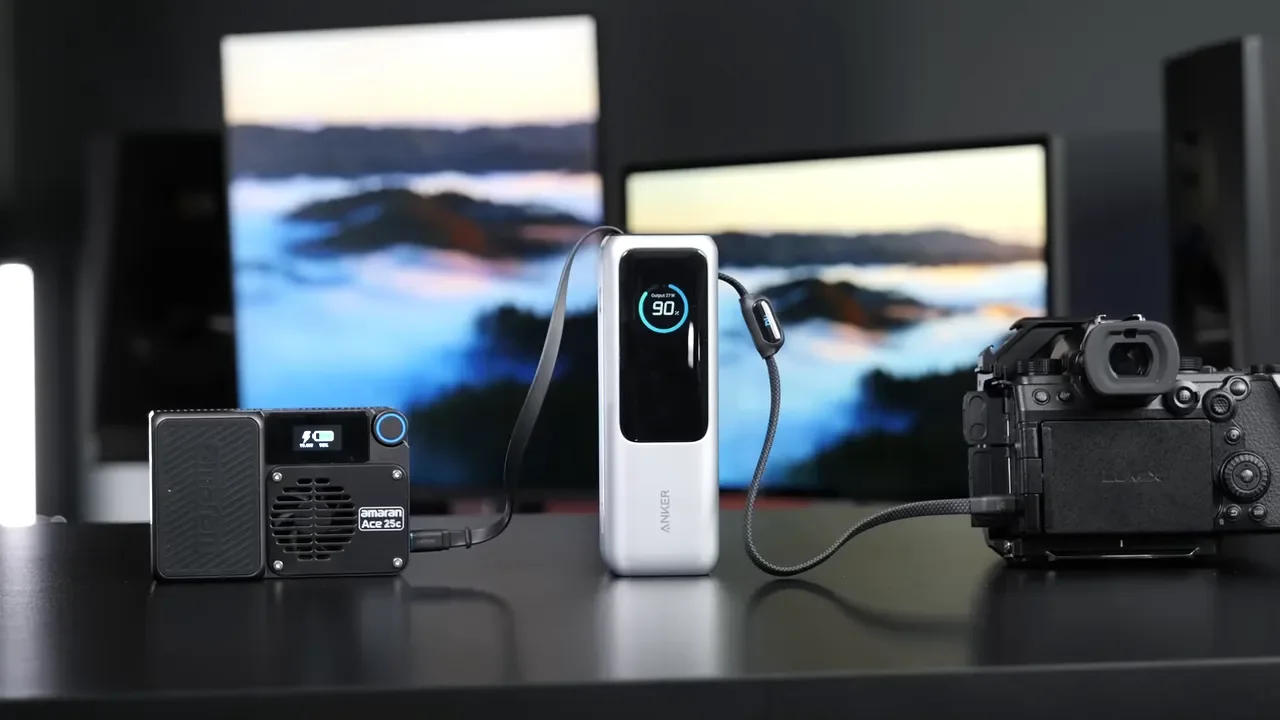
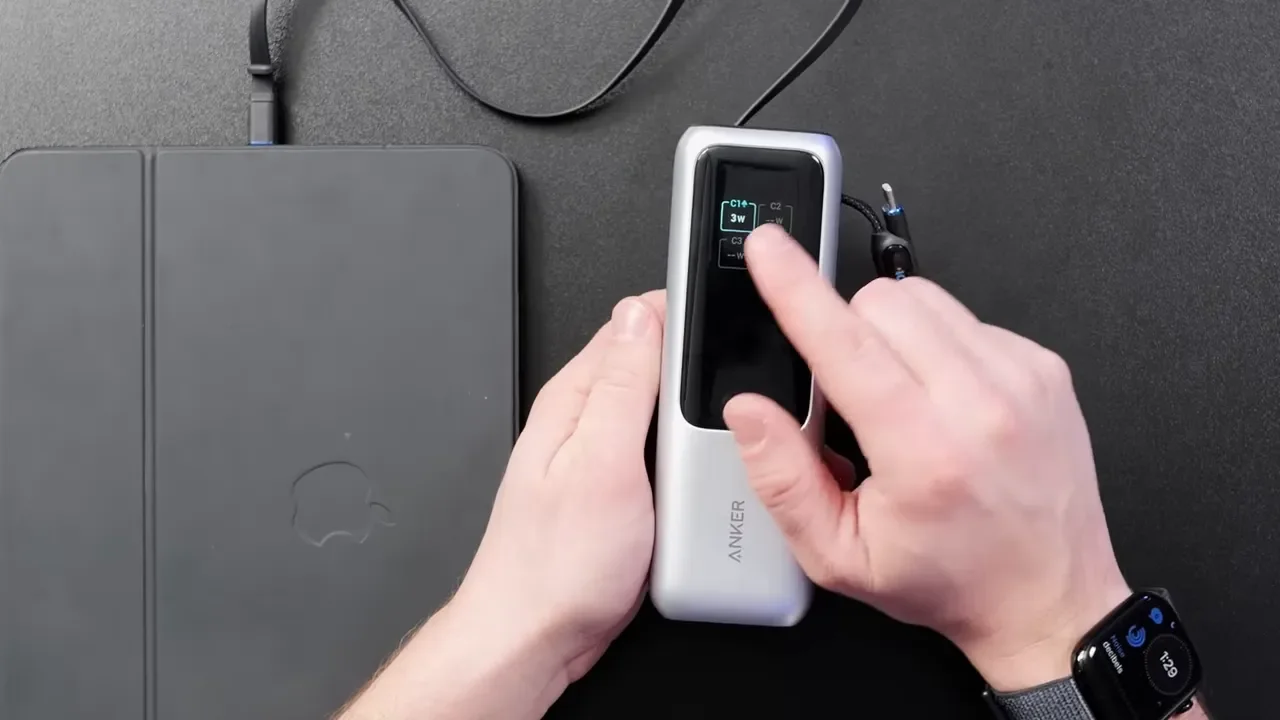
Anker did a really good job with the display on this model. It is not just there to show a battery percentage. It actually gives useful information that helps you understand what is happening in real time.
When devices are plugged in, the screen can show:
Current output wattage
Total power being delivered
Per-port usage in some charging scenarios
Battery temperature
Battery health
Total battery cycle count
That is fantastic if you like knowing whether a device is charging slowly because it is almost full, or whether a laptop is actually pulling meaningful wattage. It also gives you a much better sense of long-term battery condition. Seeing cycle count and battery health is especially helpful over time, since you will know when the pack no longer holds the same capacity it did when new.
Pass-Through Charging Adds More Flexibility
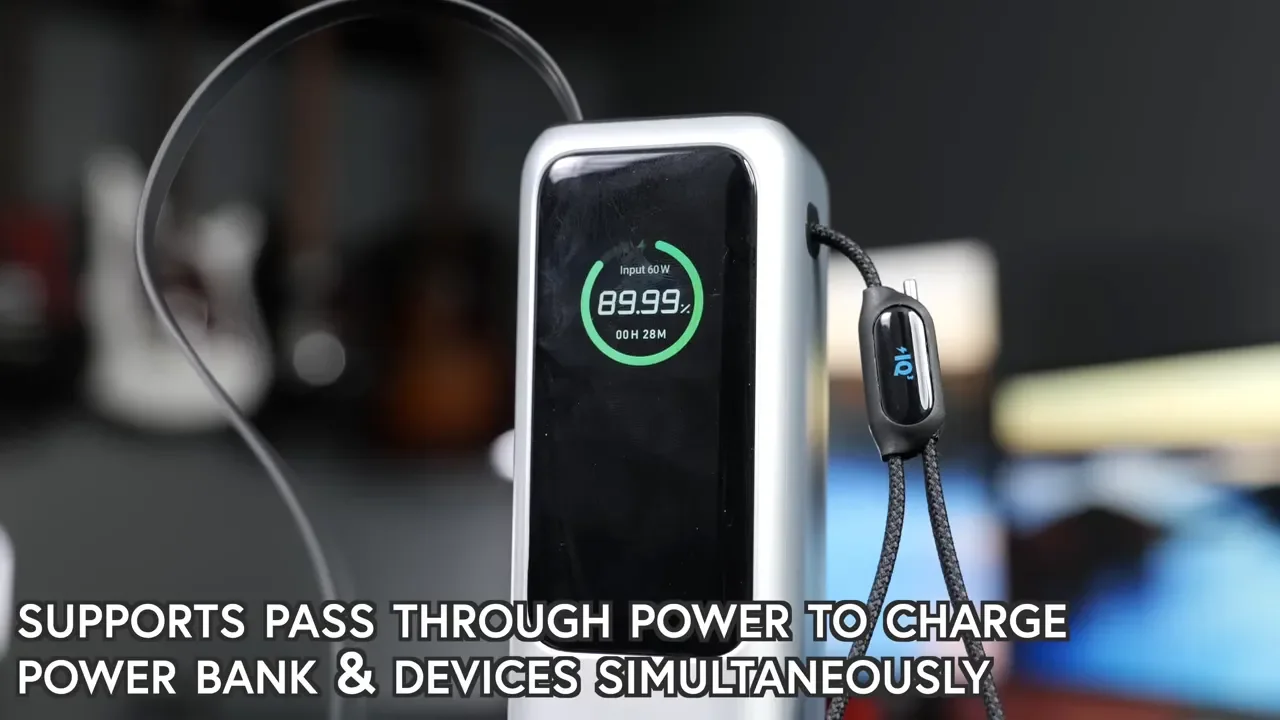
This power bank also supports charging itself while charging other devices at the same time. That gives you a little more freedom when outlets are limited. For example, if you are at a coffee shop or airport and only have access to one wall outlet, you can plug the power bank in and still use it to top up another device. That is one more reason this works well as part of a travel or mobile-work kit.
Anker 165W Vs. Anker Prime 250W
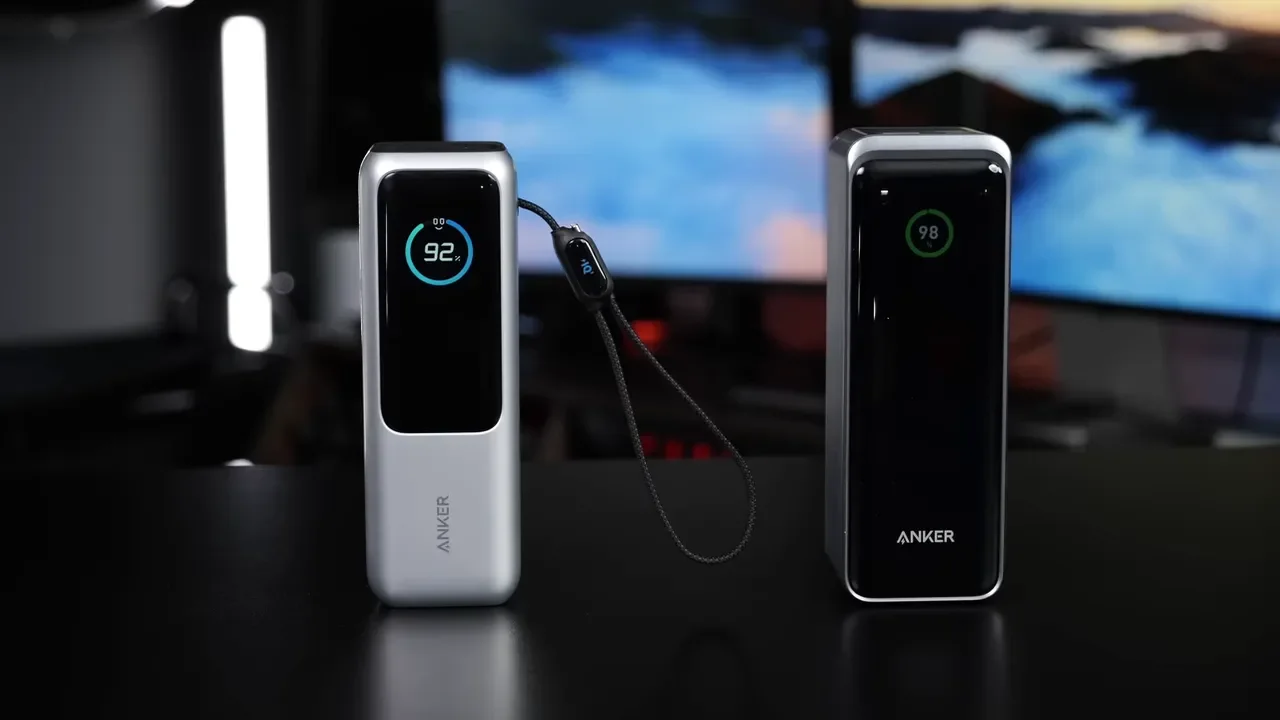
If you are trying to decide between this and Anker's larger 250W model, the answer for most people is actually pretty simple. The 250W power bank is the more powerful option overall. It is the one to consider if you specifically need to charge two laptops at once or want the biggest, most aggressive output Anker offers in this class. But for most people, the 165W model is the better buy.
Why?
165W is already plenty for a single laptop and several smaller devices
The built-in cables make everyday use much easier
It feels more practical in a backpack
The added convenience outweighs the extra headroom of the 250W model for typical travel use
The 250W version is more of a specialist tool. The 165W version feels like the better all-around choice.
Real-World Use Cases Where This Makes The Most Sense
This is the kind of power bank I would recommend for people who:
Travel often
Take road trips
Work from coffee shops
Carry a laptop, tablet, and phone together
Need to keep camera batteries and other tech topped off
Want fewer loose cables in their bag
It is especially good when you do not want to be tied to the nearest wall outlet. You can set it next to a laptop, plug a phone into the retractable cable, and still have room for other gear. If you are building a compact mobile charging setup, the Anker 165W power bank is the centerpiece. If you prefer an all-in-one approach, this power bank and charger combo is another smart option worth checking out.
What It Costs
At around $100, this is not the cheapest power bank out there. And if you do not already own a capable USB-C charger, you may need to budget for that too. But this is one of those cases where the extra money goes toward features you will actually use all the time. The built-in cables, strong output, fast input, and detailed display make this feel much more useful than a basic battery pack with the same rough capacity.
Final Verdict
This is probably my favorite power bank in this category right now. The retractable cable is the standout feature, but the whole package works well together. The screen is genuinely useful, the port selection is flexible, and the overall design makes it easy to carry and easy to use.
Yes, it is a little heavier than smaller batteries. Yes, it costs more than a basic power bank. But if you regularly carry multiple devices and need serious charging power without a mess of extra cables, the Anker 165W 25K gets a lot right. For most people, this is the better pick over the bigger 250W option. It hits the sweet spot between power, portability, and convenience.
