Anker Prime 300W Power Bank Review: Big, Fast, and Built for Real Gear
Some of the links in this post are affiliate links, which means I may earn a small commission if you choose to make a purchase at no extra cost to you. As an Amazon Associate, I earn from qualifying purchases. Read my full Ethics & Affiliate Relationship Disclaimer.
Table of Contents
Intro: Who This Power Bank Is For
The Anker Prime 300W power bank is for people who need to keep more than a phone alive. If you travel with two laptops, an iPad, cameras, lights, drones, or a whole pile of USB-C gear, this is the kind of battery that starts to make a lot of sense. It has the capacity to fully recharge devices like a MacBook Air or iPad, the output to fast charge two serious laptops at once, and a feature set that feels much closer to a portable wall outlet than a typical travel battery.
After using it for several months with Apple gear, camera equipment, a video slider, and Amaran lights, there is a lot to like. It is also big, heavy, expensive, and still saddled with a USB-A port that feels out of place. Anker sent this unit for testing, but had no input on these thoughts.
Size and TSA Flight Approval
First, the obvious part: this thing is huge for a power bank. At 1.3 pounds, it is not going into a jeans pocket. Plan on carrying it in a backpack or giving it a dedicated spot in a tech pouch. The important upside is that Anker designed it to stay just under the 100Wh limit used by the TSA for airline travel. So despite its large footprint, it is flight approved and practical for carrying onto a plane. That makes it a compelling option for trips where wall power is uncertain, workdays run long, or you simply do not want to ration battery life across multiple devices.
Capacity: How Many Charges You Get
The Anker Prime 300W has a 26,000mAh capacity. In practical terms, that is enough to charge an iPhone 17 Pro roughly four to five times, fully recharge an iPad or MacBook Air, or provide close to one full recharge for a MacBook Pro. Those numbers make the most sense when you are dealing with higher-capacity gear. If the only job is topping up a phone during a flight, this is probably more battery than necessary. If you are powering laptops, tablets, and production gear, the reserve becomes a real advantage.
Port Performance and USB-C Speeds
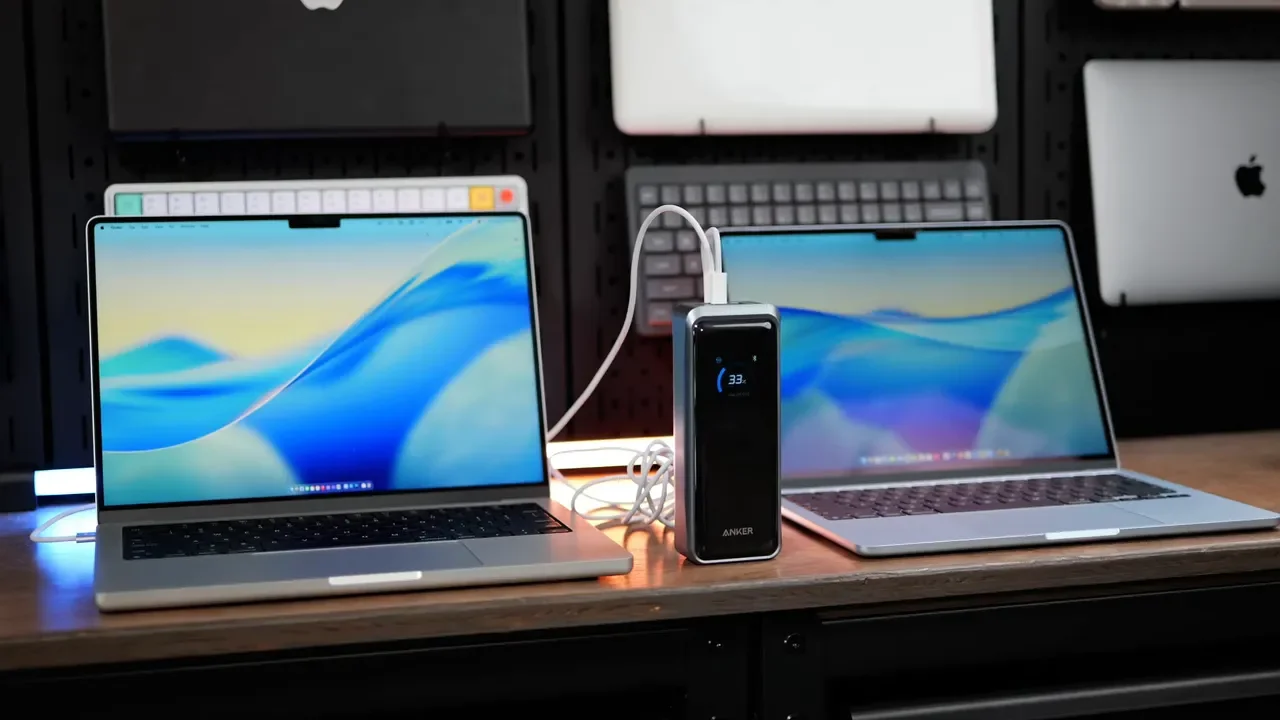
The real reason to buy this power bank is port performance. It has two USB-C ports and one USB-A port, with each USB-C port capable of handling up to 140W of input or output. That means you can connect two high-end laptops at the same time and still get serious fast-charging performance. For creators, drone pilots, remote workers, and anyone carrying multiple power-hungry devices, that is a big deal. This is not a battery that makes a laptop charge reluctantly. It is built to keep the work moving. The USB-A port supports up to 22.5W, so it can still be useful for older accessories. But it is not the port I wanted to see here.
The USB-A Port Letdown
I really do not understand why a futuristic 300W power bank still gives up one of its three ports to USB-A. There is a ton of capacity here and plenty of power available to divide between devices, but using all three ports requires carrying a USB-A cable. For a premium, high-output battery designed around USB-C laptops and modern gear, a third USB-C port would have been much more useful. USB-A is a legacy bottleneck occupying valuable real estate. It is not a dealbreaker, but it is the most obvious compromise in an otherwise very forward-looking product.
Display and Real-Time Power Stats
The display on the front is one of the best parts of the Anker Prime 300W. It shows the remaining battery capacity, but it goes far beyond a basic percentage readout.
When devices are connected, the screen can show:
Total power currently leaving the battery
Power being delivered to each individual port
Power coming in while the battery is recharging
Remaining capacity
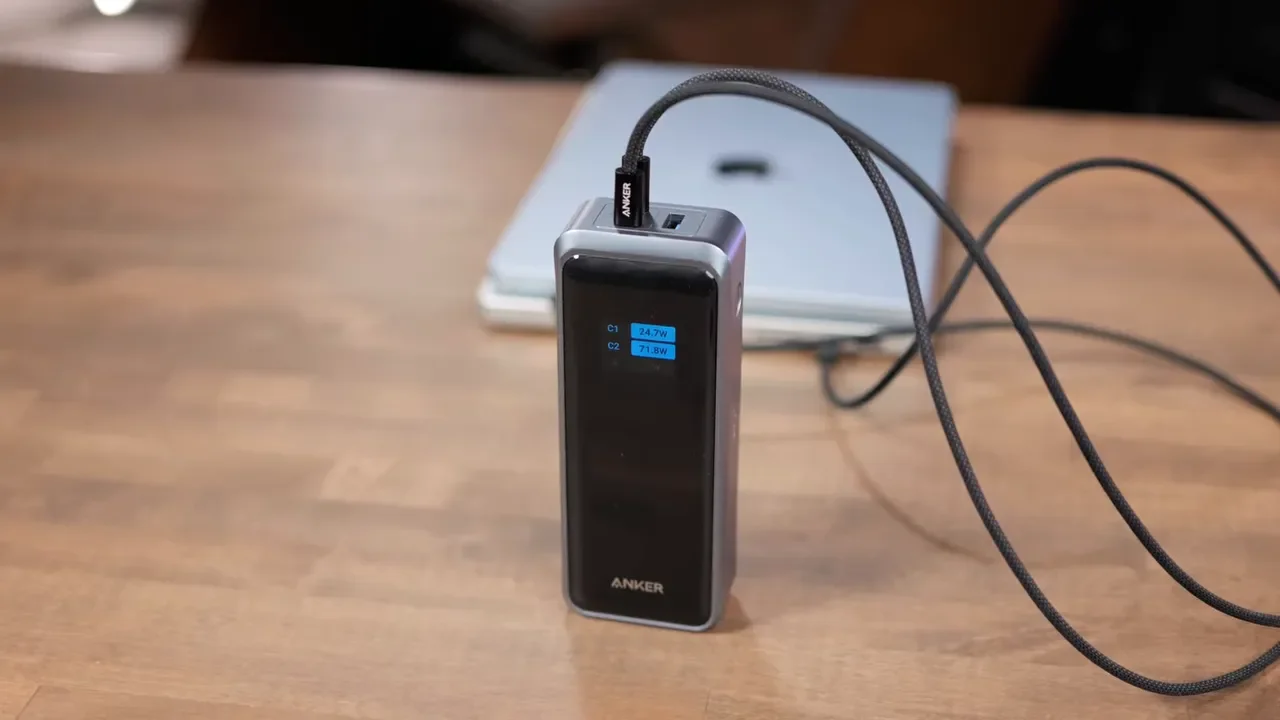
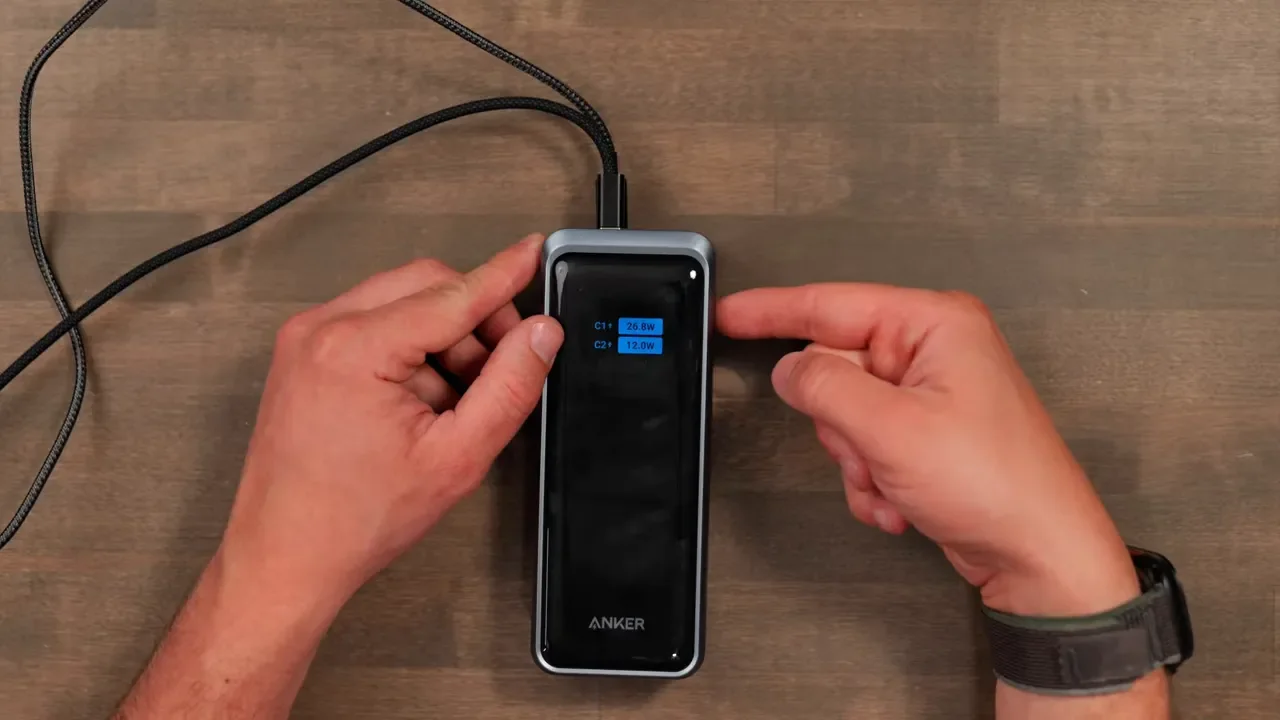
For example, with a MacBook Air and iPad Air connected, you can see exactly how power is being split, such as 32W to the MacBook and 11W to the iPad. The power bank intelligently ramps output as a connected device needs more power. A button on the side cycles through the available screens, making it easy to check what is happening without opening an app.
Anker App and Firmware Updates
The power bank also connects to the Anker app over Bluetooth. This is not just a basic device locator or battery percentage display. The app provides another level of control and visibility. Once connected, you can check current output, remaining capacity, incoming charging power, and live charts showing output fluctuations over time. It also supports firmware updates, which is a nice feature on a device with this much charging intelligence built into it. The app is especially useful when you want a larger, more detailed view of what the power bank is doing than the front display can provide.
Charging Modes: Smart, Power Saving, Custom
Anker gives you control over how the Prime 300W distributes and receives power. By default, it runs in Smart Mode, which handles power allocation automatically. There is also a Power Saving Mode for slower charging when maximum speed is not the priority. The most interesting option is Custom Mode.
Custom Mode lets you reserve a specific amount of power for each port. If the priority is keeping both USB-C ports at maximum capability, you can reserve up to 140W for C1 and 140W for C2. You can also throttle charging input if you do not want the battery drawing maximum power from a charger. That level of control is more useful than it may sound. It gives you a way to prioritize the devices that actually matter when every watt is being shared.
Charging the Power Bank Itself
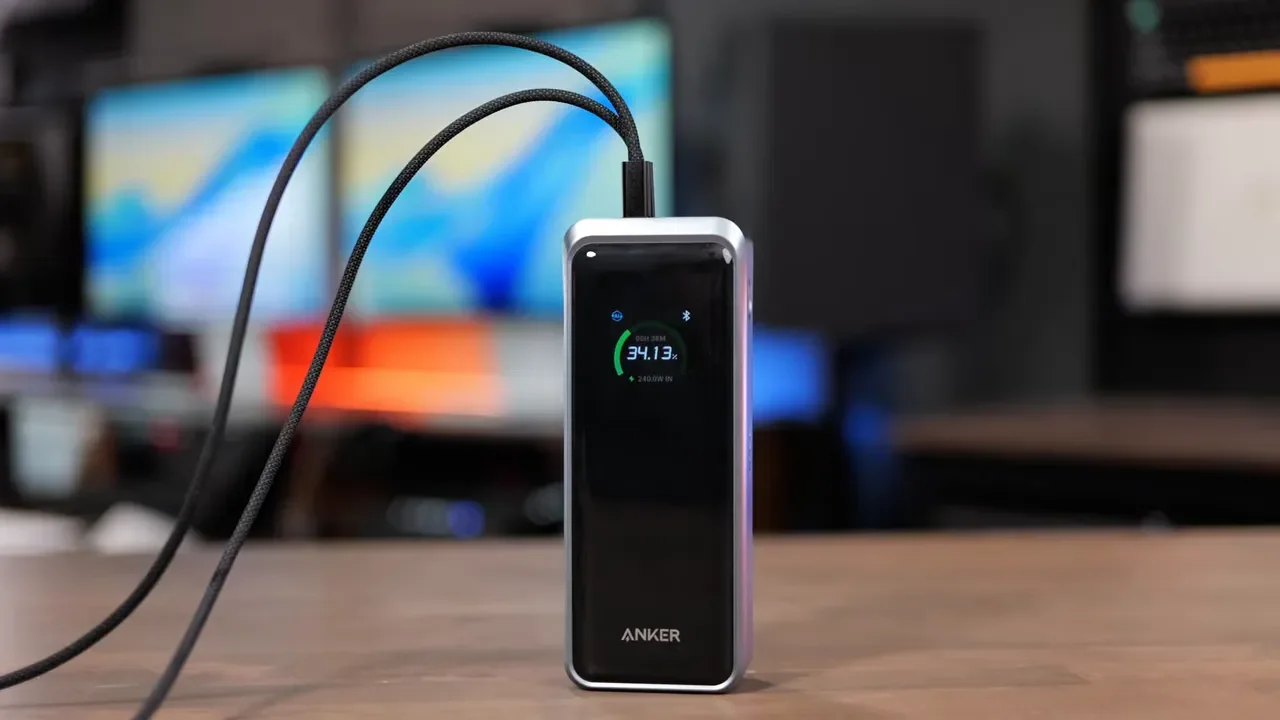
My favorite feature is how quickly the Anker Prime 300W can recharge itself. You can charge it through either USB-C port at up to 140W using a single compatible charger. But if you really want to get it topped off fast, you can connect two chargers at the same time. That allows up to 250W of total input, which is an absurdly useful capability for a battery this large. To take full advantage of the power bank, use a wall charger capable of at least 100W output. Without a sufficiently powerful charger, you will not be getting the full benefit of what this battery can do. My preferred compatible option is linked as my favorite wall charger for the Anker Prime.
Charging Base and Pogo Connector
On the bottom of the power bank is Anker’s second-generation Pogo connector. This magnetic charging system works with the optional Anker Prime charging base. Set the power bank onto the base, it snaps into place, and charging begins. The base provides up to 150W of charging, which is not as fast as the 250W dual USB-C setup, but it is much more convenient for a desk or regular charging station. The battery display shows the incoming power, so you can see exactly what the base is delivering.
It also supports pass-through charging. That means the base can send 150W into the power bank while the power bank continues charging connected devices. For a permanent desk setup, that is a really nice feature. You can find the Anker Prime charging base here.
Base Ports and Missing Display
The charging base has extra ports on the side, including USB-C ports and a USB-A port, so it can charge additional devices beyond the power bank itself. There is one funny omission, though: the base does not have its own display. If you want to see detailed stats for the base, you need to connect to it through the Anker app. That is not a major issue, especially since the power bank has such a good display, but a small screen on the base would have made the setup feel more complete.
Real-World Use: Cameras and Lighting Gear
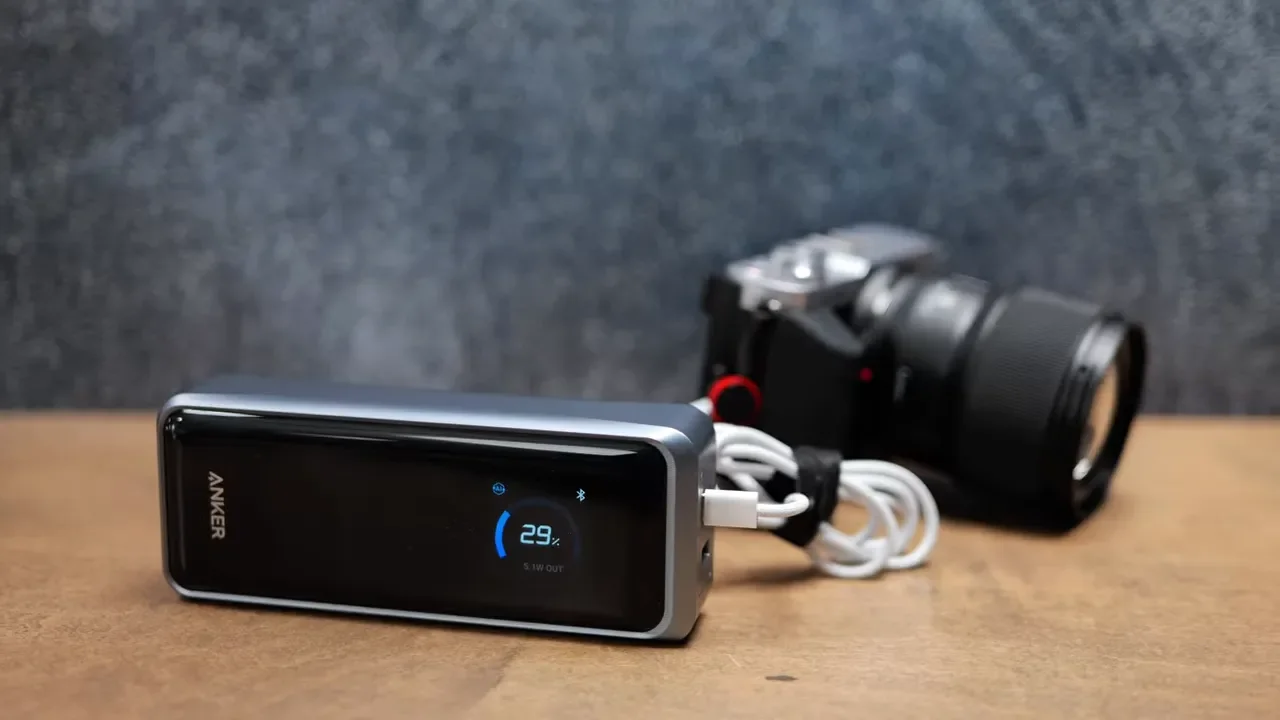
This is where the Anker Prime 300W earns its size and price. It has been excellent for keeping MacBooks, iPads, and phones charged, but it is also a great fit for production gear. I have used it to charge camera equipment, run a video slider, and power a variety of Amaran lights. The USB-C ports are the key here. They offer enough output to make this power bank useful in situations where smaller batteries simply cannot keep up. For a filmmaker or creator working away from an outlet, it can cover a lot of different jobs with one battery.
Pricing and Bundle Deal
The Anker Prime 300W power bank typically retails for around $230. The charging base costs about $100 on its own. The better value is the bundle, which has been available for around $250 for both the power bank and the charging base. The power bank itself has also been seen on sale for as low as about $180. If the magnetic base is part of how you plan to use it, the bundle is the way to go. You can check the Anker Prime power bank and charging base bundle, or find the Anker Prime 300W power bank by itself.
Who Should Buy This
If you just need to keep an iPhone or iPad topped up on a flight, this is probably overkill. It is heavy, it takes up space, and there are smaller batteries that will handle that job for much less money.
The Anker Prime 300W makes sense if you fall into one of these groups:
Professionals traveling with MacBook Pros or other large laptops
Remote workers who need reliable power away from outlets
Filmmakers carrying cameras, sliders, lights, and accessories
Creators and drone pilots with multiple USB-C devices
Travelers who need substantial capacity and very fast recharge times
The value is not only that it can keep a lot of gear charged. It is that when the battery is depleted, it can be filled back up remarkably quickly with the charging base or dual USB-C input. If you need less power but still want an Anker Prime option, the Anker Prime 220W power bank may be worth considering.
Final Verdict
The Anker Prime 300W is one of the best choices if you need to charge a couple of laptops or other high-capacity devices while traveling or working remotely. The two 140W USB-C ports, detailed display, app controls, rapid recharging, and optional magnetic base make it feel purpose-built for demanding gear.
Just make sure you have space in your bag, are ready to carry a 1.3-pound battery, and pair it with a fast enough wall charger. The USB-A port is still a strange compromise, but it does not take away from how capable this power bank is where it matters. For more setup ideas, see my desk setup and browse my complete video-making gear list.