Logitech Casa Pop Up Desk Review: A Work From Home Setup That Folds Away
Some of the links in this post are affiliate links, which means I may earn a small commission if you choose to make a purchase at no extra cost to you. As an Amazon Associate, I earn from qualifying purchases. Read my full Ethics & Affiliate Relationship Disclaimer.
A full battle station is great, but sometimes you just need a compact work from home setup that disappears when the workday is done. That is exactly what the Logitech Casa Pop Up Desk is built for. The Casa combines a laptop stand, compact Bluetooth keyboard, and wireless touchpad in one book-like case. Fold it up, put it on a bookshelf, and your desk can go right back to being your desk. At $180, it is definitely a premium convenience product, but it is also one of the most thoughtfully designed compact desk setups I have used.
Table of Contents
What Comes With the Logitech Casa Pop Up Desk?
The Logitech Casa is an all-in-one portable desk setup with three main components:
Casa Stand: A folding laptop stand that raises the screen to a more ergonomic height.
Casa Keys: A compact Bluetooth keyboard.
Casa Touch: A slim wireless touchpad with gesture support.
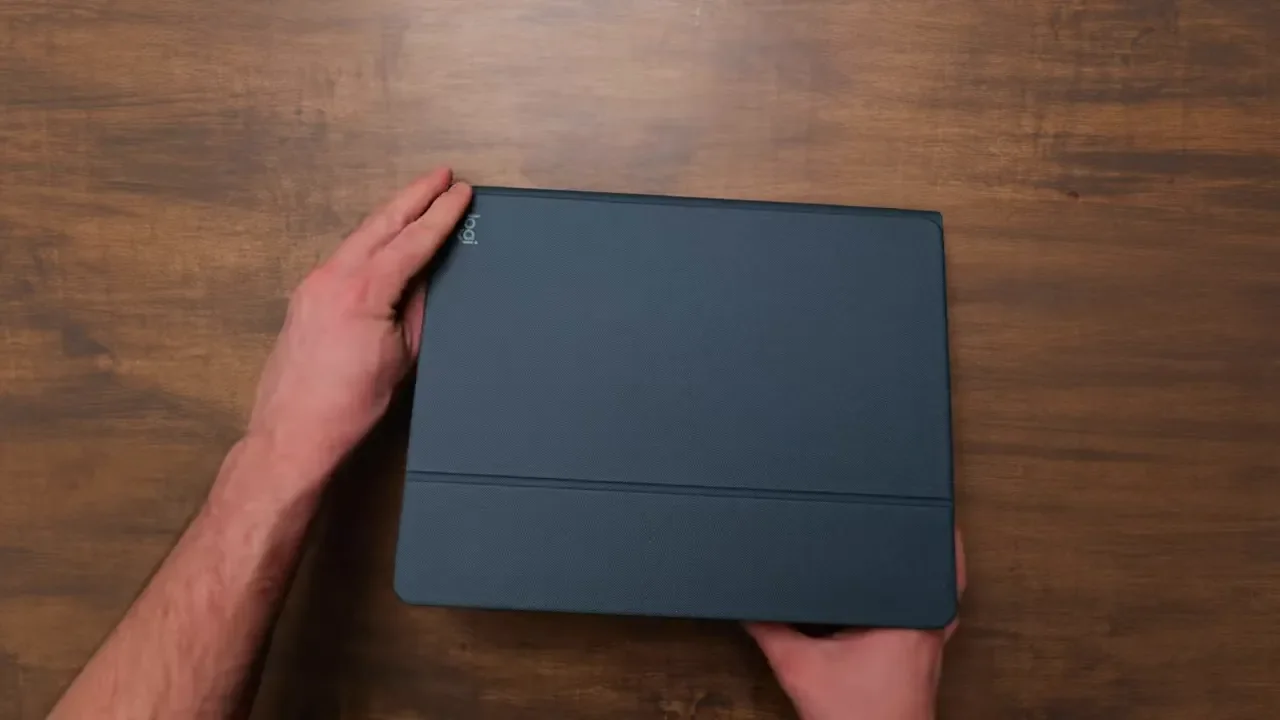
Everything fits into a single protective case that is roughly the size of a large iPad case. It is a little thicker and taller than a normal book, but it is still easy to slide onto a shelf, tuck into a cabinet, or store out of sight. The case feels surprisingly hefty and premium when you first pick it up. Logitech has packed a lot into a small footprint without making it feel flimsy or cheap. The soft outer cover, rubber closure strap, and snug internal compartments make it feel like a complete product rather than a loose bundle of accessories.
Setup Is Fast and Genuinely Simple
Opening the Casa is about as straightforward as it gets. Remove the rubber strap, open the case, and press down on the keyboard and touchpad compartments. Both accessories pop up smoothly so you can take them out without digging around. There is also a small compartment for the included USB-C to USB-C charging cable. It is a useful place for a cable, flash drive, or even a small pin, although I do wish it were just a bit larger. The stand unfolds quickly and locks into position with magnets. There is only one fixed angle, so there is no adjustment range to work with, but Logitech picked a pretty good height and viewing angle. It places a laptop screen much closer to eye level than simply setting it on a desk.
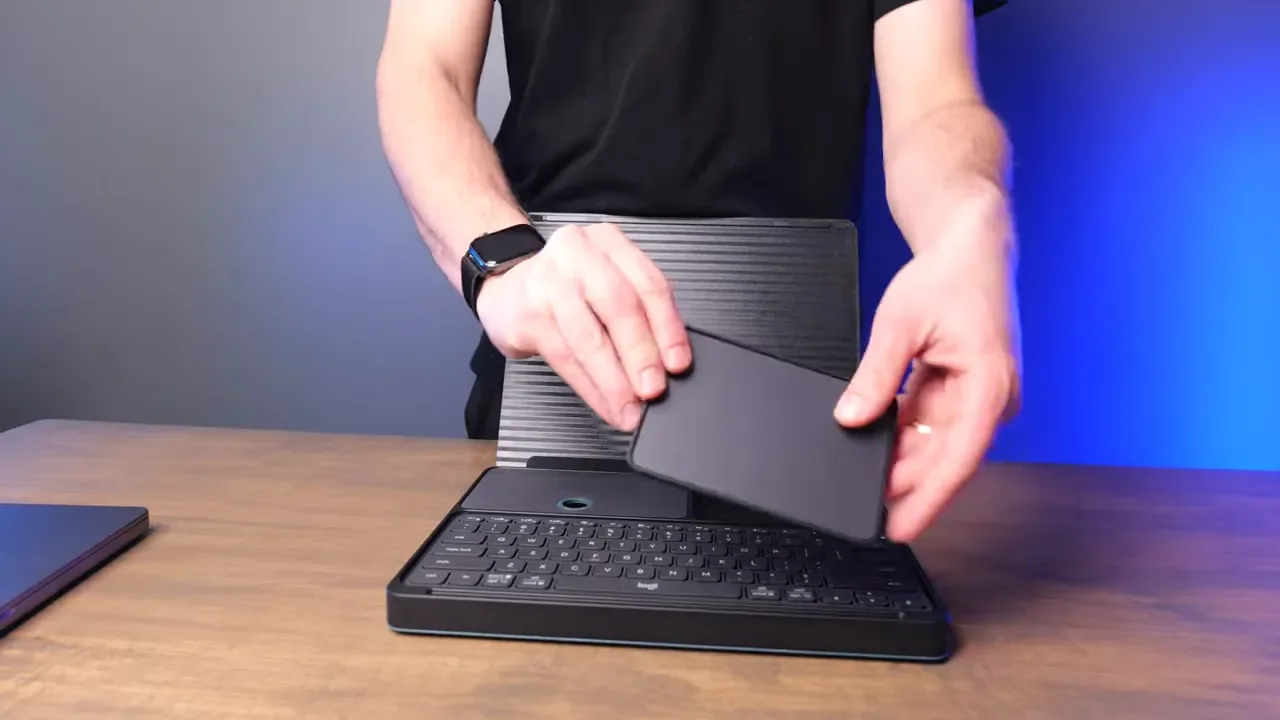
Once the laptop is on the stand, the separate keyboard and touchpad make the setup feel much more natural for emails, notes, documents, and general work. It is not meant to replace a large desktop office with multiple displays, but it does solve the problem of working comfortably from a small table or shared room.
USB-C Charging and Easy-Switch Connectivity
One of my favorite things about the Casa is that the setup uses USB-C charging across the board. The keyboard and touchpad are rechargeable, and Logitech includes the charging cable in the case so the essentials stay together. Both the Casa Keys and Casa Touch support Logitech Easy-Switch technology, which means you can pair them with up to three devices. That is especially useful if you move between a work computer, personal laptop, tablet, or phone.
On the keyboard, the F1, F2, and F3 keys handle device pairing. Hold one of those keys briefly until the indicator starts blinking, then pair it through Bluetooth. To switch to another paired device, press and hold the relevant device key again. The touchpad has its Easy-Switch control on the bottom. The Bluetooth connection on both accessories has been rock solid in my experience, and battery life has been very good as well.
Casa Touch Review: A Compact Trackpad That Feels Familiar
The Casa Touch is a big part of what makes this package work. It is compact, thin, and much easier to fit into this case than a larger trackpad like Apple’s Magic Trackpad. It works on both macOS and Windows, and Logitech has done a great job making it feel at home with a Mac. With Logi Options Plus, you can customize gestures and settings so the experience is much closer to using a MacBook trackpad.
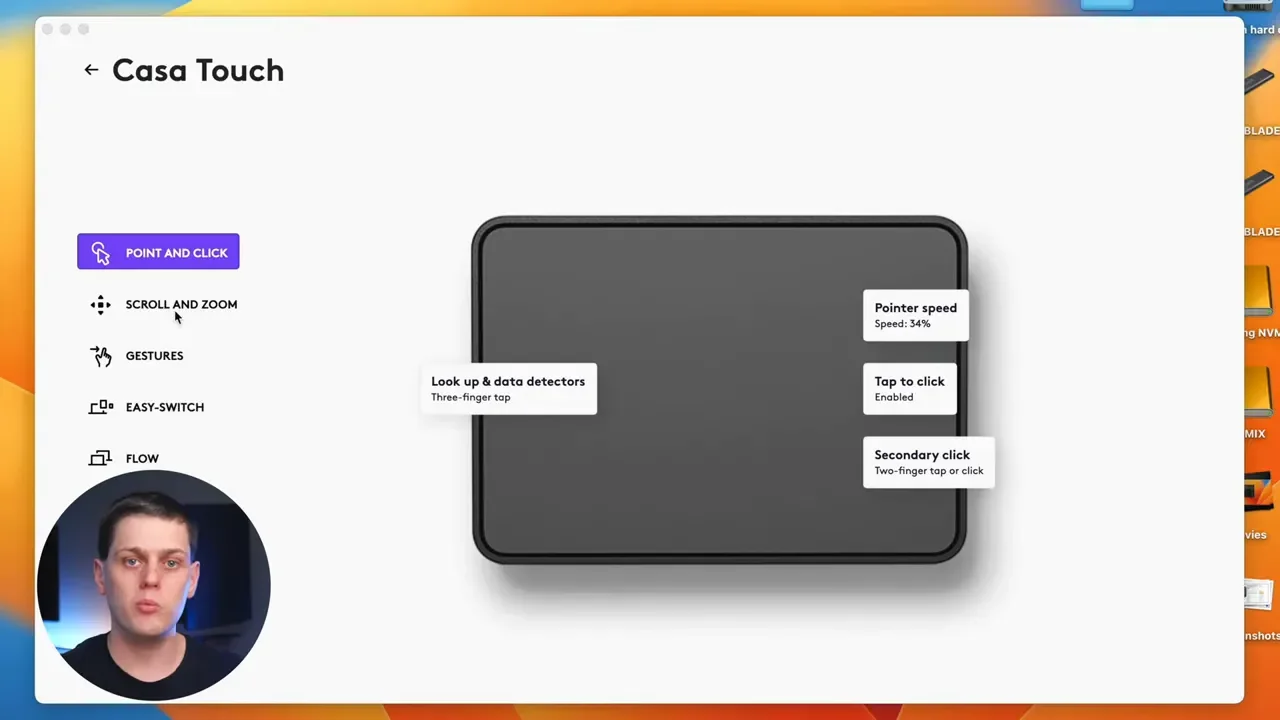
That includes features such as:
Two-finger and three-finger swipes
Pinch to zoom
Tap to click
Secondary click on the left or right side
Custom gesture assignments through Logi Options Plus
For someone who already likes using a laptop trackpad, the Casa Touch is a fantastic fit. It is small, slim, responsive, and looks very professional on a desk. That said, this is also the biggest buying consideration. I am more of a mouse person. Even though I really like the Casa Touch, I still find myself wanting to use an MX Anywhere 3S or MX Master 3S. If you know you strongly prefer a mouse, adding one means spending more money and carrying another accessory, which weakens the all-in-one appeal of the Casa.
Casa Keys Review: Fast, Shallow, and Comfortable
The Casa Keys is a compact keyboard that feels very familiar if you have used other Logitech keyboards. It reminds me a lot of the MX Keys Mini, though the key travel feels even shallower. That shallow feel makes the keyboard quick to type on. It is a little smaller than the MX Keys, and the keys feel slightly smaller than those on a 14-inch MacBook Pro, but it was easy to adapt to almost immediately. It feels comfortable, fast, and accurate.
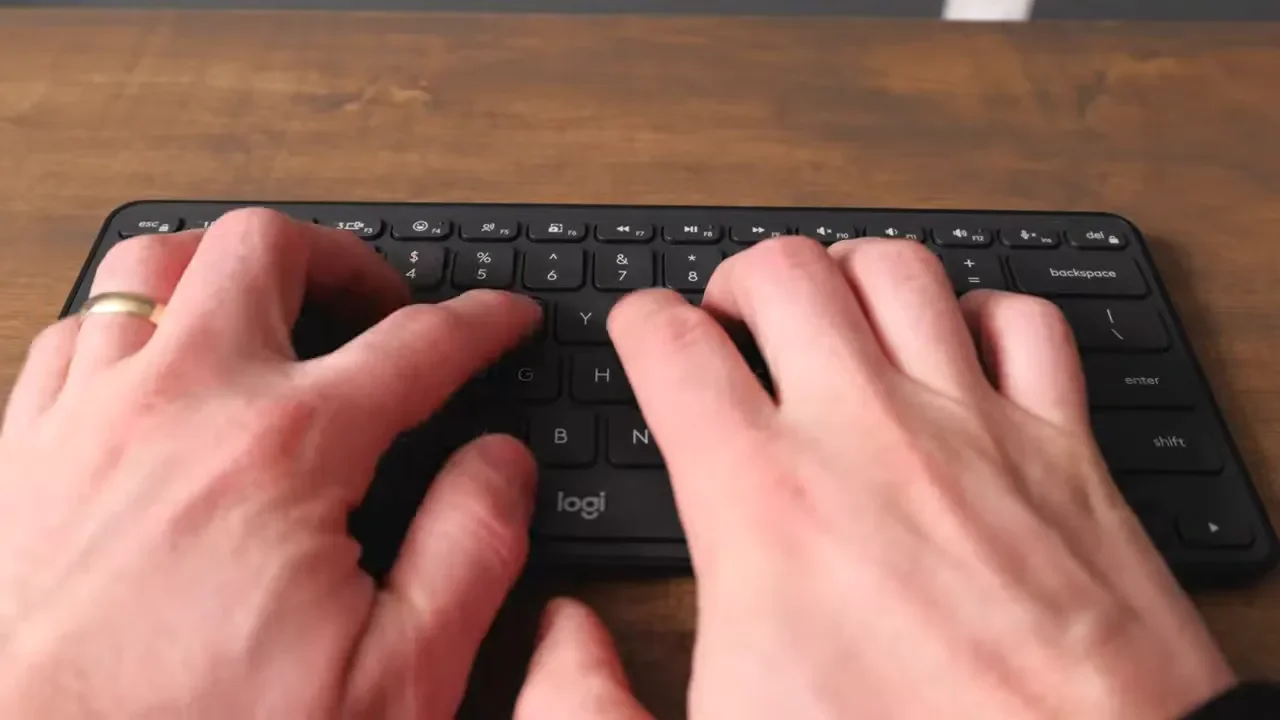
Logitech also includes a lot of useful functions along the top row. With Logi Options Plus, you can go further and reprogram those keys for shortcuts and macros. You can use Logitech’s preset actions or build your own, including shortcuts that change based on the application you are using. For example, you can create different controls for Final Cut Pro, Microsoft Word, or any other app you use regularly.
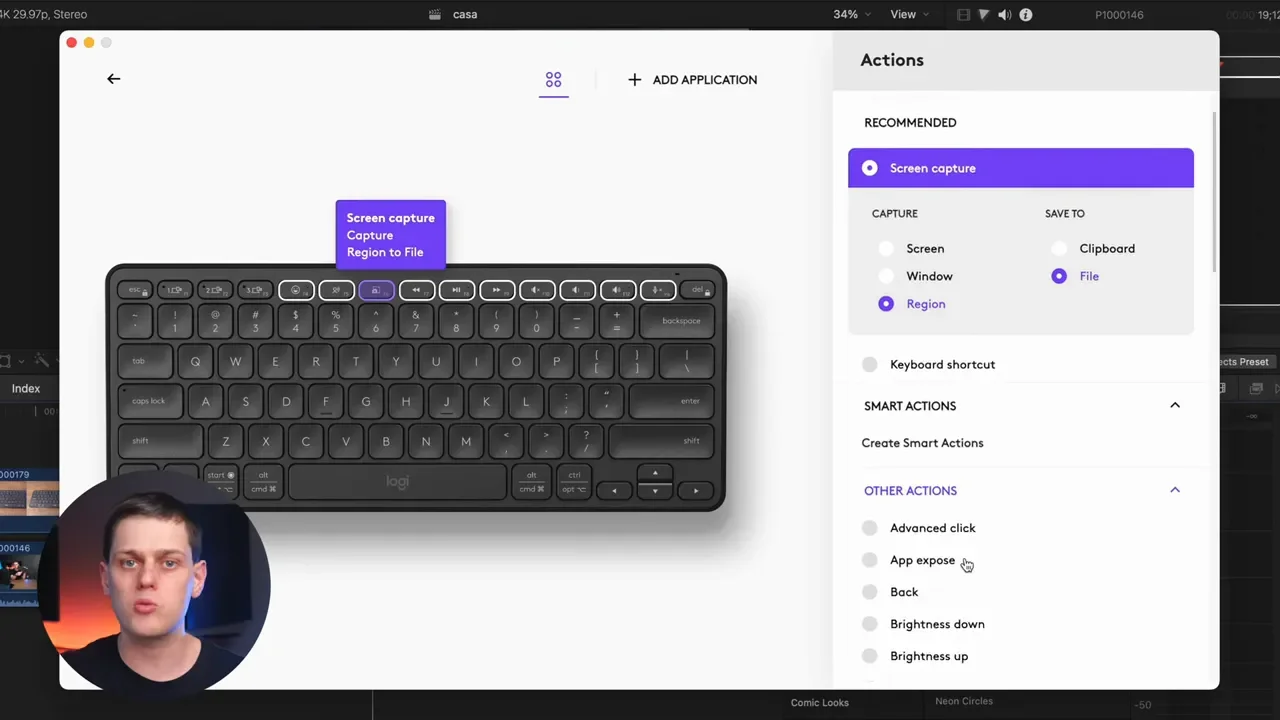
Keyboard Drawbacks
There are a couple of trade-offs with the Casa Keys.
The F1, F2, and F3 keys are used for Easy-Switch device pairing. I would prefer a dedicated switching button, especially because I like using F1 and F2 for screen brightness controls.
The function row and left and right arrow keys are half-sized.
There is no backlighting.
The lack of backlighting is the feature I miss most compared with some of Logitech’s other keyboards. Still, it is a reasonable trade-off for how thin and compact this keyboard is. For the kind of minimal, portable setup this is designed to be, the Casa Keys performs really well.
The Casa Stand Is Convenient, But Not Built for Heavy Typing
The Casa Stand is a smart design. Folded up, it looks like a book. Opened up, it gives your laptop a much better screen position for typing emails, writing notes, and doing typical work from home tasks. The angle and height are excellent for looking more directly at the screen instead of constantly looking down at a laptop on the desk. There is a front lip that keeps the laptop from sliding off, and the textured surface helps hold it in place while allowing for some ventilation.
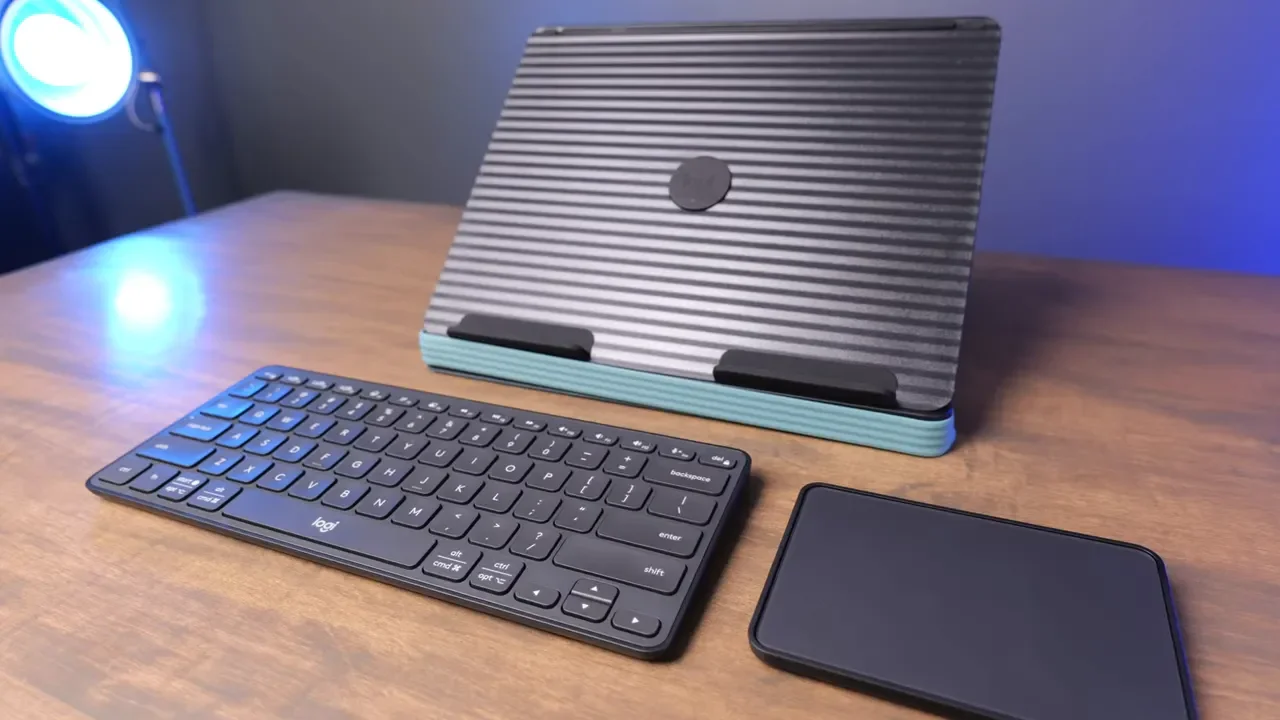
However, I would not call it the most durable laptop stand in the world. It does a great job holding the computer, but I would not recommend using your laptop keyboard and trackpad heavily while it is on the stand. The entire point is to use the included Bluetooth keyboard and touchpad instead. The stand has one predetermined angle. That will be a limitation for anyone who needs a highly adjustable workstation, but for quick setup and simple everyday use, it works very well. The magnets keep it in place securely, and the whole thing takes only moments to unfold.
Design, Storage, and Color Options
Logitech did a great job designing the case around the accessories. The keyboard and touchpad sit flush in their compartments, and pressing on the lower part of each compartment releases them smoothly. When it is time to pack up, everything goes back into its designated place, the stand folds down, and the rubber strap keeps the case shut. It is one of those products where the storage solution is just as important as the product itself.
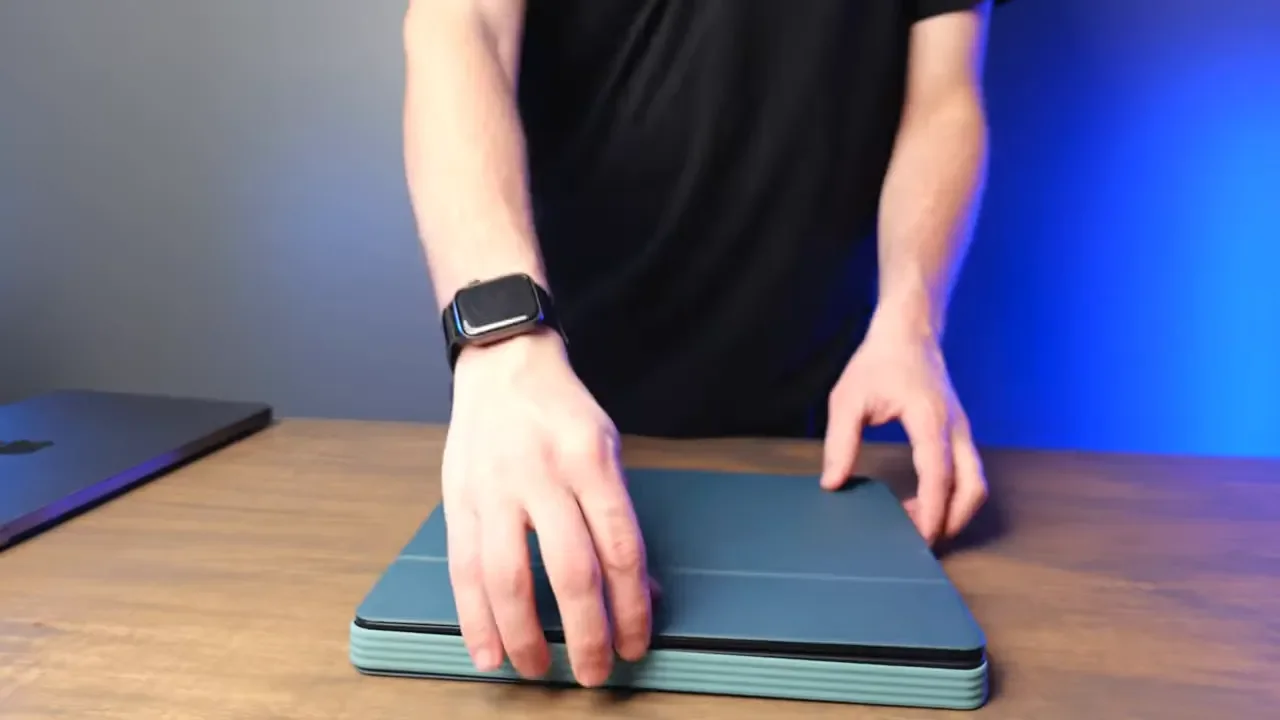
The Casa comes in three colors:
Bohemian Blush
Nordic Calm
Classic Chic
The Nordic Calm version has a darker tone with blue accents and looks really good. I would still love to see a completely black option for people who want a more traditional, understated setup.
Who Should Buy the Logitech Casa?
The Logitech Casa Pop Up Desk is for the work from home professional who wants a sleek, minimal setup that can be packed away at the end of the day. It is especially compelling if you work in a shared space and do not want your desk to permanently look like an office. For $180, you get a matching keyboard, touchpad, laptop stand, USB-C charging, multi-device Bluetooth support, and a case that keeps it all together. That all-in-one experience is the main reason to buy it.
I would recommend the Casa if these points sound like you:
You need a compact work from home setup that can be stored on a shelf.
You want to raise your laptop screen for a more ergonomic position.
You like trackpads and want Mac-like gestures in a compact desktop accessory.
You regularly switch between multiple Bluetooth devices.
You value a matching, clutter-free setup over maximum customization.
If you want a more permanent or expandable desk setup, buying individual Logitech accessories may make more sense. You can choose the exact keyboard, mouse, and stand that fit your preferences, whether that means an MX Master 3S, Anywhere 3S, MX Keys Mini, or a mechanical keyboard. For ideas on building out that kind of setup, check out my keyboard and mouse reviews and take a look at my desk setup.
Final Verdict: Is Logitech Casa Worth It?
The Logitech Casa is not the most flexible setup you can buy, and it will not be the right choice for someone who prefers a traditional mouse or needs a highly adjustable laptop stand. But if you want an incredibly clean, well-designed, compact desk setup that can be put away in seconds, it is a fantastic option. The keyboard feels great, the touchpad is responsive and customizable, the Bluetooth connection is reliable, and the stand makes laptop work much more comfortable.
The Casa succeeds because it removes friction. You do not have to collect a keyboard, touchpad, stand, cables, and storage solution separately. It is all there, it all matches, and it all folds into one compact case when you are done. If that convenience is what you are looking for, you can check the current Logitech Casa price here.