Philips Hue Play Light Bar Review: Small Lights, Big Flexibility
Some of the links in this post are affiliate links, which means I may earn a small commission if you choose to make a purchase at no extra cost to you. As an Amazon Associate, I earn from qualifying purchases. Read my full Ethics & Affiliate Relationship Disclaimer.
The Philips Hue Play Light Bar Starter Kit is one of the more flexible lighting options in the Hue lineup. These are compact RGB smart lights that work especially well as TV bias lighting, desk accent lights, or a way to add color and atmosphere around a room without committing to LED strips. The double-pack includes two independently controllable lights that share one power supply. They can connect through Bluetooth or a Hue Bridge, offer a strong 530-lumen output at maximum brightness, and can be positioned vertically, horizontally, or mounted behind a display.
Table of Contents
What Comes in the Philips Hue Play Light Bar Starter Kit
Inside the Philips Hue Play Light Bar set, you get two Play Bars, one shared power supply, vertical and horizontal stands, and adhesive mounting hardware for attaching the bars behind a TV or another flat surface. Each bar is 10 inches long, 1.75 inches deep, and 1.375 inches tall. They are available in black or white, although the rear of either version is black. In person, the bars are noticeably smaller and sleeker than the product packaging suggests, which is definitely a good thing when trying to keep a setup clean.
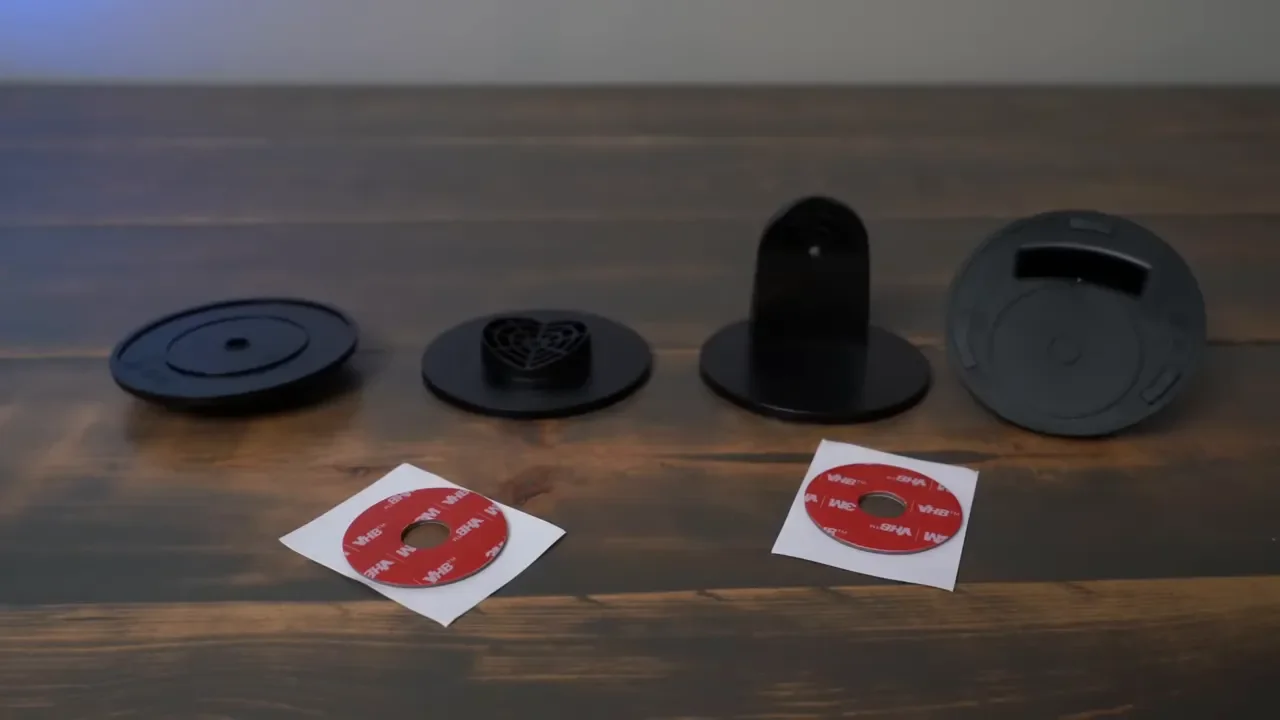
The built-in cables are six feet long. For setups where the power supply needs to sit farther away, Philips offers a 16-foot Play Bar extension cable. That can be particularly useful for TV walls, larger entertainment centers, or desk setups with cable management routed away from the lights.
Compact Design With Flexible Placement
The big advantage of the Hue Play Bars is placement flexibility. LED strips are great when you want a continuous line of light, but these bars can be aimed exactly where you want color or white light to land.
You can place them:
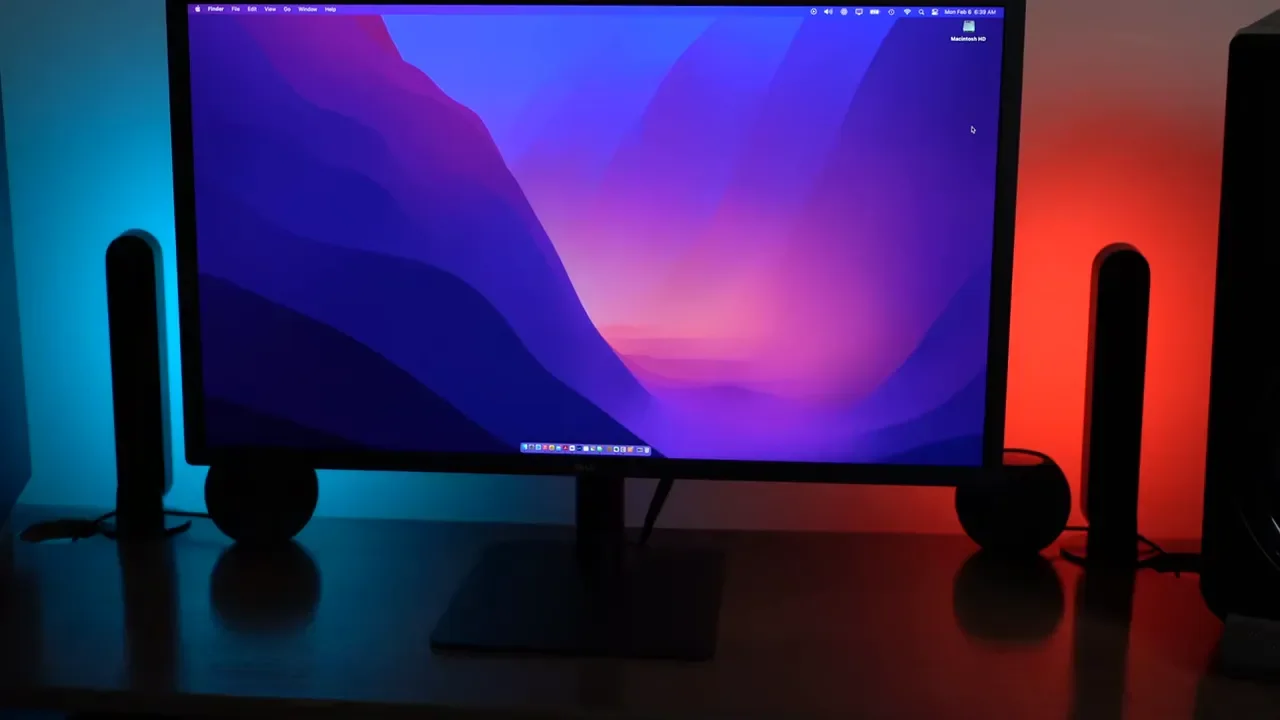
Vertically on either side of a monitor or TV
Horizontally beneath a display or along a shelf
Behind a TV for bias lighting
On a TV stand or desk as focused accent lighting
Near collectibles, artwork, or other decorative items
The angled back of each light helps it throw light onto the wall rather than directly into the room. The included stands make it easy to experiment with placement before settling on a permanent setup. The one downside is the adhesive mounting system. Once the adhesive mounts are applied, removing them means peeling off the adhesive. That makes the stands the better choice if you want to move the bars around regularly, while the adhesive mounts make more sense for a long-term TV installation.
Setup in the Philips Hue App
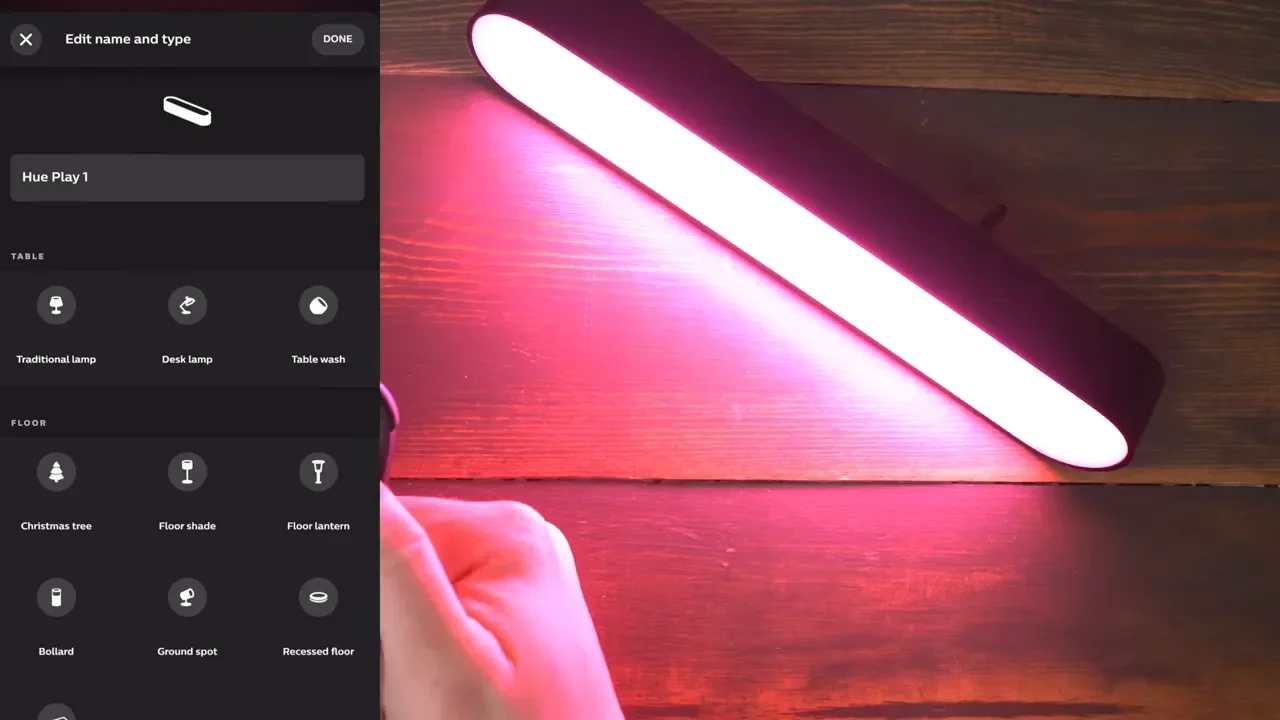
Getting the Play Bars connected is straightforward. Plug the power supply into the bars, open the Philips Hue app, go to Lights, tap the plus icon, and search for new lights. If a bar does not appear immediately, the serial number on the light’s cable can be used to add it manually. Once discovered, start the configuration process, give the light a name, and assign it to the appropriate room. After setup, each Play Bar can be controlled individually. That means one light can be blue while the other is red, or both can be matched to the same color, brightness, and white temperature.
Bluetooth, Hue Bridge, and TV Syncing
The Play Bars work over Bluetooth, which is the simplest route for basic local control. Bluetooth is perfectly fine if you just want to adjust colors and brightness from nearby. For expanded control, including access away from home, add the Philips Hue Bridge. The Bridge is the better option if Hue is becoming part of a larger smart home lighting setup. If the goal is to sync the lights with TV content, you will also need entertainment zones and a Hue Play Sync Box. The Sync Box enables the Play Bars to react to the colors on screen, creating a more immersive effect around the display.
Brightness, Color, and Real-World Light Output
At 530 lumens, these are bright for their size. They throw enough light to create a noticeable wash of color behind a monitor, TV, or piece of furniture. They work very well as accent lights and bias lights, especially in a dim or moderately lit room.
There are a couple of realistic expectations worth setting:
Bright room lighting reduces the visual impact of the Play Bars.
Whites and desaturated colors look brighter than deep, fully saturated colors.
Switching to darker colors can make the perceived brightness drop substantially.
These are not task lights or reading lights.
That final point is important. The Hue Play Bars are mood lights. They are meant to create atmosphere, add visual depth to a room, and reduce the harsh contrast between a bright screen and a dark wall behind it.
Hue Play Bars vs. Gradient Light Tubes and Other Hue Lights
The Play Bar double pack retailed for $160, though it can often be found for less. Compared with the Gradient Light Tube, the Play Bars offer two independent lights and more mounting flexibility. The compact Gradient Light Tube was priced around $180, while the large Gradient Light Tube was around $230. The light tubes create a different kind of effect, but the Play Bars are more compact and easier to position in multiple orientations. They are also more compact than products such as the Hue Go, Hue Iris, and Hue Bloom. If you want small, directional lights that can sit upright, lie flat, or hide behind a display, the Play Bars are a strong fit.
Are Philips Hue Play Light Bars Worth It?
Yes, especially if flexibility matters more than filling a room with general-purpose illumination. The light quality is excellent, the bars are compact, and the included mounting and stand options make them useful in far more places than a typical smart bulb or LED strip. The adhesive mounts could be more forgiving, but that is a relatively small complaint. As TV bias lighting, desk accent lighting, or colorful room lighting, the Play Bars deliver a lot from a very small footprint. Like most Philips Hue products, the real danger is that one kit can quickly turn into a whole-home lighting project.