Simple MacBook Guide: Should You Buy The MacBook Neo, MacBook Air, Or MacBook Pro?
Some of the links in this post are affiliate links, which means I may earn a small commission if you choose to make a purchase at no extra cost to you. As an Amazon Associate, I earn from qualifying purchases. Read my full Ethics & Affiliate Relationship Disclaimer.
Apple’s MacBook lineup has gotten a lot more interesting. Instead of one obvious choice, there are now three very different options depending on how you work and how much you want to spend.
You can go with the MacBook Neo (256GB / 512GB), which is clearly the budget pick. You can get the MacBook Air, which feels like the sweet spot for almost everyone. Or you can step up to the MacBook Pro, which is excellent, but for a lot of people, probably more machine than necessary.
If you’re trying to figure out which MacBook to buy, the easiest way to think about it is this:
MacBook Neo (256GB / 512GB): Best if you want the lowest price and only do light tasks.
MacBook Air: Best all-around choice for most people.
MacBook Pro: Best for people who need extra ports, a better display, or serious sustained performance.
MacBook Neo: The Budget Choice With Real Trade-Offs
The MacBook Neo (256GB / 512GB) is the most affordable way into Apple’s laptop lineup, and honestly, there’s a lot to like here. First, the build quality still feels like a proper MacBook. That matters. Apple didn’t make this feel like a cheap throwaway model. It also comes in some fun colors like citrus, blush, indigo, plus the classic silver. If you care at all about aesthetics, the Neo has more personality than a lot of budget laptops. It’s also lightweight, matching the MacBook Air in weight, which makes it easy to toss in a backpack and carry around all day.
Who The MacBook Neo Is Good For
The Neo makes sense if your laptop use is pretty simple and predictable. Think:
Web browsing
Streaming video
Email
Office tasks
Schoolwork
If you mostly do one thing at a time, this machine can absolutely get the job done. For students on a strict budget, or anyone who just wants a basic Apple laptop experience without spending more, the Neo is a reasonable option.
Where The MacBook Neo Starts To Struggle
The biggest problem is memory. The Neo is stuck with 8GB of RAM, and that’s the part that makes me hesitate. In day-to-day use, that memory can fill up surprisingly fast. Even with light use, it can sit at around 75% utilization, and once you start adding a bunch of browser tabs, more apps, or something like a Zoom call on top of your normal workflow, performance starts to dip.
When that happens, the system leans harder on swap memory, which means it starts borrowing space from the SSD to make up for the lack of RAM. That can help, but it’s not ideal, especially because the Neo also has a slower SSD than the other models. So yes, it works. But it can also bog down faster than you might expect.
Other Compromises On The Neo
Apple had to cut corners somewhere, and you see that in a few smaller quality-of-life details:
The keyboard is standard and does not have backlighting.
Touch ID is not included unless you move up to the more expensive 512GB model.
The trackpad is not as nice as the one on the MacBook Air.
None of those are deal-breakers on their own. But stacked together with the limited RAM and slower SSD, the Neo feels like a machine you buy because you need to save money, not because it’s the best long-term value.
MacBook Air: The Goldilocks Choice
If I were giving a straightforward recommendation to most people, this would be it. The MacBook Air is the “set it and forget it” laptop in Apple’s lineup. It starts with 16GB of RAM and a 512GB SSD, and that changes everything. Compared to the Neo, it feels much more future-proof and much more comfortable to use over time.
Why The Air Feels So Much Faster
Unlike the Neo, the Air has an M-series processor. That gives it a huge boost in overall speed and responsiveness. It’s the kind of laptop that feels snappy when you’re jumping between apps, switching browser tabs, or opening heavier programs. The extra memory helps a lot here too. Even if you aren’t doing “pro” work all day, that added headroom makes the whole system feel smoother.
The Air can also handle more than people often expect. It’s not just for email and web browsing. It can run:
Blender
Xcode
Final Cut Pro
And it can do those tasks well, especially in shorter bursts. If you occasionally edit videos, compile code, or use more demanding creative apps, the Air is still very capable.
What You Get Over The Neo
The Air is not just faster. It’s also a much nicer machine overall.
MagSafe charging on the side, which gives you a magnetic power connection
Two Thunderbolt ports for docks and fast accessories
A better display with P3 wide color for richer, more vivid colors
A backlit keyboard
A better trackpad
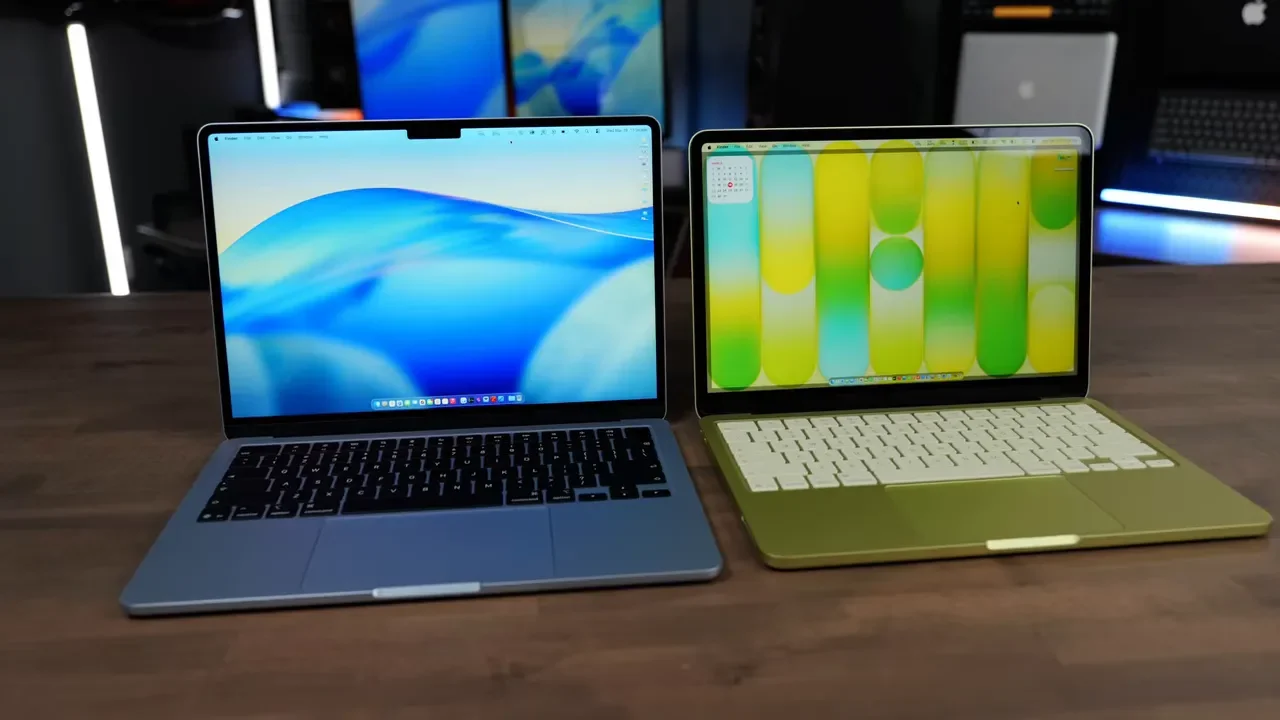
That better screen is especially worth mentioning. The P3 wide color gamut means colors look deeper and more vibrant than they do on the Neo. If you spend all day staring at your laptop, that kind of quality upgrade matters more than spec sheets sometimes suggest.
Why The MacBook Air Is The Best Choice For Most People
What makes the Air so compelling is that it feels a lot like a MacBook Pro without the extra bulk or price. It has almost the same overall design language, stays slim and lightweight, and still has enough power for a surprisingly wide range of work.
If you want a laptop that stays fast for years, handles basically anything you’re likely to throw at it, and doesn’t force you into overthinking chip upgrades and thermal systems, the MacBook Air is the safest bet. This is the one I’d point most people toward first.
MacBook Pro: Excellent, But Not Always Necessary
The MacBook Pro is where things get a little more complicated, because there isn’t just one version. There are multiple chip options, and the right one depends heavily on the kind of work you actually do. Across the lineup, though, the MacBook Pro gives you the best overall hardware experience.
What Makes The MacBook Pro Better
The standout feature is the display. The MacBook Pro has a 120Hz ProMotion display, which makes motion look much smoother than on the Neo or the Air. Scrolling, animations, and general interaction all feel more fluid. Once you get used to that, it’s hard to ignore.
You also get more connectivity:
A Thunderbolt port on the right side
An HDMI port
An SD card slot
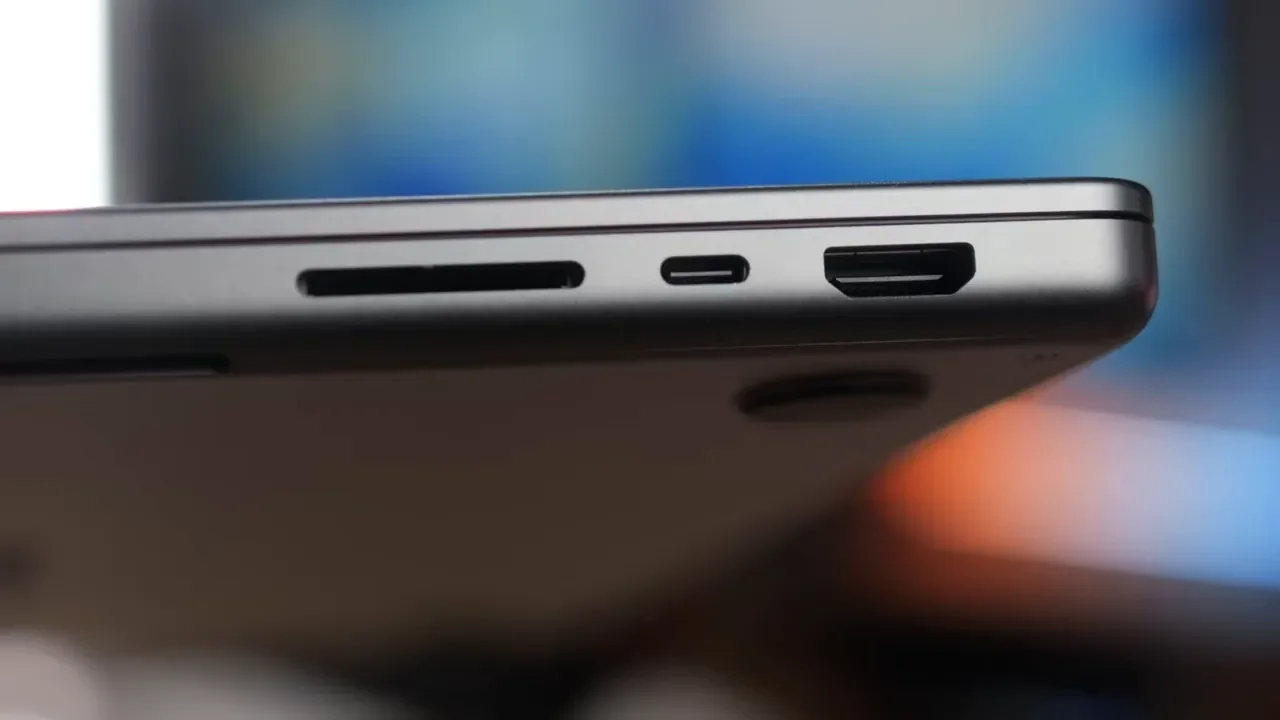
Those extra ports make the Pro much more convenient for photographers, video editors, and anyone who regularly plugs into displays, storage, or cameras. It also manages to keep battery efficiency in the same conversation as the MacBook Air, which is impressive considering the additional horsepower and display tech.
The Main Downside: Weight
The MacBook Pro weighs about 0.7 pounds more than the MacBook Air. That may not sound dramatic on paper, but it is noticeable once you’ve gotten used to carrying the Air. If portability is a major priority, the extra weight is one of the first things you’ll feel.
Which MacBook Pro Chip Should You Buy?
This is where a lot of people overspend. The MacBook Pro can be configured with the base M5, M5 Pro, or M5 Max. Those are not small upgrades. They’re meant for very different users.
Base M5 MacBook Pro
The base M5 MacBook Pro makes sense if what you really want is the Pro hardware experience:
Better speakers
Better display
More ports
If those features matter more to you than raw performance, the base model can be a good fit.
M5 Pro: The Smart Upgrade For Power Users
For most people considering a performance-focused MacBook Pro, the M5 Pro is the upgrade that actually makes sense. Why? Because it gives you a meaningful jump in sustained performance. It improves export times across demanding apps, and it includes two fans instead of the single fan found in the base M5 model.
That matters for workloads that run longer and generate more heat, like:
Photo editing
Video editing
Code compilation
Other heavy creative or technical work
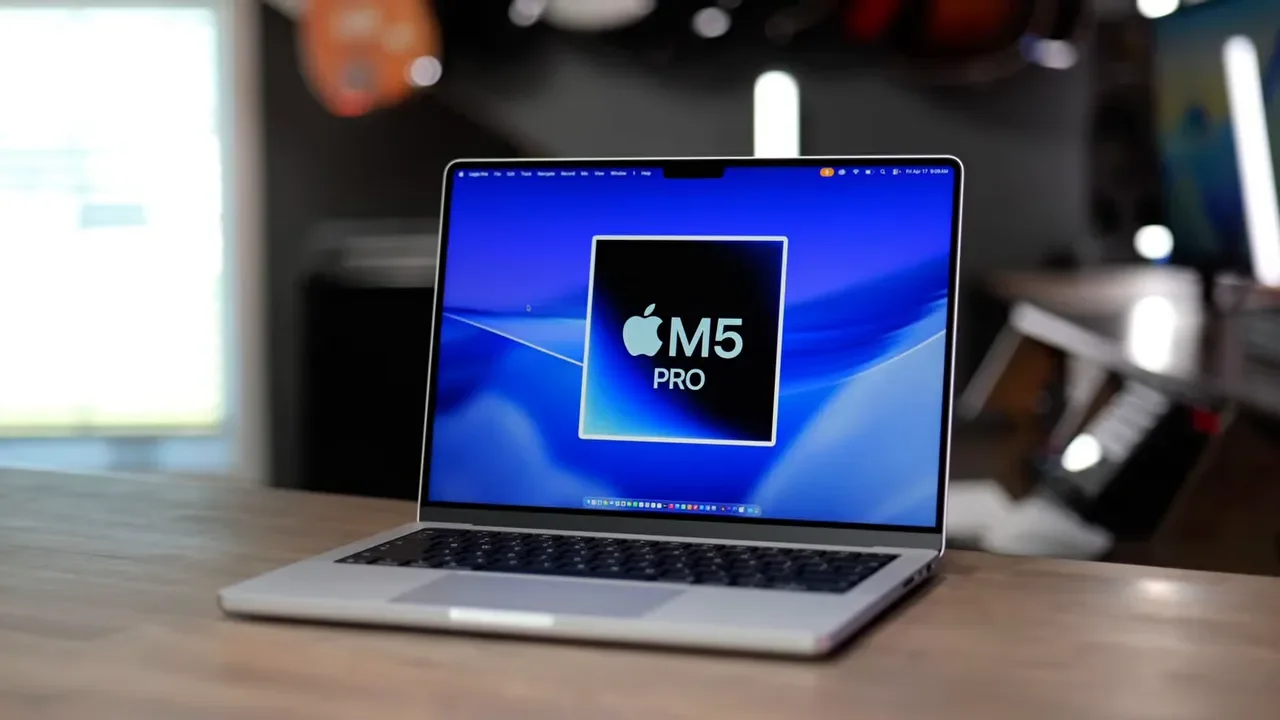
If you’re spending extra for a Pro because you genuinely need more speed, this is usually the chip to target.
M5 Max: Only If You Know You Need It
The M5 Max is for a much narrower group of people. This is the version for heavy AI training, serious 3D rendering, or massive movie production workflows. It has double the video encoders and decoders of the base M5 chip, which can be a major advantage in specialized production environments. But here’s the simplest way to think about it: if you are not completely sure that you need the M5 Max, you probably do not need the M5 Max.
Fanless Vs. Active Cooling: What Actually Matters
One of the more practical ways to narrow down the lineup is by asking whether you care more about silence or sustained performance.
Choose Neo Or Air If You Want Silence
If you want a fanless, completely quiet laptop, the choices are the MacBook Neo (256GB / 512GB) and the MacBook Air. That makes both great for everyday work in classrooms, offices, coffee shops, or any environment where you just want the machine to disappear into the background.
Choose Pro If You Need Performance Over Time
If your workloads run longer and you need the computer to maintain speed over sustained periods, the MacBook Pro is the better fit. That’s especially true once you move into the M5 Pro configuration with dual fans. For longer exports, larger code builds, and heavier creative sessions, active cooling helps the machine stay faster instead of throttling down.
My MacBook Buying Recommendations
If you’re still undecided, here’s the simplest breakdown.
Buy The MacBook Neo If:
You are on a strict budget
You are a student
You mostly do one thing at a time
You want Apple’s build quality and apps at the lowest cost
The Neo (256GB / 512GB) is a good budget MacBook. Just go in knowing that the 8GB RAM limit is the big compromise.
Buy The MacBook Air If:
You want the best balance of price, speed, and portability
You want a laptop that stays fast for a long time
You may occasionally use demanding apps like Final Cut Pro, Blender, or Xcode
You want the easiest recommendation with the fewest caveats
This is the MacBook most people should buy. It’s powerful, lightweight, quiet, and feels premium without forcing you into Pro-level pricing.
Buy The Base M5 MacBook Pro If:
You want the better display
You want improved speakers
You want more ports than the Air offers
This version is less about needing extreme speed and more about wanting the upgraded Pro hardware package.
Buy The M5 Pro Or M5 Max MacBook Pro If:
You do lots of video exporting
You compile code constantly
You work with heavier professional workflows
You need sustained high performance, not just short bursts of speed
And between those, the M5 Pro is the one that makes the most sense for most performance-focused buyers. The M5 Max is for specialized high-end workloads.
The Bottom Line
Apple’s MacBook lineup is actually pretty easy to understand once you stop looking at it as a ladder where the most expensive model automatically wins. The MacBook Neo (256GB / 512GB) is the affordable entry point. The MacBook Air is the smart default. The MacBook Pro is for people who either want the nicest hardware or truly need more sustained power.
If you want the shortest version possible:
On a budget? Get the Neo.
Want the best MacBook for most people? Get the Air.
Need serious performance or better ports and display? Get the Pro, and strongly consider the M5 Pro chip.
That’s really the whole decision.