The Fastest Mac External SSD I’ve Ever Tested: Oyen U35 Bolt+ Review
Some of the links in this post are affiliate links, which means I may earn a small commission if you choose to make a purchase at no extra cost to you. As an Amazon Associate, I earn from qualifying purchases. Read my full Ethics & Affiliate Relationship Disclaimer.
Oyen Digital’s U35 Bolt+ is the fastest external SSD I’ve tested on a Mac, and it is not particularly close.
On a Thunderbolt 5 machine, I was seeing up to 6,500 MB/s read and write, and more importantly, it held those speeds during large transfers in a way most competing drives simply do not. I moved 500GB of files in about 1 minute and 41 seconds, which is more than double the speed of the next closest drive I tested in that kind of sustained real-world transfer.
That is what makes this drive interesting. Thunderbolt 5 storage has already been useful for things like multi-stream 8K editing, RAW video workflows, local AI workloads, faster app launching, and high-density audio sessions. But the U35 Bolt+ adds something a lot of “fast” drives fail at: it stays fast when the transfer gets big.
Why The U35 Bolt+ Stands Out
A lot of premium external SSDs look impressive in short benchmark bursts. The problem is that many of them rely heavily on SLC cache. That means they can scream through smaller transfers, but once you hit a big copy job, performance falls off hard.
In practice, that often means a drive looks incredible for the first minute, then slows to something much closer to USB4 or even USB 3 class performance. If you regularly move massive media libraries, camera dumps, project archives, or AI datasets, that kind of slowdown is exactly what wastes time.
The U35 Bolt+ avoids that issue better than the other drives I compared it against because its SLC cache is larger. The result is simple: it can sustain top-end performance for much longer without the frustrating collapse in speed that shows up on many competing models.
Real File Transfer Results
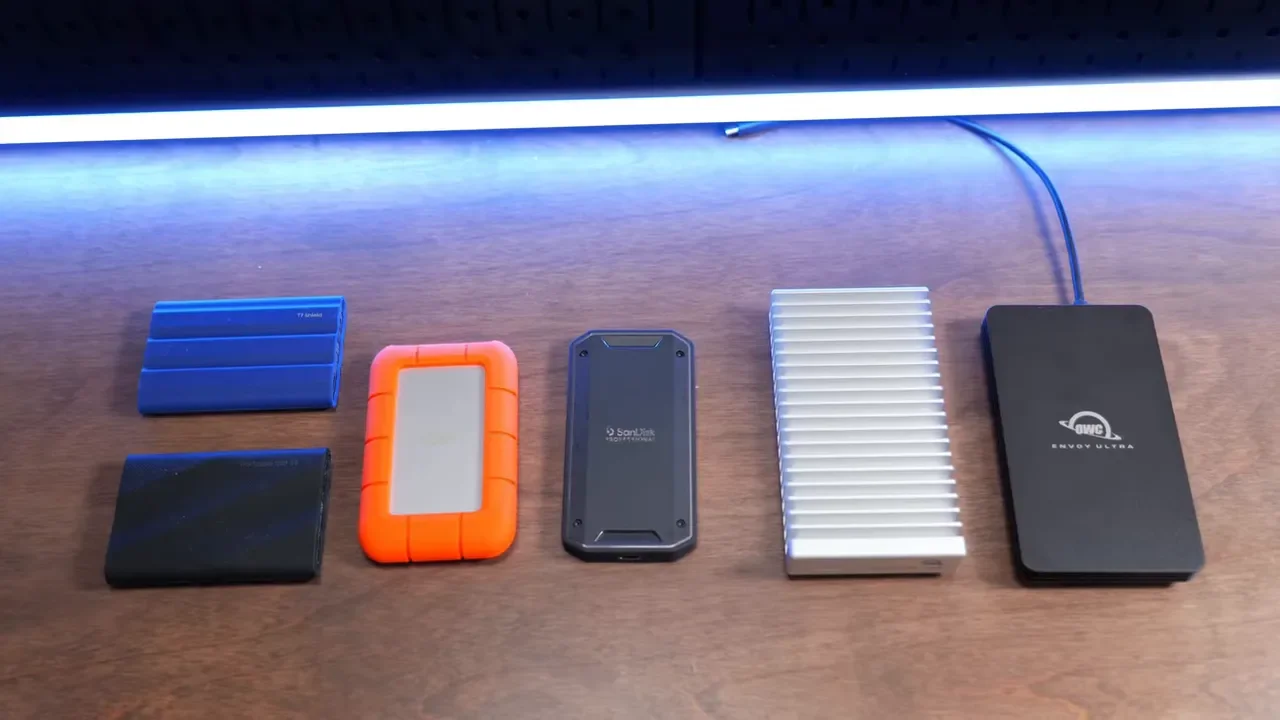
Benchmarks are useful, but large file transfers are where this drive really separates itself. Using an M4 Max Mac Studio with Thunderbolt 5, I tested two major file transfer scenarios:
100GB transfer: about 16.5 seconds
500GB transfer: about 1 minute and 41 seconds
That 500GB result is the headline. It was roughly half the time of the next fastest competing drive, the OWC 1M2 with a Samsung 9100 Pro SSD. That is an enormous difference when you are moving footage every day.
If your workflow involves backing up projects, offloading media, moving cache files, or transferring huge libraries between systems, the U35 Bolt+ is not just a little quicker. It saves enough time to materially improve your day-to-day work.
Speed Test Results On Thunderbolt 5 and Thunderbolt 4
Here is what I saw in direct speed testing:
Thunderbolt 5: roughly 6,000 to 6,500 MB/s read and write
Thunderbolt 4: roughly 3,000 to 3,200 MB/s read and write
That puts the U35 Bolt+ in true desktop-class territory when paired with the right host. On Thunderbolt 5, it gets very close to internal SSD performance on some Macs.
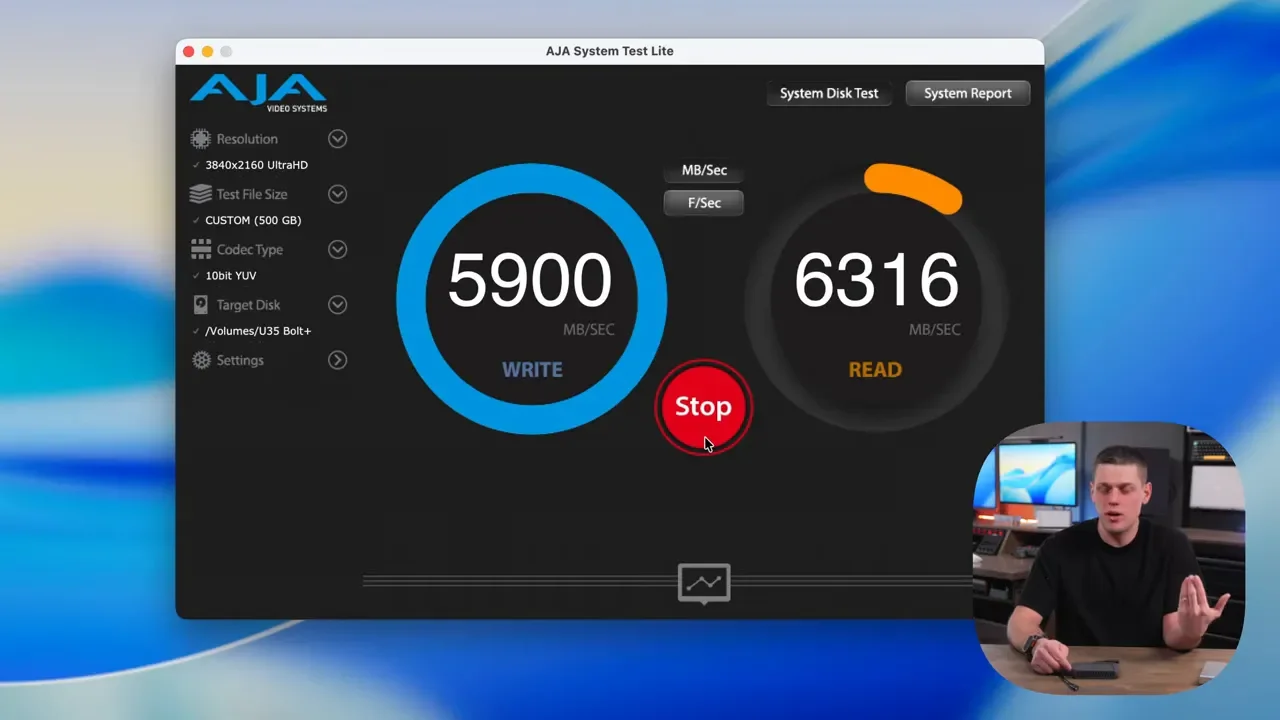
I also tested it using the AJA System Test, and even during the middle of a 500GB transfer it was still sustaining around 5,800 MB/s on both read and write. That kind of consistency is exactly what I want to see from a premium external drive.
How Close Is It To An Internal Mac SSD?
Surprisingly close. The built-in SSDs on machines like the M4 Max Mac Studio generally land somewhere around 5,300 to 6,800 MB/s. The U35 Bolt+ sits just a little below that range, which is incredibly impressive for external storage.
That means this is not just a “project drive.” If you want to run a full operating system from it, the performance is strong enough that it makes sense. For editors, creators, and power users who need fast external boot storage or a high-performance workspace drive, that is a big deal.
Compatibility: Thunderbolt 5, USB4 v2, Thunderbolt 4, and Older Systems
The U35 Bolt+ is an 80Gbps external SSD. To get its full speed, you need a Thunderbolt 5 or USB4 v2 host. If your computer supports that, this drive is currently one of the best ways to take advantage of it.
It is also backwards compatible with:
Thunderbolt 4
Thunderbolt 3
USB4
USB 3
It will still work on those systems, just at lower speeds based on the host device. Across Macs, compatibility was solid. It worked with every MacBook I plugged it into. The one wrinkle is mobile devices and tablets.
iPhone and iPad Limitations
This drive did not work directly with an iPhone, and it also did not work with an iPad A16 or an iPad Air M3. It did work with an iPad that has a Thunderbolt port.
The reason appears to be power draw. Even though the speed standard is USB-based, the U35 Bolt+ pulls enough power that phones and some tablets cannot properly run it on their own. If you want to use it with a phone, you will likely need a powered hub.
Reliability In Real Workflows
Raw speed is only half the story. A fast SSD that disconnects mid-project is not useful, no matter how good the benchmark chart looks.
After using the U35 Bolt+ for a few weeks, I had no issues with random disconnects. I used it for video editing with 6K footage, including multi-cam 6K clips, and I left it plugged in for full workdays. Some days it stayed connected from 8 a.m. until 4 p.m. or even 8 p.m. without any issues.
That reliability matters just as much as the transfer speeds. For workflows involving:
Video editing
Local AI tasks
Large archive transfers
High-bandwidth creative work
The U35 Bolt+ proved that it can keep up without becoming flaky.
Build Quality and Cooling
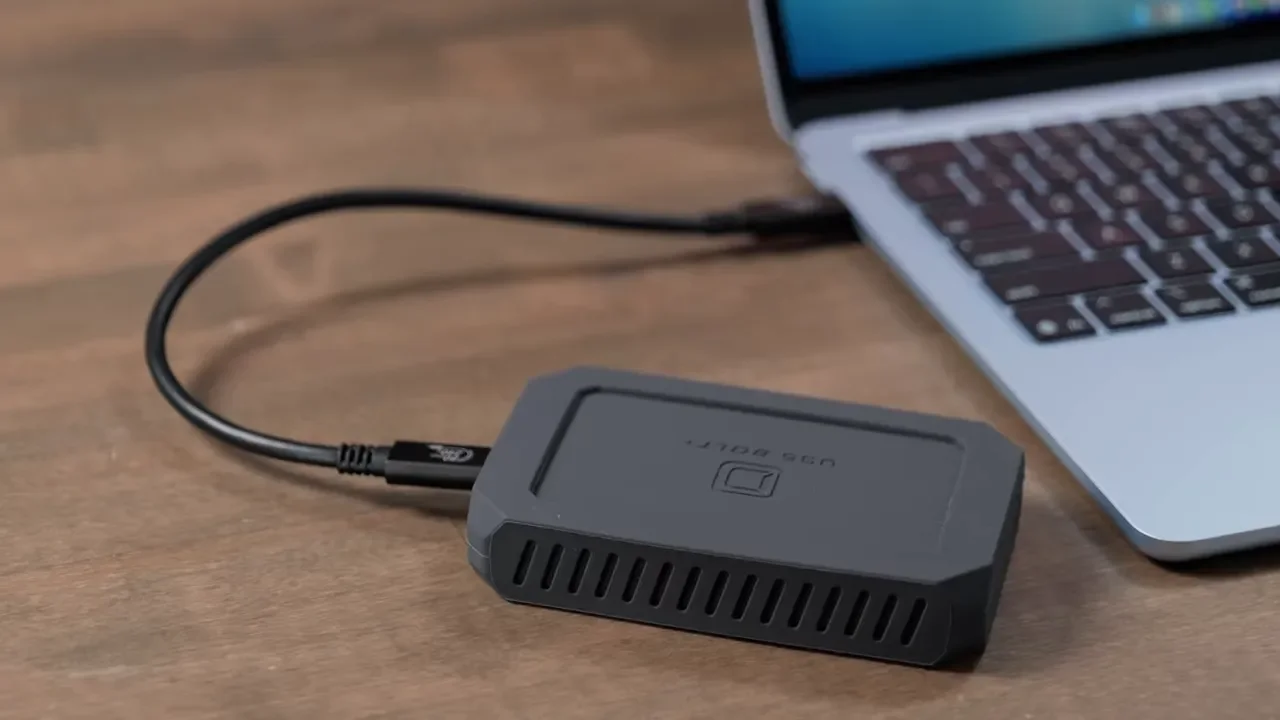
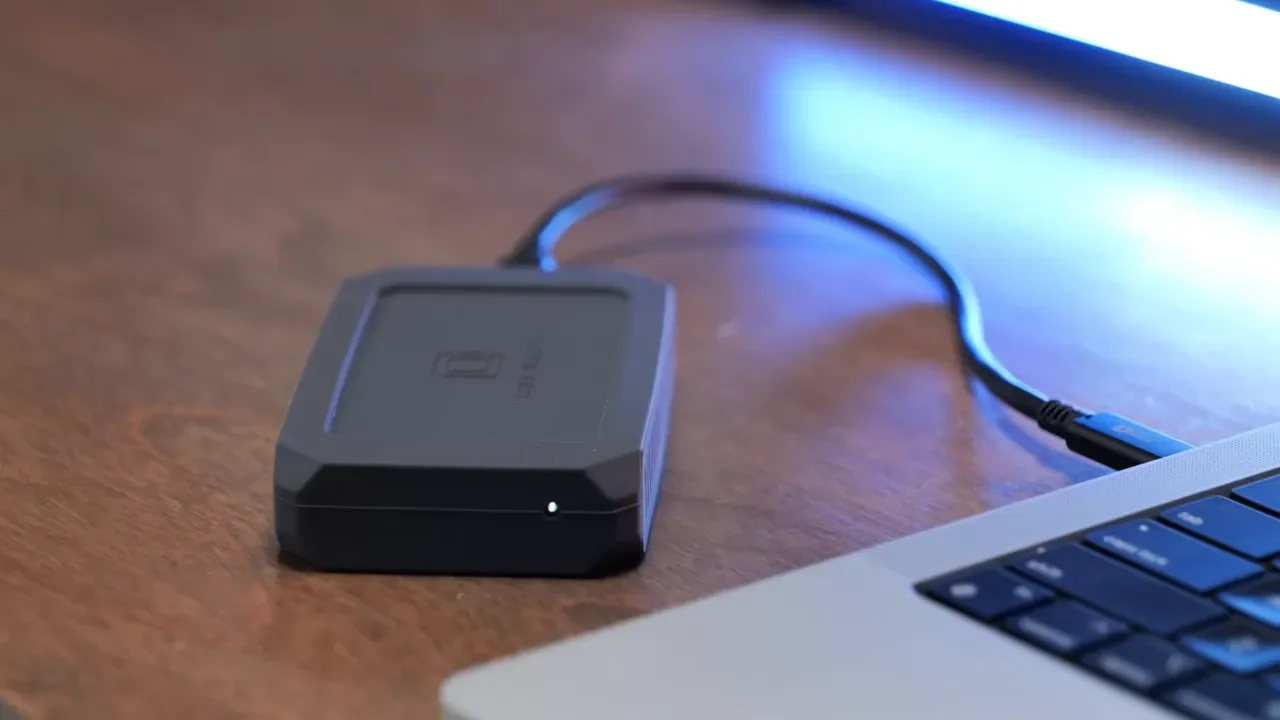
The drive itself feels well built. It has an aluminum body with a rubber outer casing, and that outer layer can be removed if you want. There is also an LED activity light on the front so you can see when data is being written.
Oyen includes a short 80Gbps cable in the box, and I like that the cable has some strain relief. That is a small detail, but it is better than the throwaway cables that sometimes come with high-end drives.
Thermally, the U35 Bolt+ uses an aluminum cooling core, and in my experience it does a very good job dissipating heat. That cooling setup is a big part of why the drive can hold onto performance during sustained heavy transfers.
The Biggest Drawback: Durability Is Only Partway There
If there is one thing I would most like Oyen to improve, it is the durability spec. The U35 Bolt+ carries a MIL-STD-810F style drop standard, which basically refers to a testing process where a device is dropped 26 times on sides, corners, and edges. That is better than nothing, and the drive does feel sturdy in the hand. But this is not the same thing as an IP rating.
There is no dustproofing or waterproofing here, which means there is no ingress protection on the U35 Bolt+. For anyone who travels often, works on location, or throws an SSD into a gear bag daily, that is the one area where this drive feels less complete than it could be. If maximum ruggedness matters more than maximum speed, a drive like one from LaCie may still be the better fit. But in pure performance, the U35 Bolt+ clearly wins.
Warranty, Data Recovery, and Endurance Ratings
Oyen includes a three-year warranty with the U35 Bolt+, and notably, that warranty also includes data recovery. That is a generous addition and not something most SSD manufacturers offer in this category.
Endurance ratings are as follows:
1TB: up to 600 TBW
2TB: up to 1,200 TBW
4TB: up to 2,400 TBW
An 8TB model is also expected soon. Those numbers are reassuring, especially if this drive is going to be used heavily for editing caches, ongoing project storage, or frequent large transfers.
Pricing and Value
External SSD pricing has been volatile, so these numbers can move around, but at the time of testing the U35 Bolt+ was roughly:
1TB: about $440
2TB: about $600
4TB: about $900
That is expensive, no question. But it is also in line with what other premium high-speed external SSD brands are charging, and in some cases it is a little better than similar options from OWC.
Once the 8TB version arrives, expect it to be very expensive. That said, the people shopping for an 80Gbps Thunderbolt 5 SSD are usually paying for saved time as much as saved files. And when a drive can cut giant transfers in half, that value proposition starts to make sense quickly.
U35 Bolt+ vs. U34 Bolt
If you are wondering how much faster this is than Oyen’s earlier U34 Bolt, the answer is simple: about double in the tests that matter.
In my comparisons, the U35 Bolt+ moved 100GB of files at roughly twice the speed of the U34 Bolt, and the benchmark numbers were also about double. That is exactly what you would hope to see from the move into this higher-performance class.
Who Should Buy The Oyen U35 Bolt+?
This drive makes the most sense for people who actually benefit from sustained high-speed external storage, especially on Thunderbolt 5 systems.
It is a great fit for:
Video editors working with 6K, 8K, RAW, or multicam footage
Creative professionals moving huge project files every day
AI users who want faster local storage performance
Audio professionals with dense session playback needs
Mac users who want near-internal SSD speeds externally
It is less ideal if you need broad phone compatibility, if you use non-Thunderbolt tablets often, or if your top priority is rugged water and dust protection.
Final Verdict
The Oyen U35 Bolt+ is the fastest external SSD I have tested, and what really sells it is not just the peak speed. It is the fact that it sustains that performance under real load. Plenty of drives can post nice short benchmark numbers. Far fewer can blast through a 500GB transfer in under two minutes without falling apart once the cache fills up.
Its drawbacks are real:
High power consumption
Limited direct compatibility with phones and some iPads
No IP rating
Premium pricing
But if you have a Thunderbolt 5 machine and you care about moving large files fast, editing directly from external storage, or keeping your workflow as close as possible to internal SSD performance, this drive absolutely delivers. For video work, AI workflows, and any situation where time spent waiting on storage costs real money, the U35 Bolt+ is an easy recommendation.
