The Best iPad for Most People? iPad Air M4 Review 2026
Some of the links in this post are affiliate links, which means I may earn a small commission if you choose to make a purchase at no extra cost to you. As an Amazon Associate, I earn from qualifying purchases. Read my full Ethics & Affiliate Relationship Disclaimer.
I’ve spent a lot of time using both the 11-inch and 13-inch iPad Air M4, and this is one of those products that gets very close to being the easy recommendation for most people. In some ways, it’s the best the iPad Air has ever been. In other ways, Apple is still holding it back just enough to protect the iPad Pro.
The headline upgrade is not flashy, but it matters a lot in daily use. The iPad Air M4 now starts with 12GB of RAM instead of 8GB, and that alone makes it feel much more capable for heavy multitasking in iPadOS 26. Apple also upgraded wireless connectivity with its N1 chip, bringing Wi-Fi 7 and Bluetooth 6 to the Air.
That said, some of the familiar frustrations are still here. Storage still starts at 128GB. The display is still limited to 60Hz. And once you start adding the Magic Keyboard and other accessories, the total price gets uncomfortably close to MacBook Air territory.
The Biggest Upgrade Is 12GB Of RAM
If you compare this to the previous iPad Air, the jump from 8GB to 12GB of RAM is easily the best upgrade this year. It makes the whole device feel snappier. App switching is smoother. Resizing windows feels better.
And if you like to run several apps at once, this is where the difference really shows up. The iPad Air M4 handles multitasking much more confidently without apps constantly slowing down, reloading, or refreshing in the background.
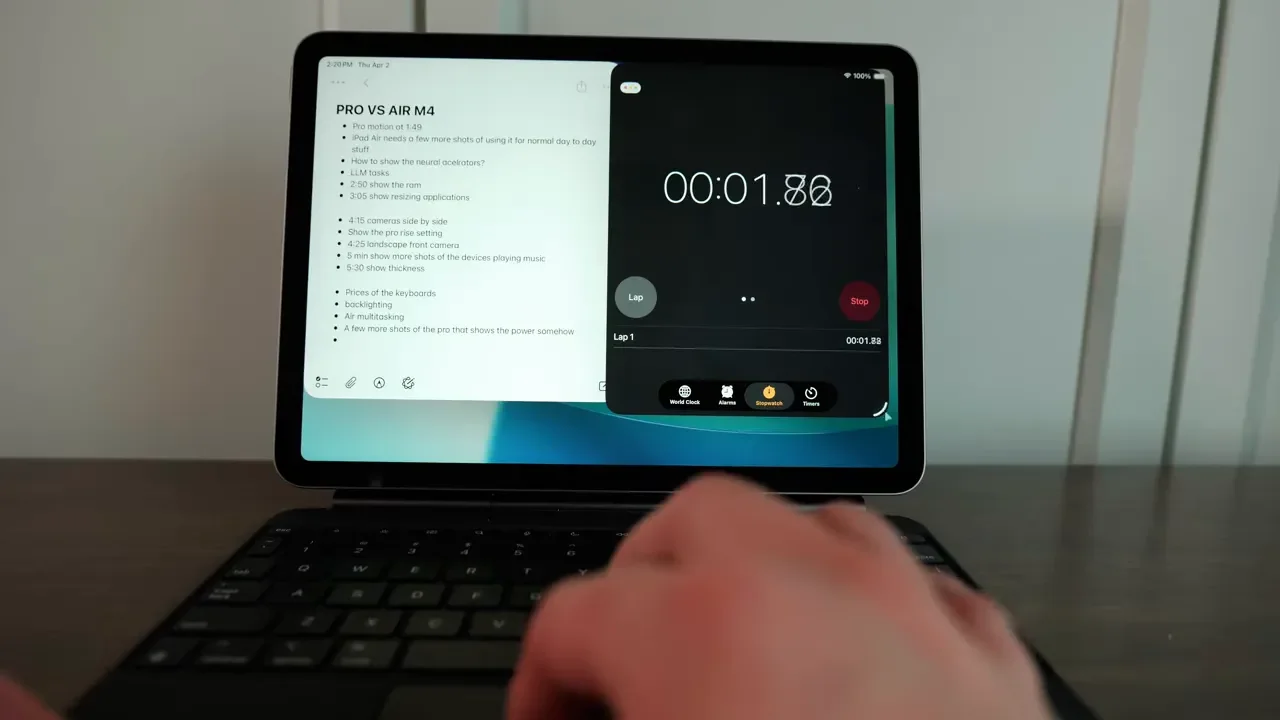
That matters because the whole pitch of the iPad Air is that it sits in the middle. It is supposed to be more capable than the basic iPad without forcing you all the way into iPad Pro pricing. With 12GB of RAM, it finally feels like Apple is taking that role more seriously.
If your workflow involves:
multiple windows open at once
jumping between apps frequently
using external displays
editing media or working with larger files
then the RAM upgrade is not just a spec bump on paper. It changes how usable the iPad Air feels.
Wireless Connectivity Finally Feels Modern
Another area where the iPad Air M4 really improves is wireless performance. Apple replaced the older wireless setup with its own N1 processor, and that gives the Air Wi-Fi 7 and Bluetooth 6.
That is the kind of upgrade that won’t excite everyone immediately, but it absolutely helps future-proof the device. Better wireless hardware is a real quality-of-life upgrade, especially if this is a device you plan to keep for several years.
Combined with the RAM increase, the iPad Air M4 feels more premium and more current than before. Apple made meaningful improvements under the hood. The problem is that some of the practical limitations are still stubbornly in place.
The Storage Problem Is Still Real
This is one of the easiest things to criticize on the iPad Air M4. Apple kept the base model at 128GB of storage, and for a premium tablet, that just feels stingy.
Once you start installing larger apps, games, downloaded movies, or offline files, 128GB disappears fast. If you plan to do any serious media work, it becomes even more limiting. A single 4K video project can eat through storage quickly, and that is before you factor in exported files, app caches, and everything else that builds up over time.
That creates an odd mismatch. Apple gives you:
an M4 chip
12GB of RAM
better multitasking
the same media engine capabilities as the Pro
But then starts you with storage that can feel cramped almost immediately if you actually use all that power. So if you want to lean into what this iPad can do, you will probably need to either:
pay for more internal storage, or
rely on external SSDs and drives
That is not ideal, especially at this price.
Display Quality Is Good, But Apple Is Still Protecting The Pro
The iPad Air continues to have one of the better displays in Apple’s lineup outside of the Pro models. It supports the P3 color gamut, and compared to the standard iPad A16, the contrast is noticeably better. Blacks look deeper, colors pop more, and it is just a nicer screen for content consumption. But the biggest limitation is still the same: 60Hz.
You do not get ProMotion. You do not get 120Hz. And once you are spending this much on a device, that starts to feel harder to excuse.
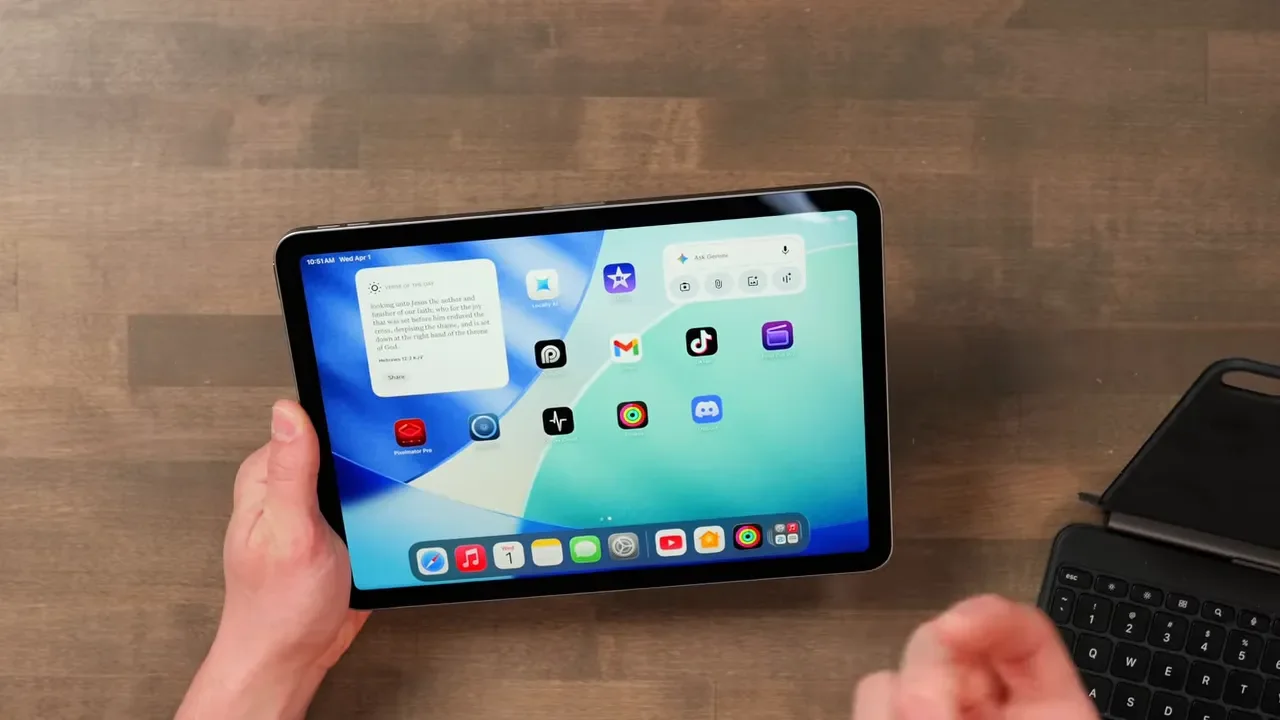
For everyday tasks, 60Hz is usable. It is not broken. But side-by-side with an iPad Pro, the difference is obvious. Scrolling is less fluid, animations feel less polished, and if you draw or write a lot with the Apple Pencil, the lower refresh rate makes the experience feel less seamless.
So yes, the iPad Air display is better than the basic iPad. But no, it still does not quite feel like the premium screen this tier should have by now.
11-Inch vs. 13-Inch iPad Air
Apple offers the iPad Air M4 in both 11-inch and 13-inch sizes, and there are some meaningful differences beyond just physical dimensions.
The 11-inch model tops out at 500 nits of brightness.
The 13-inch model goes up to 600 nits.
In real use, the 13-inch model does feel a little brighter and a little punchier. If your main goal is consuming content, multitasking on a larger canvas, or replacing some laptop tasks, the 13-inch version is the more enjoyable one.
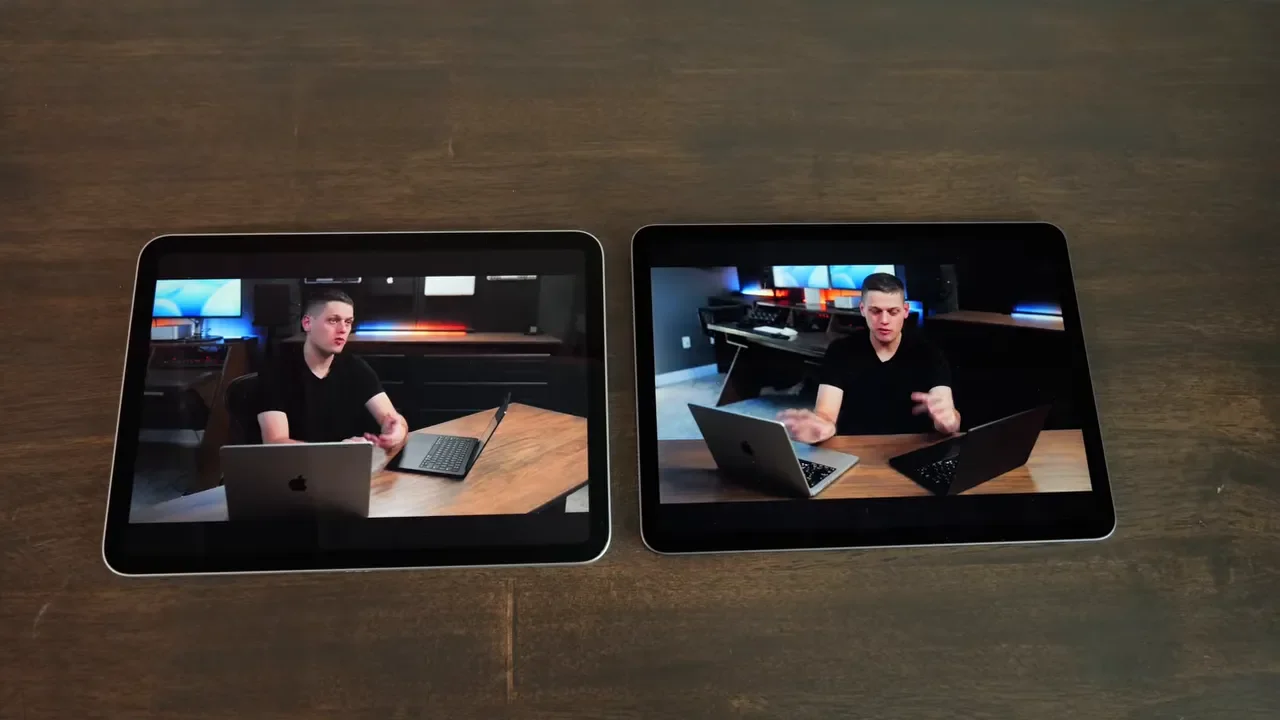
That said, the 11-inch model is easier to carry, easier to hold, and still gives you the same core performance. So the choice really comes down to whether you want more portability or more workspace.
Speakers Are Solid, But Not Pro-Level
The speakers on the iPad Air M4 are definitely better than what you get on the basic iPad A16. For casual listening, background music, and general media use, they sound good.
But compared to the iPad Pro, they still lack depth and bass. The Pro’s quad-speaker setup sounds fuller and more immersive. On the Air, movie audio can feel a little thin if you are relying only on the built-in speakers. The easy fix is simple: use AirPods or headphones. Once you do that, the limitation matters a lot less. So the speaker situation is not a dealbreaker. It is just another reminder that the Air is close to the Pro, but not all the way there.
Charging And Battery Life
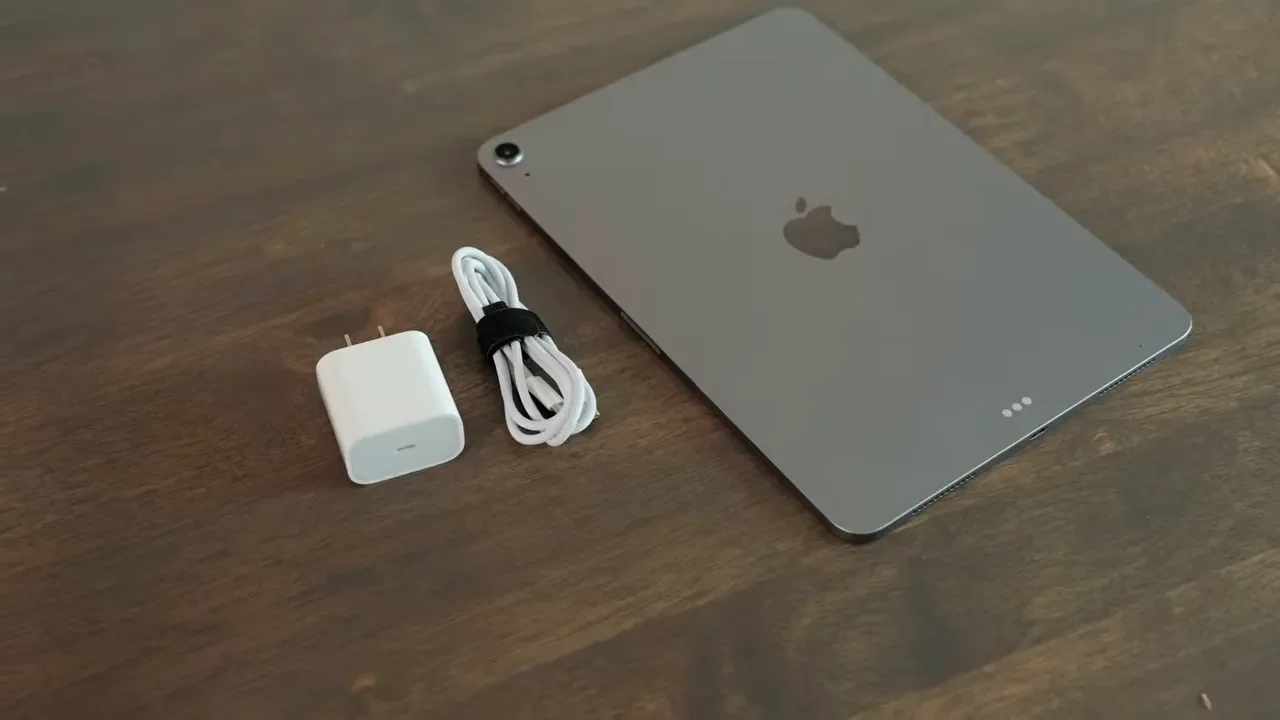
The iPad Air M4 comes with Apple’s 20W charger in the box, but the tablet itself can actually charge at up to 35W if you use a more powerful adapter. With a faster charger, you can get to around 50% in roughly 30 to 40 minutes, which is genuinely useful. It is just a little annoying that you have to buy a separate charger to unlock that faster charging speed.
Battery life is rated at around 10 hours, and in practice it feels like any other iPad. Some days it lasts a long time. Other days it drops faster, depending on your brightness level, the apps you are using, and how heavily you are multitasking. There is nothing dramatically better or worse here. Battery life is fine, but not a headline feature.
The Apple Pencil Experience Is Very Good, Especially With Pencil Pro
The iPad Air M4 supports both of Apple’s current stylus options:
If you are deciding between them, I would strongly lean toward the Pencil Pro. The biggest practical advantage is convenience. It pairs magnetically and charges magnetically, so you simply snap it onto the side of the iPad and you are done.
The USB-C Apple Pencil is more awkward. You have to plug it in to pair it, and charging it is less elegant too. For occasional note-taking, that may be fine. For regular use, it feels like a compromise.
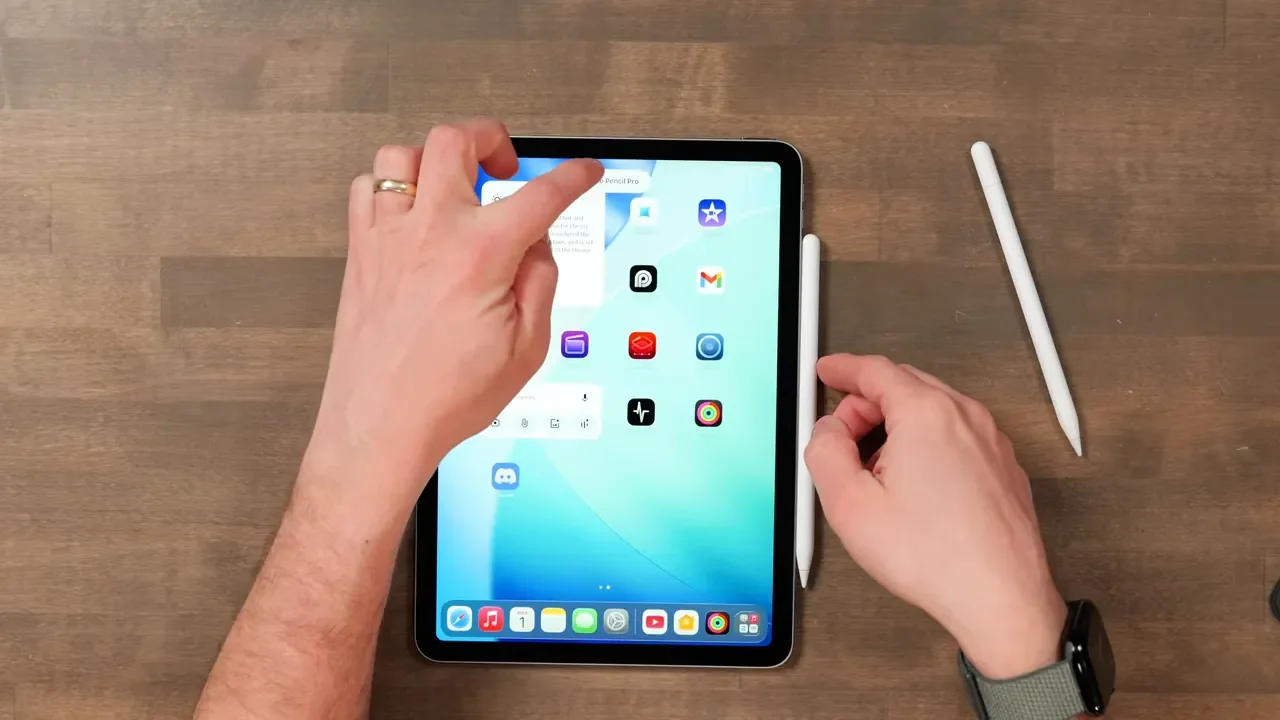
The Pencil Pro also adds extra features like:
barrel roll
haptic feedback
Those are especially useful for artists, and they make the iPad Air a much better creative option for people who do not want to spend iPad Pro money just to get the best stylus experience.
That said, artists should still remember that the iPad Pro has a 120Hz ProMotion display, and that does make drawing feel more immediate. Lines appear more quickly and the whole experience feels smoother. So the Air is good for art, but the Pro still has the edge.
The Magic Keyboard Makes The iPad Air Feel Much More Like A Laptop
My favorite accessory for the iPad Air is still the Apple Magic Keyboard. Apple updated the Air version so it now comes in white or black, which is a nice touch, and it keeps the excellent cantilever floating design. This is one of the best keyboard cases because it makes the iPad feel genuinely productive without giving up the flexibility of a tablet.
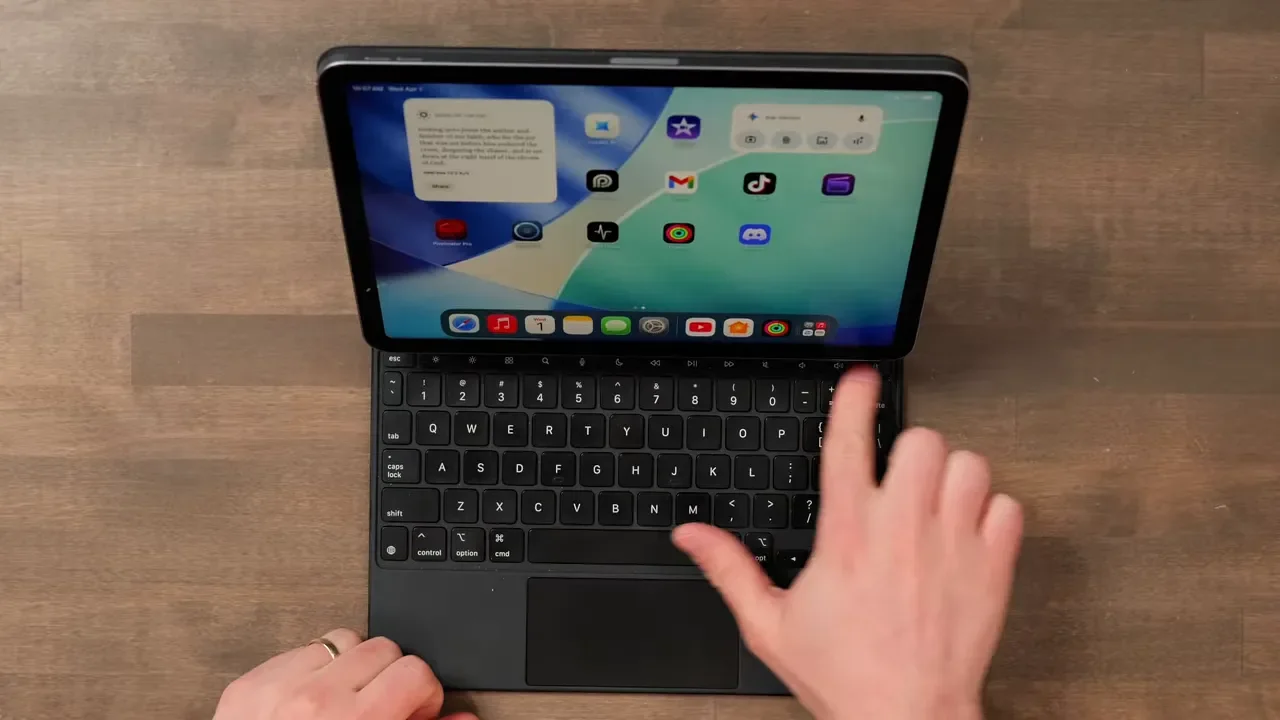
A few things I really like about it:
the flat bottom works well even on a couch
it includes screen brightness and media controls
it attaches magnetically
it does not use Bluetooth
there is no separate battery to manage
it adds an extra charging port on the side
That last part is underrated. Plugging into the side of the keyboard is often more convenient than plugging directly into the iPad itself. The trackpad is also very good and supports familiar gestures in iPadOS, which helps the whole setup feel closer to using a MacBook.
There are some trade-offs, though:
the 11-inch Magic Keyboard has smaller keys than the 13-inch version
the case adds a lot of weight, roughly doubling the weight of the iPad
once you add it, the total price climbs quickly
The nice part is that you can remove the iPad from the keyboard instantly and go back to using it as a tablet. That flexibility is one of the biggest advantages the iPad still has over a traditional laptop.
Hardware Limitations That Still Hold It Back
Even though the iPad Air M4 improves in some important areas, it still keeps a few frustrating limitations.
Touch ID Instead Of Face ID
The iPad Air still uses a Touch ID power button. It works, but I would really like to see Apple bring Face ID to the Air at this point.
USB-C Is Still Limited
The USB-C port still tops out at 10Gbps. That is fine for many accessories, but it does create some limitations with higher-performance external peripherals. Depending on the SSD or dock you use, you may run into compatibility or power delivery issues.
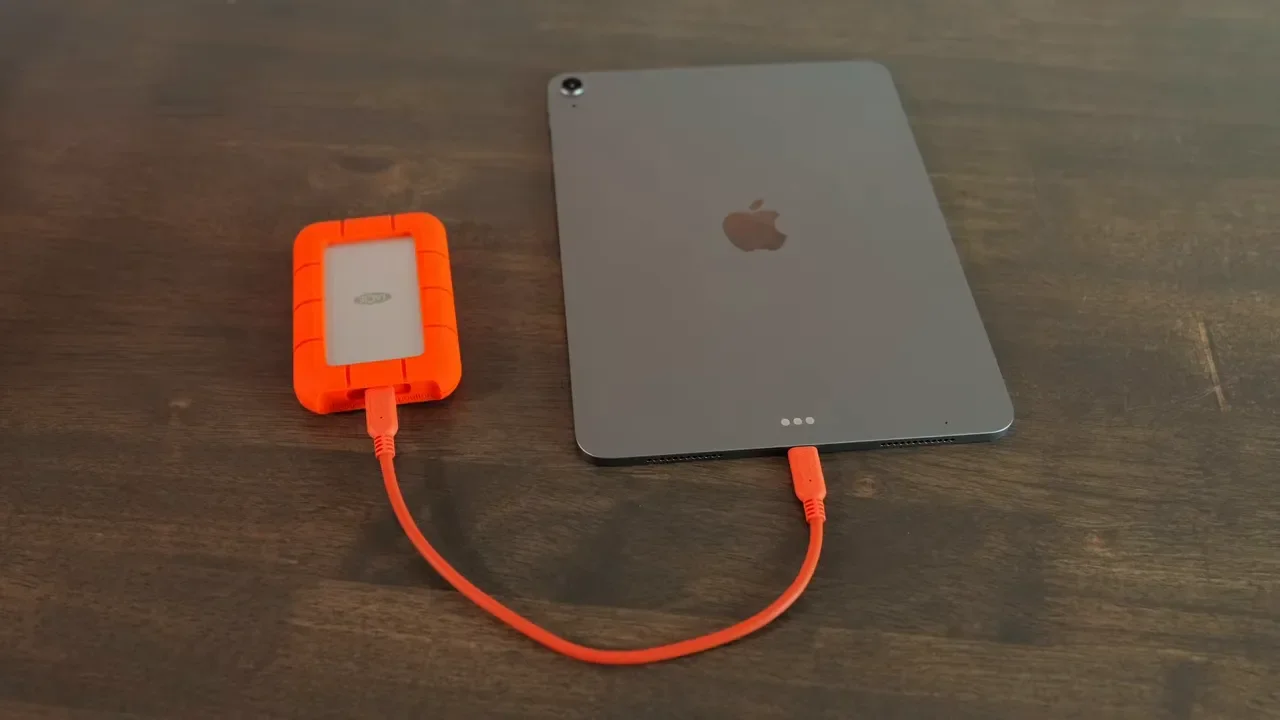
If you plan to rely heavily on external storage, docks, or more advanced accessories, that is worth keeping in mind.
External Display Support Is Excellent
One thing the iPad Air does very well is support for extended displays. You can plug it into an external monitor and use a separate desktop space, which makes multitasking much more useful. You can have different apps open on the iPad and on the monitor, and that opens up much better workflow options if you are working at a desk.
This is one of the strongest arguments for the iPad Air M4. The RAM increase, the M4 chip, and external display support all come together to make it a genuinely productive machine.
It Is Also Great For Video Calls
If you use your iPad for Zoom, FaceTime, meetings, or other calls, the iPad Air M4 is a really nice option. The front camera sits in the middle of the iPad in landscape orientation, which is exactly where it should be. That makes calls feel much more natural because you are not constantly looking off to the side.
The camera still tops out at 1080p, so it is not on the same level as newer iPhones, but it is absolutely good enough for high-quality video calls. The built-in microphones are also solid, which means you can use it for meetings without needing an external mic.
Price Is Where The iPad Air Gets Complicated
This is where the recommendation starts to get tricky.
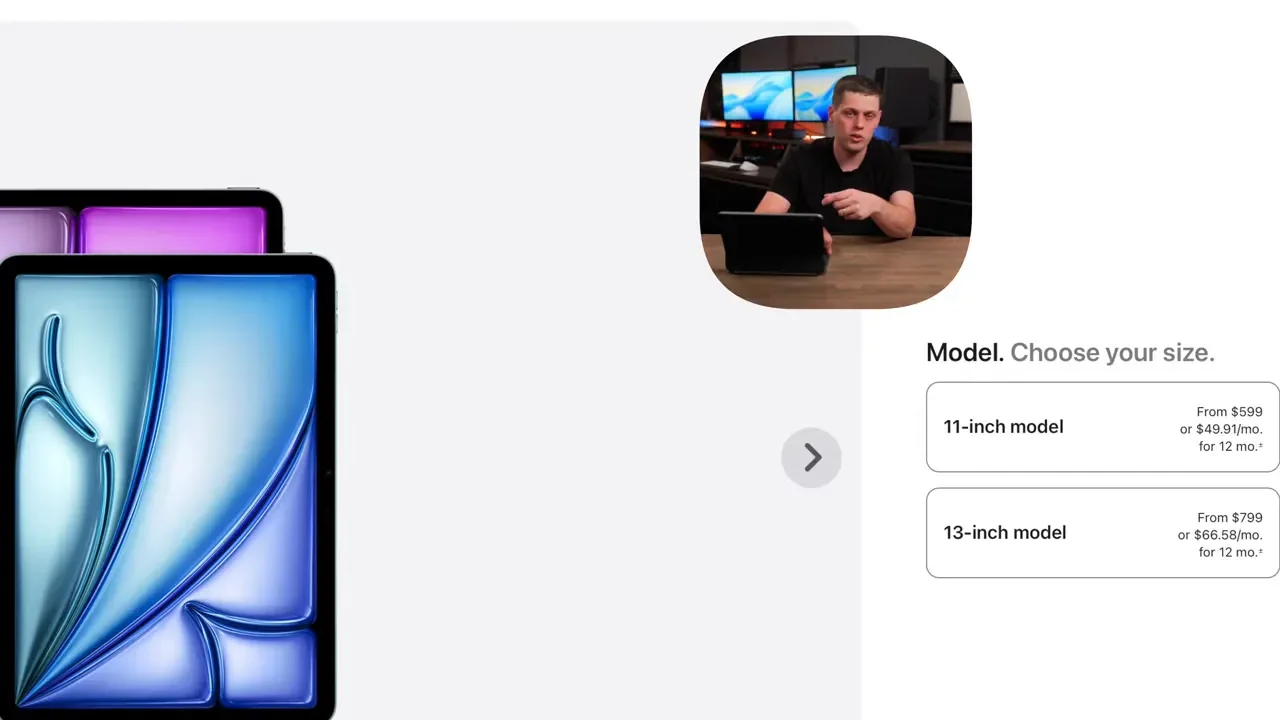
The 11-inch iPad Air M4 starts at $600 for Wi-Fi only.
The 13-inch model starts at $800.
Adding cellular costs more.
The Magic Keyboard for the 11-inch is around $280, and the 13-inch version costs even more.
By the time you add accessories, you are getting very close to MacBook Air pricing. And at that point, the question becomes less about hardware and more about platform.
You really have to ask yourself:
Do you want iPadOS?
Or do you want macOS?
iPadOS is simpler and more familiar if you are used to an iPhone. It is approachable and easy to navigate. But it still has limitations compared to macOS for certain professional workflows.
That is why the iPad Air can be a little frustrating. Most people are much more comfortable spending $300 to $350 on the standard iPad A16. Spending $600 on an iPad already pushes into enthusiast territory. Spending $800 for the 13-inch Air is even harder to justify unless you specifically want this form factor and this experience.
iPad Air M4 vs. iPad A16 vs. iPad Pro
The iPad Air M4 sits in an awkward but interesting middle ground.
Why Choose The iPad Air Over The iPad A16?
The main reasons are pretty clear:
more RAM
an M-series chip
better multitasking
a nicer display
better speakers
support for more advanced workflows
If you want a better content consumption machine and something that feels faster and more premium over time, the Air makes sense.
Why Choose The iPad Pro Instead?
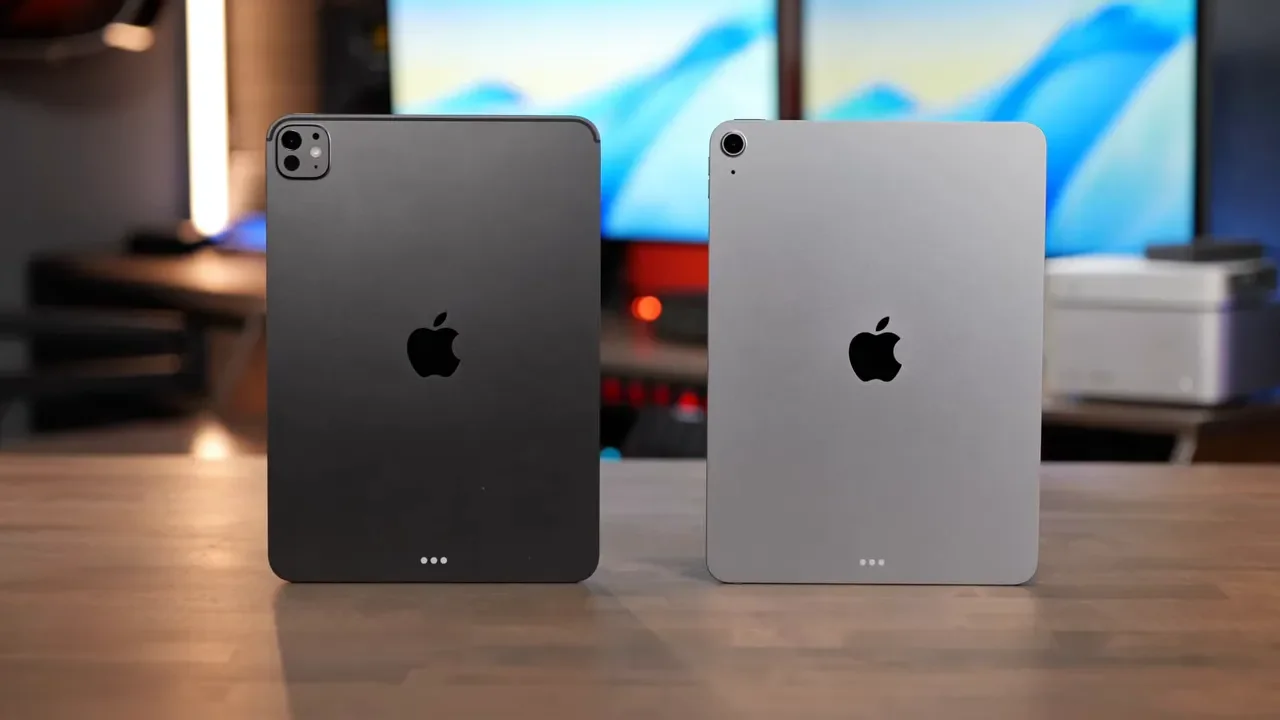
This is where Apple makes the Air harder to recommend without qualification. The iPad Pro starts at 256GB of storage, has a newer M5 chip, offers a better display, better speakers, and a 120Hz ProMotion panel. When you start upgrading the Air with more storage and accessories, the price gap between it and the Pro gets smaller than it first appears.
That makes the Air a strong option, but also a slightly dangerous one. It looks like the value pick at first, but depending on configuration, it can drift upward fast.
A Big Win For Video Editors
One of the most important details for creative users is that the iPad Air M4 includes the same media engine as the iPad Pro. That means if you do video editing, you get the same hardware-accelerated support for:
8K HEVC
ProRes
ProRes RAW
That is a major point in the Air’s favor. For video editors, it makes this iPad feel much more like a viable professional tool than older Air models did. So while the display and speakers still lag behind the Pro, the actual editing horsepower is much closer than many people might expect.
Who Should Buy The iPad Air M4?
The iPad Air M4 is an excellent choice if you want:
a powerful iPad without paying full Pro prices
strong multitasking performance
support for an external display
Apple Pencil Pro compatibility
a better display and speakers than the basic iPad
serious video editing capability
It is especially appealing if you can live with 60Hz and you usually use headphones anyway. If those two compromises do not bother you, the iPad Air M4 is genuinely awesome.
Who Should Skip It?
You should think harder before buying the Air if:
you need lots of local storage
you know you will upgrade storage immediately
you want the best speakers and display possible
you care a lot about 120Hz for drawing or fluidity
you plan to buy enough accessories that the price gets close to an iPad Pro or MacBook Air
At that point, the Pro starts looking more reasonable, and in some cases a MacBook Air may make even more sense.
Final Verdict
The iPad Air M4 is better than ever, and the move to 12GB of RAM is the reason why. It makes multitasking feel smoother, more stable, and more worthy of the hardware. Add in Wi-Fi 7, Bluetooth 6, Apple Pencil Pro support, external display support, and the same media engine as the iPad Pro, and this becomes a very capable machine.
But Apple is still clearly drawing a line. The 60Hz display, base 128GB storage, thinner-sounding speakers, Touch ID, and limited USB-C port all keep it just far enough below the Pro.
So is this the best iPad for most people? For a lot of people who want something better than the basic iPad but do not want to pay full Pro prices, yes, it probably is. But it is also one of those products where the configuration matters a lot. Once you start adding storage and accessories, you really need to compare it carefully against both the iPad Pro and the MacBook Air.
If you can live with its compromises, the iPad Air M4 is one of the most well-rounded iPads Apple has made. If those compromises already bother you on paper, they probably will not get better once you own it.
