What iPad To Buy in 2026 (Complete Buyer’s Guide)
So you want a new iPad, but you do not want to overpay for features you are never going to use.
That is the whole game here. Every iPad in Apple’s lineup is good. The tricky part is that they are built for different people. Some are perfect for reading on the couch. Some are great for school and everyday tasks. Some are trying very hard to replace your laptop. And one of them is absolutely overkill unless you know exactly why you want it.
If you are choosing between the iPad A16, iPad mini, iPad Air, and iPad Pro, this guide will help you figure out which iPad actually fits your life.
The Quick Answer: Which iPad Is Right For You?
Get the iPad A16 if you want the best value and a great everyday iPad.
Get the iPad mini if portability matters more than anything else.
Get the iPad Air (11 inch / 13 inch) if you want the best balance of price, power, display quality, and accessories.
Get the iPad Pro (11 inch / 13 inch) if you want the best screen, best speakers, and the closest thing to a true laptop replacement.
That is the short version. Now let’s break down why.
iPad A16: The Classic iPad And The Best Choice For Most People
The first stop is the standard iPad A16, which is basically the classic iPad. If you want the safest recommendation for the average person, this is it.
This is a great fit for:
Students on a budget
Families who want a shared household tablet
Anyone who mainly uses an iPad around the kitchen, couch, or coffee table
People who mostly browse, stream, read, and take casual notes
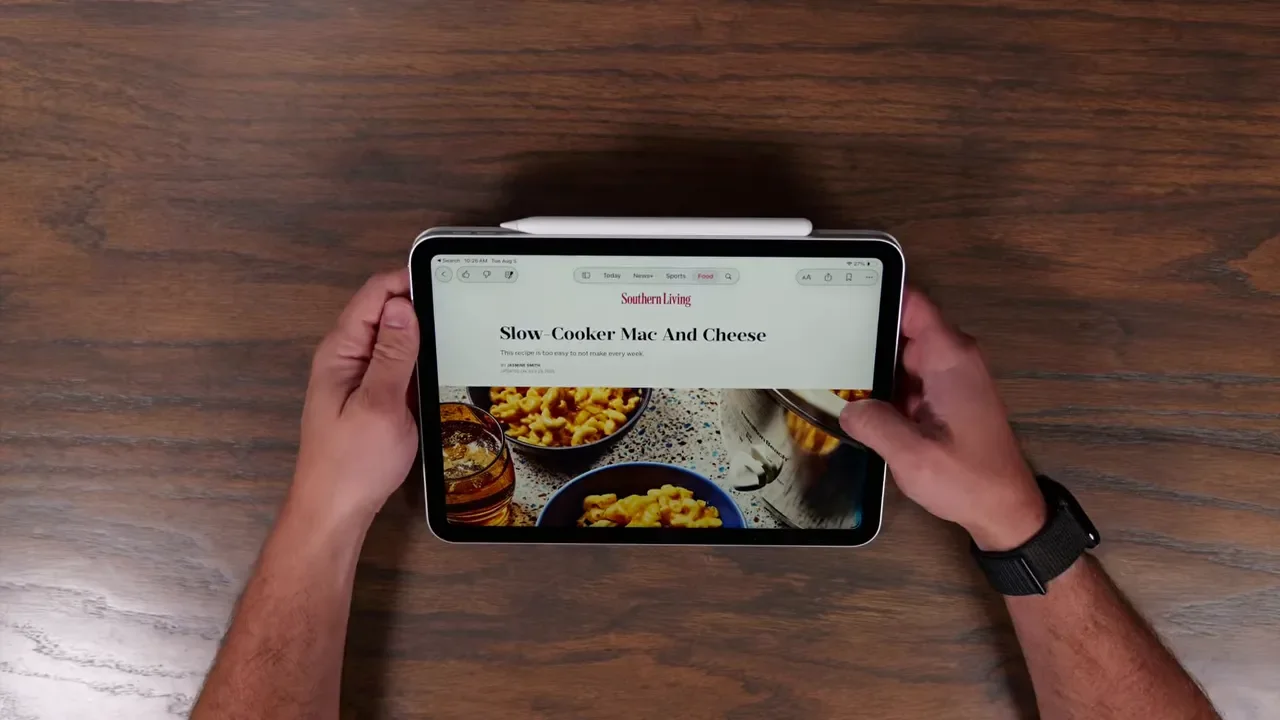
For everyday use, it checks all the important boxes. It is great for watching content, browsing the web, looking up recipes, reading, and handling normal productivity tasks. Apple Notes works fine. Pages works fine. Microsoft apps work fine. If your use case is basic to moderate, the iPad A16 is not going to feel lacking.
This is the iPad for people who want a nice, standard-sized tablet without getting dragged into spending extra money on premium features they may never notice. If your thought process is, “I just want an iPad,” this is probably the one.
iPad Mini: The Pocket Pal
The iPad mini is the one I would describe as the Pocket Pal. It feels a lot like using a phone, just with more breathing room on the screen. That makes it a really specific kind of device. It is not trying to be your desk computer. It is trying to be the easiest, most comfortable iPad to pick up and use anywhere.
The iPad mini makes the most sense if you want to:
Read books
Use an iPad one-handed
Watch videos on something larger than a phone
Write or draw with Apple Pencil
Carry your iPad everywhere with almost no effort
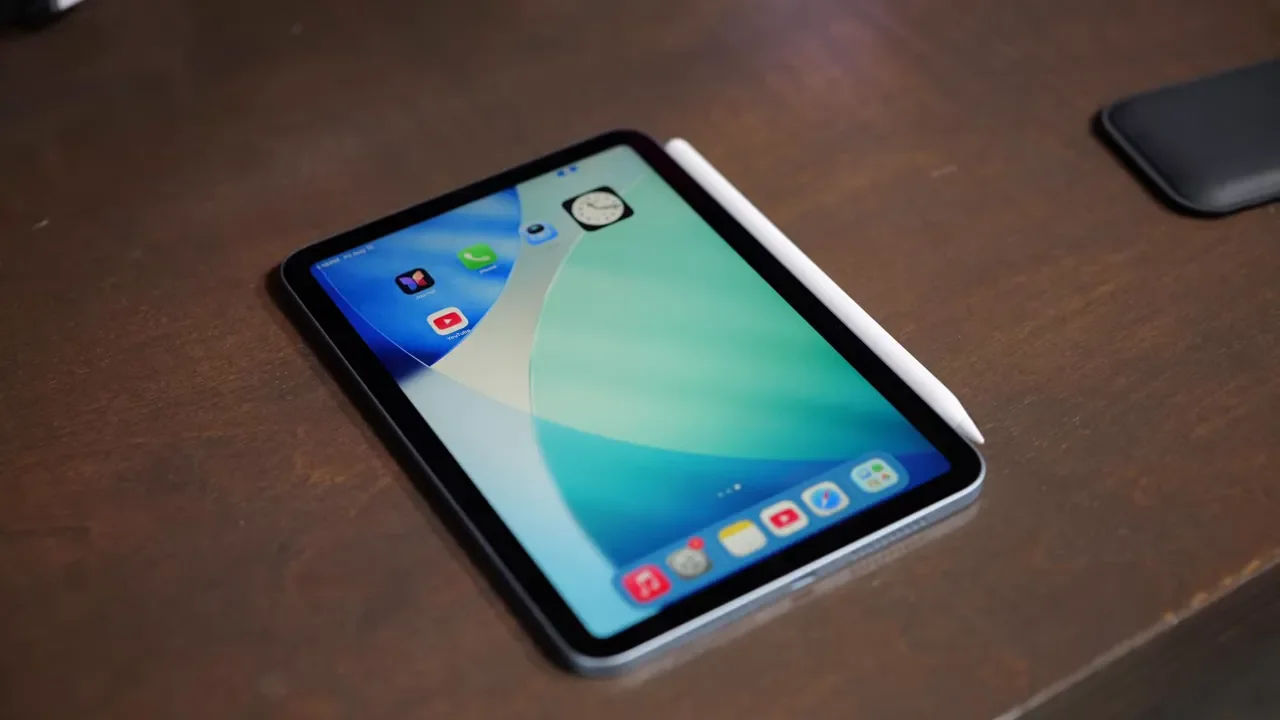
Its biggest strength is portability. It is small enough to hold comfortably in one hand, which makes it ideal as a digital notebook or e-reader. If you want an iPad that disappears into your daily routine and never feels cumbersome, the mini has a strong case. It is also powerful enough to run the apps most people care about, so you are not sacrificing functionality just because it is smaller.
Another nice bonus is that the display quality is a bit nicer than what you get on the standard iPad A16. So while the mini is mostly about size, it does have a little extra polish too. If all you care about is portability, this is the clear winner.
iPad Air: The Sweet Spot In The Lineup
If there is one iPad that hits the best balance of price and features, it is the iPad Air. This is where Apple’s lineup starts to feel noticeably more premium. The Air takes what the iPad A16 does and turns it up a notch in several important ways.
Here is what makes the iPad Air stand out:
It is significantly faster than the lower-end options
It has more RAM, which helps with multitasking
The display is noticeably nicer than the standard iPad
The speakers are better
It comes in both 11-inch and 13-inch sizes
It supports newer accessories and features, including better keyboard support
It includes Wi-Fi 7 for stronger long-term connectivity
This is the iPad I would point to for someone who wants one device to do a little bit of everything. It is better for content consumption if you care about image quality. It is better for multitasking if you keep several apps open. It is better for typing if you want to pair it with a keyboard. And it is available in a larger 13-inch size if you want a more laptop-like setup.
That larger size matters more than most people think. A 13-inch iPad Air opens the door to a very different experience. It becomes much better for split-screen multitasking, drawing, document work, and replacing a clunky old laptop. If you want the best all-around iPad, the Air is the one I would recommend most often.
iPad Pro: The Total Laptop Killer
The iPad Pro is the top of the lineup, and it is aimed at a very particular person. This is for professional artists, video editors, photo editors, and unapologetic tech enthusiasts who want the absolute best version of the iPad experience.
The big upgrades here are not subtle.
Ultra Retina XDR display with tandem OLED technology
120Hz refresh rate for incredibly smooth scrolling and animation
Best speaker quality in the lineup
Premium keyboard support
A more serious replacement for a laptop-style workflow
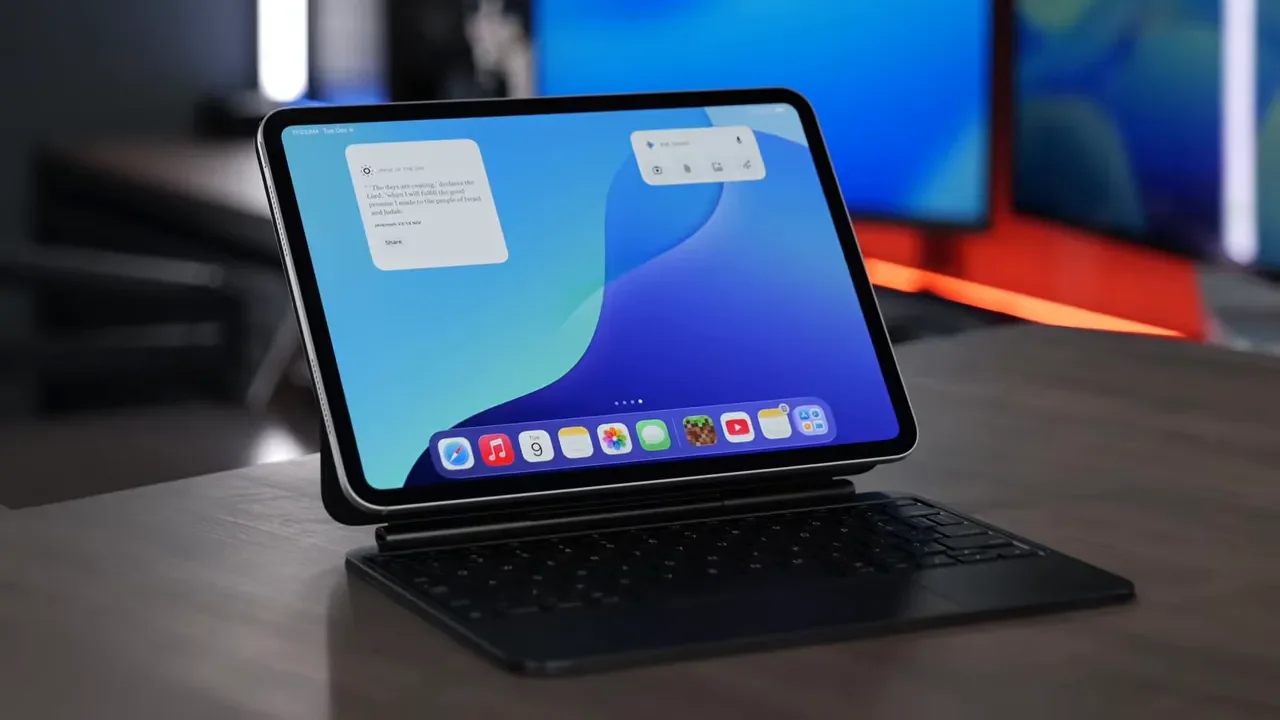
The display is the headline feature. If screen quality matters to you more than anything else, this is the iPad to get. It is the nicest display in the lineup, and according to the breakdown, it is nicer than any display on any Apple product. Add the 120Hz refresh rate, and everything feels incredibly smooth. Scrolling, drawing, moving through apps, all of it feels faster and more refined.
This is also the best choice if you want the best speakers and the most premium overall hardware experience. The catch is obvious: it is expensive, and many people simply do not need this much iPad. If your main use is streaming, web browsing, reading, email, and casual productivity, you do not need to spend Pro money. But if you want the strongest possible case for replacing a laptop with an iPad, the Pro is the one that makes that argument best.
The 3 Things You Should Decide Before Buying Any iPad
Choosing the right model gets much easier if you narrow your decision down to three things first:
Size
Storage
Accessories
1. Size: This Changes The Whole Experience
Size is not a minor preference with iPads. It completely changes how the device feels and what it is best at.
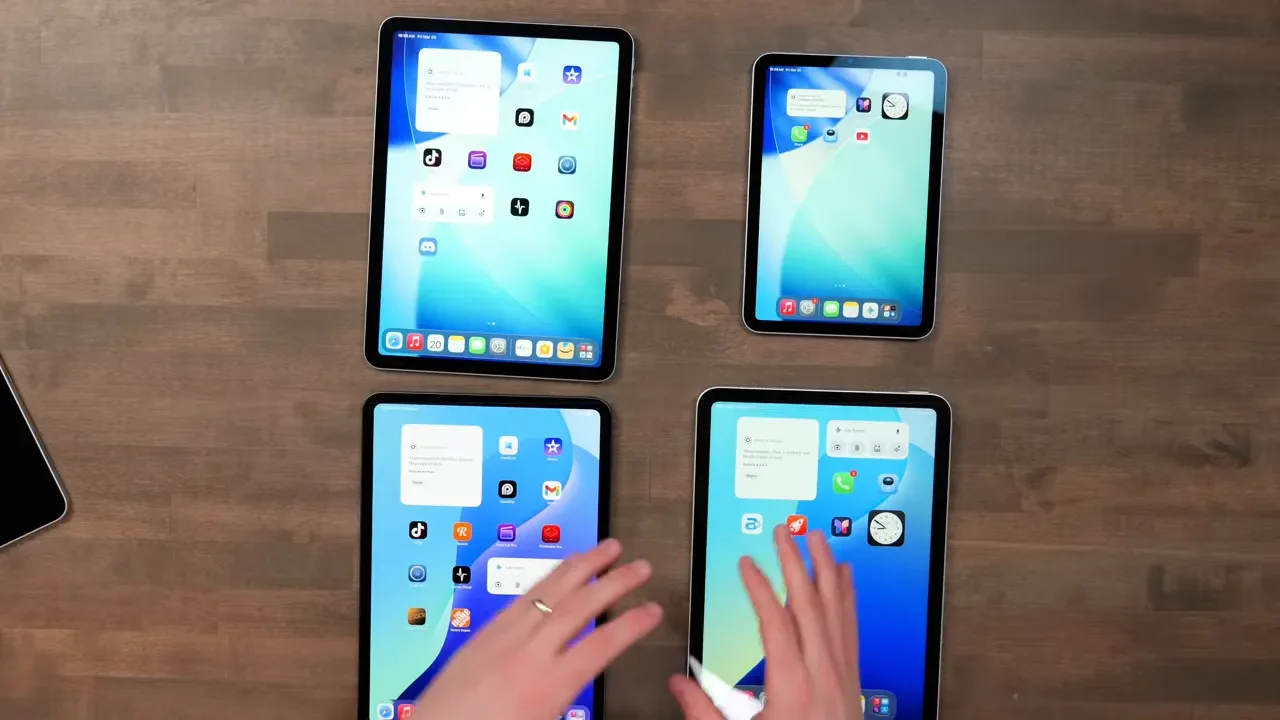
The 8.3-Inch iPad Mini
If you want a true one-handed tablet, the iPad mini is the obvious choice. It is the only model with the 8.3-inch display, and that makes it perfect for:
Reading
Taking quick handwritten notes
Using it like a digital notebook
Casual entertainment around the house
If comfort in the hand is your top priority, nothing else in the lineup really competes with it.
The 11-Inch Size
The 11-inch iPad is the sweet spot for most people. You can get this size in the iPad A16, iPad Air, and iPad Pro. This is the best do-everything size. It is large enough to be productive, but still small enough to use casually on the couch or carry around comfortably. If you are not sure what size you want, 11 inches is the safest bet.
The 13-Inch Size
If you want the biggest canvas possible, you will need the 13-inch iPad Air or 13-inch iPad Pro.
This size is best for:
Drawing
Multitasking with multiple apps open
Typing with a keyboard
Trying to replace a laptop
But there is a tradeoff. A 13-inch iPad is less comfortable to hold casually, especially on the couch. Add a keyboard case, and it becomes a large setup pretty quickly. So if your dream iPad is a giant portable workstation, 13 inches is fantastic. If your dream iPad is something easy to grab and relax with, it may feel like too much.
2. Storage: Buy Enough Now, Because You Cannot Fix It Later
Storage is one of the easiest places to make a costly mistake. If you stream most of your content and save files to cloud services like iCloud or Google Drive, then 128GB is probably enough. That is the right pick for a lot of people.
But if you plan to do any of the following, you should jump to at least 256GB:
Download lots of games
Install a lot of apps
Save movies for long flights
Edit high-resolution photos
The important part here is simple: you cannot add internal storage to an iPad later. Yes, you can use an external SSD. But that is not nearly as convenient as having the storage built into the device itself. If you are on the edge between storage options, it is usually smarter to buy a little more than you think you need.
3. Accessories: Apple Pencil And Keyboard Support Matter
Accessories are where the differences between models become much more important. All of these iPads work with AirPods, so there is nothing complicated there. The real decisions are about Apple Pencil support and keyboard support.
Apple Pencil Support
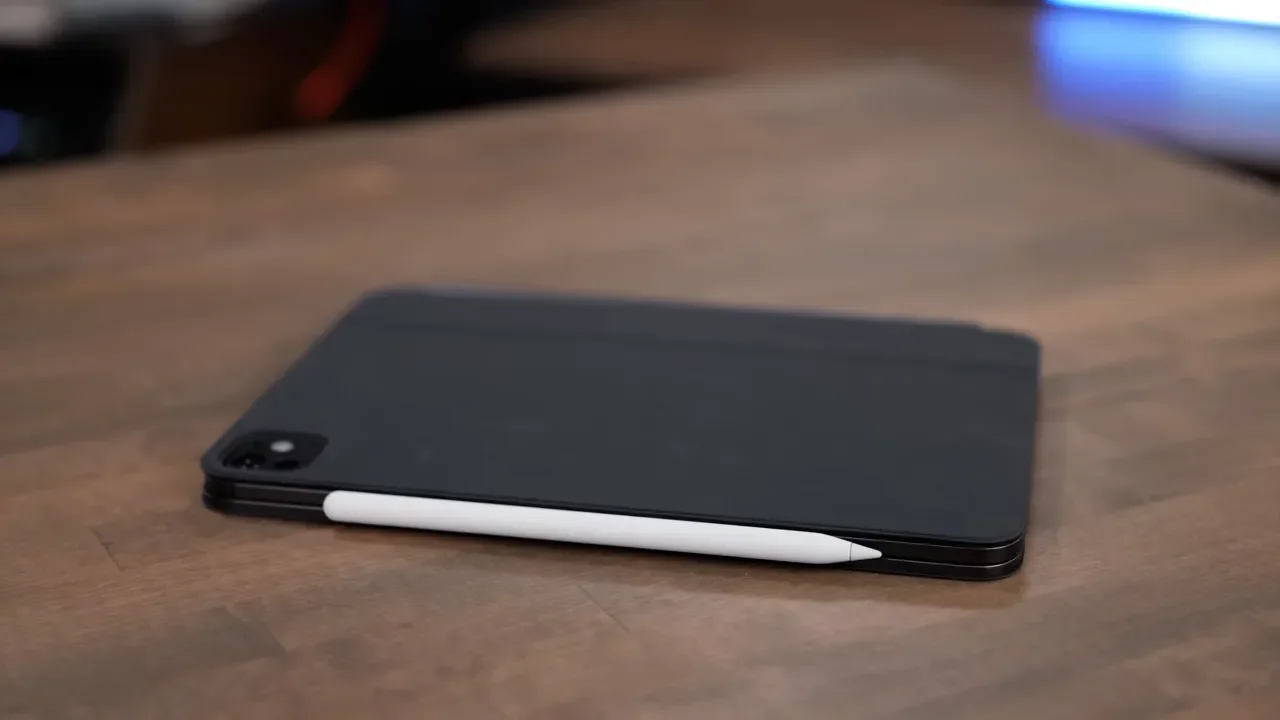
The standard iPad A16 only supports the basic USB-C Apple Pencil. The iPad mini, iPad Air, and iPad Pro support the Apple Pencil Pro, which is a much nicer experience. It attaches and charges on the side of the iPad, which is just way more convenient. It also includes squeeze features that are especially useful for artists. If drawing, handwriting, annotation, or creative work is a big part of your plan, this matters.
Keyboard Support
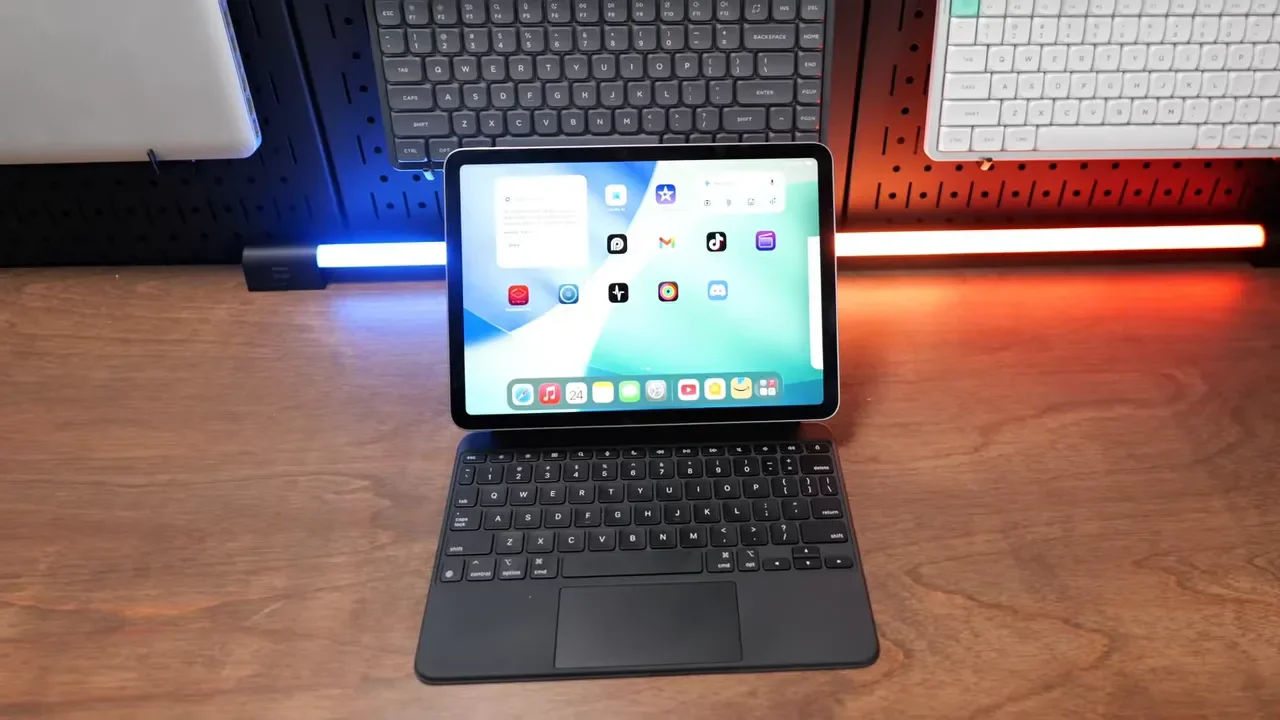
If you type a lot, focus on the 11-inch (Pro / Air) or 13-inch(Pro / Air) models. The Air and Pro are the better options here because they support the Magic Keyboard, which gives you a more laptop-like setup with a floating design and a trackpad.
The standard iPad A16 does have the Magic Keyboard Folio, but it is not as nice as the keyboard experience on the Air and Pro. And if you are choosing between those two premium options, the iPad Pro keyboard gets the edge over the Air’s keyboard. This is one of those details that matters a lot if your iPad is going to spend real time on a desk instead of just in your hands.
Which iPad Should You Buy In 2026?
Here is the cleanest way to make the decision.
Buy The iPad A16 If You Want The Most Affordable Good iPad
If your priorities are simple, this is the value pick. You want the standard 11-inch size, you mainly consume content, and you do not care about premium extras. The screen is not as nice as the Air or Pro, but it still does a great job.
Buy The iPad Mini If Portability Is Your Top Priority
If you want the smallest iPad possible, this is it. It is a great companion device to a phone and gives you a little more screen real estate without becoming bulky. It is also the best choice for readers because it is so comfortable to hold.
Buy The iPad Air If You Want The Best All-Around iPad
This is the easiest premium recommendation. It has better display quality, better speaker quality, stronger multitasking performance, better keyboard support, and more flexibility overall than the iPad A16. It is the best middle ground in the lineup.
Buy The iPad Pro If You Want The Best Of Everything
If you want a true laptop killer, or you plan to do serious video editing, photo editing, or creative work, this is the one. You are paying for the best screen, best speaker quality, smoother 120Hz experience, and the most premium setup Apple offers.
Final Verdict
The biggest mistake people make when buying an iPad is assuming the most expensive one is automatically the best choice. It is not. The best iPad is the one that matches how you actually plan to use it.
Casual use and best value:iPad A16
Maximum portability:iPad mini
Best balance of price and features: iPad Air (11 inch / 13 inch)
Best display and laptop replacement potential: iPad Pro (11 inch / 13 inch)
If you start with size, think honestly about storage, and decide whether accessories matter, the right choice becomes a lot clearer. And once you do that, buying an iPad stops feeling complicated.